Brad P. Taylor · Other
Beyond Columns
Beyond Columns is Brad P. Taylor's 1989 column puzzle for DOS. Move and rotate groups of three pieces to combine colors and clear the board.
Game by Brad P. Taylor (1989) for MS-DOS, in English. Playable in your browser or downloadable.
— no rating yet
THE CLABA ARCHIVE
Inside the game.
Its history, its ideas and the reasons to come back.
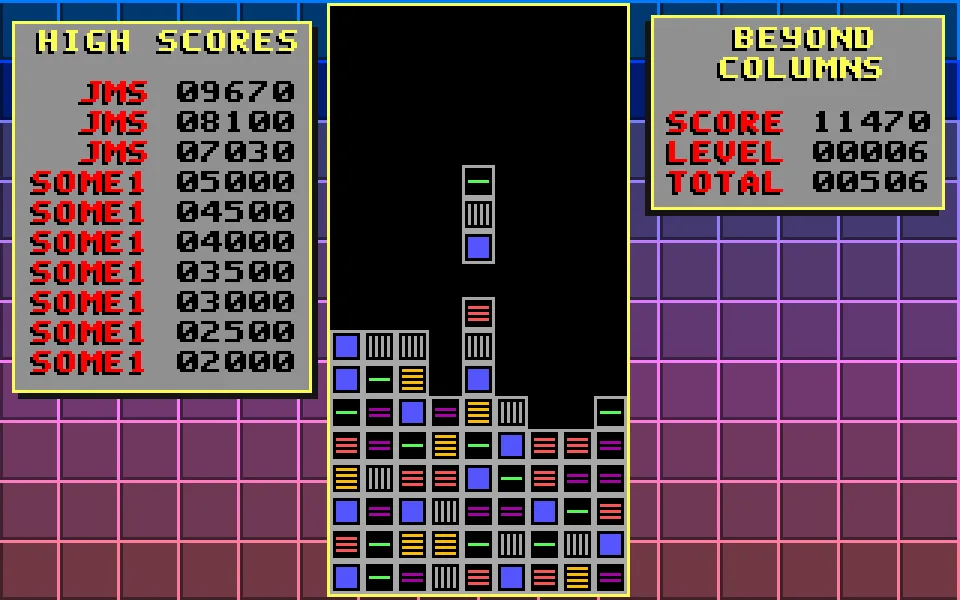
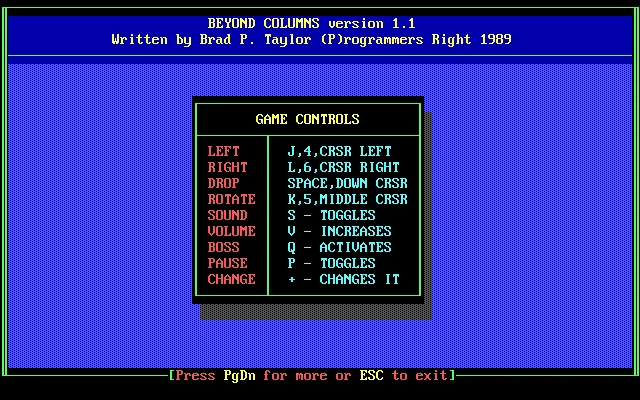
Beyond Columns drops a three-piece column onto a narrow board and lets it fall. You can shift it and change the order of its colors before it touches the bottom. When three identical pieces line up, the group disappears, the score goes up, and room opens again for the next columns.
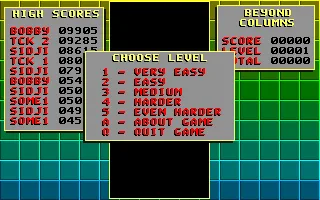
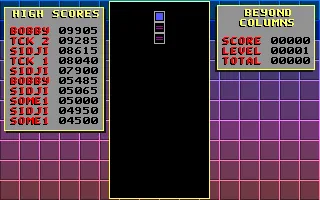
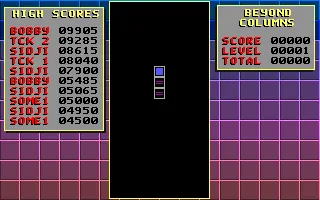
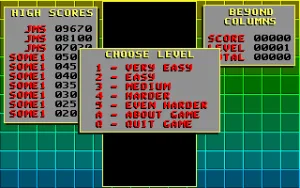
Brad P. Taylor's version 1.1 carries the date 1989 in its original help. The program opens straight onto a menu with five difficulty levels and a table of high scores. The play area sits in the center, while the Score, Level and Total indicators stay on the right. The board and its pieces are drawn with VGA graphics.
Choosing your first game
Choose Level offers Very Easy, Easy, Medium, Harder and Even Harder, numbered one through five. Press 1 to start at the first difficulty. A opens About Game, which shows the keys and an explanation from the author of how the project began. From that help you can advance with Page Down and return to the menu with Enter when the last page says so.
The game starts with a column at the top of the field. Each piece keeps its shape and color as it moves, so you can recognize the order before and after a rotation. The descent continues while you decide where to place it. P pauses the game and returns to the same position when you press it again.
Move, rotate and drop
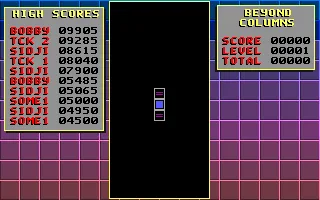
J moves the column to the left and L moves it to the right. K changes the order of the three pieces. A single press moves the bottom piece to the top and shifts the other two positions. The column keeps its vertical shape during that operation.
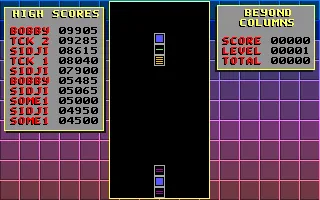
Space drops the group onto the stack. Before pressing it, look at the color that will end up at the bottom and the pieces already in that spot. A rotation can turn a column that didn't fit into one that completes a group. When it lands, the next one appears and you have to choose a position again.
The left and right arrows are also listed as movement alternatives in the help. The Down arrow handles the fall, while the number keys 4, 5 and 6 offer another set of controls. The player includes buttons for left, right, rotate, drop and pause using the letter commands verified in this copy.
Making room with matches
Placing pieces without watching the order soon fills the central area. First look at the top of each stack and find two identical colors that you can complete with the incoming column. If the new column has two identical pieces, a rotation can bring them together next to another one on the board.
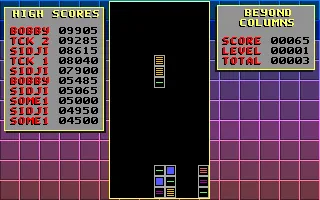
The gallery shows a vertical match prepared that way. Two identical pieces from a column are placed on top of another of the same color. The group disappears and the Total counter goes to 00003. In that game, Score shows 65 points after the earlier moves and drops.
Total helps you keep track of the eliminated pieces and Level shows the difficulty currently running. Also watch the height of the stacks. A move that clears three pieces gives you room to maneuver again and lets you use gaps that were previously occupied.
The preserved version
This game page uses the executable BEYOND.EXE and the scores file BEYOND.HIS from the owner's collection. The download keeps both inside the original ZIP. DOSBox runs them in the browser with their menus, table and help.
The identifying image comes from the game's own menu. The background and the gallery also use real screenshots of this edition. The About Game screen preserves Brad P. Taylor's name, the version number and the year, which help identify the copy and its instructions.
EVERY PIXEL COUNTS
The game in pictures.
Explore the screenshots and open every detail at full size.
GET READY FOR YOUR NEXT GAME
Choose your download.
Format, compatibility and server. All in view.
Clicking opens the CLABA loading area and, in a few seconds, your download. If a link fails, let us know via Contact or in the forum.
Your game starts here
Play in your browser.
Pick, press and go back to the classics without leaving the game page.
RetrogamingRight in your browserNo installation
MS-DOSIn your browser
Beyond Columns
Your next game starts here.
- 17 KB · downloads on click
- Save the game's files
- Keyboard, controller or touch
Controls
Click the game to use the keyboardOn mobile, play with the on-screen controller1 starts Very Easy. J/L move, K changes the order and Space drops the column. P pauses or resumes. A opens the help on the start menu.
- Full screen
Use the button on the bar. Esc returns to the game page; “Exit” closes the game.
- Saves
Save keeps the files the game creates, not the exact moment. Save inside the game, then press Save.
- Mobile and tablet
Press Controls during the game to show buttons and keyboard. Gamepad support depends on the browser.
Saves live in this browser and device. Clearing the site data deletes them too.
THE SECRET SIDE OF THE GAME
Tips, tricks and secrets.
A hint at the right time. A code that changes everything.
Check the order before you drop
K changes which piece ends up on top and which ends up at the bottom. Look at all three positions after each press. Space deposits the column and lets the next one come in.
Take advantage of two identical pieces
If a column brings two pieces of the same color, try placing them next to another identical one already in a stack. The match in the gallery uses two new pieces to complete a vertical group of three.
Reserve room to decide
Spread the columns across several positions. Leaving one very tall stack in the center reduces the room for placing the next one. Before dropping, compare two possible gaps and the color each one needs.
Use pause to read the board
P stops the game and starts it again. You can use it to recognize the colors of the column and the stacks. ClaBa Player also lets you pause the whole emulation while you consult this game page.
No matches. Try another effect or code.
THE NEXT STEP, CLEARER
Guides to move forward.
From the first installation to that mission that won't give in.
Starting a Very Easy game
Open Play online and press Play now. In Choose Level use 1 for Very Easy. The numbers 2 to 5 choose the other difficulties. Start with short moves and try a rotation before depositing the first column.
Using the keyboard and the player buttons
J moves left, L moves right, K rotates the order of the pieces and Space drops the column. P pauses or resumes. Open Controls in ClaBa Player to reach the same actions with its buttons. Focus the screen whenever you want to go back to the keyboard.
Setting up a vertical match
Look for a piece that has been left at the top of a stack. If the new column contains two of the same color, rotate with K until those two occupy the bottom. Move it to that stack and press Space. Once the group disappears, check Total and see how much room has been cleared.
Consulting the help and recognizing the edition
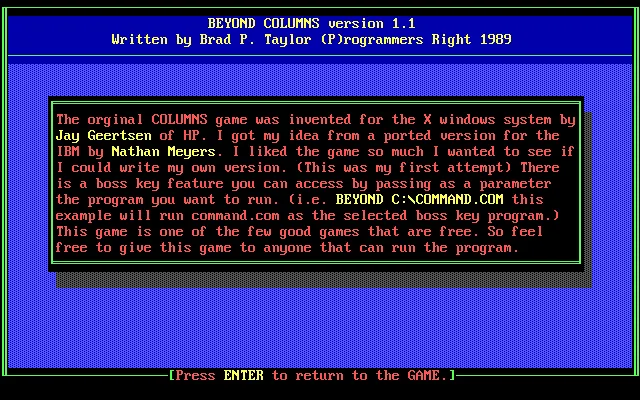
On the start menu, A opens About Game. The first page identifies version 1.1, Brad P. Taylor and 1989, and also shows the controls. Page Down leads to the author's explanation and the last page lets you return with Enter. The images from that help are kept in the gallery of this game page.
Something wrong?
Give us a hint.
A broken link, a detail to correct or a game that won't start. Your report helps keep this game page up to date.
Get in touchReport an issue with this game Discuss it in the forumCLABA ARCADE ROOM
This one and 250 more
play here.
When you finish your game, the room has other machines switched on.
Enter the roomTHE CLABA APP1.0 RC 1
Take the archive
with you.

Game pages, online play and your shelf on Android. Free, no sign-up.
ARCHIVE SECRETS
Did you know?
The author tells where the idea came from. In About Game, Taylor credits the original Columns to Jay Geertsen of HP, for X Windows. He explains that he came across an IBM version by Nathan Meyers and wanted to write his own.
The date is inside the program. The help identifies this edition as Beyond Columns version 1.1 and shows 1989 next to Brad P. Taylor.
A credit with a P. The header uses the expression (P)rogrammers Right. The next page invites you to share the game with anyone who can run it.
The help has more than one page. Page Down moves from the controls table to the author's explanation. The last screen says that Enter returns to the game.