Studio 3 · Shooter
Killing Time
Explore the Conway estate, follow the apparitions of its former inhabitants and survive the mystery of the water clock in this shooter and horror hybrid.
Choose your version 2 platforms
5.0 13 votes
THE CLABA ARCHIVE
Inside the game.
Its history, its ideas and the reasons to come back.
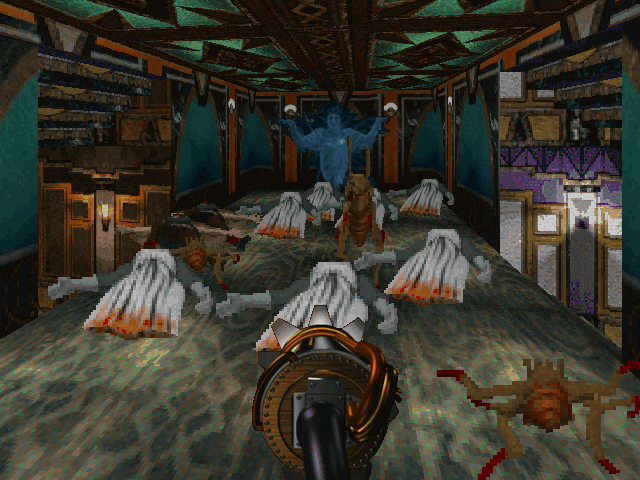


Killing Time mixes first-person shooting, exploration and supernatural horror inside Tess Conway’s estate. In 1932, an investigation around an Egyptian water clock ended in a night of occultism and disappearances; years later, the player arrives on the island of Matinicus to discover what happened and to survive those who were left trapped there.
The mansion and its surroundings form a continuous space of corridors, gardens, crypts and outbuildings. Weapons settle the immediate encounters, but advancing also demands finding keys, recognizing routes and listening to the apparitions. Those filmed ghosts burst in over the settings to reconstruct conversations and clues without completely halting exploration.
An estate frozen in 1932
The cast of guests, servants and associates of Tess appears as echoes of the last party. Their scenes lay out rivalries, secrets and pieces of the ritual, while the creatures turn everyday rooms into ambushes. The setting combines interwar architecture, Egyptian imagery and macabre humor with an adventure structure more open than that of many shooters of its time.
From 3DO to PC
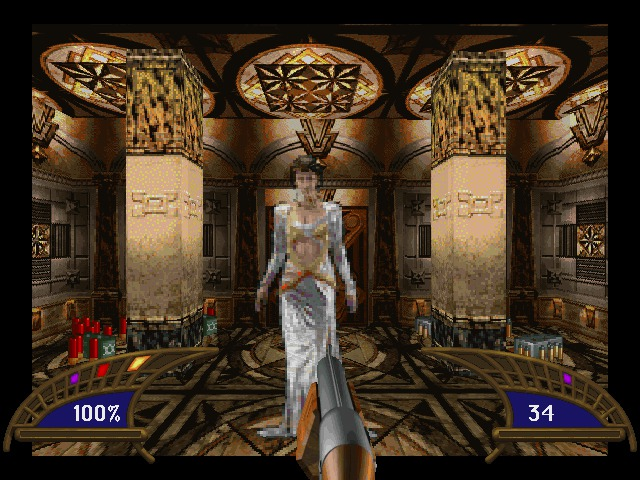
The original game appeared in 1995. The version playable on ClaBa is the 1996 Windows conversion, installed and run from the CD that this game page already linked. It keeps the video sequences and the music from the disc, so the CD stays mounted during play. In an actual test run, the game reached the first level with the health and ammo interface active.
ONE GAME, 2 PLATFORMS
Versions.
2 platforms19952 playable online
Pick a platform: the screenshots, downloads and online game on this page switch with it.
- Year
- 1995
- Developer
- Studio 3
- Downloads
- 2
- Screenshots
- 4
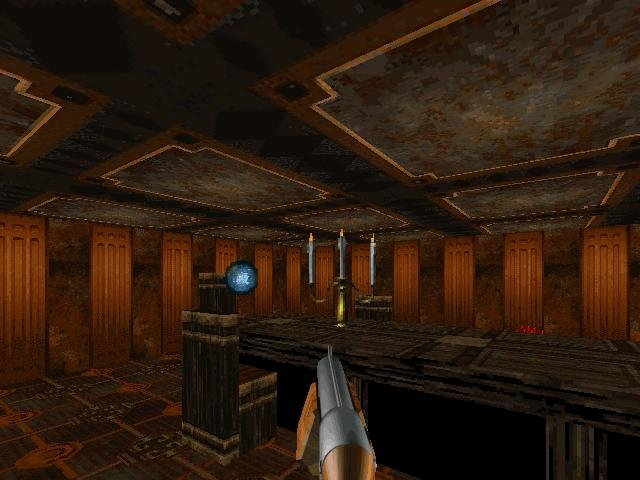
The Windows 98 version is the one this page covers: the information, review and main screenshots are from this platform.
- Year
- 1995
- Port by
- Original 3DO edition released in 1995; the later PC adaptation does not exactly reproduce this version.
- Downloads
- 1
- Screenshots
- 6
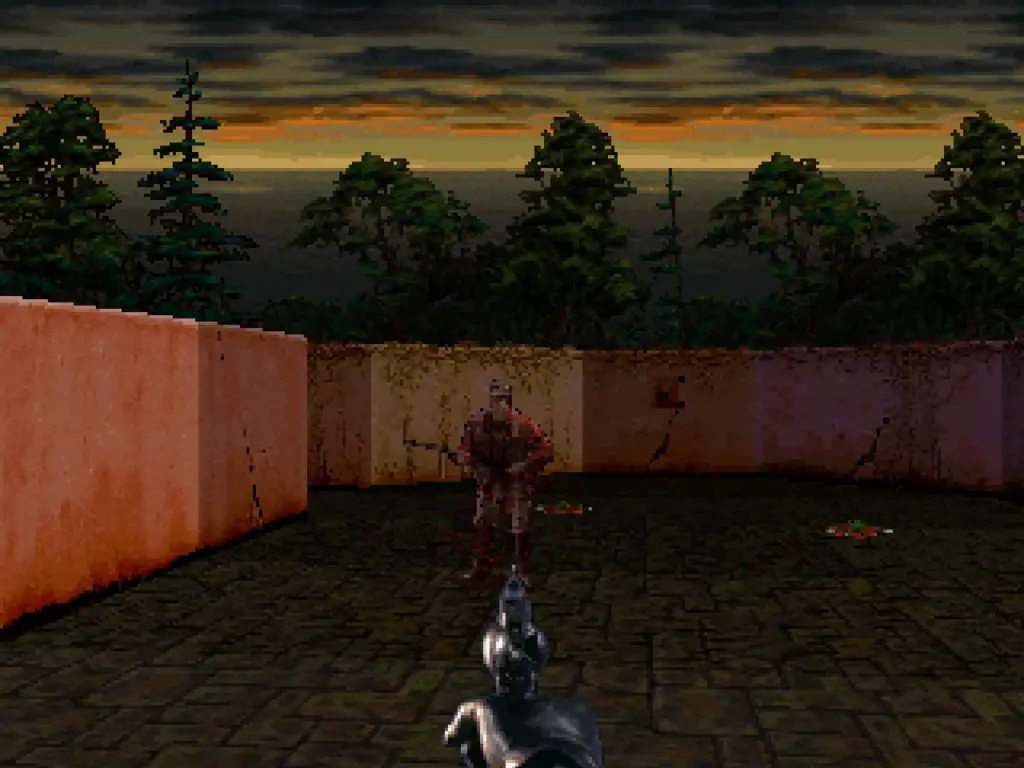
This is the original edition of Killing Time, released for 3DO in 1995. The action takes place in the mansion on Conway Island: from a first-person perspective, you make your way through its rooms and grounds, fight the apparitions and find keys that open new paths. Exploration unfolds in a large setting, rather than a succession of small, separate levels. Full-motion video sequences with real actors provide clues about Tess Conway and the guests who disappeared during a party decades earlier. The later PC adaptation rearranged elements of the game, so this version keeps the approach and scenes of the original 3DO edition.
EVERY PIXEL COUNTS
The game in pictures.
Explore the screenshots and open every detail at full size.


GET READY FOR YOUR NEXT GAME
Choose your download.
Format, compatibility and server. All in view.
Version
SELECTED VERSIONWindows 982 files · also playable online
SELECTED VERSION3DO1995 · 1 file · also playable online
Clicking opens the CLABA loading area and, in a few seconds, your download. If a link fails, let us know via Contact or in the forum.
Your game starts here
Play in your browser.
There are 2 versions ready to play. Pick one and click.
Version

Windows 98In your browser
Killing Time
Windows 98 version. Your next game starts here.
- Virtual disk loaded in chunks
- PC snapshot in this browser
- Keyboard and mouse
Controls
Click the game to use the keyboardOn mobile, play with the on-screen controllerClick inside the game to capture the mouse. Mouse: look; left button: fire; right: jump; middle button: open doors. Numeric keypad with Num Lock off: movement. Esc releases the pointer from the page.
- Full screen
Use the button on the bar. Esc returns to the game page; “Exit” closes the game.
- Saves
Save keeps a snapshot of the whole computer. Load restores it exactly as it was.
- Mobile and tablet
Press Controls during the game to show buttons and keyboard. Gamepad support depends on the browser.
Saves live in this browser and device. Clearing the site data deletes them too.
3DOIn your browser
Killing Time
3DO version. Your next game starts here.
- 407 MB · downloads on click
- Save states in this browser
- Controller, keyboard or touch
Controls
Click the game to use the keyboardOn mobile, play with the on-screen controllerUse the game menu, with the gamepad icon, to view and change the buttons.
- Full screen
Use the button on the bar. Esc returns to the game page; “Exit” closes the game.
- Saves
Save State, in the game's menu, keeps the exact moment. Load brings it back when you return.
- Mobile and tablet
Press Controls during the game to show buttons and keyboard. Gamepad support depends on the browser.
Saves live in this browser and device. Clearing the site data deletes them too.
HIT PLAY
The game in motion.
Trailers and videos to see it in action.
-
3DO · How it plays
Killing Time gameplay on 3DO.
THE SECRET SIDE OF THE GAME
Tips, tricks and secrets.
A hint at the right time. A code that changes everything.
Tip: make room before you shoot
Enemies can close the distance quickly. Back up toward a known area and avoid fighting right up against doors or corners that limit your movement.
Tip: check every apparition
The ghostly scenes are not just decoration: they help connect characters, rooms and clues. Wait a few seconds when a figure appears before continuing.
Tip: watch both wings
The left wing shows health and the right one the ammo of the equipped weapon. Check them before entering a new area and switch weapons if reserves are running low.
Mouse and doors in the Windows edition
The left button fires, the right one jumps and the middle button opens doors. If your device has no middle button, use the equivalent assignment available in the player’s controls.
No matches. Try another effect or code.
THE NEXT STEP, CLEARER
Guides to move forward.
From the first installation to that mission that won't give in.
Starting a game on ClaBa
- Press Play now and wait for the prepared first level to appear.
- Click on the image to capture the mouse.
- Move the view with the mouse and use the numeric keypad, with Num Lock off, to move around.
- The left button fires, the right one jumps and the middle one opens doors.
- Press Esc to release the pointer and return to the page controls.
Reading the game screen
The left wing shows the remaining health and the right one the ammo of the current weapon. The ornamental slots are filled in with special objects found on the estate. The central view stays clear for exploring and aiming.
Exploring the Conway estate
Advance as in an investigation: check doors, memorize junctions and return to earlier areas when you get a key. The settings connect interiors and exteriors, and a seemingly exhausted route may open up later.
The apparitions of the former inhabitants place the story of the ritual and guide the search. Not all clues arrive as text or a collectible object.
Combat and resources
Use the revolver for isolated threats and save the most powerful weapons for groups or tough enemies. Fire from a line of retreat, listen before going through a door and pick up ammo only after securing the room.
Edition, CD and saving
This game corresponds to the 1996 Windows edition, although the game page keeps 1995 as the date of the 3DO original. The CD stays mounted to serve music and videos, as the Studio 3DO README requires for the typical installation.
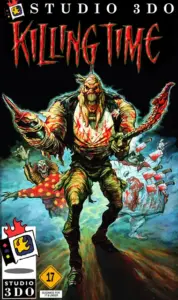
The player’s Save button keeps a local snapshot of the virtual computer in this browser. Restart returns to the prepared initial state of the first level. The game page’s editorial background and the test cover art are generated illustrations, not screenshots.
Something wrong?
Give us a hint.
A broken link, a detail to correct or a game that won't start. Your report helps keep this game page up to date.
Get in touchReport an issue with this game Discuss it in the forumCLABA ARCADE ROOM
This one and 247 more
play here.
When you finish your game, the room has other machines switched on.
Enter the room #17 in the community rankingTHE CLABA APP1.0 RC 1
Take the archive
with you.

Game pages, online play and your shelf on Android. Free, no sign-up.
ARCHIVE SECRETS
Did you know?
- The original release was for 3DO in 1995; the playable copy here is the Windows conversion published in 1996.
- The CD includes Cinepak video sequences and music that the minimum and typical installations read directly from the disc.
- The story takes place in 1932, around Tess Conway, her mansion on Matinicus and a ritual tied to an Egyptian water clock.
- The filmed apparitions tell fragments of the story within the settings themselves, one of the game’s trademarks.
- The interface shows health and ammo in two ornamental wings; the winged vessels found during play fill in status slots.