Blizzard Entertainment · Platformer
Blackthorne
Return to Tuul with Kyle Vlaros: cinematic platforming, exploration and shotgun duels in Blizzard's adventure for MS-DOS.
Choose your version 2 platforms
4.6 9 votes
THE CLABA ARCHIVE
Inside the game.
Its history, its ideas and the reasons to come back.


Blackthorne brings cinematic platformers to a world of mines, orcs and machinery. Kyle Vlaros returns to Tuul to face Sarlac, with a shotgun that matters as much as his skill at climbing and exploring. Developed by Blizzard Entertainment and published by Interplay in 1994, it mixes dark fantasy and science fiction with the look of a nineties action movie.
One shotgun, many nooks and crannies
You move through the screens carefully: there are prisoners to talk to, objects to pick up and obstacles that demand more than shooting. Kyle’s stance changes what he can do. With his weapon drawn he can fight; putting it away gives him back movements needed to advance. Learning that change of rhythm keeps you from getting stuck at the first jump.
The edition on this page
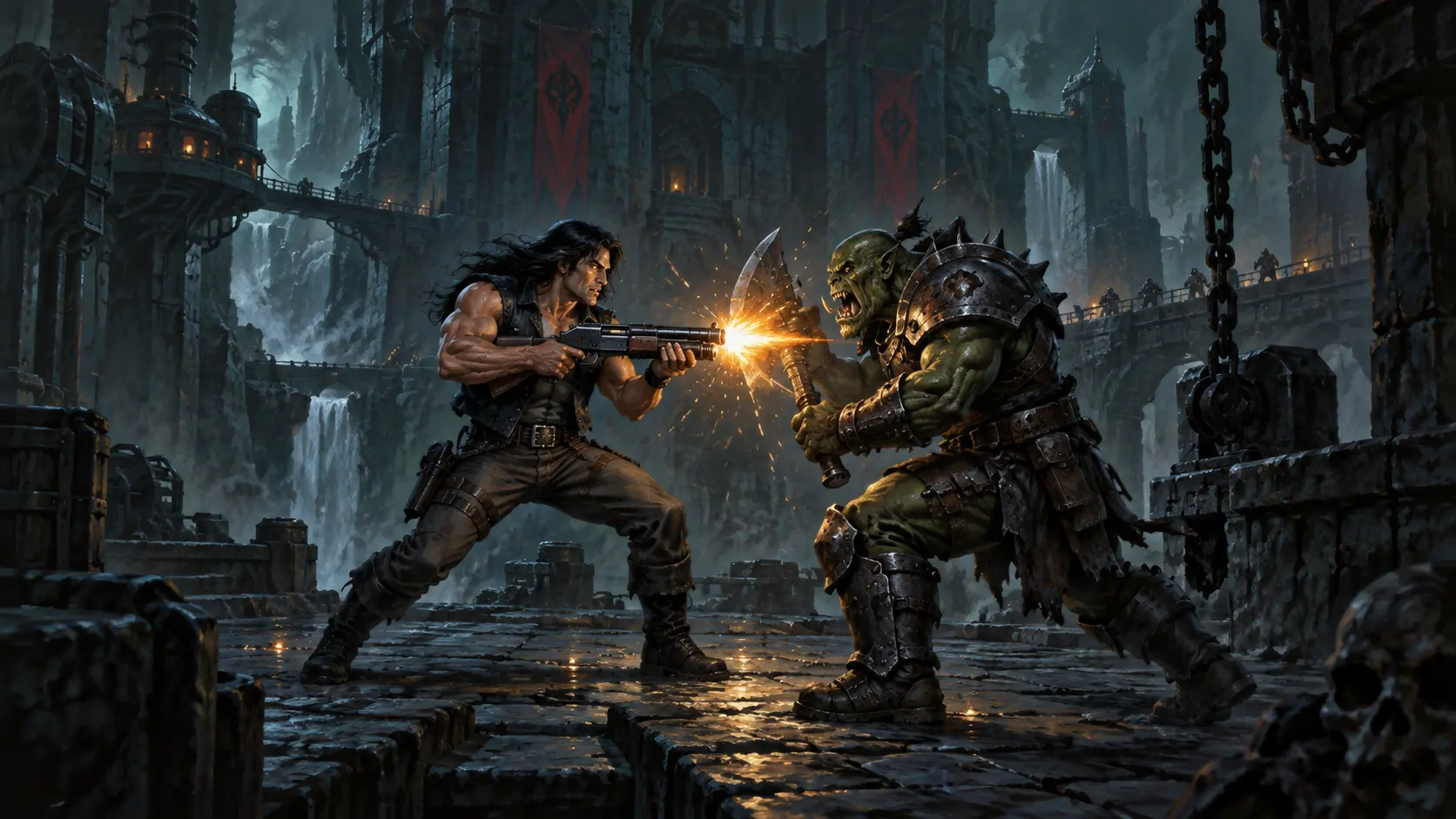
This page covers the MS-DOS version. Online play is in preparation: the available copy lets you try out actions, but starting a campaign game has yet to be verified. The keyboard instructions are based on the PC manual. The background and the cover are editorial illustrations created for this page; they are neither the commercial box nor screenshots of the game.
ONE GAME, 2 PLATFORMS
Versions.
2 platforms20032 playable online
Pick a platform: the screenshots, downloads and online game on this page switch with it.

- Year
- 1994
- Developer
- Blizzard Entertainment
- Downloads
- 1
- Screenshots
- —
The MS-DOS version is the one this page covers: the information, review and main screenshots are from this platform.

- Year
- 2003
- Port by
- Mass Media
- Downloads
- 1
- Screenshots
- 6
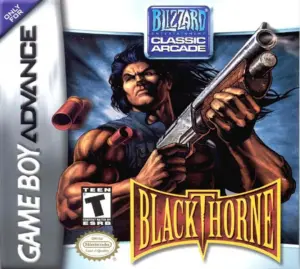
The Game Boy Advance edition adapts Blackthorne to a handheld format and keeps its side-scrolling action adventure: Kyle must fight his way through Tuul, use a shotgun and bombs, and advance across platforms, doors and encounters that require taking cover. Mass Media is credited as the conversion team for this version. Blizzard published it under Blizzard Classic Arcade in 2003. These details apply to the GBA edition; they do not credit Mass Media with the conversion of the original DOS game.
EVERY PIXEL COUNTS
The game in pictures.
Explore the screenshots and open every detail at full size.


GET READY FOR YOUR NEXT GAME
Choose your download.
Format, compatibility and server. All in view.
Version
SELECTED VERSIONMS-DOS1 file · also playable online
SELECTED VERSIONGame Boy Advance2003 · 1 file · also playable online
Clicking opens the CLABA loading area and, in a few seconds, your download. If a link fails, let us know via Contact or in the forum.
Your game starts here
Play in your browser.
There are 2 versions ready to play. Pick one and click.
Version

MS-DOSIn your browser
Blackthorne
MS-DOS version. Your next game starts here.
- 1 MB · downloads on click
- Save the game's files
- Keyboard, controller or touch
Controls
Click the game to use the keyboardOn mobile, play with the on-screen controller- Enter
- confirm
- ↑←↓→
- move and crouch
- S
- draw or holster weapon
- F
- fire or jump
- D
- run
Wait for loading to finish.
- Full screen
Use the button on the bar. Esc returns to the game page; “Exit” closes the game.
- Saves
Save keeps the files the game creates, not the exact moment. Save inside the game, then press Save.
- Mobile and tablet
Press Controls during the game to show buttons and keyboard. Gamepad support depends on the browser.
Saves live in this browser and device. Clearing the site data deletes them too.
Game Boy AdvanceIn your browser
Blackthorne
Game Boy Advance version. Your next game starts here.
- 2 MB · downloads on click
- Save states in this browser
- Controller, keyboard or touch
Controls
Click the game to use the keyboardOn mobile, play with the on-screen controller- A
- jump
- B
- shoot
D-pad: walk, crouch and aim. Start: opens the pause and quit menu.
- Full screen
Use the button on the bar. Esc returns to the game page; “Exit” closes the game.
- Saves
Save State, in the game's menu, keeps the exact moment. Load brings it back when you return.
- Mobile and tablet
Press Controls during the game to show buttons and keyboard. Gamepad support depends on the browser.
Saves live in this browser and device. Clearing the site data deletes them too.
HIT PLAY
The game in motion.
Trailers and videos to see it in action.
-
Game Boy Advance · Gameplay
A play session of Blackthorne on Game Boy Advance.
THE SECRET SIDE OF THE GAME
Tips, tricks and secrets.
A hint at the right time. A code that changes everything.
Tip · holster the weapon before jumping
Press S to put the shotgun away. F or Space make Kyle jump when he is unarmed; with the weapon drawn they fire it.
Tip · wait for an opening
Use the shadow in the background to take cover with Up and watch the enemy. Step out to shoot when his attack ends.
Tip · check who you are aiming at
The prisoners are allies. Put the shotgun away before approaching to talk, and check which way Kyle is facing before pressing an action key.
Tip · explore before spending items
Pick up the bags by crouching, and look over the obstacle in front of you. E uses the selected item; bombs can open the way.
No matches. Try another effect or code.
THE NEXT STEP, CLEARER
Guides to move forward.
From the first installation to that mission that won't give in.
Before you start · playing here, edition and passwords
You can play on this very page. Open the Play online tab and press Play now: the package is only downloaded when you ask for it. It launches the complete campaign, with its introduction and the first level of the Androth mines. The sound comes already configured, so you don’t need to go through SETUP.
In the game menu, NEW GAME starts the campaign and PRACTICE opens the training level where the Androthi explain the moves. Blackthorne does not save games to disk: you resume with PASSWORD, so it is a good idea to write down the code the game gives you after each level. If you close the tab without noting it down, you go back to the beginning.
The download on this page is the original disk of the PC edition, compatible with MS-DOS 6.22. If you prefer to install it on your computer, run SETUP to choose the sound card and BLACK to play.
Controls · DOS edition keyboard
Arrow keys: movement; Up also lets you talk, take cover or climb, depending on your position. Down crouches Kyle and picks up objects.
S: draw or holster the shotgun. F or Space: fire with the weapon drawn, jump without it. D: fire backward with the weapon; run when combined with a direction after holstering it. E: use the selected item. The square brackets cycle through the inventory.
First steps · learning the stance change
Practice three actions separately: walking, holstering the weapon and jumping. Then chain them together. Don’t hold down several keys while a scene is loading: wait until you can see Kyle and the available path.
When facing a height, position yourself under the ledge before climbing. In combat, avoid repeating shots without watching the enemy’s response. A small safe advance is more useful than restarting because you rushed.
Sources · manual and the making of Tuul
- Original PC manual (PDF): story, tutorial, keyboard and inventory.
- Blizzard: Blackthorne behind the scenes (in Spanish): memories from Sam Didier and Glenn Stafford.
Keep the continuation codes the game shows you in a separate place. Don’t confuse a level code with a file that preserves every action of the game.
Something wrong?
Give us a hint.
A broken link, a detail to correct or a game that won't start. Your report helps keep this game page up to date.
Get in touchReport an issue with this game Discuss it in the forumCLABA ARCADE ROOM
This one and 247 more
play here.
When you finish your game, the room has other machines switched on.
Enter the roomTHE CLABA APP1.0 RC 1
Take the archive
with you.

Game pages, online play and your shelf on Android. Free, no sign-up.
ARCHIVE SECRETS
Did you know?
- Sam Didier cites Flashback, Prince of Persia and Out of this World among his influences.
- According to Didier, Blizzard’s first orcs appeared in Blackthorne.
- Glenn Stafford, composer of its music, would later work on Warcraft and StarCraft.
Memories from its creators at Blizzard (in Spanish).