The Software Toolworks · Other
Beyond the Black Hole
Beyond the Black Hole is The Software Toolworks' 1989 action game for DOS. Control the paddles and send an orb toward the targets at the center.
Game by The Software Toolworks (1989) for MS-DOS, in English. Playable in your browser or downloadable.
— no rating yet
THE CLABA ARCHIVE
Inside the game.
Its history, its ideas and the reasons to come back.
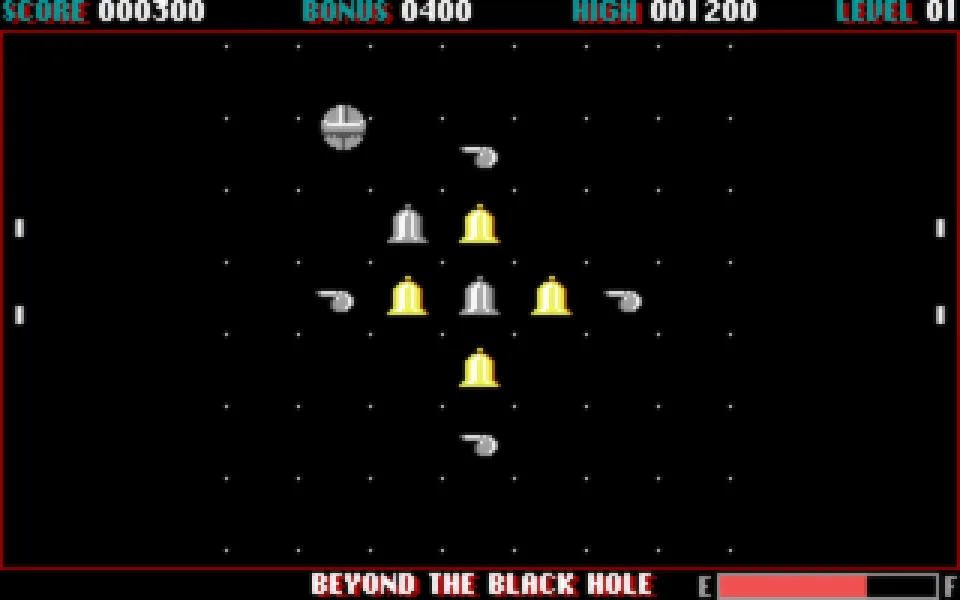
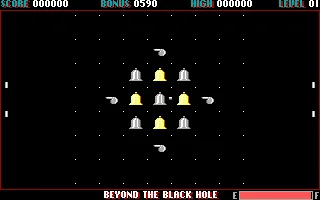
Beyond the Black Hole places an orb between two side paddles and a group of targets suspended in the center. The sphere crosses the field from one side to the other. You have to keep it inside the area and use its passage past the objects to hit the central plane. Each hit changes the shape you are trying to clear and raises your score.
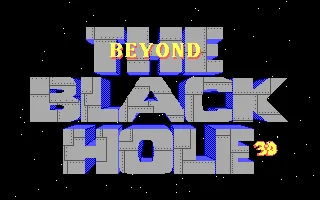
The Software Toolworks released the game in 1989. The DOS copy on this page identifies itself as version 1.05 CD and shows the 1989–1990 copyright in its credits. Its intro draws the title in large letters over a field of stars. Then the first mission begins, with white paddles, yellow and white targets and a fuel gauge along the bottom.
Tracking the orb
The paddles sit on both sides of the screen. Vertical mouse movement changes their position. Before attempting a hit, place them near the height at which the sphere is going to arrive. The bounces keep the action going and give you another chance to send the orb toward the targets.
The left button changes the orb's trajectory and lets you drive it into the central plane. Watch its position when you press it. A click made as it passes close to a figure can cause a hit, while a press at another point of its path changes the movement without eliminating that target.
The sphere changes size and appearance as it moves in depth. Those differences are part of the path you have to learn to read. Start with short mouse movements and several passes through the central area. The first mission lets you get to know the paddles and the objects before you face more complicated layouts.
Score, fuel and mission
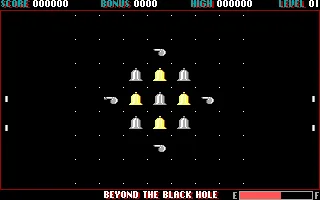
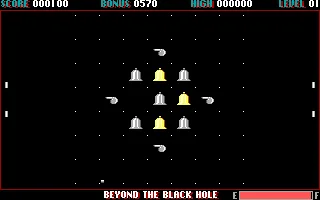
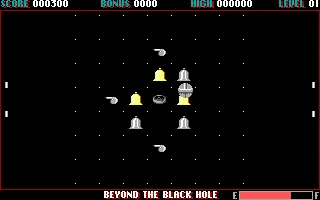
The top strip shows Score, Bonus, High and Level. Score goes up when you hit the targets. The gallery preserves one game with 100 points and another with 300, both earned with clicks while the orb passed through the center. The figures that have been hit leave recognizable gaps in the initial group.
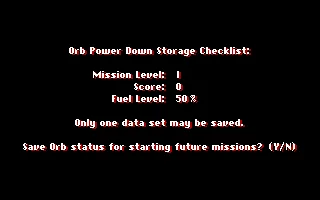
At the bottom you will find the fuel gauge, marked with E and F. Keep an eye on it while you correct the bounces. The mission-end screen then shows a Fuel level percentage, along with the level and the points you had. That information lets you tell how the run ended.
It pays to follow the orb all the way to the edge before looking at the next target. If you concentrate too long on the central figures, you can miss the moment to adjust the paddles. The ClaBa Player pause stops the whole emulation and lets you resume at the same moment later.
Quitting and starting over
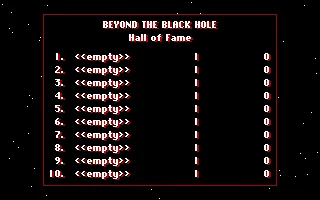
Esc ends the current mission and takes you to the closing screens. Hall of Fame appears and, when you continue with Enter, Orb Power Down Storage Checklist. The program asks whether you want to save the mission data with Y or N. To repeat the run from the beginning, choose N.
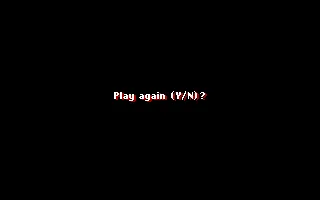
The next question is Play again. Y starts another game. That sequence lets you return to the first mission and practice the bounces without sitting through the whole intro again. The player's Restart button gives you the complete startup of the copy prepared for the browser.
Preparing the DOS files
The online game uses the 123 files in the original ZIP. The copy keeps the executable, the configuration and the original data, and gathers the resources in the BH_STUFF folder that the program requests. That organization allows the font and graphics of the 1.05 CD edition to load.
The download keeps the original ZIP. To prepare it in a DOS emulator, create a BH_STUFF folder next to BH.EXE and copy the files with ART, FNT and SET extensions into it. Keep BH.EXE and BH.CFG in the main folder. The collection's README.TXT file explains the graphics and controls configuration.
The first letter of BH.CFG picks CGA, EGA or Tandy through C, E or T. The second picks joystick, keyboard or mouse with J, K or M. The preserved configuration is EM, which corresponds to EGA and mouse. The screenshots and instructions on this page come from that combination.
EVERY PIXEL COUNTS
The game in pictures.
Explore the screenshots and open every detail at full size.
GET READY FOR YOUR NEXT GAME
Choose your download.
Format, compatibility and server. All in view.
Clicking opens the CLABA loading area and, in a few seconds, your download. If a link fails, let us know via Contact or in the forum.
Your game starts here
Play in your browser.
Pick, press and go back to the classics without leaving the game page.
RetrogamingRight in your browserNo installation
MS-DOSIn your browser
Beyond the Black Hole
Your next game starts here.
- 459 KB · downloads on click
- Save the game's files
- Keyboard, controller or touch
Controls
Click the game to use the keyboardOn mobile, play with the on-screen controllerEnter skips the intro. Mouse moves the paddles and left click changes the orb's trajectory. Esc ends the mission. N declines and Y repeats.
- Full screen
Use the button on the bar. Esc returns to the game page; “Exit” closes the game.
- Saves
Save keeps the files the game creates, not the exact moment. Save inside the game, then press Save.
- Mobile and tablet
Press Controls during the game to show buttons and keyboard. Gamepad support depends on the browser.
Saves live in this browser and device. Clearing the site data deletes them too.
THE SECRET SIDE OF THE GAME
Tips, tricks and secrets.
A hint at the right time. A code that changes everything.
Adjust the next bounce first
Look at the height at which the orb approaches the edge and move the mouse to position the paddles. A well-prepared return leaves more time to choose the next click on the central area.
Watch the result of each click
Use the left button while the orb passes the targets. Check whether a gap appears and whether Score has gone up. A click that changes the trajectory can set up another pass without yet scoring a hit.
Practice with the starting figures
The first mission keeps the group of targets in the center and the paddles at the edges. Make several short runs to get to know the size of the sphere and the moment it crosses each figure.
Check the mission-end screens
The final screens show Score, Mission level and Fuel level. Read that data before answering the save prompt. N lets you continue to Play again and Y starts another run.
No matches. Try another effect or code.
THE NEXT STEP, CLEARER
Guides to move forward.
From the first installation to that mission that won't give in.
Entering the first mission
Open Play online and press Play now. Let the intro appear and use Enter to move on to the mission. Place the mouse near the center of the area and follow the orb's path between the paddles.
Using the mouse and the action
Vertical mouse movement changes the position of the paddles. The left button modifies the path in depth and lets you hit the targets. In ClaBa Player's Controls you will also find the virtual mouse and the Left click button. The player's pause stops the emulation while you read the instructions.
Repeating a run from the beginning
Press Esc to end the mission. Continue from Hall of Fame with Enter. When Orb Power Down Storage Checklist asks about saving, select N. At Play again press Y to start over. Restart returns the program to its initial intro.
Organizing the download and checking its sources
The ZIP keeps the original files. Create BH_STUFF next to the executable and copy the ART, FNT and SET files there. The README explains BH.CFG, whose EM value selects EGA and mouse. The credits of the copy identify version 1.05 CD. The Compute! review from December 1989 documents the game's presence at that date.
Something wrong?
Give us a hint.
A broken link, a detail to correct or a game that won't start. Your report helps keep this game page up to date.
Get in touchReport an issue with this game Discuss it in the forumCLABA ARCADE ROOM
This one and 250 more
play here.
When you finish your game, the room has other machines switched on.
Enter the roomTHE CLABA APP1.0 RC 1
Take the archive
with you.

Game pages, online play and your shelf on Android. Free, no sign-up.
ARCHIVE SECRETS
Did you know?
A copy that presents itself as a CD. The credits indicate version 1.05 CD and show 1989–1990. In 1989 the game was already reviewed in the computer press.
The configuration takes up two letters. The README of this copy explains the video and input device combinations. EM selects EGA and mouse, which are the settings preserved in the browser.
Thirty-five level files. The collection includes the data files LEVEL01.SET to LEVEL35.SET and associated graphics for several video modes. Each group of resources keeps its original name in the prepared package.
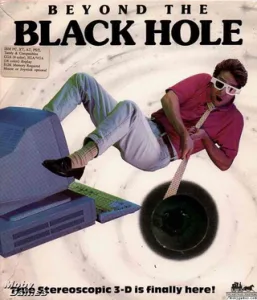
The depth effect came in the box. The contemporary review in Compute! from December 1989 describes the GrenoVision glasses that came with the game and highlights the orb's movement at different depths.