Sheng-Chung Liu · Other
Pango
Pango is Sheng-Chung Liu's 1983 maze-and-block game for DOS. The RetroBat copy keeps five difficulty levels, its PC graphics and English instructions.
— no rating yet
THE CLABA ARCHIVE
Inside the game.
Its history, its ideas and the reasons to come back.
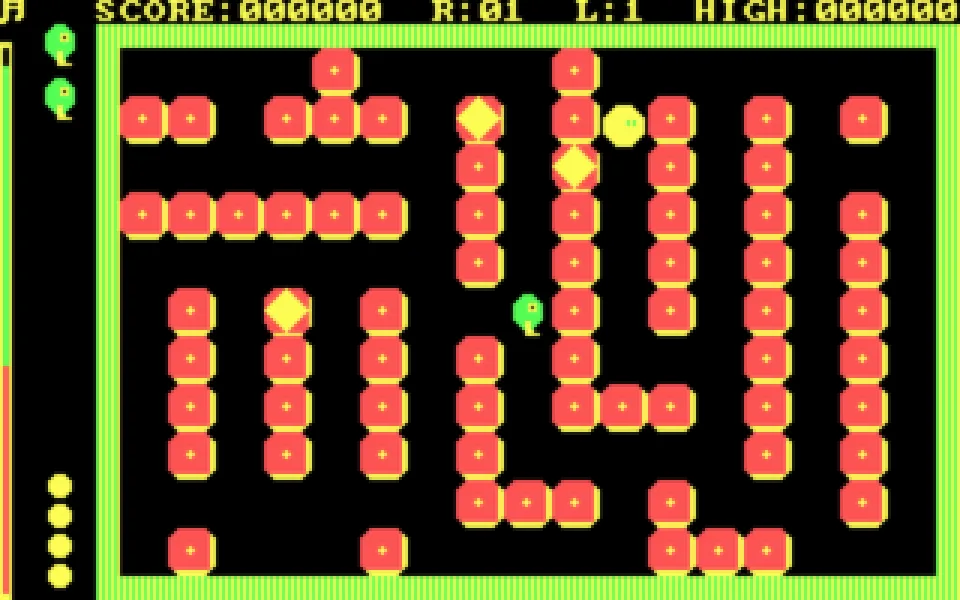
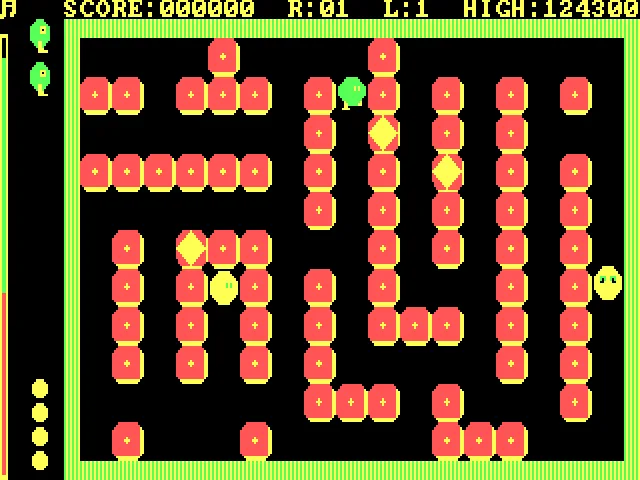
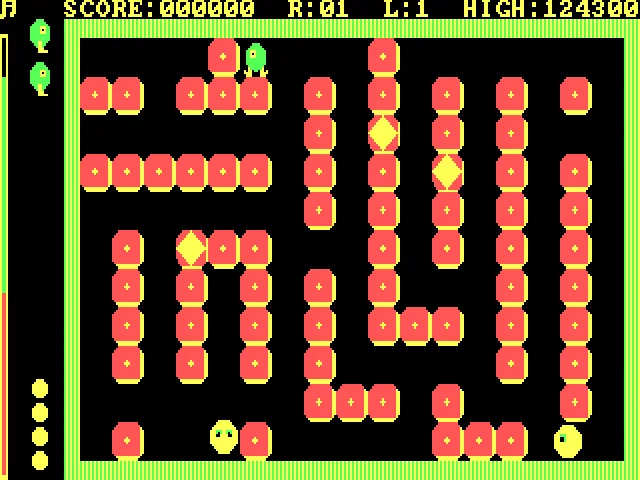
A block can be used to open a path or to finish off a bee. Pango puts you in a maze of pieces that can be kicked, with enemies roaming the gaps and a limited time to clear the field. Before chasing one, it is worth checking which block is in front of you and how far it can go if you push it.
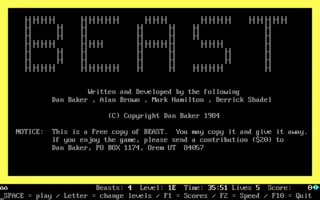
The executable's copyright identifies Sheng-Chung Liu and the year 1983. The RetroBat DOS copy keeps the intro, the instructions in English and the selection of five difficulty levels. The name Anonymous in the file is not used as the creator's credit.
O, L, K and semicolon
This edition uses a keyboard layout you need to learn before starting: O goes up, L goes down, K goes left and the semicolon moves right. Space kicks a block. The instructions say the other keys stop movement; don't assume you play with the four arrow keys.
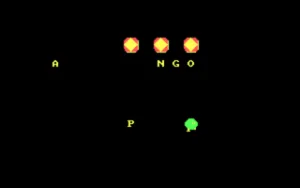
The bees can be eliminated with the blocks or caught when they are stunned. The goal is to solve the field in one minute. The diamond blocks add another chance to score when lined up, and the program distinguishes whether the row ends up next to a wall or in the interior of the board.
Choosing the challenge and reading the help
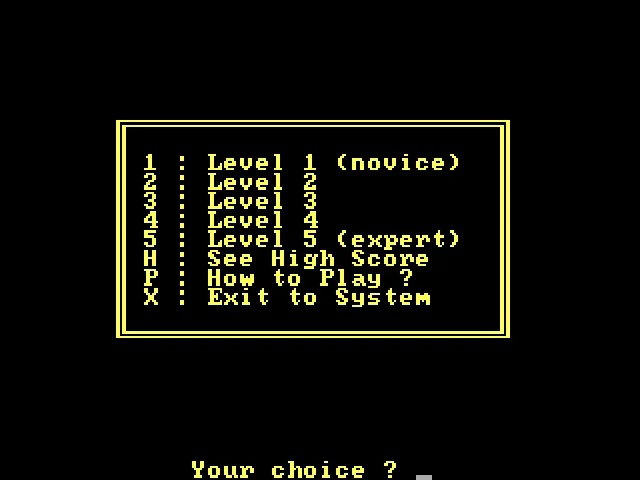
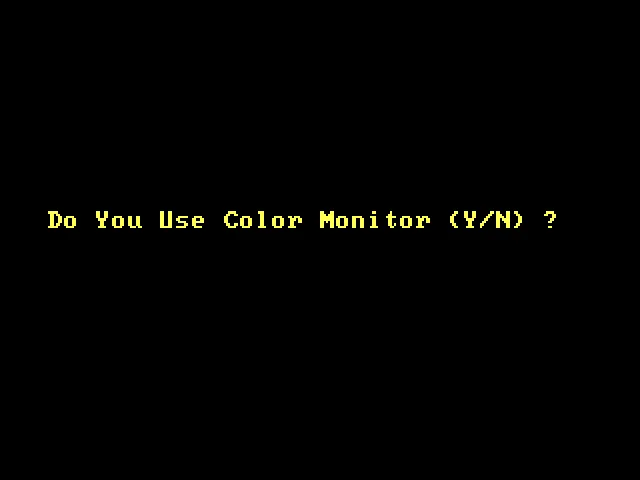
At startup it asks about the color monitor and the joystick. After the intro, the menu lets you choose from 1 to 5, with the first option labeled novice. P shows How to Play, H opens the high scores and X exits to DOS. Q switches among the three sound modes during the game.
Pango takes its rules from the Pengo arcade game, but this executable is Sheng-Chung Liu's version for PC. Not every Pengo conversion is added to this game page as if it were the same program. The download also keeps Mo'Slo and a BAT file that uses it; for the browser, PANGO.EXE is launched with the speed regulated by DOSBox.
EVERY PIXEL COUNTS
The game in pictures.
Explore the screenshots and open every detail at full size.
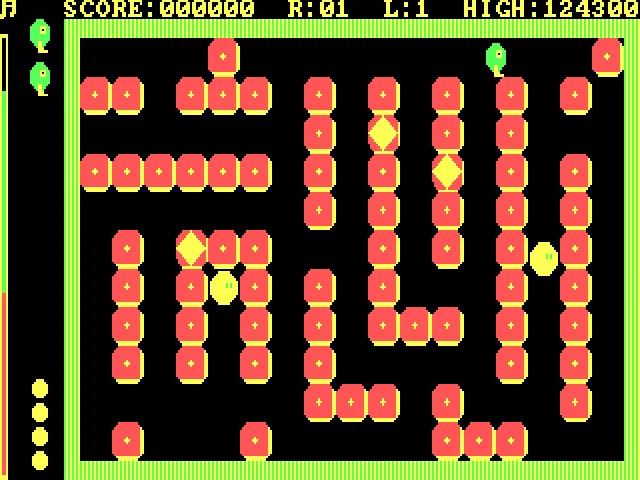
GET READY FOR YOUR NEXT GAME
Choose your download.
Format, compatibility and server. All in view.
Clicking opens the CLABA loading area and, in a few seconds, your download. If a link fails, let us know via Contact or in the forum.
Your game starts here
Play in your browser.
Pick, press and go back to the classics without leaving the game page.
RetrogamingRight in your browserNo installation
MS-DOSIn your browser
Pango
Your next game starts here.
- 17 KB · downloads on click
- Save the game's files
- Keyboard, controller or touch
Controls
Click the game to use the keyboardOn mobile, play with the on-screen controller- Y
- color
- N
- no joystick
- Space
- kick
- Q
- sound
- Full screen
Use the button on the bar. Esc returns to the game page; “Exit” closes the game.
- Saves
Save keeps the files the game creates, not the exact moment. Save inside the game, then press Save.
- Mobile and tablet
Press Controls during the game to show buttons and keyboard. Gamepad support depends on the browser.
Saves live in this browser and device. Clearing the site data deletes them too.
THE SECRET SIDE OF THE GAME
Tips, tricks and secrets.
A hint at the right time. A code that changes everything.
Tip: look at the block behind it
A piece with no room to slide changes how useful the kick is. Check the corridor before approaching a bee along a path you can't open.
Tip: start on novice
Option 1 lets you learn the less usual keys before raising the difficulty. Mistaking L for a horizontal direction can leave you next to an enemy.
Tip: keep an eye on the time
Clearing the field early adds a bigger bonus. Resolving a nearby situation first can save more time than crossing the board chasing an isolated bee.
No matches. Try another effect or code.
THE NEXT STEP, CLEARER
Guides to move forward.
From the first installation to that mission that won't give in.
Answering the startup questions
Press Y for a color monitor and N to play without a joystick. Let the intro finish before choosing 1 in the menu for the novice difficulty. The drawing of the letters during the intro is not yet the game board.
Using this edition's keyboard
O goes up, L goes down, K moves left and semicolon moves right. Space kicks. If there is a block in front of you, try the kick before attempting to enter that square. According to the original instructions, any other key stops you.
Consulting the help and sound
P opens How to Play from the menu. The help explains the elements, the controls and the bonuses. Q switches among theme with effects, effects only and silence. H shows the high scores and X returns to DOS.
Choosing the right executable
The download includes PANGO.EXE, a BAT file and the Mo'Slo utility with its documentation. The original BAT file uses that utility to slow the game down on another machine. The browser package keeps the originals and launches PANGO.EXE directly at a fixed speed.
Something wrong?
Give us a hint.
A broken link, a detail to correct or a game that won't start. Your report helps keep this game page up to date.
Get in touchReport an issue with this game Discuss it in the forumCLABA ARCADE ROOM
This one and 206 more
play here.
When you finish your game, the room has other machines switched on.
Enter the roomTHE CLABA APP1.0 RC 1
Take the archive
with you.
Game pages, online play and your shelf on Android. Free, no sign-up.
ARCHIVE SECRETS
Did you know?
- The copyright in PANGO.EXE identifies Sheng-Chung Liu even though the ZIP lists Anonymous.
- Right is controlled with the semicolon; the arrow keys are not the layout its help indicates.
- The diamond blocks give a different bonus depending on whether they are lined up next to a wall or away from it.