Dan Baker · Other
Beast
Beast is a 1984 DOS chase-and-block game credited to Dan Baker and three collaborators. This RetroBat copy keeps the original presentation and English text.
— no rating yet
THE CLABA ARCHIVE
Inside the game.
Its history, its ideas and the reasons to come back.
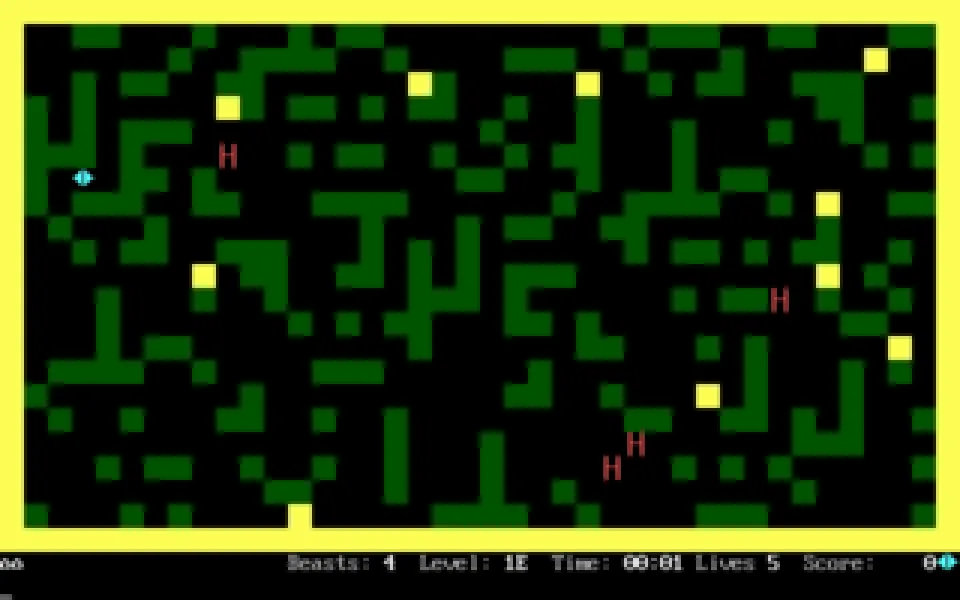
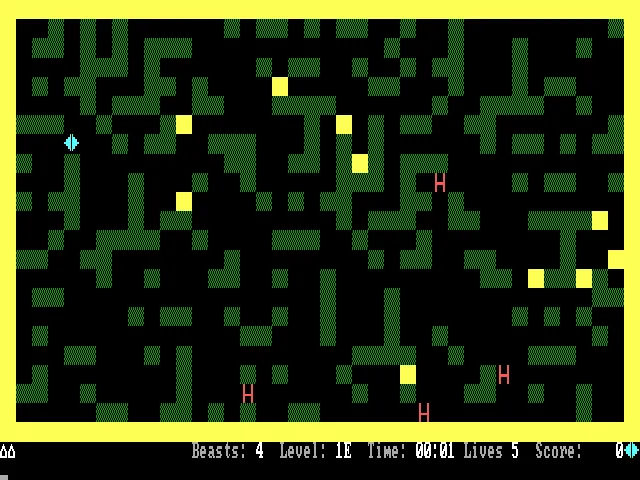
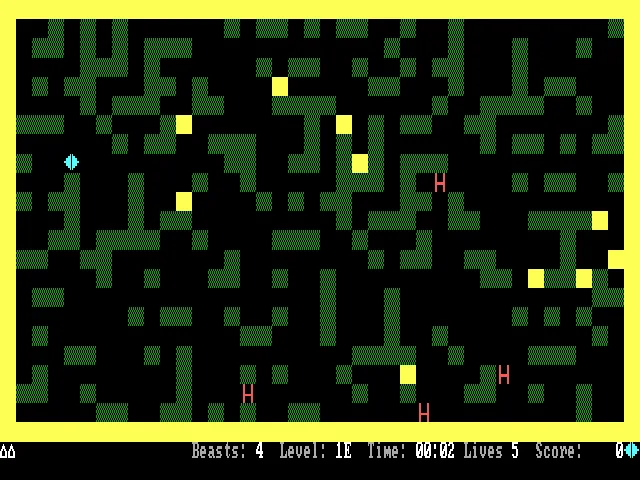
The way out of a chase can be the block right in front of you. In Beast, your character is a small diamond-shaped figure sharing a maze with geometric-looking creatures. Pushing the green blocks changes the corridors and lets you crush an enemy against a fixed obstacle. Running without watching the terrain can close off the only escape you had left.
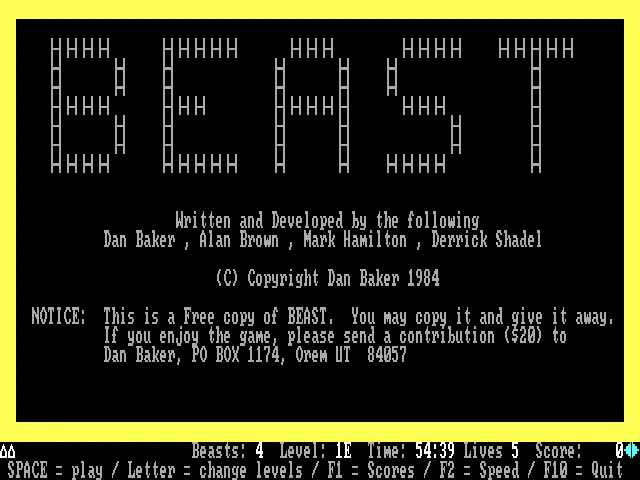
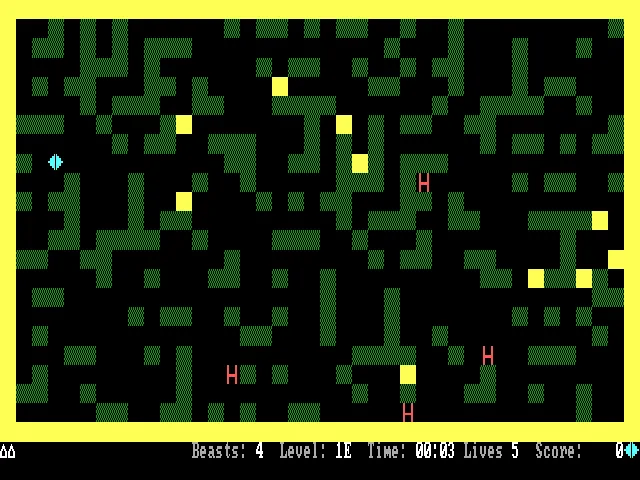
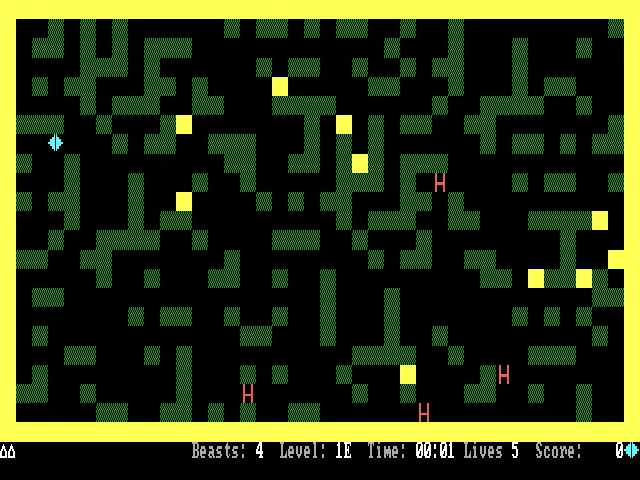
The program uses characters and colors from the PC's text mode. The yellow walls, green blocks, and red creatures make the map readable without complex drawings. The opening screen credits Dan Baker, Alan Brown, Mark Hamilton, and Derrick Shadel, and shows Dan Baker's 1984 copyright. This is the RetroBat DOS copy, with instructions in English.
Building a trap while being chased
The arrow keys move the character and push the blocks that can be moved. To finish off a creature you need to prepare the space: a loose block in the middle of the field can push it aside; a row against a wall lets you trap it. Before pushing, check what lies on the other side and where you will be able to position yourself afterward.
The start screen lets you choose difficulty by letter. F2 opens the speed adjustment and F1 shows the scores. The levels add combinations of beasts, obstacles, and other options, so learning a single layout is not enough for every game.
A small, complete copy
The download keeps the original file BEAST.COM. The player launches it at a fixed speed and with CGA graphics; the browser configuration is stored apart from the original. The cover reproduces the authentic title screen.
EVERY PIXEL COUNTS
The game in pictures.
Explore the screenshots and open every detail at full size.
GET READY FOR YOUR NEXT GAME
Choose your download.
Format, compatibility and server. All in view.
Clicking opens the CLABA loading area and, in a few seconds, your download. If a link fails, let us know via Contact or in the forum.
Your game starts here
Play in your browser.
Pick, press and go back to the classics without leaving the game page.
RetrogamingRight in your browserNo installation
MS-DOSIn your browser
Beast
Your next game starts here.
- 7 KB · downloads on click
- Save the game's files
- Keyboard, controller or touch
Controls
Click the game to use the keyboardOn mobile, play with the on-screen controller- Space
- play
- ↑←↓→
- move and push
- F1
- scores
- F2
- speed
- F10
- quit
- Full screen
Use the button on the bar. Esc returns to the game page; “Exit” closes the game.
- Saves
Save keeps the files the game creates, not the exact moment. Save inside the game, then press Save.
- Mobile and tablet
Press Controls during the game to show buttons and keyboard. Gamepad support depends on the browser.
Saves live in this browser and device. Clearing the site data deletes them too.
THE SECRET SIDE OF THE GAME
Tips, tricks and secrets.
A hint at the right time. A code that changes everything.
Tip: don't push into a dead end
If a block ends up covering the exit, you may not have room to get around it when a creature arrives. Check the way back first, and push from a side you can leave.
Tip: use the walls as part of the trap
A fixed obstacle can help you finish off a row of blocks. Setting up that position before luring the enemy in usually works better than trying to improvise it once it is already on top of you.
Tip: try one difficulty at a time
The options change more than the number of enemies. Learn how one combination behaves before changing several conditions at once.
No matches. Try another effect or code.
THE NEXT STEP, CLEARER
Guides to move forward.
From the first installation to that mission that won't give in.
Starting and choosing the difficulty
Press Space on the start screen to play with the selected level. The letters in the menu change the difficulty; to learn the movement, keep the initial option before trying the more demanding combinations. F10 exits the program.
Moving blocks with an escape route ready
The arrow keys move your diamond figure. If there is a green block in front of you and space on the other side, you can push it. Bring it up against a wall or a stable row to set a trap, leaving a corridor to retreat through.
Adjusting the speed and using the player
F2 opens the game's speed setting. Make small changes and watch how the creatures approach. The pause, sound, and fullscreen controls on the bar belong to the player; use them without leaving the game.
Download and original documentation
Unzip the ZIP and run BEAST.COM in a compatible DOS environment. The credits, difficulty levels, and options can be found in the program itself. The RetroBat file is kept intact, and the screenshots show that copy, not a modern recreation.
Something wrong?
Give us a hint.
A broken link, a detail to correct or a game that won't start. Your report helps keep this game page up to date.
Get in touchReport an issue with this game Discuss it in the forumCLABA ARCADE ROOM
This one and 206 more
play here.
When you finish your game, the room has other machines switched on.
Enter the roomTHE CLABA APP1.0 RC 1
Take the archive
with you.
Game pages, online play and your shelf on Android. Free, no sign-up.
ARCHIVE SECRETS
Did you know?
- The opening screen lists four authors, although the copyright belongs to Dan Baker.
- The creatures and the protagonist are drawn with shapes from the PC character set; the action takes place inside a text screen.
- F2 lets you change the speed from within the program itself, and the menu includes difficulty levels with different options.