
UP TO DATE / FROM THE ARCHIVE
Classic software comes to CLABA
Clásicos Básicos now has a software section: thirteen 1990s programs, from MS-DOS 6.22 to Napster, with their history, screenshots and download.
Read the story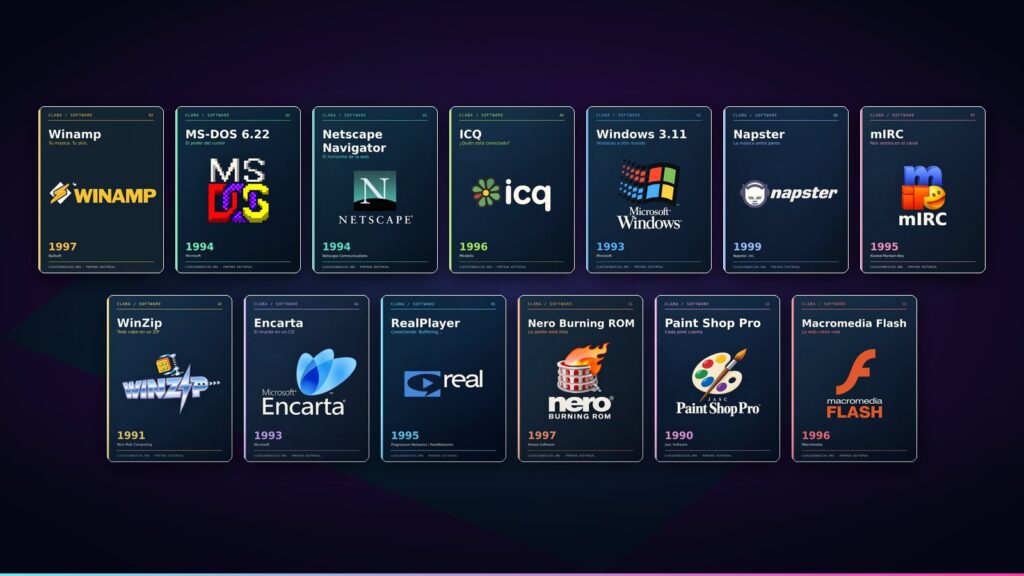
In this article 4 apartados +
At CLABA we’ve spent years talking about games, machines and movies. But behind every game session there was another screen: the one with the programs we used for everything else. The music player that kept going while we did our homework, the chat where we met up with friends, the browser we used to discover the internet. Clásicos Básicos now has its classic software section, and we want to tell you what you’ll find in it.
Thirteen programs to start with
We’re kicking off with thirteen pages for MS-DOS and Windows programs released between 1990 and 1999. There are the foundations, MS-DOS 6.22 and Windows 3.11; music, with Winamp, RealPlayer and Napster; conversation, with ICQ and mIRC; and the gateway to the web, Netscape Navigator.
Rounding out the first batch are WinZip, Nero Burning ROM, Paint Shop Pro, Macromedia Flash and Microsoft Encarta. You can browse them by category (browsers, messaging and chat, downloads and P2P, music players, disc burning, compression tools…), by platform or by year.
What’s on each page
Every program has its history and context: who made it, what problem it solved and why it ended up on so many computers. In «How it looked» we bring back its screens, because an interface is a memory too. And in «Downloads and resources» you’ll find a download with the version, format and origin clearly shown.
Each page also has its own postcard to share, under «Your desktop», and a space to tell us whether you used it. Because what interests us most is what each program meant to each of you.
Before you install
The downloads come from preservation archives such as WinWorld or Internet Archive, from pages maintained by each program’s community or, in the case of mIRC, from its official website. Some are trial versions, and we say so.
These are programs designed for 1990s machines. To try them out safely, the easiest way is a virtual machine or an emulator such as DOSBox, rather than the computer you use every day.
And now, your turn
This is only the beginning. Which program had to be on your PC? Tell us in the comments or on the forum (in Spanish): the section will grow with your suggestions. In the meantime, the software section is already open.
The best stories get shared.
Did it bring back a memory? The conversation continues on the forum (in Spanish).
Stay for one more game.
Doom gets a 9.6. Atari 2600 Donkey Kong, a 5.4. Meet Crítica Bits
Crítica Bits is the retro games, hardware and tech magazine where part of the Clásicos Básicos team writes: 270 articles, 62 reviews scored…
5 min read
Clásicos Básicos 5.5: a new lease on life, the same classics
We've launched Clásicos Básicos 5.5: new game pages, homepage and navigation. How we renewed the site without losing its backdrop, personality or love…
5 min read
CLABA TV: retro culture is something you watch, too
How CLABA TV was born in 2023: a project to bring 80s and 90s video games, movies and music to YouTube.
2 min read