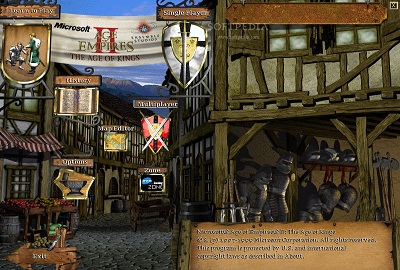
Ensemble Studios · Strategy
Age of Empires II
Four ages, 18 civilizations with The Conquerors, relics, wonders and unique units. The Spanish edition, with a repack and both CDs.
4.4 584 votes
THE CLABA ARCHIVE
Inside the game.
Its history, its ideas and the reasons to come back.
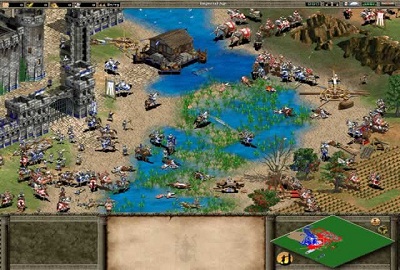
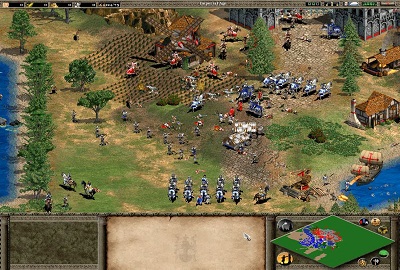
A villager chopping wood, another on the berries, a scout on horseback looking for sheep and, in the background, the sound of the town center bell. Anyone who has played Age of Empires II: The Age of Kings can recognize those first minutes with their eyes closed. Ensemble Studios made it for Microsoft and it reached stores in autumn 1999; a year later, the expansion The Conquerors extended it to the American continent.
A thousand years of history in one game
The leap from the first Age of Empires was one of era and scale. Now you go from the fall of Rome to the Renaissance through four ages: the Dark Age, the Feudal Age, the Castle Age and the Imperial Age. With four resources (food, wood, gold and stone) you build an economy, research upgrades and raise an army. The 13 civilizations of the base game share a structure, but each has its own bonuses and a unique unit that can only be trained at the castle: the Britons’ longbowmen, the Japanese samurai or the Mongol mangudai.
You can win in several ways: by crushing your rival, by gathering all the relics with your monks or by completing a Wonder and defending it for the required time. On top of that there are modes such as Regicide, in which you protect your king, or Death Match, which starts with resources to spare.
What made it special
Besides the setting, it paid great attention to convenience. The idle villager button, production queues (with Shift you order several units at once), military formations and the ability to garrison troops in towers and castles meant that managing a hundred units was not a torture. The historical campaigns, starting with the tutorial with William Wallace and continuing with Joan of Arc, Saladin, Genghis Khan and Barbarossa, taught you to play while telling a story.
It worked: Microsoft announced 1.4 million copies shipped in its first month, and by 2001 the series had already passed 8.5 million. Behind it was a proprietary engine, Genie, and a network system designed so that eight players could share a game with the modems of the era.
The Conquerors
The 2000 expansion adds five civilizations (Aztecs, Mayans, Spanish, Huns and Koreans), bringing the total to 18, four new campaigns with Attila, El Cid and Montezuma among their protagonists, eleven units such as the conquistador, the war wagon or the turtle ship, and modes such as King of the Hill or Defend the Wonder. It also brought a detail that changed the economy: farms can be queued for automatic reseeding from the mill.
The edition we offer
This is the Spanish-language edition from 1999-2000, with translated text and voices. Downloads has three options: a repack that includes the expansion, ready to install and play on Windows XP, 7 or 10, and the images of the two original CDs, The Age of Kings and The Conquerors, for those who want to preserve the edition as it was. The original CDs use SafeDisc protection, whose driver Windows 10 no longer includes, so on a current machine the easy route is the repack; for everything else, our tutorial on Windows XP classics on Windows 10 and 11 (in Spanish) helps with compatibility.
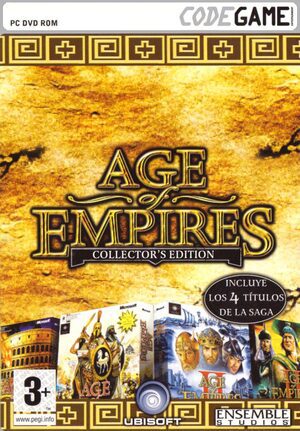
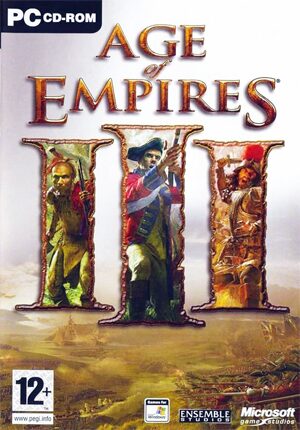
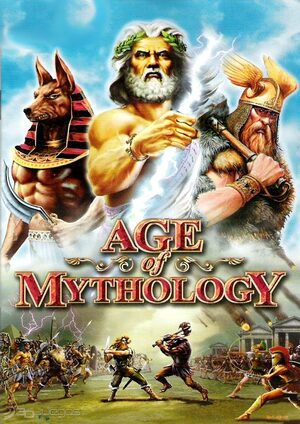
In Guides you will find the first launch, the shortcuts and an opening to get off on the right foot; in Tips & tricks, the classic codes and how to activate them. If you want more, the series continues with Age of Mythology and Age of Empires III, and along the same historical lines you have Empire Earth or Stronghold Crusader.
EVERY PIXEL COUNTS
The game in pictures.
Explore the screenshots and open every detail at full size.
GET READY FOR YOUR NEXT GAME
Choose your download.
Format, compatibility and server. All in view.
DOWNLOAD REPACK
COMPATIBILITYWindows XP / 7 / 10 ✓ At no cost✓ No sign-up Download www.mediafire.com · New tab MediaFire02 ISODOWNLOAD CD
COMPATIBILITYWindows XP / 7 / 10 ✓ At no cost✓ No sign-up Download www.mediafire.com · New tab MediaFire03 ISODOWNLOAD CD
COMPATIBILITYWindows XP / 7 / 10 ✓ At no cost✓ No sign-up Download www.mediafire.com · New tabClicking opens the CLABA loading area and, in a few seconds, your download. If a link fails, let us know via Contact or in the forum.
THE GAME STARTS HERE
Play in your browser.
Get your controls ready and go back to the classics.
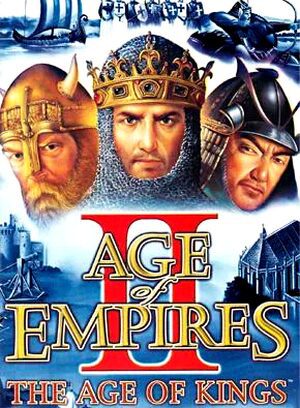
PC · SPANISH · CLABA PLAYER 1.1
Age of Empires II
Your next game starts here.
Play nowThe Age of Kings (1999), juego base. Un jugador. La partida se abre en su propia pantalla. Ordenador con WebGPU y 710 MB de descarga inicial. Partidas guardadas en este navegador.
THE SECRET SIDE OF THE GAME
Tips, tricks and secrets.
A hint at the right time. A code that changes everything.
How to enter them
Press Enter to open the chat box, type the code exactly as it appears and press Enter again. The codes are in English in the Spanish edition too. In multiplayer they only work if the game has the option to allow cheats enabled, according to The Conquerors manual.
Resources
cheese steak jimmy’s: 1,000 food. lumberjack: 1,000 wood. robin hood: 1,000 gold. rock on: 1,000 stone. Beware if you come from the Definitive Edition: there they give 10,000; in the original it is 1,000.
Map and building
marco: reveals the map. polo: removes the fog of war. aegis: instant building, training and research. natural wonders: you take control of the animals.
Victory and defeat
i r winner: you win the game. resign: you resign. black death: destroys all enemies. torpedo followed by the player number (for example, torpedo2): eliminates that player. wimpywimpywimpy: you destroy yourself.
Joke units
how do you turn this on: a sports car with a machine gun. to smithereens: a saboteur. i love the monkey head: the VDML, a very fast villager. With The Conquerors, furious the monkey boy creates a monkey that wrecks buildings.
Tip · the cheat that isn't
Lists circulate with combinations such as Ctrl+P or Ctrl+T that supposedly give resources. They don’t appear in the manuals or in reliable guides: don’t waste your time on them.
No matches. Try another effect or code.
THE NEXT STEP, CLEARER
Guides to move forward.
From the first installation to that mission that won't give in.
Start here · first launch on a current PC
- Download the repack from Downloads: it includes The Age of Kings and The Conquerors and is prepared for Windows XP, 7 and 10.
- Install it outside
Program Files, in a short path such asC:\Juegos\AoE2; that way you avoid permission problems when saving. - Launch The Conquerors version: it contains everything in the base game.
- If the intro videos cause problems, the
-nostartupparameter in the shortcut skips them.
The images of the original CDs are for preserving the edition or installing it on Windows XP or a virtual machine: their protection does not work on Windows 10 and 11. Before changing anything, back up your save games by following our tutorial on copying and restoring save games (in Spanish).
Controls · shortcuts that save games
- Idle villager button: finds whoever is standing around. Use it every few seconds at the start.
- Shift + click on a unit’s button: queues several at once.
- Formations in line, box, staggered or flank from the selected troop’s panel.
- Garrison villagers in the town center or a tower when an early attack comes.
- Enter opens the chat, also for the cheats.
The hotkeys can be reviewed and changed in the game options.
First steps · a simple opening
- Set the town center to produce villagers nonstop.
- The first ones go to the sheep and berries; after that, lumberjacks next to a lumber camp.
- Build houses before you run out of population room.
- Use the scout to find sheep, gold, stone and the enemy.
- Advance to the Feudal Age with around twenty villagers and start thinking about defense.
- In the Castle Age, build a castle and take advantage of your civilization’s unique unit.
If you’re just starting out, the William Wallace campaign is the official tutorial.
Technical notes
The game required Windows 95/98, a 166 MHz processor and 32 MB of RAM, with DirectDraw. On Windows Vista and 7 a color glitch was famous; according to PCGamingWiki it doesn’t occur on Windows 8 and later.
The community maintains UserPatch, an unofficial patch for The Conquerors 1.0c that adds widescreen resolutions and windowed mode and fixes the colors. It is optional and should be applied to a copy of the installation. For online play, Microsoft’s original service closed years ago: what remains is the local network or other community platforms.
Sources
- The Age of Kings manual (Internet Archive): ages, resources, victories, campaigns and controls.
- The Conquerors manual (Internet Archive): civilizations, campaigns, units and multiplayer cheats.
- Microsoft · November 1999 press release: first-month sales.
- Game Developer · 1500 Archers on a 28.8: the Age of Empires networking.
- PCGamingWiki: requirements, patches, SafeDisc and fixes.
- Forgotten Empires · codes and Vandal · cheats: codes and their origin.
Something wrong?
Give us a hint.
A broken link, a detail to correct or a game that won't start. Your report helps keep this game page up to date.
Get in touchReport an issue with this game Discuss it in the forumCLABA ARCADE ROOM
This one and 247 more
play here.
When you finish your game, the room has other machines switched on.
Enter the roomTHE CLABA APP1.0 RC 1
Take the archive
with you.

Game pages, online play and your shelf on Android. Free, no sign-up.
ARCHIVE SECRETS
Did you know?
A cheat named after a restaurant. The food code, «cheese steak jimmy’s», takes its name from a place near the Ensemble Studios offices.
1.4 million in a month. In November 1999 Microsoft announced that it had already shipped 1.4 million copies, and presented it as the best-selling PC game of the moment.
Fifteen hundred archers over a modem. In «1500 Archers on a 28.8», Ensemble explained how it synchronized network games so that they would work with 28.8 kbps modems; for Age of Kings it also added game recording.
A long life. The HD Edition arrived in April 2013 and the Definitive Edition on November 14, 2019. A community mod, Forgotten Empires, ended up becoming official content.
Ensemble ended up in-house. In May 2001 Microsoft bought Ensemble Studios, when the series had sold around 8.5 million units.