Lucasfilm Games · Simulation
Their Finest Hour: The Battle of Britain
Their Finest Hour: The Battle of Britain, a 1989 flight simulator from Lucasfilm Games for DOS. English copy with training, combat and campaign.
Simulation game by Lucasfilm Games (1989) for MS-DOS (in English) and Amiga. Playable in your browser (MS-DOS and Amiga) or downloadable.
Choose your version 2 platforms
— no rating yet
THE CLABA ARCHIVE
Inside the game.
Its history, its ideas and the reasons to come back.
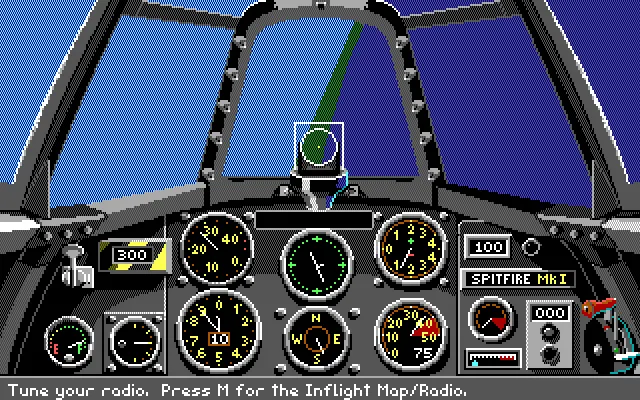
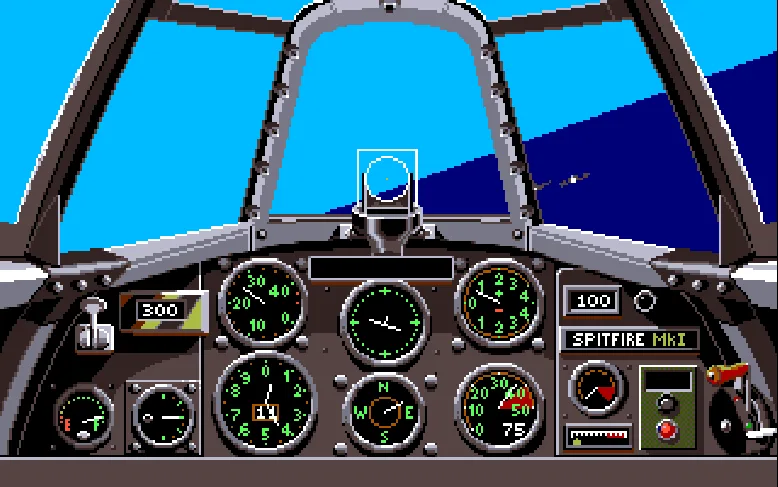
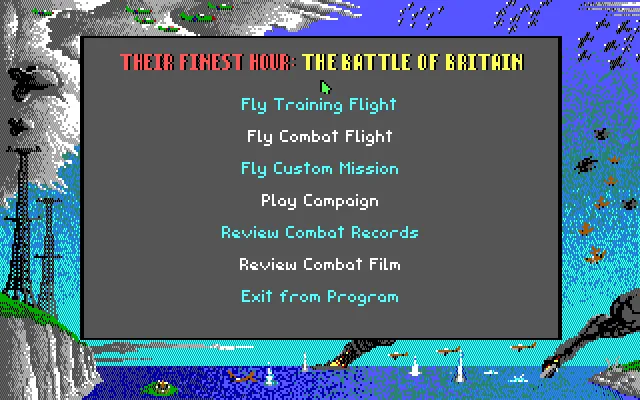
Their Finest Hour: The Battle of Britain is the combat flight simulator by Lawrence Holland and Lucasfilm Games set in the Battle of Britain. This DOS edition, from 1989 and in English, lets you fly RAF fighters and Luftwaffe aircraft, practice maneuvers and take part in combat missions. The main menu also includes a campaign and pilot records.
The first Spitfire training flight starts with the plane in the air over the English Channel. You can spend your time getting to know the cockpit, testing the weapons and learning how far you need to move the mouse to bank the wings. The horizon and the roll indicator show the result of each turn; holding your heading means watching the instruments as well as the small silhouette you are chasing.
Choosing an aircraft and preparing the mission
The aircraft selection includes the Spitfire, Hurricane, Bf 109, Bf 110, Ju 87 Stuka, Do 17, He 111 and Ju 88. The cockpit and the tasks change with the choice: a single-seat fighter concentrates your attention on flying and shooting, while multi-seat aircraft add crew stations. Before takeoff a map appears with the mission and the available settings.
In the first Spitfire training flight, the preparation map shows ammunition, fuel and damage in UNLIMITED mode. It is a good place to learn the controls before choosing a combat flight. The gallery on this page includes a turn made in that training flight with the original DOS copy.
The radio, the map and the records
The M key opens the flight map and radio. From there you can look at the area and return to the cockpit; receiving information depends on tuning the radio, which the game distinguishes from simple access to the map. The original manual explains how to use the frequency wheel included in the box.
The copy also keeps MB.EXE, the mission editor, and the files for flights, pilots and campaigns. The game uses separate files for these records. The prepared download organizes the copy's own resources in their installation directories, as well as keeping the original files.
ONE GAME, 2 PLATFORMS
Versions.
2 platforms2 playable online
Pick a platform: the screenshots, downloads and online game on this page switch with it.
- Year
- 1989
- Developer
- Lucasfilm Games
- Downloads
- 2
- Screenshots
- 2
The MS-DOS version is the one this page covers: the information, review and main screenshots are from this platform.
- Downloads
- 3
- Screenshots
- 2
Their Finest Hour: The Battle of Britain for Amiga keeps the training flights, the combat missions and the campaign of Lucasfilm Games' simulator. This copy is in English. The Spitfire cockpit, the colors of the landscape and the intro are those of the Amiga; the screenshots and the video for this edition show that version.
Starting with the Spitfire
Click inside the player to capture the mouse. A moves from the credits to the main menu. Move the pointer to Fly Training Flight and select with the left button. Choose Spitfire and mission 1. When the preparation map appears, press GO FLIGHT to enter the cockpit.
The training shows ammunition, fuel and damage in UNLIMITED mode. You can practice turns and watch the roll indicator before chasing another plane. Move the mouse to one side and correct with small movements to the other; the tilt of the horizon lets you recognize the result of the maneuver.
Keys of the Amiga player
In this player, A is equivalent to the Amiga's space bar and fires the machine guns. Holding A produces the tracers you see when firing. The mouse lets you fly and choose menu options. Esc releases the pointer to reach the player's toolbar, where you can pause, mute, restart or close the game.
V opens and closes the on-screen Amiga keyboard. Its arrow keys move across the keys and X presses the selected one. Use the controls of this edition when you choose Amiga; the general guides on this page also describe the DOS keys.
WHDLoad and floppy disks from the collection
The download keeps the WHDLoad package, which contains the base game and files from Their Finest Missions. Its installer, by Psygore, identifies compatibility with versions 1.0 and 1.1 and with the first volume of missions. For the browser, the package's 225 items are kept and a launcher is added; the game starts from the original menus.
The other two downloads each keep a pair of floppy disks in IPF format: the European edition and the one identified as v1.1. To use them outside this site you need an Amiga emulator that supports IPF and your own Kickstart. The WHDLoad package requires an Amiga environment compatible with WHDLoad.
Images, video and documentation
The cover art corresponds to the Kixx XL re-release of the base game, cataloged for Amiga at Games Database. The two screenshots were taken during real tests with this copy. The 35-second video comes from the collection and shows a Spitfire flying on Amiga.
The package includes its manual and a key sheet. You can also see the original manual with the Amiga reference card to learn about the instruments, the missions and the radio system.
EVERY PIXEL COUNTS
The game in pictures.
Explore the screenshots and open every detail at full size.
GET READY FOR YOUR NEXT GAME
Choose your download.
Format, compatibility and server. All in view.
Version
SELECTED VERSIONMS-DOS2 files · also playable online
SELECTED VERSIONAmiga3 files · also playable online
Download WHDLoad package
COMPATIBILITYRequires an emulator ✓ At no cost✓ No sign-up Download BoxSharer server · New tab BoxSharer02 Amiga · OriginalDownload IPF floppy disks: Europe
COMPATIBILITYRequires an emulator ✓ At no cost✓ No sign-up Download BoxSharer server · New tab BoxSharer03 Amiga · OriginalDownload IPF floppy disks: Europe v1.1
COMPATIBILITYRequires an emulator ✓ At no cost✓ No sign-up Download BoxSharer server · New tabClicking opens the CLABA loading area and, in a few seconds, your download. If a link fails, let us know via Contact or in the forum.
Your game starts here
Play in your browser.
There are 2 versions ready to play. Pick one and click.
Version
MS-DOSIn your browser
Their Finest Hour: The Battle of Britain
MS-DOS version. Your next game starts here.
- 1 MB · downloads on click
- Save the game's files
- Keyboard, controller or touch
Controls
Click the game to use the keyboardOn mobile, play with the on-screen controller- M
- map
- Esc
- release pointer
Click: capture mouse. Mouse: fly. Left click or Space: fire. Alt+P: pause; any key resumes.
- Full screen
Use the button on the bar. Esc returns to the game page; “Exit” closes the game.
- Saves
Save keeps the files the game creates, not the exact moment. Save inside the game, then press Save.
- Mobile and tablet
Press Controls during the game to show buttons and keyboard. Gamepad support depends on the browser.
Saves live in this browser and device. Clearing the site data deletes them too.
AmigaIn your browser
Their Finest Hour: The Battle of Britain
Amiga version. Your next game starts here.
- 793 KB · downloads on click
- Save states in this browser
- Controller, keyboard or touch
Controls
Click the game to use the keyboardOn mobile, play with the on-screen controller- A
- fire (Amiga Space)
- Esc
- release pointer
- V
- Amiga keyboard
Click: capture mouse. Mouse: fly and choose menus. Left click: select.
- Full screen
Use the button on the bar. Esc returns to the game page; “Exit” closes the game.
- Saves
Save State, in the game's menu, keeps the exact moment. Load brings it back when you return.
- Mobile and tablet
Press Controls during the game to show buttons and keyboard. Gamepad support depends on the browser.
Saves live in this browser and device. Clearing the site data deletes them too.
HIT PLAY
The game in motion.
Trailers and videos to see it in action.
-
Amiga · A Spitfire flight in Their Finest Hour for Amiga
Video of the Amiga edition. Length: 35 seconds.
THE SECRET SIDE OF THE GAME
Tips, tricks and secrets.
A hint at the right time. A code that changes everything.
Tip: start with the first training flight
Choose Fly Training Flight, Spitfire and mission 1. In the preparation screen, ammunition, damage and fuel are unlimited. Use that flight to practice your aim and get to know the instruments before switching to a combat mission.
Tip: correct with short movements
A series of movements to one side banks the wings and changes the view of the horizon. Start with small corrections and watch the roll indicator in the center of the cockpit. One long movement can leave the plane steeply banked.
Tip: pause to read the cockpit
Alt+P stops the flight and shows Flight paused. Press any key to continue. Use the pause to locate the indicators. Press a key to continue and put your attention back on the horizon.
Tip: check the corrections in READ.ME
The included document corrects details of the manual, among them the reading of the altimeter and several campaign options. If an instruction in the book does not match this copy, check those notes for the DOS version first.
No matches. Try another effect or code.
THE NEXT STEP, CLEARER
Guides to move forward.
From the first installation to that mission that won't give in.
Starting up and selecting a training flight
Press Play online and then Play now. Space moves from the credits to the main menu. Click on the screen to capture the mouse and select Fly Training Flight. Choose Spitfire and mission 1. On the preparation map, press GO FLIGHT, at the bottom, to go straight into the cockpit.
Mouse, firing and pause
Move the mouse to fly. The left button fires the machine guns; Space is the keyboard alternative given by the game. Alt+P pauses the flight and any key resumes it. Esc releases the browser pointer so that you can reach the player's toolbar.
First turn over the Channel
When you enter the first training flight you will see the horizon in front of the Spitfire. Move the mouse to one side for a few moments and watch how the slope of the terrain and the roll indicator change. Correct toward the opposite side with small movements. Practice before trying to follow another plane and fire at the same time.
Opening the map and returning to the flight
Press M to open INFLIGHT MAP/RADIO. The M key lets you return to the cockpit, as READ.ME clarifies. The message Tune your radio refers to receiving radio information. To tune it, follow the instructions for the frequency wheel in the original manual.
Original download and DOSBox-ready copy
The original download contains the unprepared ZIP. The prepared copy keeps its 158 files and adds the FLTS, SCREENS and PI directories with the resources from those same files. The data from PI.ARJ and SCREENS.ARJ has been unpacked and checked against its original CRCs. To play on your own computer, unzip the prepared copy, enter that folder from DOSBox and run BOB E 2 A: EGA, maximum detail and AdLib sound. You can see DOSBox from scratch (in Spanish) for setting up the emulator.
Manual, images and provenance
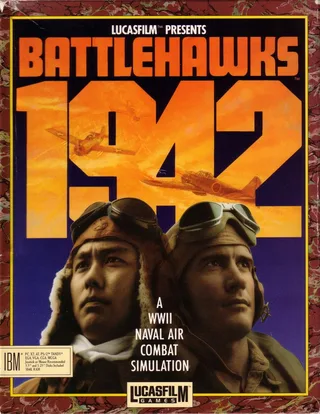
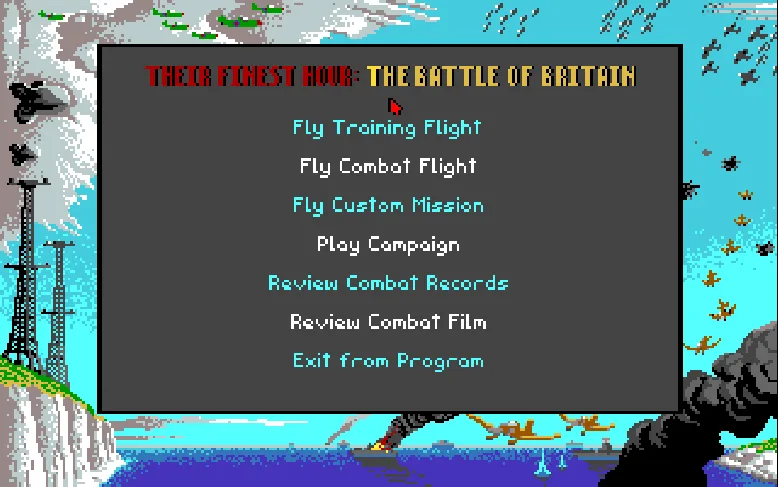
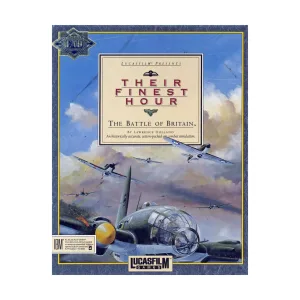
The original manual and the IBM/Tandy reference card explain the cockpits, the missions and the radio. The photograph of the IBM PC box comes from Noble Knight Games. The background is a capture of the DOS main menu, and the image of the Spitfire comes from a real test flight with this copy.
Something wrong?
Give us a hint.
A broken link, a detail to correct or a game that won't start. Your report helps keep this game page up to date.
Get in touchReport an issue with this game Discuss it in the forumCLABA ARCADE ROOM
This one and 250 more
play here.
When you finish your game, the room has other machines switched on.
Enter the roomTHE CLABA APP1.0 RC 1
Take the archive
with you.

Game pages, online play and your shelf on Android. Free, no sign-up.
ARCHIVE SECRETS
Did you know?
- The original box credits Lawrence Holland and shows the Lucasfilm Games logo.
- The READ.ME file in this copy identifies itself as version 1.0 and is dated 10/02/89.
- READ.ME adds the T key to toggle accelerated time and W to check which territory you are flying over.
- The mission editor is run with MB.EXE, separate from BOB.EXE, the main program.