Lucasfilm Games · Simulation
Battlehawks 1942
Battlehawks 1942, a 1988 naval air simulator from Lucasfilm Games for DOS. English copy with training and missions in four Pacific battles.
Simulation game by Lucasfilm Games (1988) for MS-DOS (in English) and Amiga. Playable in your browser (MS-DOS and Amiga) or downloadable.
Choose your version 2 platforms
— no rating yet
THE CLABA ARCHIVE
Inside the game.
Its history, its ideas and the reasons to come back.
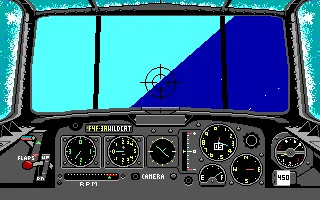
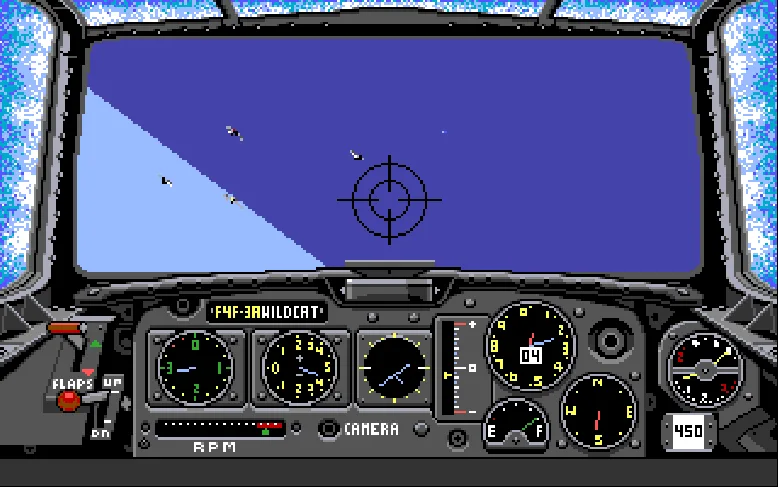
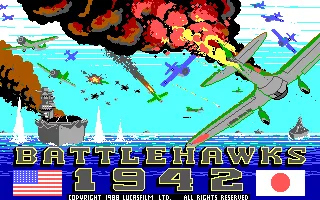
Battlehawks 1942 is the naval air combat simulator from Lucasfilm Games designed by Lawrence Holland. This DOS copy, in English, shows the 1988 copyright on its title screen. You can fly for the United States or Japan and take part in missions related to four Pacific battles: the Coral Sea, Midway, the Eastern Solomons and the Santa Cruz Islands.
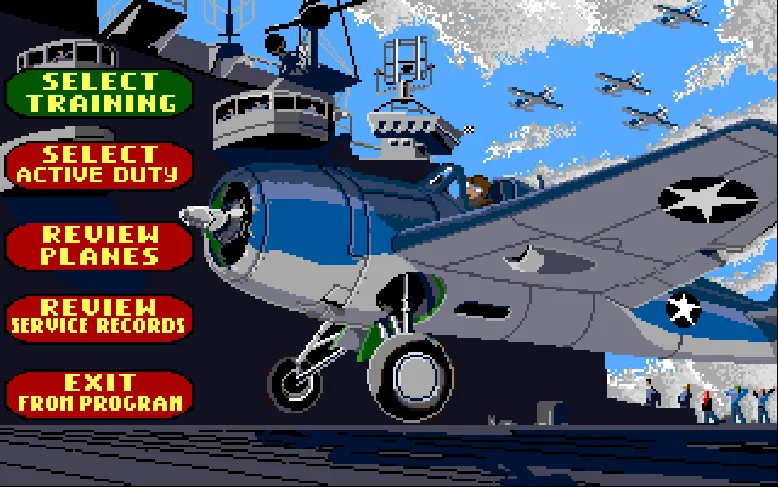
The menu separates training from active duty. In the first you can practice gunnery, escorting other aircraft, dive-bombing or torpedo runs. Each task demands a different approach: a fighter needs to find a position from which to fire; a torpedo bomber must approach the ship at low altitude.
From the Ready Room to the cockpit
Before flying you go through the Ready Room. The top strip shows the chosen aircraft, ammunition, fuel, damage resistance, starting altitude and the skill of the enemies. Modify Plane lets you adjust those conditions. The first interception training flight starts with an F4F-3A Wildcat and conditions that make practice easier.
The recognition test asks you to compare a drawing of an aircraft with the plates in the manual and enter the matching word. Then you enter the cockpit, with the gunsight in front of the horizon and the instruments below. The screenshots on this page come from that DOS copy; the gallery shows a turn made during training.
Instruments and missions
The mouse lets you fly and move through the menus. In flight, the tilt of the horizon and the roll indicator help you recognize the turn. Speed, altitude and heading matter when preparing an attack, especially when you must hold a steady approach to release a torpedo or aim at another aircraft.
The game keeps pilot records and offers a camera for reviewing the flight. The training missions let you experiment before going on active duty. When you end a flight with Q, the evaluation appears, with the results for aircraft and ships; from there you can continue to repeat the mission or choose another.
ONE GAME, 2 PLATFORMS
Versions.
2 platforms19892 playable online
Pick a platform: the screenshots, downloads and online game on this page switch with it.
- Year
- 1988
- Developer
- Lucasfilm Games
- Downloads
- 2
- Screenshots
- 2
The MS-DOS version is the one this page covers: the information, review and main screenshots are from this platform.
- Year
- 1989
- Downloads
- 2
- Screenshots
- 2
Battlehawks 1942 for Amiga is the conversion of Lucasfilm Games' naval air simulator. This copy is in English and its installer identifies the game as a 1989 production. It keeps the training and the missions for the United States and Japan in the battles of the Coral Sea, Midway, the Eastern Solomons and the Santa Cruz Islands.
Getting into the Wildcat's cockpit
Click inside the player to capture the mouse. A is equivalent to the Amiga's space bar: it lets you advance through the menus and confirm the highlighted option. Choose Select Training, Fighter Intercept Mission and Gunnery Fundamentals. The Ready Room shows the F4F-3 Wildcat, the starting altitude and the ammunition, fuel and damage conditions. Begin Flight opens the recognition test.
The drawing of an aircraft must be compared with the plates in the Game Play section of the original manual. Each view has its own word. For example, the INFAMY plate shows the Zero with its wings running diagonally from upper left to lower right. Enter the word that matches the drawing shown; do not use the same example for every view.
The on-screen Amiga keyboard
V opens and closes the virtual keyboard. Move across its keys with the arrow keys and press X to type the selected one. That way you can enter the recognition word and press Return on the Amiga keyboard itself. The letters on the physical keyboard also work as controller buttons; for this test, use the virtual keyboard.
Once in the cockpit, move the mouse to fly. The tilt of the horizon and the roll indicator show the turn. Hold A to fire the machine guns: their tracers appeared during the test. For the game's own pause you can press P from the virtual keyboard; V lets you close it afterward. Esc releases the pointer to reach the player's controls.
The WHDLoad copy and the floppy disks
The main download keeps the WHDLoad package with its 15 original items, including the three disk files, the manual and the hints. To play in the browser, only a text launcher is added and the player's Amiga environment is used. The installer by Galahad/Fairlight indicates compatibility with the original PAL edition.
The second download keeps the two European floppy disks in IPF format. To use them outside this site you need an Amiga emulator compatible with IPF and your own Kickstart. The WHDLoad package requires an environment with WHDLoad. These are two ways of preserving the collection's Amiga edition.
Screenshots and video of this edition
The menu and the Wildcat turn were captured during a real game with this copy. The video lasts about 36 seconds and shows the cockpit of an SBD-3 Dauntless. The general DOS controls that appear in the guides on this page must be replaced by the Amiga ones when you choose this edition.
EVERY PIXEL COUNTS
The game in pictures.
Explore the screenshots and open every detail at full size.
GET READY FOR YOUR NEXT GAME
Choose your download.
Format, compatibility and server. All in view.
Version
SELECTED VERSIONMS-DOS2 files · also playable online
SELECTED VERSIONAmiga1989 · 2 files · also playable online
Download WHDLoad package
COMPATIBILITYRequires an emulator ✓ At no cost✓ No sign-up Download BoxSharer server · New tab BoxSharer02 Amiga · OriginalDownload the two Amiga IPF floppy disks
COMPATIBILITYRequires an emulator ✓ At no cost✓ No sign-up Download BoxSharer server · New tabClicking opens the CLABA loading area and, in a few seconds, your download. If a link fails, let us know via Contact or in the forum.
Your game starts here
Play in your browser.
There are 2 versions ready to play. Pick one and click.
Version
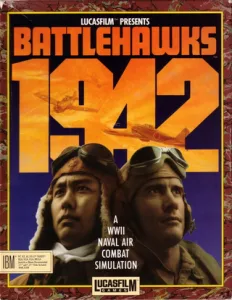
MS-DOSIn your browser
Battlehawks 1942
MS-DOS version. Your next game starts here.
- 398 KB · downloads on click
- Save the game's files
- Keyboard, controller or touch
Controls
Click the game to use the keyboardOn mobile, play with the on-screen controller- E
- EGA at startup
- Space
- fire and menus
- Enter
- confirm
- P
- pause
- Q
- evaluation
- Esc
- release pointer
Click: capture mouse. Mouse: fly.
- Full screen
Use the button on the bar. Esc returns to the game page; “Exit” closes the game.
- Saves
Save keeps the files the game creates, not the exact moment. Save inside the game, then press Save.
- Mobile and tablet
Press Controls during the game to show buttons and keyboard. Gamepad support depends on the browser.
Saves live in this browser and device. Clearing the site data deletes them too.
AmigaIn your browser
Battlehawks 1942
Amiga version. Your next game starts here.
- 962 KB · downloads on click
- Save states in this browser
- Controller, keyboard or touch
Controls
Click the game to use the keyboardOn mobile, play with the on-screen controller- A
- menus and fire (Amiga Space)
- V
- keyboard; arrow keys: choose key; X: press it
- Esc
- release pointer
Click: capture mouse. Mouse: fly.
- Full screen
Use the button on the bar. Esc returns to the game page; “Exit” closes the game.
- Saves
Save State, in the game's menu, keeps the exact moment. Load brings it back when you return.
- Mobile and tablet
Press Controls during the game to show buttons and keyboard. Gamepad support depends on the browser.
Saves live in this browser and device. Clearing the site data deletes them too.
HIT PLAY
The game in motion.
Trailers and videos to see it in action.
-
Amiga · Flying the Dauntless in Battlehawks 1942 for Amiga
Video of the Amiga edition. Approximate length: 36 seconds.
THE SECRET SIDE OF THE GAME
Tips, tricks and secrets.
A hint at the right time. A code that changes everything.
Tip: practice first with aids
Start with Fighter Intercept Mission and Gunnery Fundamentals. Check the Ready Room indicators before flying: the ammunition, fuel and damage options let you set up an easier practice. You can change the ammunition from Modify Plane.
Tip: correct the turn with small movements
Watch the horizon and the roll indicator as you move the mouse. A series of movements to the same side can leave the wings steeply banked. Correct gradually toward the opposite side before trying to aim at an aircraft.
Tip: lead your aim
When the target crosses in front of you, fire toward the point it is about to pass through. The practice mission lets you get used to how targets move and try different approach distances before going into combat.
Tip: check the settings before active duty
The manual distinguishes historical missions from those whose parameters you have modified. Changes made in the Ready Room can keep an active-duty mission from counting in the pilot's record. Use training to experiment with the settings.
No matches. Try another effect or code.
THE NEXT STEP, CLEARER
Guides to move forward.
From the first installation to that mission that won't give in.
Starting up and entering training
Press Play online and Play now. When the screen selector appears, press E to choose EGA. Continue through the opening screens with Space. Choose Select Training and Fighter Intercept Mission. The first practice is Gunnery Fundamentals. Confirm to enter the Ready Room and choose Begin Flight.
Solving the recognition test
Compare the view of the aircraft with the plates in the Game Play section of the original manual. Type the word that goes with the matching drawing and press Enter. For example, in this scan, page 59 shows a side profile of the Zero, with the nose to the right and the fuel tank under the fuselage, accompanied by FLETCHER. Use that word when that drawing appears; other views have other answers.
Flying, firing and pausing
Click inside the game to capture the mouse and move the mouse to fly. Space fires the machine guns. P pauses the flight and any key lets you continue. Esc releases the browser pointer so you can reach the player's toolbar. The turn and the tracers have been checked with the original DOS copy.
Changing the aircraft settings
In the Ready Room, select Modify Plane. Go through the options and confirm the one you want to change. Ammunition toggles the ammunition setting; the top strip reflects the change. The menu also includes fuel, damage, starting altitude and enemy skill. Exit returns control to the options at the bottom.
Ending a flight and choosing another mission
Press Q during the flight to see Flight Review. Continue the evaluation with a key. The program offers S to repeat the same mission and Return to choose a new one. The results of practice help you see how the evaluation works before active duty.
Downloads, installation and sources
The main download keeps the 64 files of the organized copy, with its SCREENS and FDAT folders. Unzip it keeping those folders and run BH.EXE in DOSBox; choose EGA when it asks. The alternative file is kept just as it was in the collection: its 46 files are together and it lacks those subfolders. The browser uses the organized copy, with EGA, 6000 cycles and 4 MB of memory, without modifying the game files.
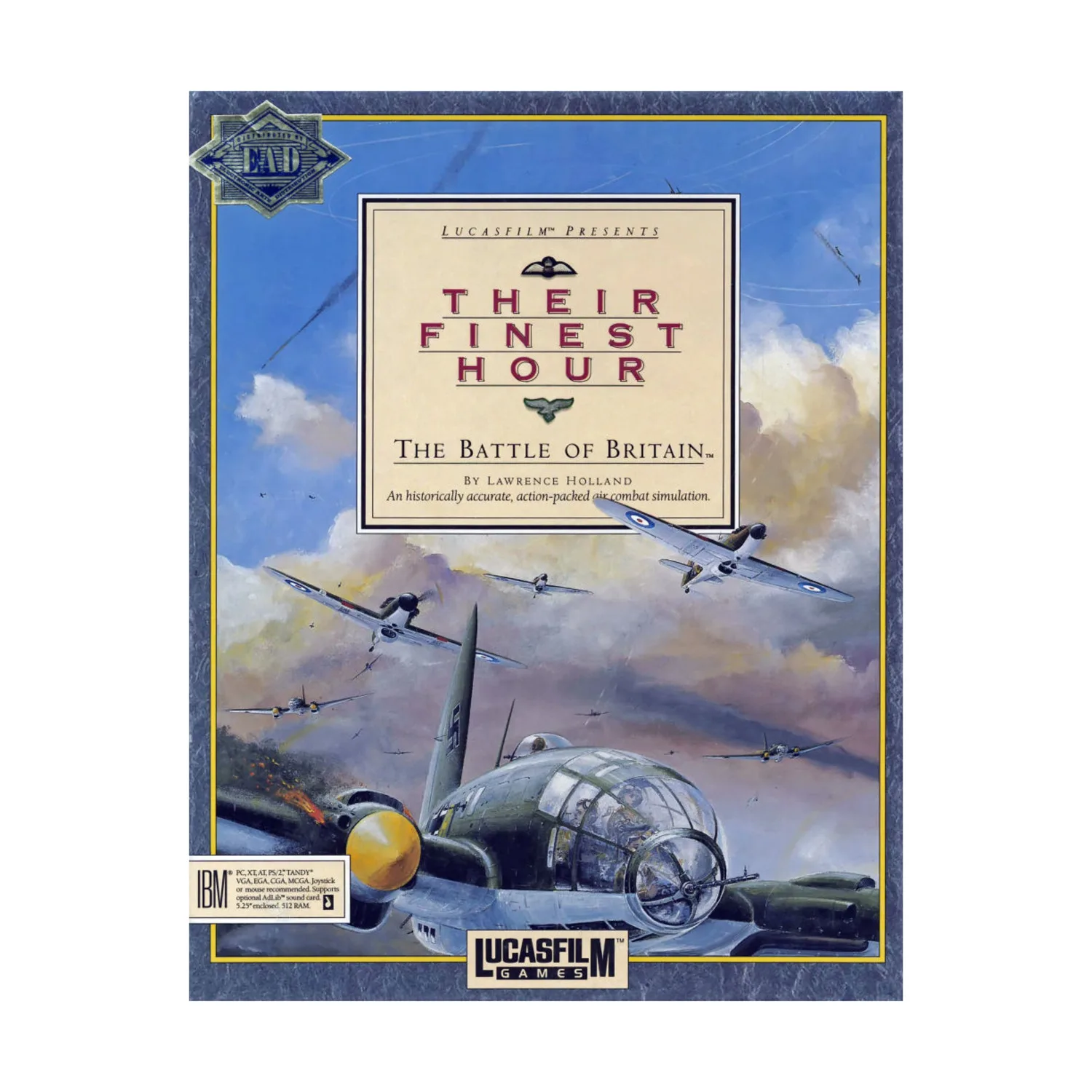
To set up DOSBox you can see DOSBox from scratch (in Spanish). The title and the copyright can be read on the original title screen. The documentation and the recognition plates come from the linked manual; the screenshots and the box belong to the IBM PC version.
Something wrong?
Give us a hint.
A broken link, a detail to correct or a game that won't start. Your report helps keep this game page up to date.
Get in touchReport an issue with this game Discuss it in the forumCLABA ARCADE ROOM
This one and 250 more
play here.
When you finish your game, the room has other machines switched on.
Enter the roomTHE CLABA APP1.0 RC 1
Take the archive
with you.

Game pages, online play and your shelf on Android. Free, no sign-up.
ARCHIVE SECRETS
Did you know?
- The title screen of this DOS copy shows COPYRIGHT 1988 LUCASFILM LTD.
- The four battles represented are the Coral Sea, Midway, the Eastern Solomons and the Santa Cruz Islands.
- The Japanese Zero has machine guns and 20 mm cannons, with separate controls according to the manual.
- The recognition test uses different views of an aircraft and words printed next to its drawings in the manual.