LACRAL Software · Other
Popcorn
Popcorn is a 1988 DOS brick-breaker by Christophe Lacaze and Frédérick Raynal (LACRAL Software). This RetroBat copy keeps the French menus and manual.
— no rating yet
THE CLABA ARCHIVE
Inside the game.
Its history, its ideas and the reasons to come back.
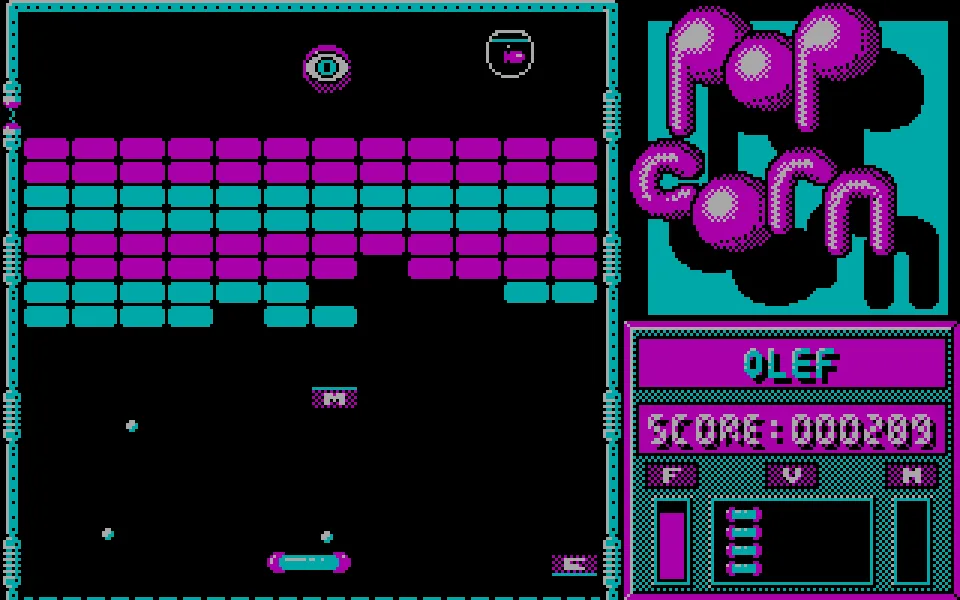
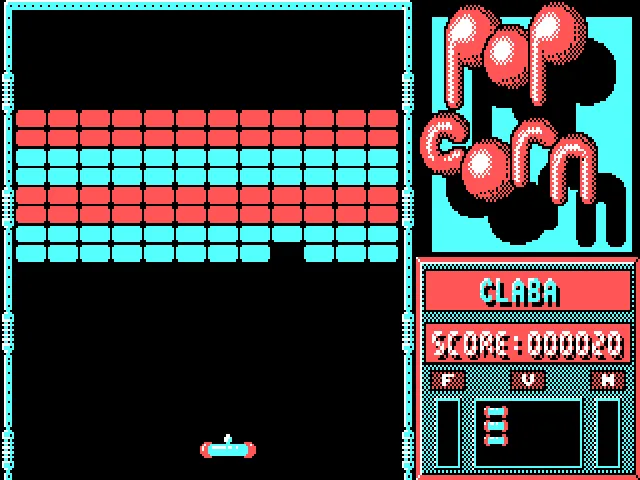
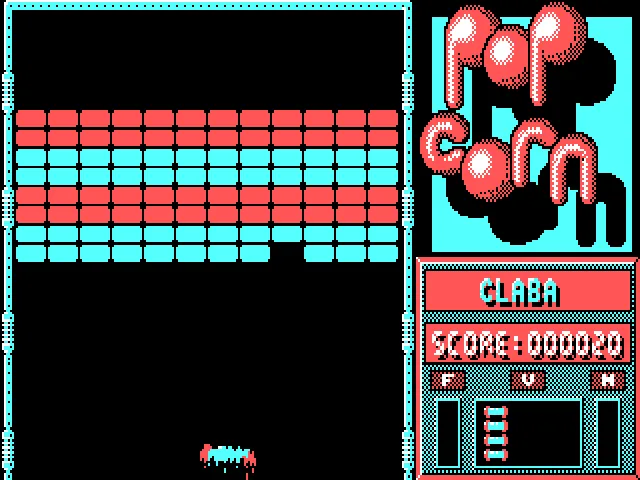
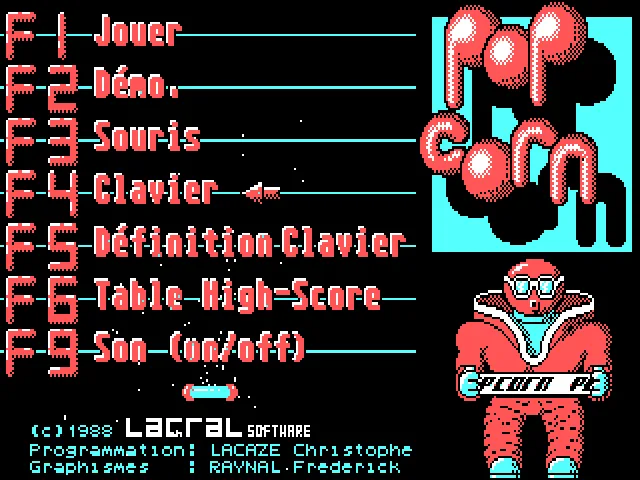
A paddle, a ball, and a pile of bricks: Popcorn uses that recipe to fill a CGA-graphics PC with rebounds. The play area takes up the left side; on the right, its character with glasses and the red lettering make the menu recognizable at a glance. The hard part comes when you try to place the paddle where the ball will land, without chasing it too late.
Christophe Lacaze and Frédérick Raynal released it in 1988 under the name LACRAL Software. The package documentation credits both, and the screen divides the tasks: programming by Lacaze and graphics by Raynal. Years later, Raynal explained to the CNC that Popcorn was born in his father's shop and that the project served to teach Lacaze programming.
Choosing the control before playing
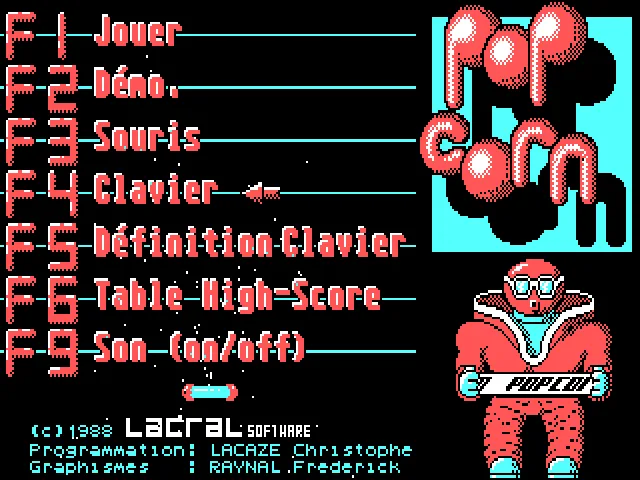
The menu is in French and is operated with function keys. F3 selects mouse and F4 selects keyboard; F1 leads to the name entry: type one and press Enter. When JOUEUR 2 appears, leave the field empty and press Enter again to play solo. During the game, J moves the paddle left, K moves it right, and Space launches the ball. Don't mistake F2 for starting: that option is an automatic demo. F5 lets you define the keyboard and F8 changes the color palette.
The rebounds require looking ahead. Following the ball with the paddle while it is up leaves little time to correct when it comes down. It pays to wait near the expected landing zone and make short adjustments. If a game goes wrong, restarting lets you practice the opening with the same brick layout.
It also comes with an editor
The original archive keeps POPGEN.EXE, a screen editor, and the levels in .PPC files. The program for playing is POPCORN.EXE. They are different tools: opening the editor does not start a game. The download keeps the files of the collection, including the French documentation and the high-score table.
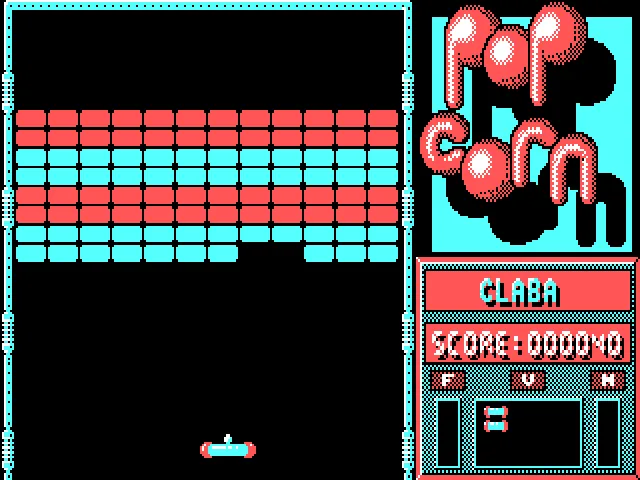
This game page corresponds to the RetroBat DOS edition. The image that serves as cover is the original title screen, identified as such, and not an invented commercial box. The gallery shows the look of the game. No later recreation is presented as if it were this 1988 executable.
EVERY PIXEL COUNTS
The game in pictures.
Explore the screenshots and open every detail at full size.
GET READY FOR YOUR NEXT GAME
Choose your download.
Format, compatibility and server. All in view.
Clicking opens the CLABA loading area and, in a few seconds, your download. If a link fails, let us know via Contact or in the forum.
Your game starts here
Play in your browser.
Pick, press and go back to the classics without leaving the game page.
RetrogamingRight in your browserNo installation
MS-DOSIn your browser
Popcorn
Your next game starts here.
- 55 KB · downloads on click
- Save the game's files
- Keyboard, controller or touch
Controls
Click the game to use the keyboardOn mobile, play with the on-screen controller- F1
- play
- F4
- keyboard
- Space
- launch
- F3
- mouse
- Esc
- pause
- F9
- sound
- Full screen
Use the button on the bar. Esc returns to the game page; “Exit” closes the game.
- Saves
Save keeps the files the game creates, not the exact moment. Save inside the game, then press Save.
- Mobile and tablet
Press Controls during the game to show buttons and keyboard. Gamepad support depends on the browser.
Saves live in this browser and device. Clearing the site data deletes them too.
THE SECRET SIDE OF THE GAME
Tips, tricks and secrets.
A hint at the right time. A code that changes everything.
Tip: wait for the descent
Watch where the ball is coming back to and put the paddle there. Constantly moving it from one end to the other increases the chance of arriving late for the bounce.
Tip: learn with a single control
Choose keyboard or mouse before starting and practice several launches with the same method. Switching devices between attempts makes it harder to adjust the paddle's path.
No matches. Try another effect or code.
THE NEXT STEP, CLEARER
Guides to move forward.
From the first installation to that mission that won't give in.
Starting a game
Let the intro finish or press Space to skip it. Choose F4 for keyboard and then F1. Wait for JOUEUR 1, type a name and press Enter. At JOUEUR 2, press Enter without typing another name to play solo. J moves the paddle left, K moves it right, and Space launches the ball. F2 starts an automatic demo.
Changing the keys and pausing
F5 opens the keyboard setup. If a function key triggers a shortcut in your browser, give the game screen focus first. Esc pauses during a game; in the menu, Esc exits to DOS. The player bar offers a separate pause.
Installation and speed in DOS
Unzip the complete download into a folder and run POPCORN.EXE in a compatible DOS environment. Keep POPTAB.PPC next to the game. The manual requires CGA and describes POPSPEED for adjusting the speed before launching; the default value is 110, and lower values speed up the game.
Sources
POPCORN.DOC, incluido en la descarga, documenta el menú y POPGEN. La entrevista de Frédérick Raynal al CNC explica el origen del proyecto. Para probar tus propios niveles en DOS, el manual indica el nombre del archivo PPC como argumento al ejecutar POPCORN.
Something wrong?
Give us a hint.
A broken link, a detail to correct or a game that won't start. Your report helps keep this game page up to date.
Get in touchReport an issue with this game Discuss it in the forumCLABA ARCADE ROOM
This one and 206 more
play here.
When you finish your game, the room has other machines switched on.
Enter the roomTHE CLABA APP1.0 RC 1
Take the archive
with you.
Game pages, online play and your shelf on Android. Free, no sign-up.
ARCHIVE SECRETS
Did you know?
- The manual includes a level editor called POPGEN and distinguishes its screen files from the application for playing.
- POPSPEED adjusts a wait in the game: the manual states that a lower number increases the speed.
- Raynal said they developed Popcorn in his father's store and handed it out among friends before it circulated in other countries.