
Time Warp · Point-and-click adventure
Berlin 1948
Espionage adventure from Time Warp and Rainbow Arts set in Berlin in 1948. English DOS copy with mouse control, dialogue, and an in-game clock.
Point-and-click adventure by Time Warp (1989) for MS-DOS, in English. Playable in your browser or downloadable.
— no rating yet
THE CLABA ARCHIVE
Inside the game.
Its history, its ideas and the reasons to come back.
Berlin 1948, also known as East vs. West: Berlin 1948, is an espionage adventure by Time Warp published by Rainbow Arts. This PC copy is in English. The presentation retains the 1989 copyright. The browser opens the adventure directly, with Sam on a street and a narrator welcoming him.
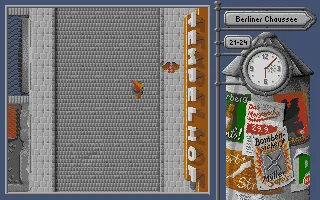
The story takes place during the Berlin blockade. Sam Porter, a CIA agent, must investigate a threat involving an atomic bomb. The mission requires traveling around the city and gathering information. The top-down perspective shows the sidewalks, buildings, pedestrians, and vehicles within a compact game window.
The first conversation
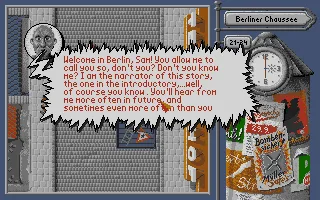
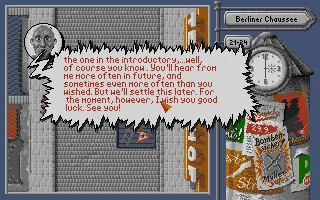
The narrator appears in a large panel over the street. His text is in English and addresses Sam with considerable familiarity. A left click continues the conversation. When it ends, the panel disappears and leaves room to start moving around the city.
The first messages are useful for getting to know how the game presents its dialogue. The character's face is attached to a speech balloon with an irregular border. The buildings and the rest of the scene remain visible behind it. It is a good idea to read each message before moving on, especially when the conversation gives details about the mission.
The browser adaptation uses captured mouse input. The first click activates pointer control. After that you can move it within the scene and use the left button to select. Esc releases the cursor so you can return to the player buttons or to the game page.
Walking around Berlin
To walk, choose a point on the street and press the left button. Sam heads toward that spot. In the tested session, after closing the initial dialogue, a point higher up the screen was selected and the character was observed moving to that area.
The street contains other pedestrians who move around and vehicles that drive by. The position of the pointer and the position of the character are different references. It is easier to learn the control with short trips within the first screen. You can stop to see where Sam has ended up before choosing the next destination.
On the right side, the street name appears, Berliner Chaussee in the opening scene shown. Below it are a numbering indicator and an analog clock. The advertising column completes that side and leaves most of the screen available for exploring the city.
The clock is part of the interface
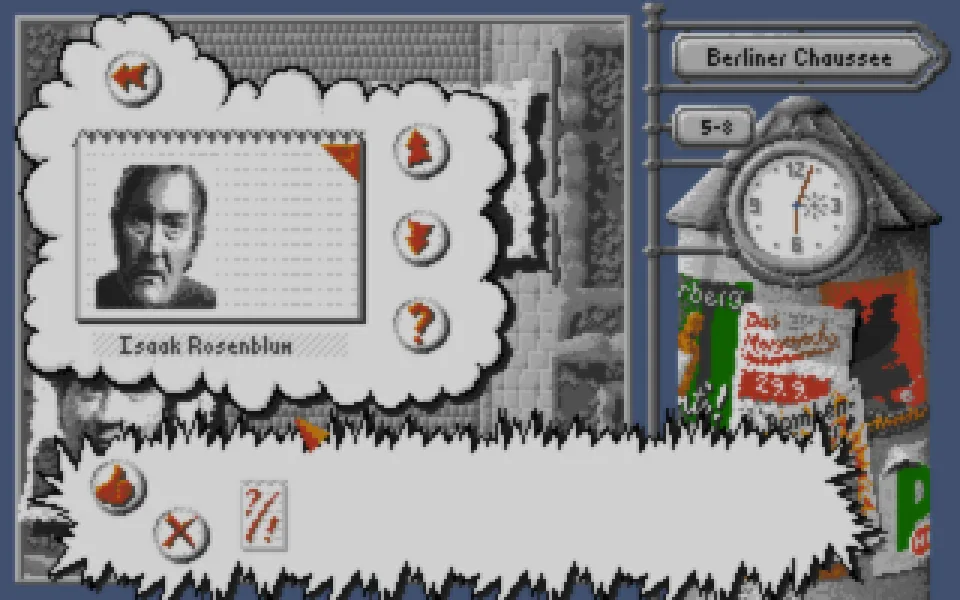
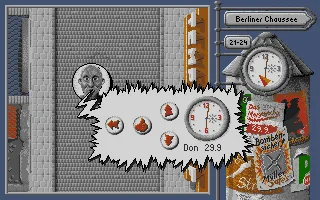
If you point at the clock and select it, a panel opens with the date and a larger representation of the time. It includes graphical buttons and keeps the street scene visible. The gallery shows that panel as it appears in this PC version.
The time helps you keep your bearings during the investigation. The manual explains that the game lets you advance time to wait for an appointment. The check of this adaptation includes opening the panel. Before changing the time, it is a good idea to review the information you have received and be clear about what you are looking for in that area.
The side area gathers several elements that can be selected. It helps to move the pointer slowly and watch the icon that appears over each one. The clock and the advertising column sit next to the scene, so you can identify them without leaving the street.
The presentation and the audio tape
The original package included a presentation tied to an audio tape. The manual asks you to synchronize its images with the playback of that tape. The files in this copy preserve the presentation and the game, along with their graphics data.
The player on this page runs vgame.exe and goes straight into the adventure. The download keeps the berlin.bat launcher, which lets you choose VGA, CGA, Hercules, or Tandy through its arguments. The berlin V option uses the VGA executables for the presentation and the game.
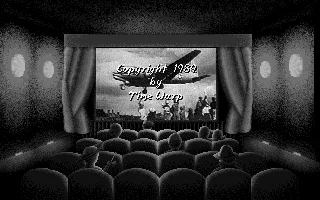
The movie theater screen in the background is a real screenshot of that PC presentation. The conversation, walking, and clock images come from the adventure running in the browser. The cover art and the collection screenshot are also kept on this page.
The preserved PC copy
The ZIP contains nineteen files, including the executables for the different graphics modes and the data files stream0.ibm, stream1.ibm, stream2.ibm, and stream3.ibm. They are kept intact in the prepared package. The browser adds the DOS configuration and a launcher to open the adventure.
The test covers the start of the English version, advancing through the narrator's messages, walking around the first street, and opening the clock. It is a starting point for learning this adventure's interface. The guides use the labels and actions that can be recognized in the screenshots.
EVERY PIXEL COUNTS
The game in pictures.
Explore the screenshots and open every detail at full size.
GET READY FOR YOUR NEXT GAME
Choose your download.
Format, compatibility and server. All in view.
Clicking opens the CLABA loading area and, in a few seconds, your download. If a link fails, let us know via Contact or in the forum.
Your game starts here
Play in your browser.
Pick, press and go back to the classics without leaving the game page.
RetrogamingRight in your browserNo installation

MS-DOSIn your browser
Berlin 1948
Your next game starts here.
- 1 MB · downloads on click
- Save the game's files
- Keyboard, controller or touch
Controls
Click the game to use the keyboardOn mobile, play with the on-screen controllerClick activates the mouse. Left button advances dialogue and chooses where to walk. The clock opens its panel. Esc releases the pointer.
- Full screen
Use the button on the bar. Esc returns to the game page; “Exit” closes the game.
- Saves
Save keeps the files the game creates, not the exact moment. Save inside the game, then press Save.
- Mobile and tablet
Press Controls during the game to show buttons and keyboard. Gamepad support depends on the browser.
Saves live in this browser and device. Clearing the site data deletes them too.
THE SECRET SIDE OF THE GAME
Tips, tricks and secrets.
A hint at the right time. A code that changes everything.
Tip for your first clicks
Make a first click to activate the mouse. During the welcome, the left button advances the text. Wait for the conversation to finish before choosing a destination on the street.
Tip for getting your bearings
Watch the street name at the top right. Start with short trips and check where Sam is after each selection. The pointer and the character are shown separately.
Tip for reading the dialogue
Read each panel before continuing. The narrator takes up part of the window and the messages appear in English. The left button moves on to the next text.
Tip before touching the clock
The clock opens its own panel. Identify the buttons before selecting a change. The time is part of the investigation, and advancing it may affect what you find.
No matches. Try another effect or code.
THE NEXT STEP, CLEARER
Guides to move forward.
From the first installation to that mission that won't give in.
Entering the adventure and dismissing the welcome
Click Play online and open the player. The prepared startup runs the VGA adventure directly. In the first scene the narrator welcomes Sam.
Click on the game to activate the mouse and use the left button to advance through the messages. When they finish, the full street appears. Esc releases the pointer so you can use the player's external buttons.
Walking and checking the clock
Choose a point on the street and press the left button. Sam moves toward that destination. Try a short trip within the opening scene first and watch the character's position.
The clock is on the right side. Point at it and select to open the date and time panel. The gallery includes a screenshot of that window. The player's pause button lets you stop the emulation when you need to step away from the game.
The original download and its graphics modes
Keep all nineteen files in the ZIP together. The original launcher berlin.bat accepts V or E for the VGA executables, C or H for the CGA ones, and T for Tandy. Those options appear in the startup file itself.
In the browser, the adventure's VGA executable, vgame.exe, is used. The presentation remains in the downloadable file. Its audio synchronization belongs to the original tape-based operation.
Provenance of this page
The edition is identified through the copy's files, the original PC presentation, and the tested session. The movie theater screenshot shows Time Warp and 1989. The original documentation identifies Rainbow Arts.
The background and the new images were taken by running the preserved copy. The manual describes the context of Sam Porter's mission and how the presentation originally worked with the tape. Original manual preserved in the WHDLoad installer.
Something wrong?
Give us a hint.
A broken link, a detail to correct or a game that won't start. Your report helps keep this game page up to date.
Get in touchReport an issue with this game Discuss it in the forumCLABA ARCADE ROOM
This one and 250 more
play here.
When you finish your game, the room has other machines switched on.
Enter the roomTHE CLABA APP1.0 RC 1
Take the archive
with you.

Game pages, online play and your shelf on Android. Free, no sign-up.
ARCHIVE SECRETS
Did you know?
- The game is also presented under the title East vs. West: Berlin 1948.
- The PC presentation shows a movie theater and the 1989 Time Warp copyright.
- The original package used an audio tape synchronized with part of the presentation.
- The launcher in this copy offers arguments for VGA, CGA, Hercules, and Tandy.


