Sierra · Point-and-click adventure
Gobliins 2: The Prince Buffoon
Two goblins, a kidnapped prince and wacky humor puzzles: Coktel Vision's 1992 sequel, with a multilanguage CD edition.
Point-and-click adventure by Sierra (1992) for MS-DOS (in Spanish and other languages) and Atari ST. Available to download.
Choose your version 2 platforms
No computer handy? Play one of the 251 classics online right now
4.8 5 votes
THE CLABA ARCHIVE
Inside the game.
Its history, its ideas and the reasons to come back.
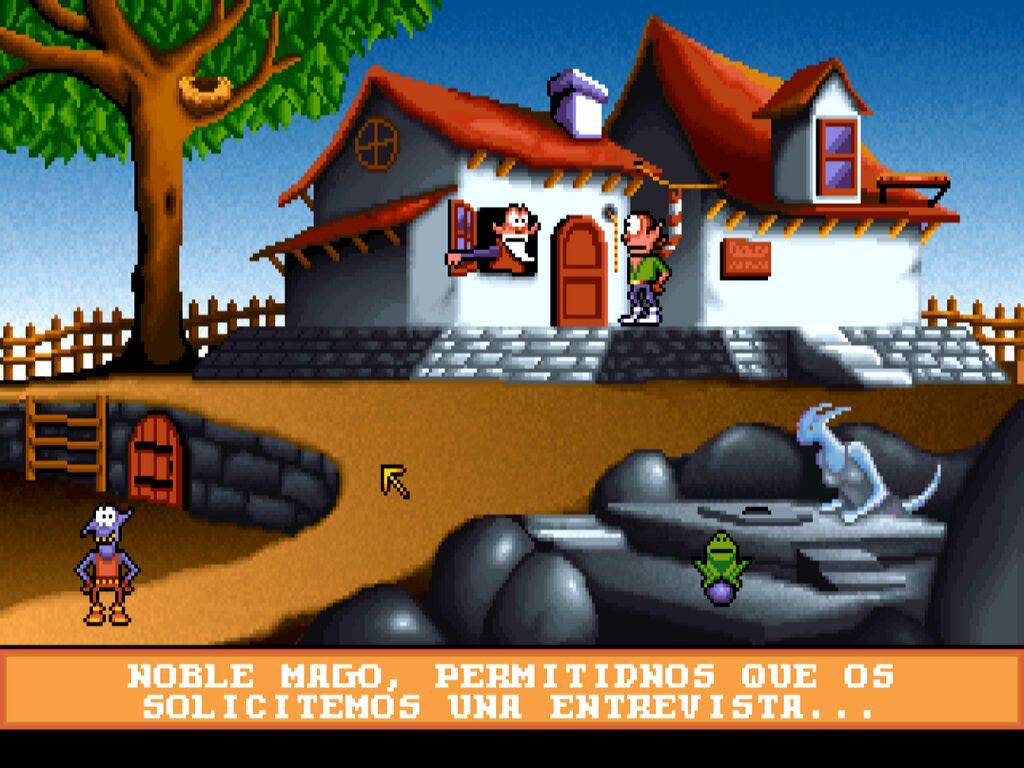
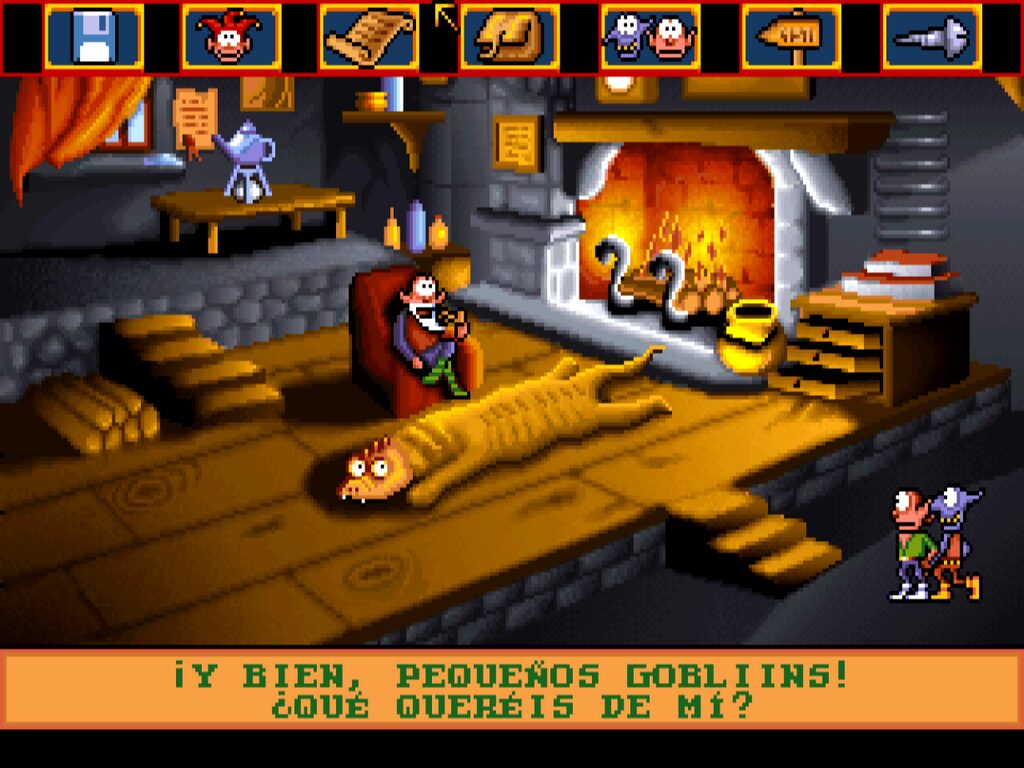
Two goblins, a kidnapped prince and a demon bent on mischief. Gobliins 2: The Prince Buffoon is the second installment in Coktel Vision’s puzzle series, published in 1992 by Sierra On-Line. If the first Gobliiins had you moving three goblins at once, here things are simplified: there are only two, but now there are many more screens, more relationships between them and a French humor unlike anything LucasArts or Sierra itself were doing at the time.
Fingus, Winkle and the buffoon prince
The protagonists are Fingus, a polite, intelligent and somewhat shy goblin, and Winkle, who is just the opposite: strong, cheeky and rather dim. The king has charged them both with rescuing his son, kidnapped by the evil Amoniak and turned into a buffoon. And the challenge is not in fighting: it is in paying attention. Each screen is a small puzzle with traps, objects and absurd characters, and what one solves, the other often complicates. All of it with the feel of a European cartoon.
What changed from the first game
In Gobliiins, each level was a single screen and the three goblins shared a health bar. Here the bar disappears and neither of the two can die. The levels, moreover, are now made up of several screens, between which you have to go back and forth, and both goblins can be given orders at the same time. That allows timing puzzles: one distracts a character while the other robs him. Both can pick up objects, combine them and use them, almost always with different effects for each. The save system is also far more conventional than in the original.
Voices and reception
In the floppy disk versions the characters speak an unintelligible «goblinese»; the CD-ROM version adds voices. The press of the time received it well, with scores that according to Wikipedia ranged between 70% and 90%, and Computer Gaming World highlighted in 1993 its puzzles, its ingenuity and its ease of use. Not everyone agreed: the magazine CU Amiga gave it only 40%, according to Wikipedia, which shows that its humor and puzzle logic are not to everyone’s taste. Even so, critics were generally favorable. The series continued with Goblins Quest 3, where it is revealed that the protagonist, Blount, was the kidnapped prince from this installment.
The edition we offer
Our download is the multilanguage edition on this page. In Downloads there are two options: a repack of the CD version, prepared for Windows XP, 7 and 10, and the ISO image of the CD for DOS, in case you prefer to use DOSBox (tutorial in Spanish) or ScummVM. The latter supports the game at the highest compatibility level, «excellent,» and is probably the best way to enjoy it today. In Guides you will find the first launch and the technical aspects. If you liked it, you can continue with Simon the Sorcerer, Monkey Island 2 or Curse of Enchantia.
ONE GAME, 2 PLATFORMS
Versions.
2 platforms1992
Pick a platform: the screenshots, downloads and online game on this page switch with it.
- Year
- 1992
- Developer
- Sierra
- Downloads
- 2
- Screenshots
- 3
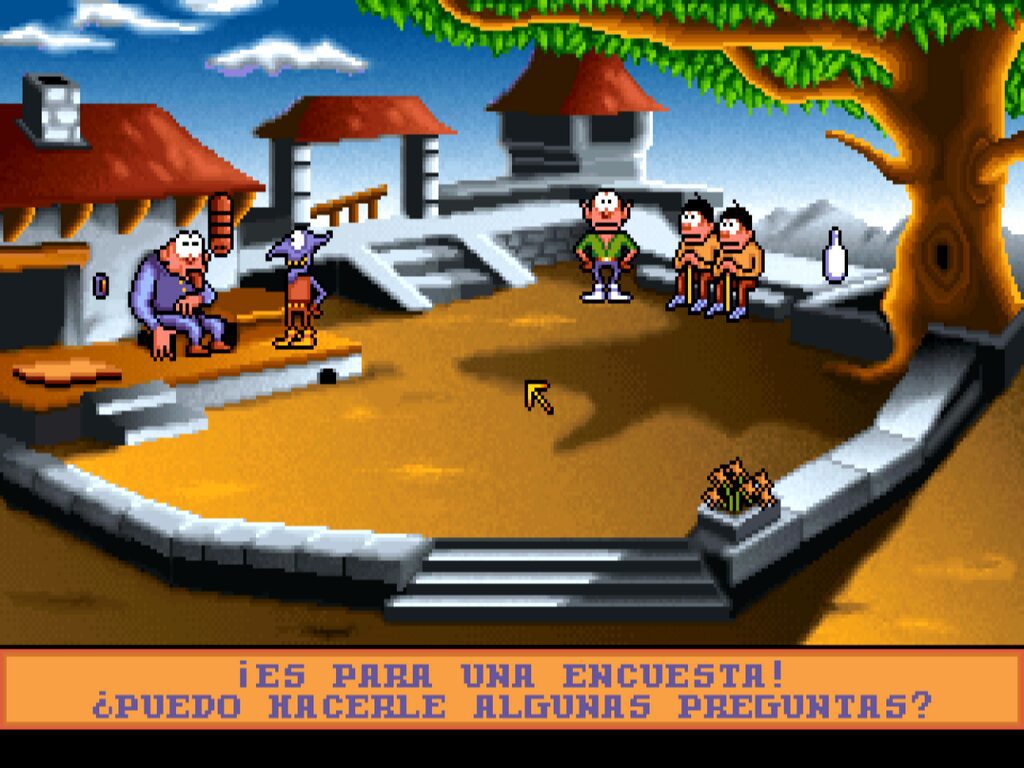
MS-DOS version published in 1992 by Sierra On-Line from the Coktel Vision game. It exists on floppy disk, with the characters speaking "goblinese," and on CD-ROM, with voices. Today it is played with DOSBox or with ScummVM, which supports it with excellent compatibility.
- Year
- 1992
- Downloads
- 1
- Screenshots
- —
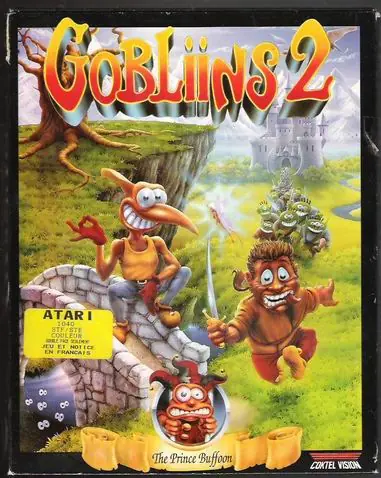
The 1992 Atari ST version of the same Coktel Vision game. ScummVM recognizes it and lists among its supported data the STK files specific to this machine; the gameplay, the two goblins and the puzzles are the same.
EVERY PIXEL COUNTS
The game in pictures.
Explore the screenshots and open every detail at full size.
GET READY FOR YOUR NEXT GAME
Choose your download.
Format, compatibility and server. All in view.
Version
SELECTED VERSIONMS-DOS1992 · 2 files
Clicking opens the CLABA loading area and, in a few seconds, your download. If a link fails, let us know via Contact or in the forum.
THE SECRET SIDE OF THE GAME
Tips, tricks and secrets.
A hint at the right time. A code that changes everything.
Tip · the level codes are from the first game
The level codes that circulate online (reached with the skull and the load option) belong to Gobliiins, the first game. We have not found a reliable list for Gobliins 2 and so we publish none: don’t assume the first game’s codes work here.
Tip · try with both goblins
Fingus and Winkle use objects differently. If something doesn’t work with one, try the other before looking for a more complicated solution.
Tip · take advantage of simultaneous orders
You can give orders to both goblins at once. Many puzzles are solved through coordination: one distracts while the other acts.
Tip · nobody can die
Unlike the first game, there is no health bar or death here. Experiment freely: the worst that can happen is that you have to repeat a gag.
Tip · visit every screen
The levels have several screens connected to one another and you can go back and forth. A clue that doesn’t fit on one screen usually makes sense on another.
Tip · save often
Saving is more conventional than in the first game. Do it before a timing puzzle: it is easier to repeat an attempt than to remember a complex sequence.
No matches. Try another effect or code.
THE NEXT STEP, CLEARER
Guides to move forward.
From the first installation to that mission that won't give in.
Start here · first launch on a current PC
- In Downloads you have a repack (CD) for Windows XP, 7 and 10 and the CD ISO for DOS. The repack is the most convenient.
- Unzip the file in a short path, for example
C:\Juegos\Gobliins2. - Launch the shortcut. If the game does not start, try compatibility mode or see the tutorial on Windows XP classics on Windows 10 and 11 (in Spanish).
- With the ISO you can use DOSBox (tutorial in Spanish) or ScummVM; the latter recognizes the game as
gob:gob2and its compatibility is «excellent.» - To take your save games to another PC, see how to copy and restore them (in Spanish).
Controls
The game is played with the mouse (PCGamingWiki: mouse-driven menu, no controller support or remappable keys). Click a goblin to select it, the ground to move it and an object or character to act on it. If you use ScummVM you can change the screen scaling and the volume.
First steps · how to reason through the puzzles
- Look at each whole screen before doing anything: almost everything that moves or can be picked up is useful.
- Try each object with both goblins; the results change from one to the other.
- Combine inventory objects, also with each other.
- When a puzzle needs two actions at once, give the order to one first and then to the other.
- If you are not making progress, go back to the earlier screens of the level: something may be missing.
Technical notes
The original required DOS 5.0, a 386, 2 MB of RAM, 4.5 MB of disk space and VGA; it only runs at 320×200 (PCGamingWiki). The GOG version includes ScummVM and lets you choose between floppy disk and CD.
Playing with DOSBox or ScummVM is what PCGamingWiki recommends to get the game working on current systems, with extras such as screen scaling and volume control. ScummVM also offers an official demo of the game on its website.
Sources
- PCGamingWiki: date, requirements, GOG, DOSBox/ScummVM and input.
- ScummVM: compatibility table (excellent).
- Thonky: confirms that the level codes are the first game’s.
- Wikipedia: orientation on characters, series and reception.
Something wrong?
Give us a hint.
A broken link, a detail to correct or a game that won't start. Your report helps keep this game page up to date.
Get in touchReport an issue with this game Discuss it in the forumCLABA ARCADE ROOM
251 classics
without installing anything.
Don't feel like installing? These play right in your browser.
Enter the roomTHE CLABA APP1.0 RC 1
Take the archive
with you.

Game pages, online play and your shelf on Android. Free, no sign-up.
ARCHIVE SECRETS
Did you know?
The letter «i» counts. In the series name, the number of i’s indicates how many characters you control: Gobliiins (three), Gobliins 2 (two) and Goblins Quest 3 (one).
Nobody dies. Unlike the first game, in this sequel neither of the two goblins can die and there is no health bar.
Voices or «goblinese.» The floppy disk versions use an unintelligible jargon; the CD-ROM version adds the characters’ voices.
The prince has a name. In Goblins Quest 3 it is revealed that Blount, the protagonist, was the kidnapped prince of Gobliins 2.
Three games in one pack. GOG sells a pack with Gobliiins, Gobliins 2 and Goblins Quest 3 with ScummVM included, with a choice between the floppy disk version and the CD one.