
Dale Disharoon, Inc. · Action-adventure
Below the Root
1984 PC adventure by Dale Disharoon, Inc., published by Windham Classics. Explore Green-Sky in this English-language copy with a DOS loader.
Action-adventure game by Dale Disharoon, Inc. (1984) for MS-DOS, in English. Playable in your browser or downloadable.
— no rating yet
THE CLABA ARCHIVE
Inside the game.
Its history, its ideas and the reasons to come back.
Below the Root is an adventure by Dale Disharoon, Inc., published by Windham Classics for PC in 1984. It takes place in Green-Sky, the world of Zilpha Keatley Snyder's novels. The preserved copy is in English and uses CGA graphics. The browser launches the loader included in the collection archive and lets you start a game with the keyboard.
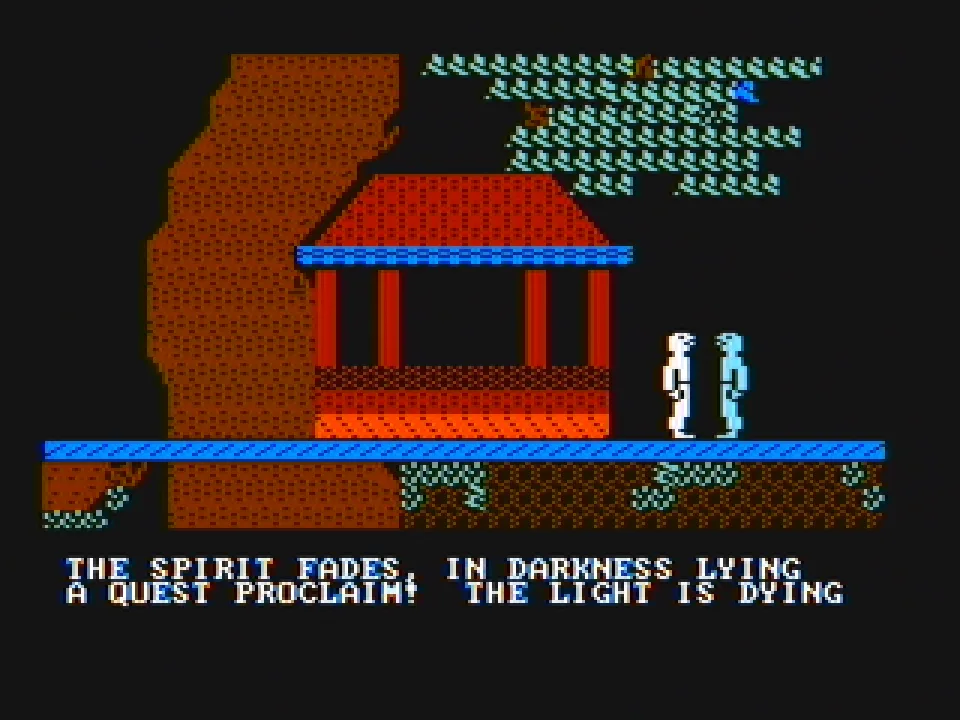
Green-Sky is a land of enormous trees, elevated dwellings, ladders and walkways. Its inhabitants, Kindar and Erdling, share a history of separation and reunion. Raamo, the boy who helped bring them together, has disappeared. The adventure asks you to continue his work and search for the secret that may save this world.
Choosing who sets out on the quest
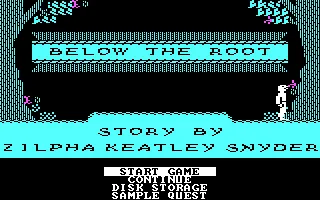
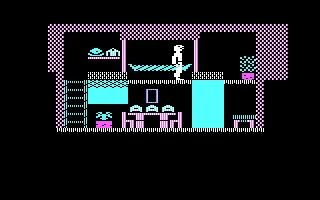
The opening menu offers Start Game, Continue, Disk Storage and Sample Quest. Start Game opens character selection. In the tested session the initial choice, Neric, is kept and confirmed with Enter. The game places him directly in his home, furnished with a bed, furniture and an exit.
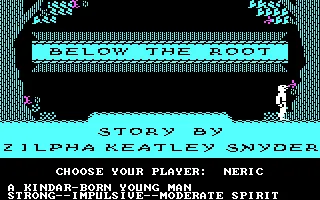
Five characters are available. Each has his or her own home and different stamina and spirit abilities. The manual presents Neric as a strong young Kindar with moderate spiritual abilities. The other characters let you approach the quest with different starting conditions. The gallery shows Neric's selection and the place where he begins.
Walking and opening the actions
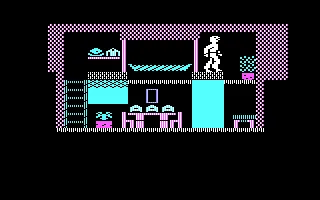
With the keyboard, pressing a side arrow key sets the character in motion. To stop, press the opposite direction. It is best to start inside the dwelling and watch how the character responds. The check of this copy includes Neric moving to the right and opening the action menu.
Enter opens that menu at the bottom of the screen. The arrow keys move the selection and Enter confirms the chosen option. Its labels include Take, Examine, Status, Speak, Inventory and Renew. The scene stays visible above, so you can check the available actions without losing sight of the room.
Examine inspects the place. Take tries to pick up an object. The response depends on your position and on what is nearby. In the initial test, selecting Examine from that part of the dwelling showed that there was nothing of interest there. To pick up an object you must stand on it and use the corresponding action.
Checking Neric's status
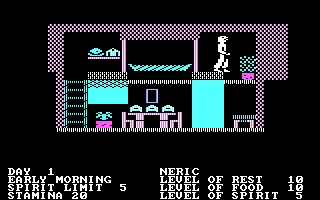
Status shows the day, the part of the day, the character's name and his resources. At the tested start, Day 1, Early Morning, Spirit Limit 5 and Stamina 20 appear. On the right, the levels of rest, food and spirit are displayed. The gallery screenshot lets you see this panel as the program presents it.
Exploration draws on these resources. The menu actions let you rest, eat or use spiritual abilities. The manual explains how developing those abilities opens up possibilities during the quest. Keeping an eye on the status helps you decide when to continue the journey and when to attend to the character's needs.
Renew returns the character to his dwelling and makes time pass. In the tested session, a message appeared saying he had been found unconscious, and Neric returned home. It is worth distinguishing this action from Status, which lets you check the situation. The English names of the options are kept in the instructions so you can find them on screen.
The copy that runs here
The archive contains five files, among them loader.com, btroot.exe and the text manual btroot.txt. The README identifies the original PC game and the DOS loader added to this copy in 1998. For that reason the prepared startup uses loader.com, as that document indicates.
The five files of the collection are kept intact. The browser package adds a DOSBox configuration and its own launcher. The first screen asks for K for keyboard or J for joystick. The instructions on this game page are for the keyboard, which is the tested mode for entering the adventure, walking and checking Status.
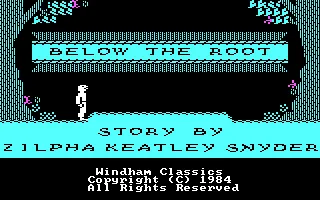
The background comes from the game's main menu. The gallery keeps the screenshot from the collection and adds images of the title, the character selection, the dwelling and the first controls. The cover art keeps its original design. The text of the program and of the included manual remains in English.
EVERY PIXEL COUNTS
The game in pictures.
Explore the screenshots and open every detail at full size.
GET READY FOR YOUR NEXT GAME
Choose your download.
Format, compatibility and server. All in view.
Clicking opens the CLABA loading area and, in a few seconds, your download. If a link fails, let us know via Contact or in the forum.
Your game starts here
Play in your browser.
Pick, press and go back to the classics without leaving the game page.
RetrogamingRight in your browserNo installation
MS-DOSIn your browser
Below the Root
Your next game starts here.
- 99 KB · downloads on click
- Save the game's files
- Keyboard, controller or touch
Controls
Click the game to use the keyboardOn mobile, play with the on-screen controllerK selects keyboard. Enter starts and opens actions. Arrow keys move and select. The opposite direction stops walking. Enter confirms.
- Full screen
Use the button on the bar. Esc returns to the game page; “Exit” closes the game.
- Saves
Save keeps the files the game creates, not the exact moment. Save inside the game, then press Save.
- Mobile and tablet
Press Controls during the game to show buttons and keyboard. Gamepad support depends on the browser.
Saves live in this browser and device. Clearing the site data deletes them too.
THE SECRET SIDE OF THE GAME
Tips, tricks and secrets.
A hint at the right time. A code that changes everything.
Tip for stopping
Try movement inside the dwelling first. A side arrow key starts walking. Press the opposite direction to stop the character before opening the actions or approaching an edge.
Tip for checking resources
Press Enter, move the selection to Status and confirm. The panel shows the day, the time of day and the character's levels. Check food, rest and spirit during exploration.
Tip for finding the actions
The options are in English. Take picks up, Examine inspects and Inventory shows what you are carrying. Select with the arrow keys and confirm with Enter. The character's position matters when using objects or speaking.
Tip before choosing Renew
Renew returns the character to his or her home at the cost of lost time. To check resources, use Status. Note which option is selected before confirming.
No matches. Try another effect or code.
THE NEXT STEP, CLEARER
Guides to move forward.
From the first installation to that mission that won't give in.
Starting with the keyboard and Neric
Wait for the initial question and press K for keyboard. When the title appears, press Enter to reach the menu. Confirm Start Game and keep Neric in the selection. Enter lets you step into his dwelling.
Try a side arrow key and watch the movement. Press the opposite direction to stop. Enter opens the actions and the arrow keys let you move through them. The tested session starts with Neric and lets you check his initial status.
Opening and reading Status
From the scene, press Enter. The menu appears with Pause as the first option. Move four positions to the right to Status and confirm with Enter. The panel shows Day, the time of day, the name, Spirit Limit, Stamina and the levels of rest, food and spirit.
At the start shown in the gallery, Neric has Spirit Limit 5 and Stamina 20. The values correspond to that game and may change during the quest. The arrow keys let you steer the character again after checking.
Running the PC download
Keep the five files in the ZIP together and use loader.com, the loader indicated by the README. The browser copy launches that same file through CLABA.BAT. The game executable and the original documents are kept unchanged.
The tutorial DOSBox from scratch (in Spanish) explains how to mount a games folder in DOSBox. The player offers controls for pause, sound, screenshot, full screen and restart.
Manual and source of the instructions
The file btroot.txt contains the text manual for this copy. It distinguishes between keyboard and joystick instructions. To jump with the keyboard, it says to press the direction of travel again. Enter opens the action menu. Check the section for the device you are using.
The original Windham Classics manual preserves the credits and the instructions for PC, Apple and Commodore. This game page corresponds to the collection's PC copy, run with its DOS loader. The new images come from that same run.
Something wrong?
Give us a hint.
A broken link, a detail to correct or a game that won't start. Your report helps keep this game page up to date.
Get in touchReport an issue with this game Discuss it in the forumCLABA ARCADE ROOM
This one and 250 more
play here.
When you finish your game, the room has other machines switched on.
Enter the roomTHE CLABA APP1.0 RC 1
Take the archive
with you.

Game pages, online play and your shelf on Android. Free, no sign-up.
ARCHIVE SECRETS
Did you know?
- The title screen credits the story with the name of Zilpha Keatley Snyder.
- The adventure lets you choose among five inhabitants of Green-Sky with different homes and abilities.
- The menu offers Sample Quest as a demonstration of the world.
- The collection's copy includes a 1998 DOS loader alongside the 1984 PC game.


