Capcom · Action-adventure
Resident Evil 5
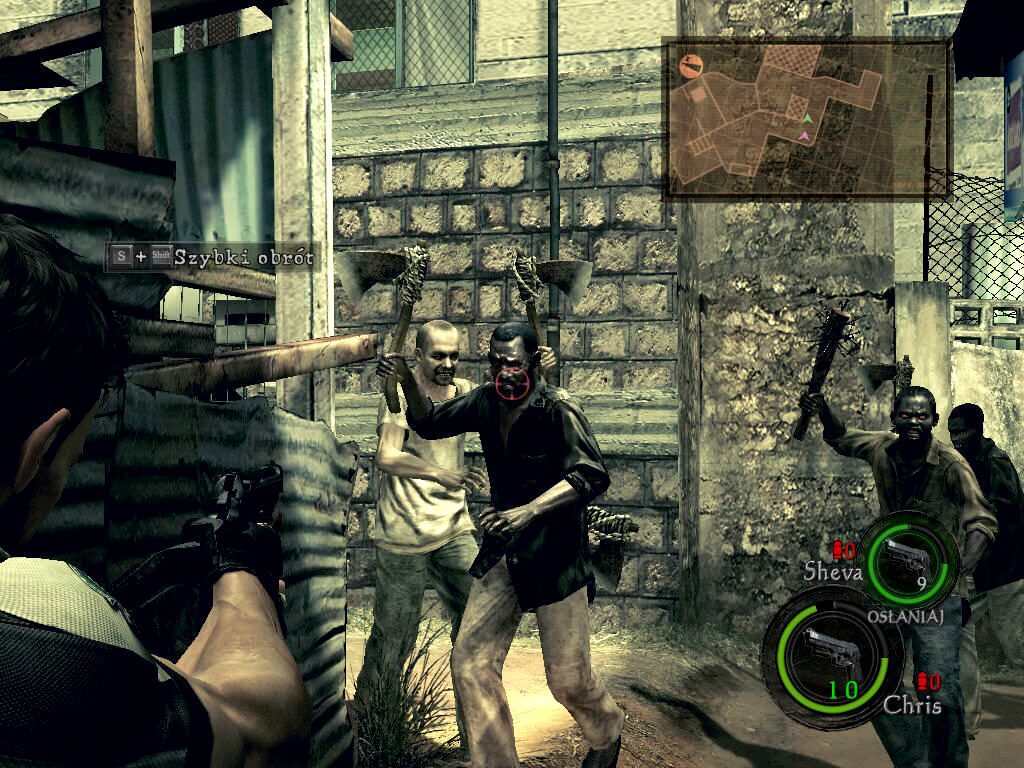
Chris Redfield and Sheva Alomar against the majini of Kijuju, in co-op and in full sun. The 2009 PC version, with Spanish text, a repack and both DVDs.
Action-adventure game by Capcom (2009) for PC, in Spanish and other languages.
4.5 28 votes
THE CLABA ARCHIVE
Inside the game.
Its history, its ideas and the reasons to come back.
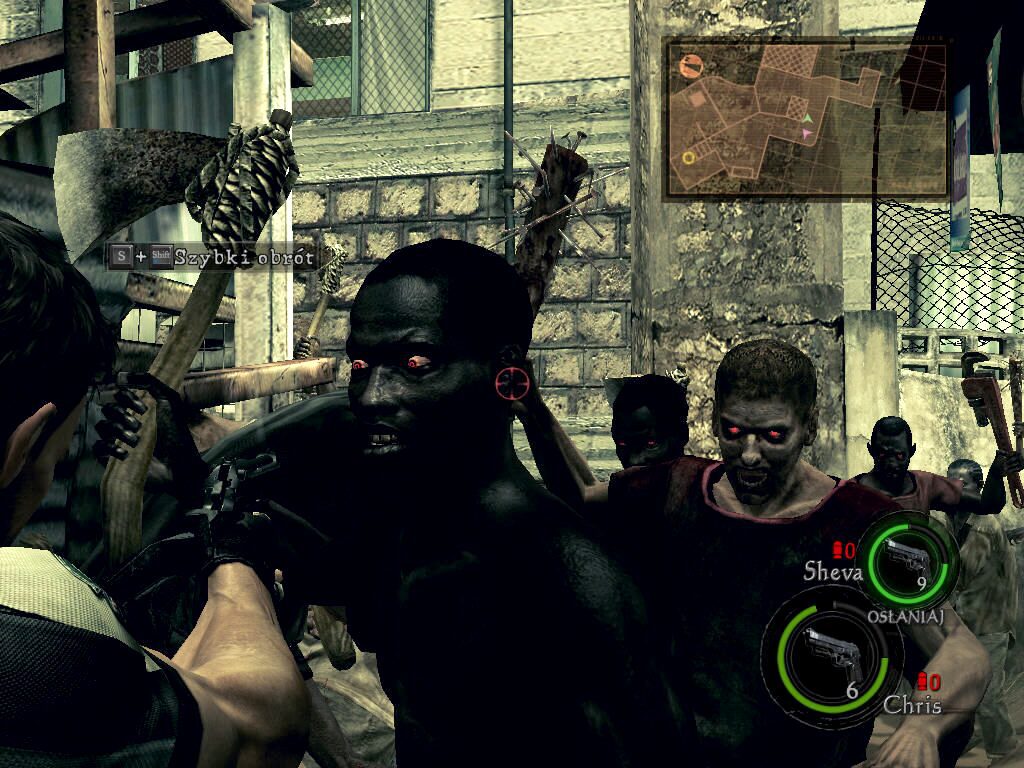
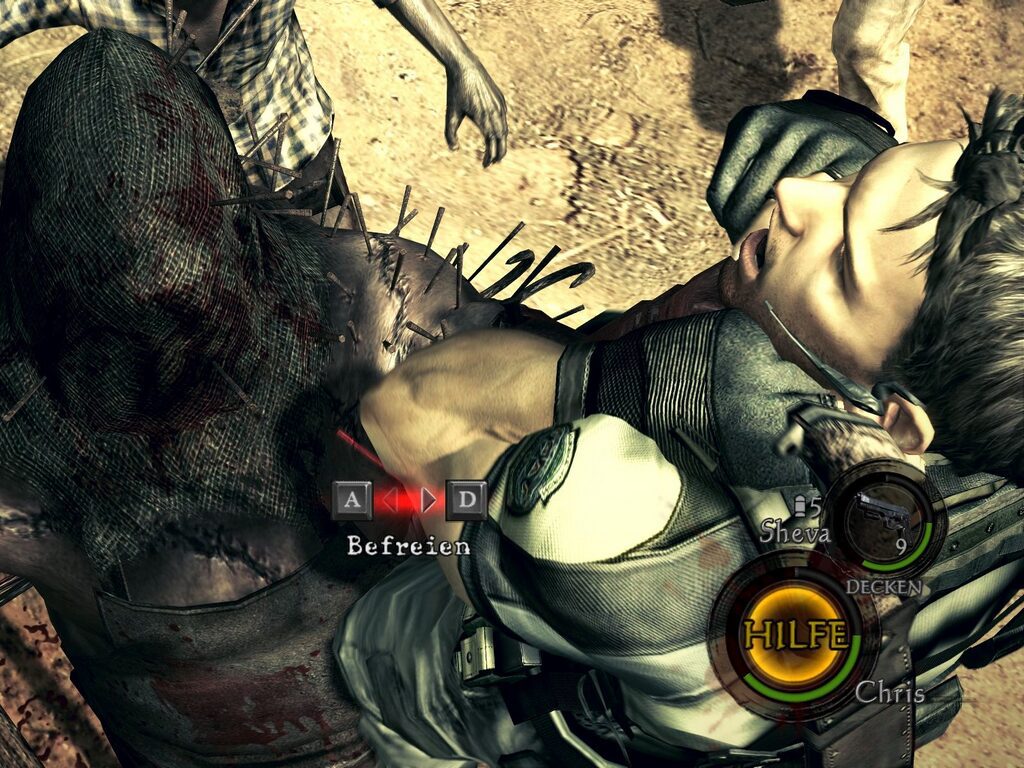
A blinding sun, a dusty market and neighbors who stare at you a little too hard. Resident Evil 5 took the series out of the mansions and dark police stations and into broad daylight, in Africa, and turned it for the first time into an adventure designed for two. Capcom launched it in March 2009 on PlayStation 3 and Xbox 360, and the PC version, the one you have here, arrived in September of that same year.
Kijuju, the BSAA and an old acquaintance
Years have passed since the Raccoon City disaster and Umbrella no longer exists, but its viruses are still circulating on the black market. Chris Redfield, the S.T.A.R.S. agent from the first Resident Evil, now works for the BSAA, an international alliance against bioterrorism. His mission takes him to Kijuju, a fictional region of Africa, to stop a trafficker who intends to sell a biological weapon. There he is met by his new partner, Sheva Alomar, and a population infected by a parasite that turns people into majini: enemies who attack with whatever they have at hand, from bottles to axes, and who later wield firearms. What begins as a police operation ends up uncovering a conspiracy in which Chris comes face to face with his own past.
How it plays
The foundation is that of Resident Evil 4: over-the-shoulder camera, precise aiming and a rule that remains, you cannot walk and shoot at the same time. What is new is that Sheva is always with you, controlled by the machine or by a second player. Each of you has nine slots of inventory and manages it in real time, without pausing, so ammo, herbs and weapons have to be shared between the two. Between chapters, or when you go down, a screen appears to change equipment, sell treasures and upgrade weapons, which is where almost all the money goes.
The campaign is divided into six chapters with sixteen sections and, once you finish it, the Mercenaries mode opens up: closed maps, a running clock and waves of enemies to score points. There are also thirty BSAA emblems hidden around the stages that unlock extras.
Action in full sun
It is one of the best-selling games in Capcom’s history. According to the company, as of June 30, 2026 the original PlayStation 3 and Xbox 360 edition had sold 10.9 million units, to which must be added those of the Gold Edition and the re-releases. Critics rated it highly, although many lamented the same thing: it was more a third-person action game than a survival horror. Anyone coming from Resident Evil 2 or Resident Evil 3: Nemesis will notice that there are plenty of bullets and a shortage of scares here, in exchange for spectacular shootouts and enormous bosses.
The PC version
The conversion, the work of Mercenary Technology, kept all the console content and added two alternate costumes per character, an extra difficulty in Mercenaries and support for GeForce 3D Vision stereoscopic glasses through DirectX 10. Beyond that, according to Capcom itself, DirectX 10 added nothing visually over DirectX 9. The PC Gold Edition, with the «Lost in Nightmares» and «Desperate Escape» episodes, did not arrive until 2015 and is not part of this edition.
The edition we offer
It is the 2009 PC version with Spanish text and subtitles and English voices, inside a nine-language package. In Downloads there is a repack, the convenient option for a current PC, and the original image split into two downloads, DVD1 and DVD2, both of which you need; everything is marked for Windows XP, 7 and 10. The original edition uses Games for Windows Live, which supports local offline profiles. If Windows 10 or 11 gives you trouble, see our tutorial on Windows XP classics on Windows 10 and 11.
In Guides you have the installation, the controls, a sensible way to start and the known issues; in Tips & tricks, how to get infinite ammo and other extras. If you are left wanting more Capcom, try Devil May Cry 3; if you prefer space horror, Dead Space.
EVERY PIXEL COUNTS
The game in pictures.
Explore the screenshots and open every detail at full size.
GET READY FOR YOUR NEXT GAME
Choose your download.
Format, compatibility and server. All in view.
Download Repack
COMPATIBILITYWindows XP / 7 / 10 ✓ At no cost✓ No sign-up Download www.mediafire.com · New tab MediaFire02 ISODOWNLOAD DVD1
COMPATIBILITYWindows XP / 7 / 10 ✓ At no cost✓ No sign-up Download www.mediafire.com · New tab MediaFire03 ISODOWNLOAD DVD2
COMPATIBILITYWindows XP / 7 / 10 ✓ At no cost✓ No sign-up Download www.mediafire.com · New tabClicking opens the CLABA loading area and, in a few seconds, your download. If a link fails, let us know via Contact or in the forum.
THE SECRET SIDE OF THE GAME
Tips, tricks and secrets.
A hint at the right time. A code that changes everything.
How to get the extras
Resident Evil 5 has no cheat codes. Extras are earned by playing: finishing the campaign, upgrading weapons and finding emblems. Many are bought later in the extras menu (Bonus Features) with the points you accumulate.
Infinite ammo
Upgrade a weapon to the maximum, finish the game and buy the infinite ammo option for that specific weapon in the extras. From then on you can use it in new games without it ever running out of ammo. Concentrate on upgrading one weapon at a time: the money does not stretch to all of them.
Mercenaries mode
It unlocks when you complete the story. There are eight time-limited maps in which you have to chain kills and pick up time bonuses; getting a good rating on each one unlocks new characters and costumes for the mode itself.
Tip · the BSAA emblems
There are thirty spread across the campaign, blue and with a glint that gives them away, and often behind objects or off the beaten path. Many are obtained by shooting them, and for the farthest ones the sniper rifle is handy. They are the key to a good part of the extras.
Tip · Sheva as a backpack
If you play alone, the machine-controlled partner spends ammo and healing items without restraint. A classic trick is to take her firearms away: that way she carries spare ammo and items without wasting them, and frees up your slots.
Tip · herbs and reloads
A green herb on its own heals little and a red one on its own is useless, but combined they heal you fully and take up a single slot. And reload whenever things are calm: leftover bullets in the magazine are not lost.
No matches. Try another effect or code.
THE NEXT STEP, CLEARER
Guides to move forward.
From the first installation to that mission that won't give in.
Start here · first launch on a current PC
- In Downloads, choose the repack if you just want to play. To preserve the original edition, download DVD1 and DVD2: you need both.
- Install it outside
Program Files, to a short path such asC:\Juegos\RE5. - This version starts with Games for Windows Live. If it asks you to sign in, create a local profile, which works offline and still saves your games.
- Before playing, check the resolution and controls in the options. If the game does not start with a video mode error, open
Documents\CAPCOM\RESIDENT EVIL 5\config.ini, set a safe resolution (for example, 640×480) or turn off full screen, and try again.
Save games are stored in Documents\CAPCOM\RESIDENT EVIL 5. If you copy them, also include the %LOCALAPPDATA%\Microsoft\XLive folder, which Games for Windows Live needs to recognize them; our tutorial on copying and restoring save games explains how.
Controls
- Recommended gamepad: it accepts XInput (Xbox) and DirectInput controllers, with four preset button layouts. It is how the game was designed.
- Keyboard and mouse: all keys can be remapped in the options. If two actions share a key, the game warns that they may fail: unbind the other one.
- Do not mix gamepad and keyboard at the same time: the game does not support it and constantly shows the scheme-change warning.
- Quick inventory: place your four main weapons in the D-pad positions to switch them without opening the menu.
- To aim, the character plants his feet: you cannot walk and shoot at the same time, so position yourself before opening fire.
First steps · how to survive in Kijuju
- Aim for the head: it saves bullets and takes down the majini sooner. For those who throw explosives, shoot the charge they carry.
- Prioritize enemies with firearms or crossbows over those carrying bottles or axes.
- Break barrels and crates and explore the corners: the real money comes in the form of treasures, which you sell between chapters.
- Upgrade just one weapon at a time and load it with upgrades; spreading the money across all of them gets you nowhere.
- Always carry at least four different weapons: a pistol, a shotgun, a sniper rifle and a Magnum for the tough enemies. Against those with chainsaws, combine proximity mines with melee strikes.
- Use each screen between chapters to put what you do not need into storage instead of selling it.
Technical notes
2009 requirements: Windows XP, Vista or 7, Pentium D or Athlon 64 X2, 512 MB of RAM with XP (1 GB with Vista or 7), GeForce 6800 or Radeon HD 2400 Pro with 256 MB and 8 GB of disk space. Recommended: Core 2 Quad or Phenom X4 and GeForce 9800 or Radeon HD 4800.
- DirectX 9 or 10: the DirectX 10 mode does not improve the image at all and on Radeon cards of the time it performed considerably worse. Use DirectX 9 unless you have 3D Vision glasses.
- Over 30 frames per second: at high rates some things break. The best-known case is the chapter 5-2 boss, which takes no damage from the flamethrower at 60 fps or more: use incendiary grenades or cap the fps at 30 during that fight.
- Widescreen displays: with formats such as 21:9 the game may refuse to start or stretch the videos. The community tool RE5Fix corrects this and allows custom resolutions.
- Full-screen flickering: it sometimes appears with modern cards; the community fixes it by installing SweetFX and pressing Alt + Tab once while in the game.
Sources
- PCGamingWiki: Mercenary Technology conversion, Games for Windows Live with local profile, save and configuration paths, languages, gamepads, bugs above 30 fps, RE5Fix, original requirements and changes in the Steam version.
- Tom’s Hardware · review of the PC demo (2009): extras in the PC version, DirectX 9 versus DirectX 10 and Capcom’s reply.
- Capcom · Platinum Titles: sales by edition (data as of June 30, 2026).
- Steam · Resident Evil 5 page: official plot, languages with voices and the switch to the Gold Edition.
- IGN · Resident Evil 5 guide: inventory, upgrades, infinite ammo, emblems, enemies, chapters and tips.
- Gamepressure · Resident Evil 5 extras: unlockables, infinite ammo, Mercenaries and emblems.
Something wrong?
Give us a hint.
A broken link, a detail to correct or a game that won't start. Your report helps keep this game page up to date.
Get in touchReport an issue with this game Discuss it in the forumCLABA ARCADE ROOM
251 classics
without installing anything.
Don't feel like installing? These play right in your browser.
Enter the roomTHE CLABA APP1.0 RC 1
Take the archive
with you.

Game pages, online play and your shelf on Android. Free, no sign-up.
ARCHIVE SECRETS
Did you know?
An extra just for PC. The computer version added two alternate costumes for each playable character and a tougher difficulty in Mercenaries, as well as GeForce 3D Vision stereoscopic mode.
DirectX 10 for nothing. Tom’s Hardware asked Capcom what the DirectX 10 mode gained. The team’s answer was that it added no content, shaders or effects: it was only needed for the 3D Vision glasses.
Almost eleven million. Capcom counts 10.9 million units of the original PlayStation 3 and Xbox 360 edition, not including the Gold Edition (2.4 million) or the PlayStation 4 and Xbox One re-releases (4.3 million).
Sheva is left-handed. Chris and Sheva handle the same, but she aims with her left, so the camera and the perspective when shooting change slightly when you play as her.
Steam changed it. In 2015 the Steam version became the Gold Edition, but it lost the DirectX 10 mode and 3D Vision support. In 2023 Capcom also removed Games for Windows Live from that version.