Electronic Arts · Action-adventure
Harry Potter and the Chamber of Secrets
Spells cast to the beat of arrows, duels wagered in beans, bronze, silver and gold cards and Quidditch. Windows edition in Spanish: repack and two European CDs.
Action-adventure game by Electronic Arts (2002) for PC (in Spanish and other languages) and PlayStation 2. Playable in your browser (PC) or downloadable.
Choose your version 2 platforms
4.5 42 votes
THE CLABA ARCHIVE
Inside the game.
Its history, its ideas and the reasons to come back.
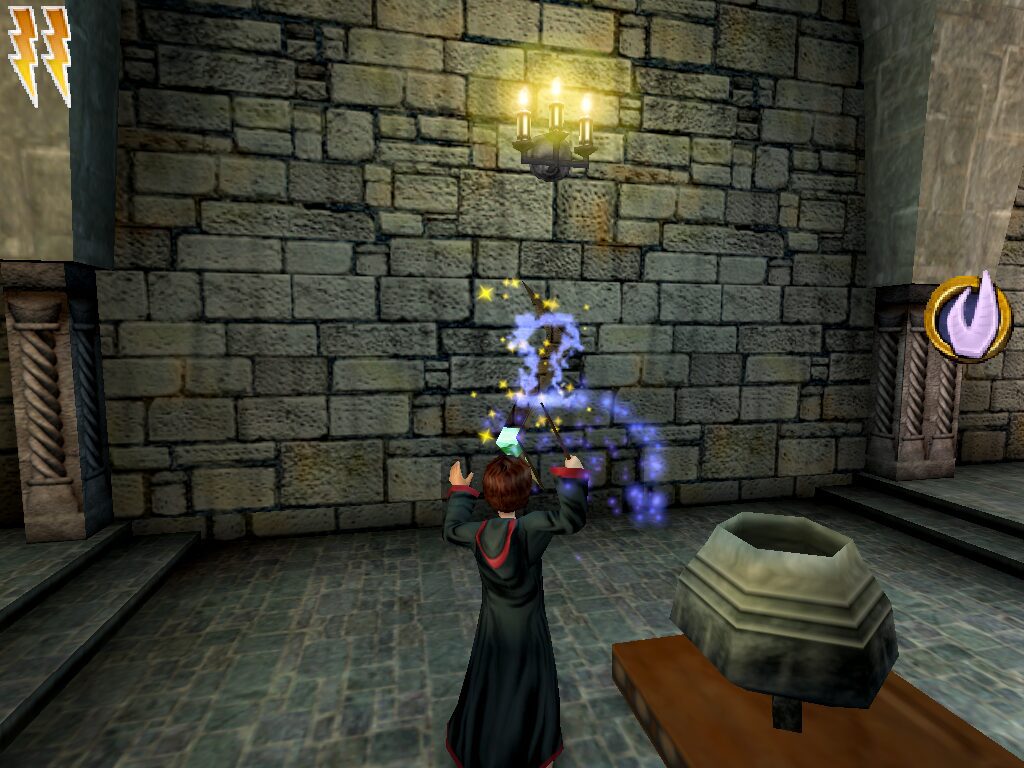
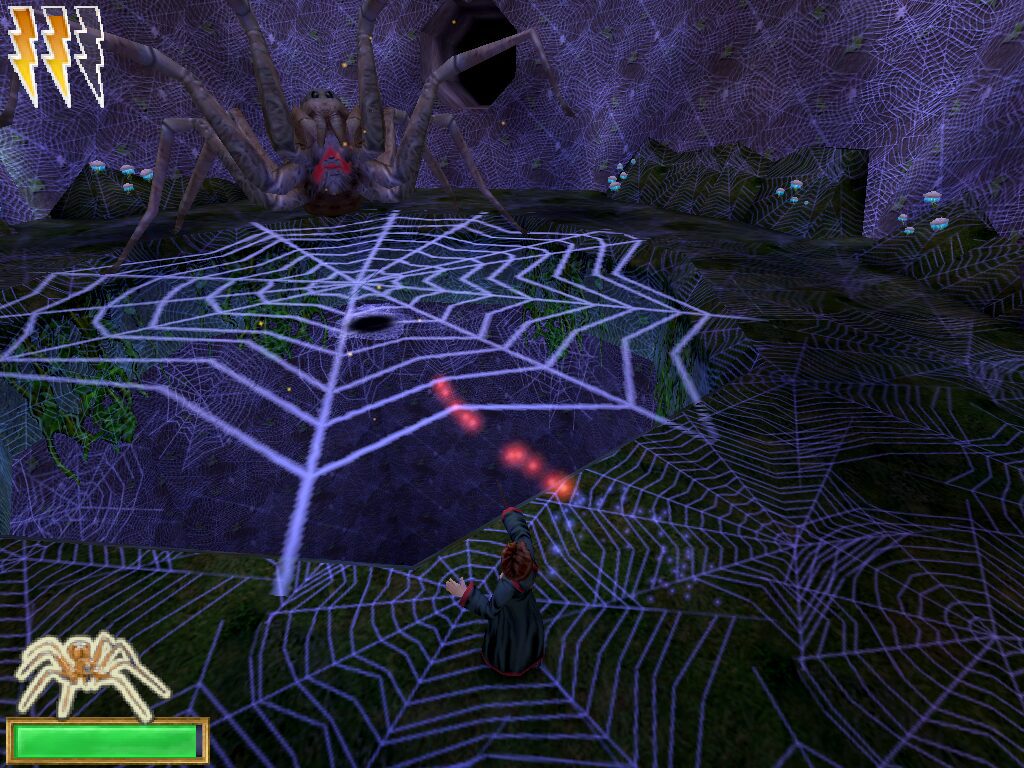
A house-elf appears in Harry’s bedroom with a very serious warning: if he goes back to Hogwarts, disaster will strike. Harry goes back, of course, and soon students begin turning up petrified while the walls announce that the Chamber of Secrets has been opened. Harry Potter and the Chamber of Secrets for PC is the second adventure KnowWonder made for Electronic Arts with the Unreal engine, and it reached stores in November 2002, in the middle of the film’s release campaign.
Second year: more castle and more magic
It follows the formula of the first PC game, a third-person adventure with platforming and puzzles, but with a bigger Hogwarts full of nooks and crannies. The lessons change shape: you no longer draw the spell with the mouse; instead you have to press the right arrow just as the wand passes over it, in three levels that get faster each time. Then comes the spell challenge, a timed test in which challenge stars give extra time and the sooner you arrive, the more points you earn for Gryffindor.
In addition to Flipendo, Lumos and Alohomora there are Diffindo for cutting vines and cobwebs, Skurge for cleaning up the ectoplasm ghosts leave behind and Spongify for bouncing on magic carpets. The enemies demand their own methods: fire crabs are flipped over with Rictusempra and then pushed with Flipendo, gnomes that steal beans are sent back to their cave and venomous tentaculas can only be calmed with blows of Diffindo.
Beans, cards and potions
Bertie Bott’s beans are the school’s currency: other students sell you silver cards, ingredients for the Wiggenweld potion that Snape teaches or Quidditch gear. The bronze cards, about 50, lengthen the energy bar with one more lightning bolt for every ten, and the 40 silver ones provide the keys to a room where the gold ones await. Four times during the year, Dumbledore presides over a tally of the house points, and if Gryffindor is in the lead you can take a stroll through the bonus bean room.
Outside the story there are two pastimes: Lockhart’s dueling club, with Rictusempra, Expelliarmus and Mimble Wimble, where you wager beans against other students, and a six-match Quidditch league in which Harry, as Seeker, chases the Snitch by following its golden trail while dodging the Bludgers.
What the critics said
IGN gave it an 8 out of 10 and recommended it even to those looking for an action adventure like American McGee’s Alice; on Metacritic it landed at 77. GameZone praised the settings and the voices, although it found the cutscenes excessive and saw it as designed for young players, which is precisely what makes it a good adventure to share today. The music is once again by Jeremy Soule, recorded with the London Philharmonia.
The edition we offer
This is the Windows edition with Spanish text and voices. In Downloads you will find a repack in Spanish, marked for Windows XP, 7 and 10, and the images of the two European CDs: EURO 1, with Spanish, Italian and Portuguese, and EURO 2, with Spanish, English and French. According to the forum thread (in Spanish), the repack is built from the EURO 1 version and already includes the transparency fix, the DDrawCompat wrapper so it does not stutter and a fix for widescreen displays. If the repack or the EURO 1 CD does not quite start on Windows 11, there is a fix file that is copied over the installation folder; we explain it in Guides, along with the controls and the first game. The debug mode the programmers left behind is in Tips & tricks.
On PC, the series begins with Sorcerer’s Stone and continues with Prisoner of Azkaban, also from KnowWonder, Goblet of Fire, Order of the Phoenix and Half-Blood Prince. From the same studio you also have Shrek 2 and Disney’s Brother Bear.
ONE GAME, 2 PLATFORMS
Versions.
2 platforms20021 playable online
Pick a platform: the screenshots, downloads and online game on this page switch with it.
- Year
- 2002
- Developer
- Electronic Arts
- Downloads
- 3
- Screenshots
- 3
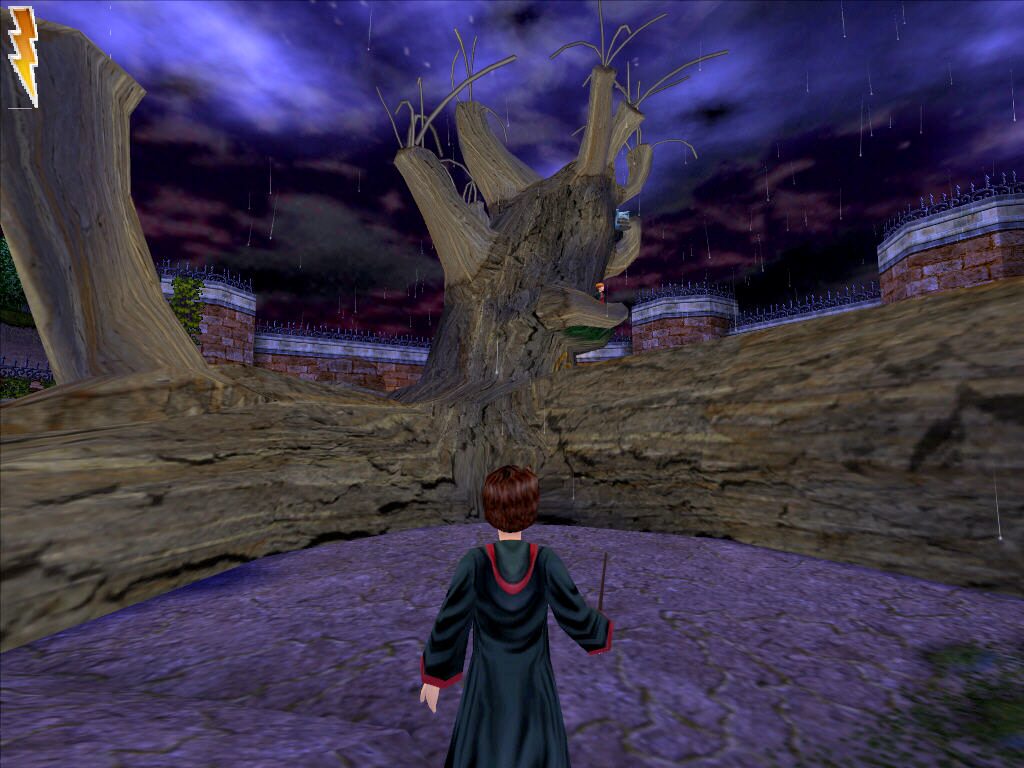
The PC version is the one this page covers: the information, review and main screenshots are from this platform.
- Year
- 2002
- Port by
- Eurocom
- Downloads
- 1
- Screenshots
- 1
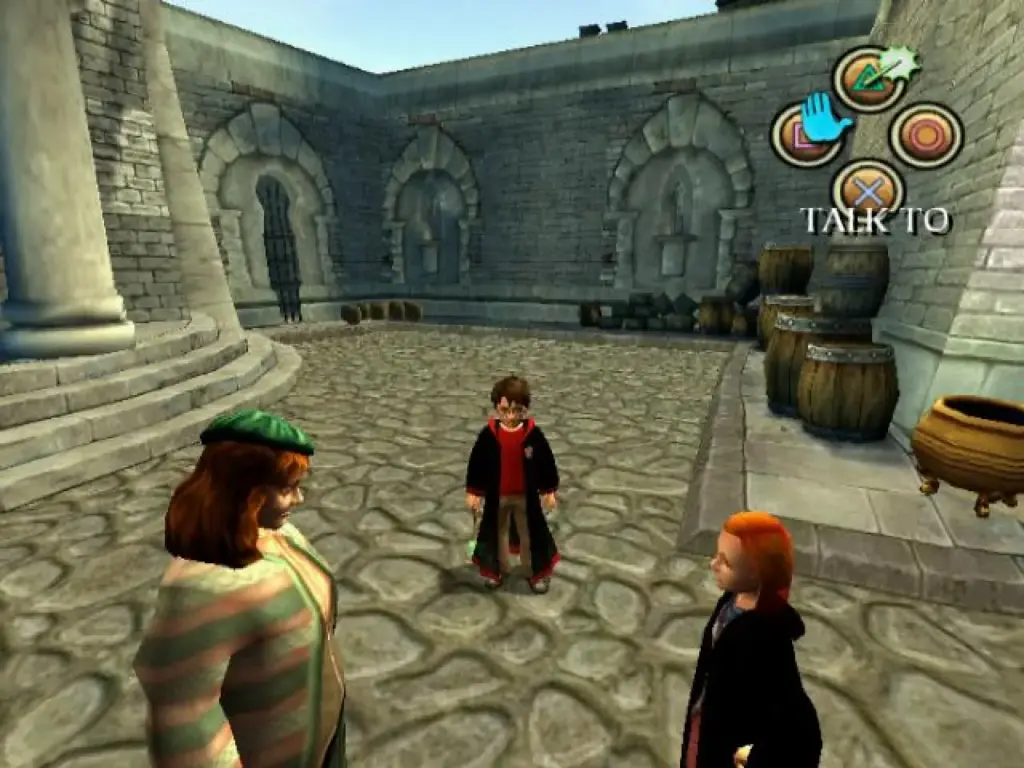
The PlayStation 2 version of Harry Potter and the Chamber of Secrets arrived in 2002. Harry returns to Hogwarts and must find out who is opening the Chamber of Secrets, while exploring the castle, learning spells and facing creatures. This console edition was developed for PS2, GameCube and Xbox with a team from Eurocom and EA; the disc in this set is the US one.
EVERY PIXEL COUNTS
The game in pictures.
Explore the screenshots and open every detail at full size.

GET READY FOR YOUR NEXT GAME
Choose your download.
Format, compatibility and server. All in view.
Version
SELECTED VERSIONPC3 files · also playable online
Download Repack
COMPATIBILITYWindows XP / 7 / 10 ✓ At no cost✓ No sign-up Download www.mediafire.com · New tab MediaFire02 PC · ISODOWNLOAD CD
COMPATIBILITYWindows XP / 7 / 10 ✓ At no cost✓ No sign-up Download www.mediafire.com · New tab MediaFire03 PC · ISODOWNLOAD CD
COMPATIBILITYWindows XP / 7 / 10 ✓ At no cost✓ No sign-up Download www.mediafire.com · New tabClicking opens the CLABA loading area and, in a few seconds, your download. If a link fails, let us know via Contact or in the forum.
Your game starts here
Play in your browser.
Pick, press and go back to the classics without leaving the game page.
Version

PC · SPANISH · CLABA PLAYER 1.1
Harry Potter and the Chamber of Secrets
Your next game starts here.
Play nowThe game opens in its own screen. It needs a computer with WebGPU and a 481 MB first download. Saved games stay in this browser.
The PS2 version can't be played in the browser yet.
You can download it or play another version now:
HIT PLAY
The game in motion.
Trailers and videos to see it in action.
-
PS2 · How it plays
A Harry Potter and the Chamber of Secrets gameplay session on PS2.
THE SECRET SIDE OF THE GAME
Tips, tricks and secrets.
A hint at the right time. A code that changes everything.
How to enter them · debug mode
This version has no codes to type during the game: the programmers left a debug mode that is enabled in a configuration file. Make a copy of the file first.
- Launch the game once so that it creates the
Documents\Harry Potter IIfolder. - Open
Game.iniwith Notepad and look forbDebugMode=False(in the[HGame.baseConsole]section). - Change it to
bDebugMode=True, with a capital T, and save.
When you load the game, the top of the screen shows messages about what is going on: that is the sign it works. To turn it off, set it back to False.
Debug mode · keys
- F6: restores all your energy.
- F9: learns every spell in the game.
- F4: opens a window to choose any map and jump to it.
- Page Up / Page Down: speeds up or slows down the game.
- Pause: stops the game.
Debug mode · detached camera
With Delete the camera detaches from Harry and moves with the arrow keys all around the level, while characters and timers stay frozen. Press Delete again and Harry appears wherever the camera is. It is useful for getting out of a jam or visiting areas you cannot reach by playing; save the game at a save book first, just in case.
Tip · beans from the duels
The dueling club is the fastest way to fill your bag. Once you reach the top of the ranking, you can challenge the next one again and again and collect the wager on every win. Dodge by moving sideways and save Expelliarmus for returning the spell thrown at you.
Tip · cards and energy
For every ten bronze cards, Harry gains one more lightning bolt of energy, up to six. Almost all of them are in secret areas, so point your wand at anything that looks suspicious. The silver ones can also be bought with beans from other students, and with all 40 the room of the gold cards opens.
Tip · thieving gnomes
If a gnome steals beans from you, get them back with Flipendo. Then pick him up and throw him into his cave before he wakes up, because he hits the first thing he finds. And if you get a gnome to come out of his cave to eat horklumps, he will be so happy that he will drop any beans he is carrying.
No matches. Try another effect or code.
THE NEXT STEP, CLEARER
Guides to move forward.
From the first installation to that mission that won't give in.
Start here · first launch
- In Downloads, choose the repack: it is in Spanish, marked for Windows XP, 7 and 10, and already includes the transparency fixes, the DDrawCompat wrapper and the widescreen fix.
- Install it in a short path, such as
C:\Juegos\HarryPotter2, outsideProgram Files. - Launch the game once: it creates the
Documents\Harry Potter IIfolder, withGame.iniandUser.ini, and the saves inSave. Copy it before reinstalling, as we explain in the tutorial on copying and restoring save games. - If the characters’ glasses or the trees look wrong, open
Game.ini, look forUsePrecache=Trueand change it toUsePrecache=False. In our forum they say the same line is inDefault.ini, inside theSystemfolder. - If the game stutters, leave the wrapper installed; if it does not get past the configuration window, try removing it. In the installation folder there are two files to install or uninstall it whenever you like.
- If it still will not start, add
-windowedto the end of the shortcut target to open it in a window.
Windows 11: if the repack or the EURO 1 CD does not quite start, download the fix file, extract it and copy its System folder over the installation’s, overwriting: what changes is the hgame.u file. In the forum it worked for some users and not for others.
The CDs are also marked for Windows XP, 7 and 10, but the original disc used SafeDisc 2 protection, whose driver Windows 10 no longer includes: if installing from the image gives you trouble, the easy route is the repack. For everything else, see our tutorial on Windows XP classics on Windows 10 and 11.
Controls
- Arrow keys or W and S: move forward and back. Mouse or left and right arrows: turn. A and D (or comma and period): sidestep.
- Right click or Ctrl: jump. To climb, walk against the obstacle.
- Hold left click: ready the wand. The spark cursor turns yellow if the target is within reach and red if not; release to cast. Alt also works.
- Space: drink Wiggenweld potion. Tab: map. Enter: skip cutscene. Esc: pause and report card.
- In the duel: right click, Space or 1, 2 and 3 to choose a spell; left click or Alt to cast it.
- In Quidditch: arrow keys to fly; left click or Ctrl to catch the Snitch or push the rival Seeker.
All keys can be changed in the controls menu, where you will also find auto-jump, auto-potion and flight inversion. For a gamepad, PCGamingWiki says to set UseJoystick=True in Game.ini.
First steps · making the most of the year
- In the lessons, look at the next symbol and not the one already under the wand: that way you press in time. You get three tries per level.
- In the challenges, collect the challenge stars: they give extra time. But if you just run, you will miss rare cards; you can repeat the challenge later from its door.
- Do not miss Snape’s potions class: the Wiggenweld will save you many times. Keep wiggentree bark, which bowtruckles drop when you cut them with Diffindo, and flobberworm mucus.
- Talk to the students you see standing around the castle: they sell cards and ingredients in exchange for beans.
- Before each House Cup tally, try to be ahead: in the bonus bean room, use every spell you know to find its secrets.
- In Quidditch, stay on the golden trail until the bar fills and avoid the blue one of the Bludgers. If Harry passes out, the match is lost.
Technical notes
It asked for Windows 95, 98, 2000, Me or XP, a 300 MHz Pentium II MMX, 64 MB of RAM (128 MB on Windows 2000 and XP), an 8 MB 3D card compatible with DirectX 8.0a and 600 MB of disk space. The recommended spec was a 500 MHz Pentium III, twice the memory and a 16 MB card. It uses Direct3D 7.
- Broken transparencies (glasses, trees):
UsePrecache=FalseinGame.ini. Changing the brightness in the pause menu also fixes it, but only temporarily. - Runs slowly or the brightness does not respond: dgVoodoo 2 or DDrawCompat; the repack already includes the latter.
- Cutscenes that cut off the voices or odd physics: it appears with many frames per second. Limit the game to 60 or set the display to 60 Hz with vertical sync on.
- Xbox controller that makes the camera spin: in
[WinDrv.WindowsClient]ofGame.ini, setDeadZoneRUV=TrueandDeadZoneXYZ=True. - Widescreen: the repack already includes a fix. The community also maintains DirectX 9 and DirectX 11 renderers with more resolutions and filters.
Sources
- PC manual and installation guide, British edition (Internet Archive): controls, spells, lessons, challenges, beans, cards, Wiggenweld potion, point ceremonies, dueling, Quidditch, creatures, requirements and credits (KnowWonder, Jeremy Soule, Stephen Fry).
- PCGamingWiki: KnowWonder and Unreal Engine 1, dates, SafeDisc 2, configuration and save paths, UsePrecache, frame rate, gamepad, widescreen, Metacritic, narrators and the Coca-Cola CD.
- IGN · PC review (November 2002): Dance Dance Revolution-style lessons, challenges, bronze and silver cards, duels, Quidditch and the comparison with Alice.
- GameZone · PC review (November 2002): graphics, voices, video cutscenes and target audience.
- Game Informer (2005): Jeremy Soule’s BAFTA for the music.
- Harry Potter Unreal Wiki and Glitch City Wiki: debug mode and its keys.
- Thread in our forum (in Spanish): repack contents, EURO 1 and EURO 2 versions, transparencies, wrapper, widescreen and the Windows 11 fix.
Something wrong?
Give us a hint.
A broken link, a detail to correct or a game that won't start. Your report helps keep this game page up to date.
Get in touchReport an issue with this game Discuss it in the forumCLABA ARCADE ROOM
This one and 250 more
play here.
When you finish your game, the room has other machines switched on.
Enter the roomTHE CLABA APP1.0 RC 1
Take the archive
with you.

Game pages, online play and your shelf on Android. Free, no sign-up.
ARCHIVE SECRETS
Did you know?
Spells to a dance beat. To learn each incantation you have to press the arrow the wand indicates at just the right moment. IGN compared it to Dance Dance Revolution.
A BAFTA for the soundtrack. Jeremy Soule’s music for Chamber of Secrets won the BAFTA for best video game score, as Game Informer recalled in 2005.
Different narrators on each side of the Atlantic. In the European English version the narrator is Stephen Fry, as listed in the credits of the British manual; in the American one, according to PCGamingWiki, it is Jim Dale.
A Quidditch that does not give you the win. Catching the Snitch gives 150 points, but while Harry chases it the opponent usually scores far more than Gryffindor. IGN complained that this meant the matches barely added any points to the House Cup.
A secret level as a gift. According to PCGamingWiki, a promotional Coca-Cola CD came with a desktop minigame, demos of the first two games and access to a secret level that can also be opened with debug mode.