
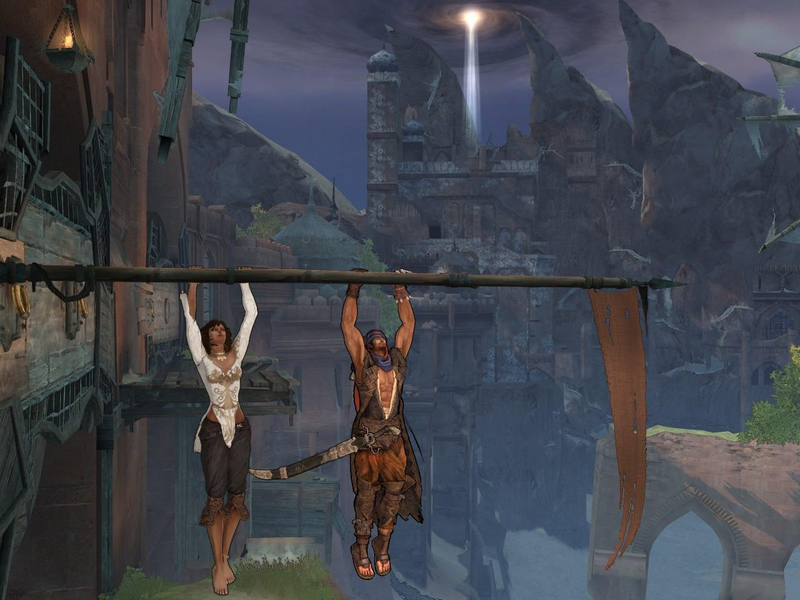
Ubisoft Montreal · Action-adventure
Prince of Persia (2008)
2008 reboot with an illustrated look: Elika saves you from every fall, 1001 light seeds, four powers. PC multilingual repack with Spanish.
No computer handy? Play one of the 248 classics online right now
4.9 25 votes
THE CLABA ARCHIVE
Inside the game.
Its history, its ideas and the reasons to come back.
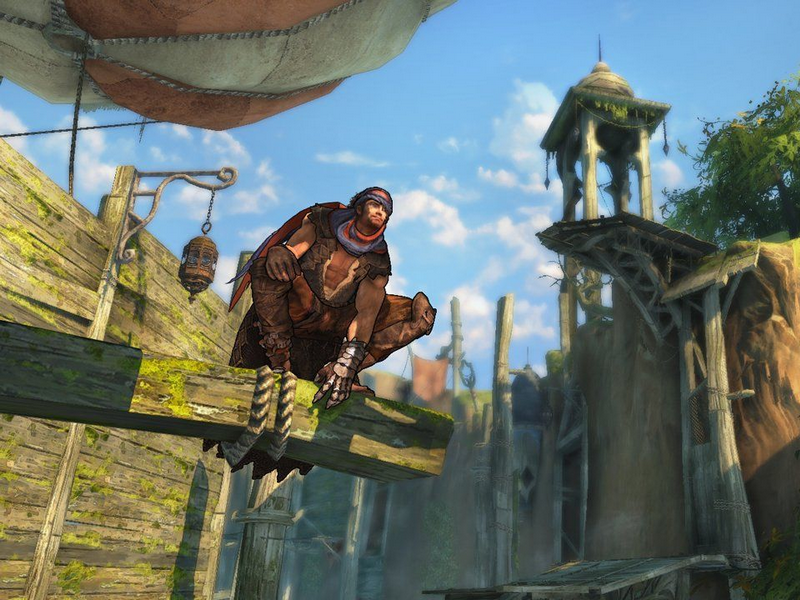
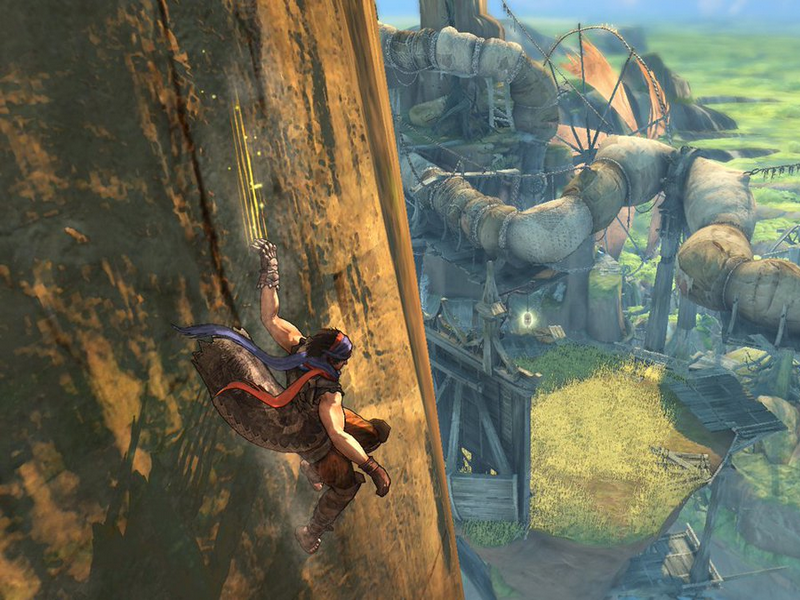
A vagabond loaded with gold loses his donkey in the middle of a sandstorm, falls into an unfamiliar canyon and, while looking for it, runs into a princess fleeing from some soldiers. That is how Prince of Persia begins, the game with which Ubisoft Montreal decided to start from scratch in 2008: another Prince, another world, an illustrated-looking art style and a traveling companion who never leaves your side.
A kingdom swallowed by darkness
A thousand years ago, Ormazd, the god of light, imprisoned his brother Ahriman, god of darkness, inside the Tree of Life. Since then the Ahura have guarded that prison, but their faith has faded and their city lies in ruins. The protagonist, an adventurer without a title whose only claim to being a prince is the nickname, arrives just as Elika’s father, a king consumed by grief, breaks the tree and releases Ahriman. The Corruption, a black substance that devours everything, spreads across the kingdom, and four ancient servants of Ahriman (the Hunter, the Alchemist, the Concubine and the Warrior) return to their domains.
The mission is to bring the light back to the land: reach each of the kingdom’s fertile grounds and let Elika heal them. The names are no coincidence. Ahriman and Ormazd come from Zoroastrianism, the ancient Persian religion, and the game borrows from it that struggle between light and darkness.
Acrobatics for two
The Prince runs along walls, crosses ceilings from the top of a column, climbs down vines, swings on rings and slides down walls scraping them with his gauntlet. Elika always travels with him: she lengthens his jumps with a touch of magic and, above all, keeps you from dying. If the Prince falls into the void, she grabs him and returns him to the last solid ground; if an enemy is about to finish him off, she steps in, although in exchange the rival recovers part of his health.
Each healed zone fills with light seeds, 1001 in all. When you collect enough, Elika can return to the temple and awaken one of Ormazd’s four powers, which are activated on power plates scattered around the map: great rebounding jumps, impossible wall runs, flight and a kind of magic grappling hook. Since you decide the order in which zones open up, the map works as an open world.
Combat is always one on one. You chain sword, gauntlet, acrobatics and Elika’s magic into combos, block or deflect at just the right moment and respond to the rival’s states: there are fury attacks that only the sword can stop and defenses that only the gauntlet breaks.
A new beginning for the series
It came after the Sands of Time trilogy (The Sands of Time, Warrior Within and The Two Thrones) and has no relation to it. To power it, Ubisoft Montreal started from the Scimitar engine of Assassin’s Creed. In North America it came out on consoles on December 2, 2008 and on PC a week later. The retail PC version came out without copy protection, something unusual for the Ubisoft of the time. Critics praised its graphics and the fluidity of the jumps, although Eurogamer faulted it for being too easy and repetitive. In 2010 the series returned to the Sands of Time with The Forgotten Sands.
The edition we offer
It is the 2008 PC version. In Downloads you will find a multilingual repack with Spanish among its languages, marked for Windows XP, 7 and 10. It is the most convenient way to install it on a current machine. If something gives you trouble on Windows 10 or 11, our tutorial on Windows XP classics on Windows 10 and 11 (in Spanish) will help you with compatibility.
In Guides you have the first launch, the controls and the fixes for modern systems; in Tips & tricks, the secret outfits and combat advice. To find out where the character comes from, head to the original Prince of Persia and its sequel. If what you like is exploring by jumping, try Beyond Good & Evil or Tomb Raider: Legend.
EVERY PIXEL COUNTS
The game in pictures.
Explore the screenshots and open every detail at full size.
GET READY FOR YOUR NEXT GAME
Choose your download.
Format, compatibility and server. All in view.
Clicking opens the CLABA loading area and, in a few seconds, your download. If a link fails, let us know via Contact or in the forum.
THE SECRET SIDE OF THE GAME
Tips, tricks and secrets.
A hint at the right time. A code that changes everything.
How to enter them
On the main menu go into Extras and open the outfit manager (Skin Manager). There you can type the codes and choose the outfit of the Prince and of Elika before loading the game. The outfits only change appearance: they give no advantages.
Classic Prince
Code 525858542: unlocks the outfit of the Prince of The Sands of Time. Some guides add that it also brings a classic princess outfit for Elika.
Altaïr
Code 13372805: dresses the Prince as Altaïr, the protagonist of Assassin’s Creed. At the time it could also be obtained by registering the game with a Ubisoft account.
Jade
Finish the story once and the outfit of Jade, the reporter from Beyond Good & Evil, is unlocked.
Tip · read the enemy's state
During combat, enemies enter special states. In fury, the only thing that works is starting the combo with the sword (left click); in guard, with the gauntlet (R); in corruption, with Elika’s magic (E). If the rival is weak, any strike works. Starting with the wrong attack just makes you lose your rhythm.
Tip · don't make Elika save you
Every time Elika rescues you in a fight, the enemy recovers part of his health. Block by holding the right click and learn to deflect by pressing it just before the impact: if you nail it, you can counterattack on the spot.
No matches. Try another effect or code.
THE NEXT STEP, CLEARER
Guides to move forward.
From the first installation to that mission that won't give in.
Start here · first launch
- Download the repack from Downloads: it is multilingual, includes Spanish and is marked for Windows XP, 7 and 10.
- Install it in a short path outside
Program Files, for exampleC:\Juegos\PrinceOfPersia, to avoid permission problems. - Open the launcher first (
PrinceOfPersia_Launcher.exe): there you choose language, resolution, antialiasing and vertical sync. - Save games are stored in
Documents\Prince of Persia\Save. Back up that folder from time to time following our tutorial on copying and restoring save games (in Spanish).
You can save at any moment from the save game menu.
Controls
- W, A, S, D: move. Mouse: camera.
- Space: jump, run along a wall or the ceiling; in combat, acrobatic attack.
- Left click: sword.
- R: use rings and levers; in combat, gauntlet attack (twice, throw).
- E: Elika. Lengthens the jump, activates power plates, heals fertile grounds, points the way (compass) and attacks with magic.
- Right click: let go or slide down a wall; in combat, block and deflect.
- T: talk to Elika. Tab: map. Esc: pause.
The keys can be changed in Options. The manual recommends the Xbox 360 controller for Windows, which works out of the box; the launcher, on the other hand, can only be operated with a mouse.
First steps
- The opening canyon works as an introduction: take the chance to practice wall running and jumping with Elika’s help.
- On the map (Tab) choose a destination and press Space to mark it; then, with E, Elika casts a light that points the way.
- In each zone, climb to its fertile ground, defeat the enemy guarding it and press E repeatedly so that Elika heals it.
- Go through the healed zone collecting light seeds. With enough of them, return to the temple and choose a power of Ormazd.
- Travel between healed zones with the map’s teleport: choose a destination and press E. It doesn’t work for entering or leaving a corrupted zone.
- Talk to Elika (T) often: she gives hints and tells much of the story.
Technical notes
It required Windows XP or Vista, a dual-core processor (Pentium D or Athlon 64 X2 3800+), 1 GB of RAM on XP or 2 GB on Vista, a DirectX 9.0c card with Shader Model 3.0 and 256 MB, and 9 GB of disk space. The executable is 32-bit and uses DirectX 9.
- Freezes when starting a game on Windows 10: PCGamingWiki recommends the compatibility patch based on dxwrapper (Elisha Riedlinger), which is copied into the game folder.
- Hung loading screens with some NVIDIA cards: turn on vertical sync in the launcher.
- 16x antialiasing: with some GeForce cards it appears in the launcher, but if you choose it the game closes at startup. Stick to 8x or lower.
- 100 Hz refresh rate: in full screen the game uses 100 Hz even if your monitor supports more.
- Skipping the opening logo: rename
Ubi_Logo.bikin theVideosfolder (or in the subfolder for your language).
The configuration is not in a file but in the registry: HKEY_CURRENT_USER\Software\Ubisoft\Prince of Persia\1.0.
Sources
- PC version manual (Internet Archive): story, characters, controls, Ormazd’s powers, combat states and requirements.
- PCGamingWiki: dates, engine, languages, save game and registry paths, known bugs and patches.
- StrategyWiki · controls and achievements: PC controls and the 1001 light seeds.
- Eurogamer · review (2008): Elika as a safety net, reception and criticisms.
- bit-tech · preview and Ancient World Magazine: the donkey Farah, the Zoroastrian inspiration, the nod of the 1001 seeds and one-on-one combat.
- bit-tech · no DRM and TorrentFreak: the retail version without protection.
- Cyberly · PC cheats and Cheat Happens: outfit codes.
Something wrong?
Give us a hint.
A broken link, a detail to correct or a game that won't start. Your report helps keep this game page up to date.
Get in touchReport an issue with this game Discuss it in the forumCLABA ARCADE ROOM
248 classics
without installing anything.
Don't feel like installing? These play right in your browser.
Enter the room #3 in the community rankingTHE CLABA APP1.0 RC 1
Take the archive
with you.

Game pages, online play and your shelf on Android. Free, no sign-up.
ARCHIVE SECRETS
Did you know?
Farah is a donkey. The Prince enters the story looking for his donkey, loaded with gold, who is named Farah: a nod to the princess of The Sands of Time.
Real Persian gods. In Zoroastrianism, Ahriman embodies evil as opposed to Ahura Mazda, whom the game calls Ormazd, another of his names. Elika’s people, the Ahura, also take their name from him.
A thousand and one seeds. There are exactly 1001 light seeds, a nod to One Thousand and One Nights; on console, collecting them all earned an achievement.
No copy protection. In December 2008 a Ubisoft community manager confirmed that the retail PC version carried no DRM. He added that it would show how sincere those who blamed DRM for piracy were: «Not much, I imagine.»
The epilogue that never came. In 2009 the downloadable content Epilogue came out on Xbox 360 and PlayStation 3, continuing the story after the ending. Ubisoft confirmed it would not release it for PC.


