Personal Software Services · Strategy
Battle Master
Battle Master blends action, fantasy adventure and squad command. Pick a leader, gather followers and cross the four kingdoms. DOS copy in English.
Strategy game by Personal Software Services (1991) for MS-DOS (in English), Amiga, Mega Drive and Atari ST. Playable in your browser (four versions) or downloadable.
Choose your version 4 platforms
— no rating yet
THE CLABA ARCHIVE
Inside the game.
Its history, its ideas and the reasons to come back.
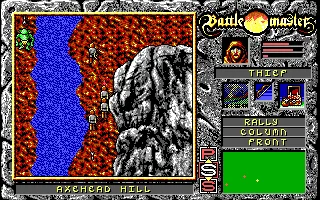
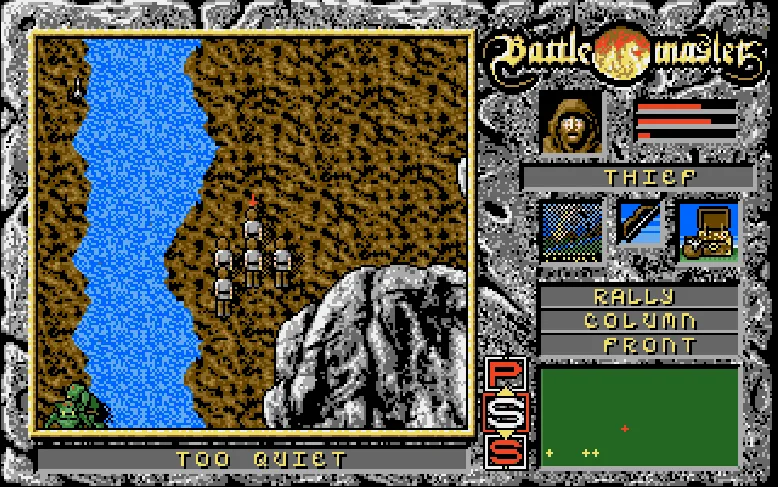
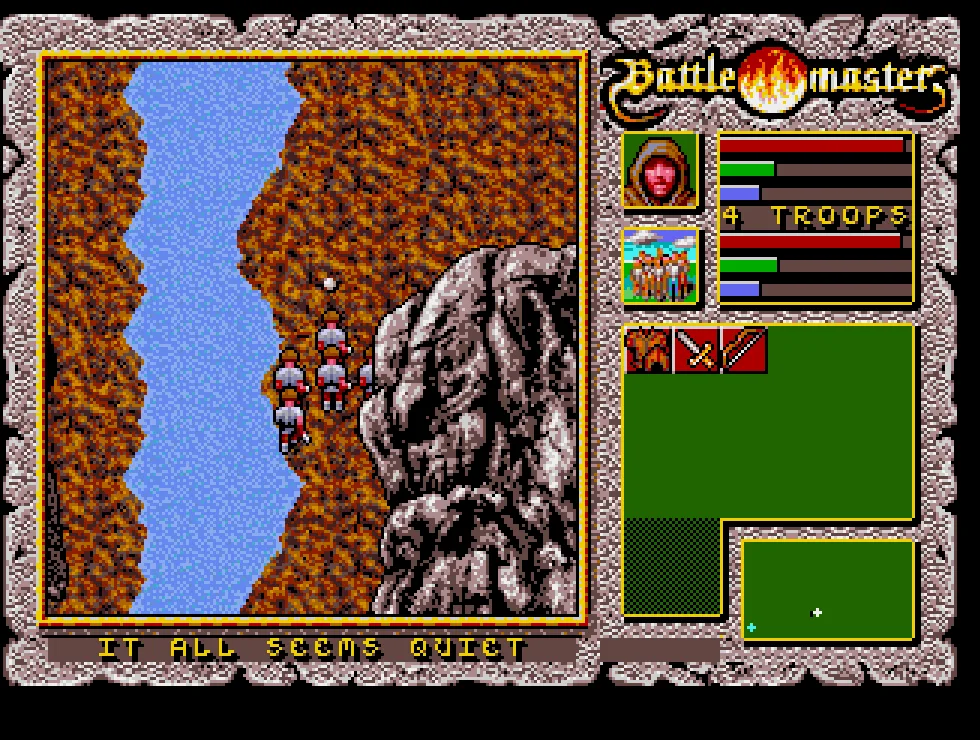
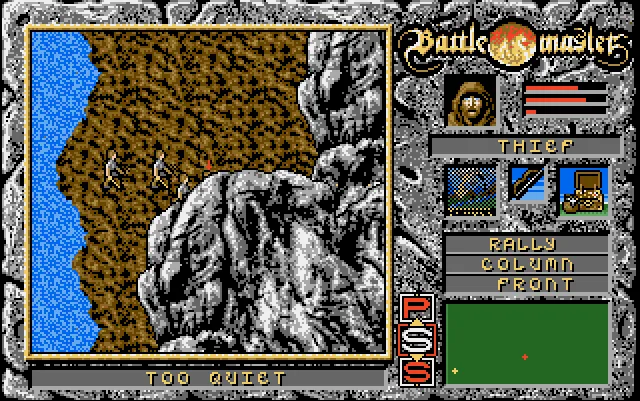
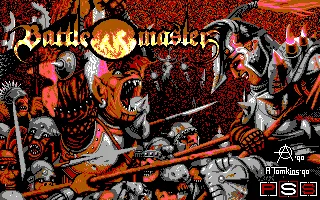
Battle Master combines a fantasy adventure with direct combat and orders given to a small group of soldiers. The DOS copy we offer is in English. Its intro shows the Atomic’90 signature and the PSS logo. The collection's file is labeled 1991; here, the images and controls correspond to that specific copy.
The manual's objective is to collect the crowns of four kingdoms and bring them to the Watcher. To do so, you have to cross towns and enemy-occupied territory, find equipment, and keep your followers alive. The world brings together humans, elves, dwarves and orcs, with unfriendly relations that affect the adventure.
A Leader Among Sixteen Candidates
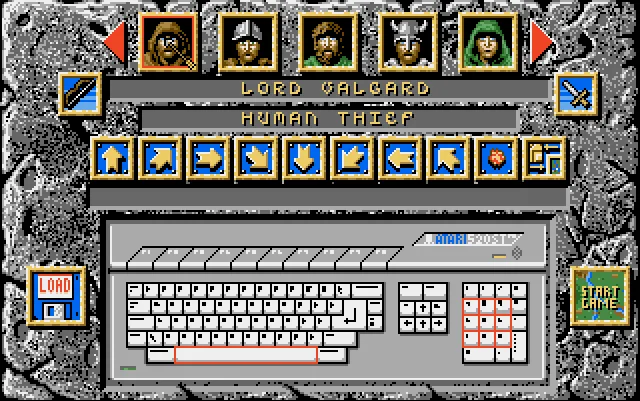
The game begins on a selection screen. The portraits at the top let you examine the candidates; the arrows at the ends show those that don't fit at the same time. When you choose one, the candidate's name, class and the weapons they carry appear. The Start Game button becomes active after that choice.
In testing, Lord Valgard, identified as a Human Thief, was chosen. His group starts next to the river at Axehead Hill. The scenery fills the left side of the screen; on the right are the leader's portrait, the status bars, the weapons, the formation orders and the small position map.
Combat and Group Command
The leader moves directly across the terrain and his followers try to keep formation. Mountains, rivers and narrow passes shape the route. Moving north and east changes the visible landscape and the group's position on the map. The attack button uses the selected weapon; with the bow, the archers' animation is shown.
The panel distinguishes the leader's health, the followers' average health and the group's morale. Rally gathers the soldiers. The formation options include column, line, wedge and close grouping; the leader's position can be set in front, behind or on hold. Choosing a useful formation is especially important when you cross a narrow pass.
Equipment, Negotiation and Route
The inventory holds armor, melee weapons, ranged weapons and items you can use during the adventure. The manual also explains negotiation, with the option to buy equipment or hire soldiers in the right places. Your money and the number of followers determine what you can take on.
The overview map lets you pick a neighboring stage after completing the current one. The game thus moves along between combat encounters and decisions about the route. The screenshots on this page show the original intro and the start of the DOS game; the downloadable file preserves the original contents.
ONE GAME, 4 PLATFORMS
Versions.
4 platforms19914 playable online
Pick a platform: the screenshots, downloads and online game on this page switch with it.
- Developer
- Personal Software Services
- Downloads
- 1
- Screenshots
- 2
The MS-DOS version is the one this page covers: the information, review and main screenshots are from this platform.
- Downloads
- 2
- Screenshots
- 2
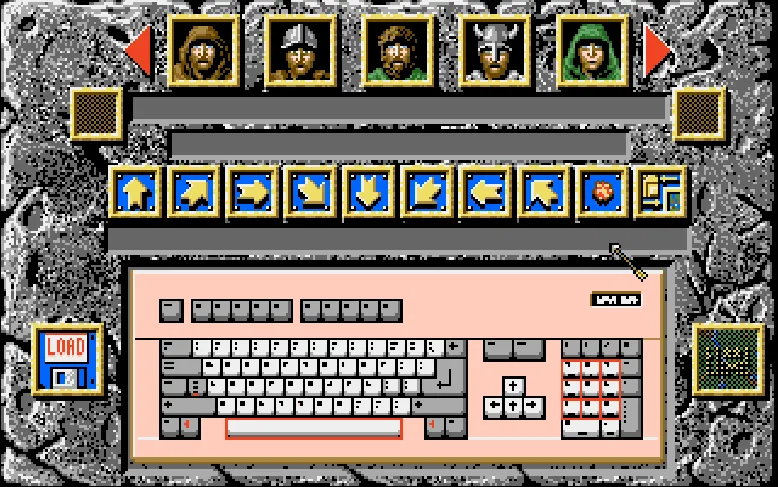
Battle Master for Amiga keeps the fantasy adventure, the direct combat and the party control of the computer version. This copy is in English. Its colors and interface are those of the Amiga: the screenshots show the selection menu and the party after advancing through the landscape.
Choosing Lord Valgard
Click inside the player to take control of the mouse. In the row of portraits, select a candidate to see their name, class and weapons. The arrows at the ends show more candidates. Then click Start Game, in the lower right corner, and wait for the intro to finish.
Lord Valgard appears as a Human Thief. His party starts at Axehead Hill, beside the river and the mountain. The scenery scrolls as you advance; on the right are the leader's portrait, the health and morale bars, the equipment icons and the formation orders. The small map lets you follow the positions of the leader and the enemies.
Controls in this edition
Use the keyboard arrow keys to move the party. Hold X to use the selected weapon; the attack animation has been checked with the bow. Testing included moving north and east, with changes of position and of the visible terrain.
A is the equivalent of the Amiga space bar and opens the orders panel. The terrain is dimmed while you work its icons with the mouse. Rally gathers the followers; the other options let you check the formation and the leader's position. The numeric buttons described for DOS belong to that edition: with Amiga selected, use the arrow keys and X.
Esc releases the pointer so you can reach the player bar. From there you can pause, mute, restart or close the game. Restart reboots the game, so you will have to choose a leader again.
WHDLoad package and IPF floppy disk
The main download keeps the twelve original items of the WHDLoad package, including the two disk files, the manual and the hints. The installer is signed by C-Fou. For the browser, a text launcher is added that opens the game with WHDLoad; the original files remain untouched.
The other download contains the European floppy disk in IPF format. To use it outside the site you need an Amiga emulator that supports IPF and your own Kickstart. The WHDLoad package requires an Amiga environment compatible with WHDLoad. The included manual explains the rules for the four races, the leaders, morale and equipment.
Amiga images and video
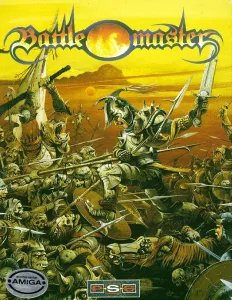
The box carries the Amiga badge. Its sticker mentions a German manual; the game text in this copy is in English. The screenshots were taken during a real game. The video runs about 36 seconds and shows the party making its way across Axehead Hill with the Amiga interface.
- Year
- 1991
- Port by
- Nick Pelling
- Downloads
- 2
- Screenshots
- 2
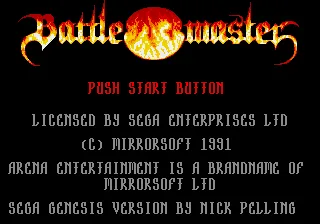
Battle Master for Mega Drive / Genesis adapts the fantasy adventure and the party combat to the Sega controller. This copy from the collection is in English. The intro shows the 1991 Mirrorsoft copyright, the Arena Entertainment brand and the Genesis version credit to Nick Pelling.
Starting a new game
Enter works as Start. If a demo is playing, press Enter to reach the menu with Start a New Game. Select that option and confirm with X, which corresponds to the B button on the controller. The next screen lets you choose a leader: the four races appear at the top and the candidates of the selected race below.
The arrow keys move through the options and X confirms. Lord Valgard appears as a Human Thief. His panel shows the starting gold, the status bars, the weapons and the followers who go with him. After you confirm, the game begins at Axehead Hill, beside the river. The small map in the lower right corner lets you follow positions as you cross the terrain.
Moving the party and using the bow
In this edition, the keyboard arrow keys move the character directly. X sends B and uses the selected weapon. Testing included moving north and east and the attack animation with Lord Valgard's bow. The followers accompany the leader and take part in the fights; it is wise to avoid leaving the party exposed in a narrow pass.
The Genesis interface has its own look and its own arrangement of indicators. The gold, the status bars, the portrait, the weapons and the map are grouped on the right. The screenshots of this edition show that interface; the numeric buttons in the DOS guides belong to another version.
The player uses a Mega Drive controller with A, B, C and Start. For these instructions you need the arrow keys, X as B and Enter as Start. From the player bar you can check the controls, pause, mute, restart or close the game. Restart boots the game again from its intro.
The collection's game image
The ZIP download keeps the original file. The second download offers the uncompressed game image that was also in the collection. Both contain exactly the same 524,288 bytes of game; you can pick the format that your Mega Drive emulator accepts.
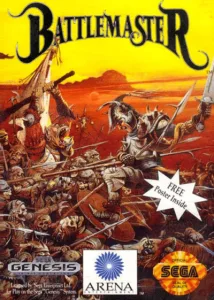
The in-browser game uses that copy with PicoDrive. Its data remains untouched. The cover is the Genesis one published by Arena Entertainment, kept in the owner's collection; the intro and the party's advance were captured during a real game.
Genesis video
The video of about 37 seconds comes from the collection and shows a party making its way across Axehead Hill. Its interface and colors are those of the Genesis. It is useful for seeing this adaptation to the controller before you choose it in the version selector on the game page.
- Downloads
- 1
- Screenshots
- 2
Battle Master for Atari ST combines a fantasy adventure with direct combat and orders for the protagonist's followers. The copy we offer is in English and lets you travel through the four realms, choose leaders of different races and search for the crowns the Watcher needs. Its interface brings together the landscape, the leader's portrait, the equipment, the formations and a small map.
Choosing a character and starting the game
Press Space to continue from this copy's opening intro. Then wait for the character selection to appear. Use the right mouse button on a portrait to see their name, class and weapons. The red arrows let you move through the candidates.
In this edition, the first portrait is Lord Galgard, identified as a Human Thief. Once you have chosen a leader, right-click Start Game, in the lower right corner. Wait for the loading to finish and continue with Space when prompted. Starting with this character takes you to Axehead Hill, beside the river and the mountain.
Moving and using the weapon
Open Controls from the bar or the ClaBa Player menu. The North, East, South and West buttons are the equivalent of the Atari ST numeric keypad directions. They let you walk without needing that block of keys on your computer. As you advance, the visible terrain scrolls and the party's position changes on the small map.
Attack uses the selected weapon. The bow fires projectiles in the direction the character is facing, so it is wise to line up before shooting. Enemies, obstacles and the weapon's range force you to choose the position you fight from; loosing an arrow does not guarantee that it will hit a rival.
Panel corresponds to Space and switches between the play area and the side icons. If the terrain is dimmed while you work the equipment or the formations, press Panel to go back to moving the character. Rally gathers the followers; the other orders arrange their formation and their position relative to the leader.
Playing in the browser
The player menu lets you pause, mute, take a screenshot or restart. You can also open it with the context menu key on your keyboard. The right button keeps its function inside Battle Master.
Restart ends the current session and reloads the original disk: you will have to choose a character again. This edition does not offer persistent save states in the browser. The controls and instructions for DOS, Amiga or Mega Drive belong to their respective versions; for Atari ST, use the ones given here.
Original download and edition material
The download keeps the original ZIP, with Battlemaster.st and the document GamebaseST.txt. The game disk remains unmodified. To use it outside the site you need a compatible Atari ST emulator and your own TOS.
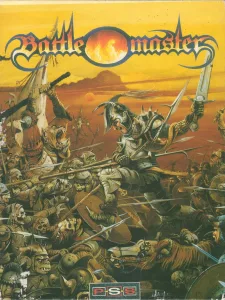
The box with the PSS logo is kept alongside this edition. The screenshots show the character selection and the advance through the Atari ST scenery. The video, about 31 seconds long, shows a different protagonist making his way through another area of the adventure.
EVERY PIXEL COUNTS
The game in pictures.
Explore the screenshots and open every detail at full size.
GET READY FOR YOUR NEXT GAME
Choose your download.
Format, compatibility and server. All in view.
Version
SELECTED VERSIONMS-DOS1 file · also playable online
SELECTED VERSIONAmiga2 files · also playable online
Download WHDLoad package
COMPATIBILITYRequires an emulator ✓ At no cost✓ No sign-up Download BoxSharer server · New tab BoxSharer02 Amiga · OriginalDownload Amiga IPF floppy disk
COMPATIBILITYRequires an emulator ✓ At no cost✓ No sign-up Download BoxSharer server · New tabSELECTED VERSIONMega Drive1991 · 2 files · also playable online
Download original ZIP
COMPATIBILITYRequires an emulator ✓ At no cost✓ No sign-up Download BoxSharer server · New tab BoxSharer02 Mega Drive · OriginalDownload uncompressed Genesis game image
COMPATIBILITYRequires an emulator ✓ At no cost✓ No sign-up Download BoxSharer server · New tabSELECTED VERSIONAtari ST1 file · also playable online
Clicking opens the CLABA loading area and, in a few seconds, your download. If a link fails, let us know via Contact or in the forum.
Your game starts here
Play in your browser.
There are 4 versions ready to play. Pick one and click.
Version
MS-DOSIn your browser
Battle Master
MS-DOS version. Your next game starts here.
- 523 KB · downloads on click
- Save the game's files
- Keyboard, controller or touch
Controls
Click the game to use the keyboardOn mobile, play with the on-screen controller- Esc
- release pointer
Click: take control of the mouse and choose a leader. Controls: North, East, South, West and Attack (numeric keypad). Panel: orders.
- Full screen
Use the button on the bar. Esc returns to the game page; “Exit” closes the game.
- Saves
Save keeps the files the game creates, not the exact moment. Save inside the game, then press Save.
- Mobile and tablet
Press Controls during the game to show buttons and keyboard. Gamepad support depends on the browser.
Saves live in this browser and device. Clearing the site data deletes them too.
AmigaIn your browser
Battle Master
Amiga version. Your next game starts here.
- 713 KB · downloads on click
- Save states in this browser
- Controller, keyboard or touch
Controls
Click the game to use the keyboardOn mobile, play with the on-screen controller- ↑←↓→
- move the party
- X
- attack
- A
- orders panel (Amiga Space)
- Esc
- release the pointer
Click: take control of the mouse and choose a leader.
- Full screen
Use the button on the bar. Esc returns to the game page; “Exit” closes the game.
- Saves
Save State, in the game's menu, keeps the exact moment. Load brings it back when you return.
- Mobile and tablet
Press Controls during the game to show buttons and keyboard. Gamepad support depends on the browser.
Saves live in this browser and device. Clearing the site data deletes them too.
Mega DriveIn your browser
Battle Master
Mega Drive version. Your next game starts here.
- 378 KB · downloads on click
- Save states in this browser
- Controller, keyboard or touch
Controls
Click the game to use the keyboardOn mobile, play with the on-screen controller- Enter
- Start and menu
- ↑←↓→
- choose and move
- X
- controller B, confirm and attack
The player bar lets you pause and restart.
- Full screen
Use the button on the bar. Esc returns to the game page; “Exit” closes the game.
- Saves
Save State, in the game's menu, keeps the exact moment. Load brings it back when you return.
- Mobile and tablet
Press Controls during the game to show buttons and keyboard. Gamepad support depends on the browser.
Saves live in this browser and device. Clearing the site data deletes them too.
Atari STIn your browser
Battle Master
Atari ST version. Your next game starts here.
- 800 KB · downloads on click
- Partida durante la sesión
- Keyboard and mouse
Controls
Click the game to use the keyboardOn mobile, play with the on-screen controllerRight click: choose a leader and Start Game. North/East/South/West: move. Attack: weapon. Panel (Space): switch between game and icons.
- Full screen
Use the button on the bar. Esc returns to the game page; “Exit” closes the game.
- Saves
El reinicio vuelve a cargar el disco original. Los archivos que crees durante la sesión se conservan mientras mantengas abierta la partida.
- Mobile and tablet
Press Controls during the game to show buttons and keyboard. Gamepad support depends on the browser.
Saves live in this browser and device. Clearing the site data deletes them too.
HIT PLAY
The game in motion.
Trailers and videos to see it in action.
-
Amiga · Battle Master for Amiga: a walk across Axehead Hill
Video of the Amiga edition. Approximate length: 36 seconds.
-
Mega Drive · Battle Master for Genesis: a walk across Axehead Hill
Video of the Genesis edition. Approximate length: 37 seconds.
-
Atari ST · Battle Master for Atari ST: a walk through Dorins Delve
Video of the Atari ST edition. Approximate length: 31 seconds.
THE SECRET SIDE OF THE GAME
Tips, tricks and secrets.
A hint at the right time. A code that changes everything.
Tip: check the weapons before you start
Select a portrait and read the name and class. The two side icons show the starting weapons. Choose a leader whose equipment you want to learn to use before pressing Start Game.
Tip: test movement beside the river
At Axehead Hill, first move the group a short distance. Watch how the camera changes and check the small map. The passes between the river and the mountain help you gauge the space the formation needs.
Tip: rally your followers
Rally lets you restore the formation when the soldiers scatter. The manual links their initiative to morale: not everyone behaves the same when the group is weakened or has suffered a string of losses.
Tip: tell the three status bars apart
The bars next to the portrait represent the leader's health, the followers' average health and their morale. Check all three before starting another fight; keeping the leader alive isn't enough if his group arrives too weakened.
No matches. Try another effect or code.
THE NEXT STEP, CLEARER
Guides to move forward.
From the first installation to that mission that won't give in.
Choosing a leader and getting started
Press Play online and then Play now. Click inside the game to take control of the mouse. Select one of the portraits in the top row: their name, class and weapons will appear. Press Start Game, in the lower right corner. Wait for the title sequence to finish and the scenery to appear.
Moving with the player buttons
Open Controls from the player bar. Use the buttons called North, East, South and West: they send the numeric keypad keys that this copy expects. Hold one down to move forward and release it to stop in that direction. These buttons have been tested with the DOS copy; the arrow keys in the player's generic block are not equivalent.
Using the leader's weapon
With the game running, hold down Attack in the player controls. That button sends the center key of the numeric keypad. The attack animation has been verified with Lord Valgard and his bow. To learn about another candidate's weapons and equipment, check their icons before starting.
Checking the orders and indicators
Panel, or Space, opens the handling of the information icons and dims the terrain. From that panel you can check the leader's portrait, the weapons and the formation options with the mouse. Rally gathers the group; the lower options let you choose the formation and the leader's position. See the manual included with the Amiga edition for the common rules on morale, equipment and followers.
Pausing and restarting from the player
Esc releases the pointer so you can reach the player bar. Pause stops the emulation; press it again to continue. Restart begins again from the selection screen, so you will have to choose a leader again. The player's pause and the game's order panel are different controls.
Downloading and keeping the DOS copy
The download preserves all 141 files of the original ZIP. Extract them together and run BM.EXE in DOSBox. For the browser, a copy with a DOSBox configuration file is used: SVGA, 6000 cycles and 8 MB of memory. The game's original files remain unchanged.
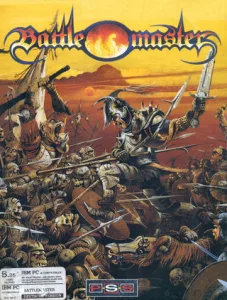
If you need to set up the emulator, see DOSBox from scratch (in Spanish). The IBM PC box and the screenshots come from the collection. The rules on leaders, formations, morale and inventory were cross-checked against the manual preserved in the Amiga package.
Something wrong?
Give us a hint.
A broken link, a detail to correct or a game that won't start. Your report helps keep this game page up to date.
Get in touchReport an issue with this game Discuss it in the forumCLABA ARCADE ROOM
This one and 250 more
play here.
When you finish your game, the room has other machines switched on.
Enter the roomTHE CLABA APP1.0 RC 1
Take the archive
with you.

Game pages, online play and your shelf on Android. Free, no sign-up.
ARCHIVE SECRETS
Did you know?
- The manual presents sixteen leader candidates, four for each of its four races.
- The objective brings together the crowns of four kingdoms and the Watcher's tower.
- The panel shows the leader's health, the followers' average health and morale separately.
- The intro of this DOS copy includes the Atomic’90 signature and the PSS logo.