Nival Interactive · Strategy
Heroes of Might & Magic V
The series is reborn in 3D in the world of Ashan: six factions, an initiative bar and the Tear of Asha. In Spanish, with Hammers of Fate and Tribes of the East.
Strategy game by Nival Interactive (2006) for PC, in Spanish. Available to download.
4.6 17 votes
THE CLABA ARCHIVE
Inside the game.
Its history, its ideas and the reasons to come back.
An eclipse darkens the sky on the day of Emperor Nicolai’s wedding to Isabel, and the demons seize the chance to cross into the world. With that invasion begins Heroes of Might and Magic V, which Ubisoft published in 2006. It was developed by the Russian studio Nival Interactive: for the first time, a Heroes game did not come from New World Computing.
Ashan, a new world
Nival did not continue the worlds of Heroes III and Heroes IV: it debuted a universe of its own, Ashan, with a mythology in which dragons are the deities. There are six factions, which we cite by their original names: Haven (humans), Inferno (demons), Necropolis (necromancers), Sylvan (elves), Academy (wizards) and Dungeon (dark elves), the novelty of this installment. The six campaigns, with more than thirty missions, tell a single story from each side.
How it plays
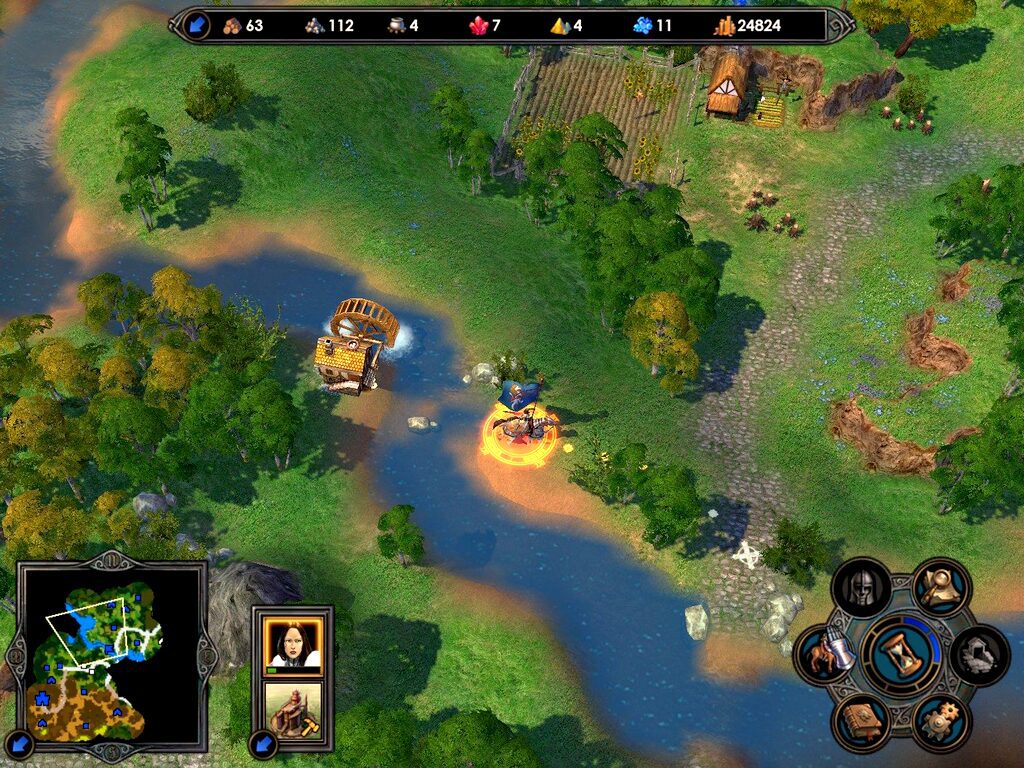
The formula is the usual one, now in 3D. On the adventure map you move your heroes turn by turn, collect seven resources (gold, wood, ore, mercury, sulfur, crystal and gems), capture mines and develop your towns to recruit creatures. Some missions hide the Tear of Asha: you discover it by revealing a stained-glass-shaped map, and you have to bring it to a town without being intercepted.
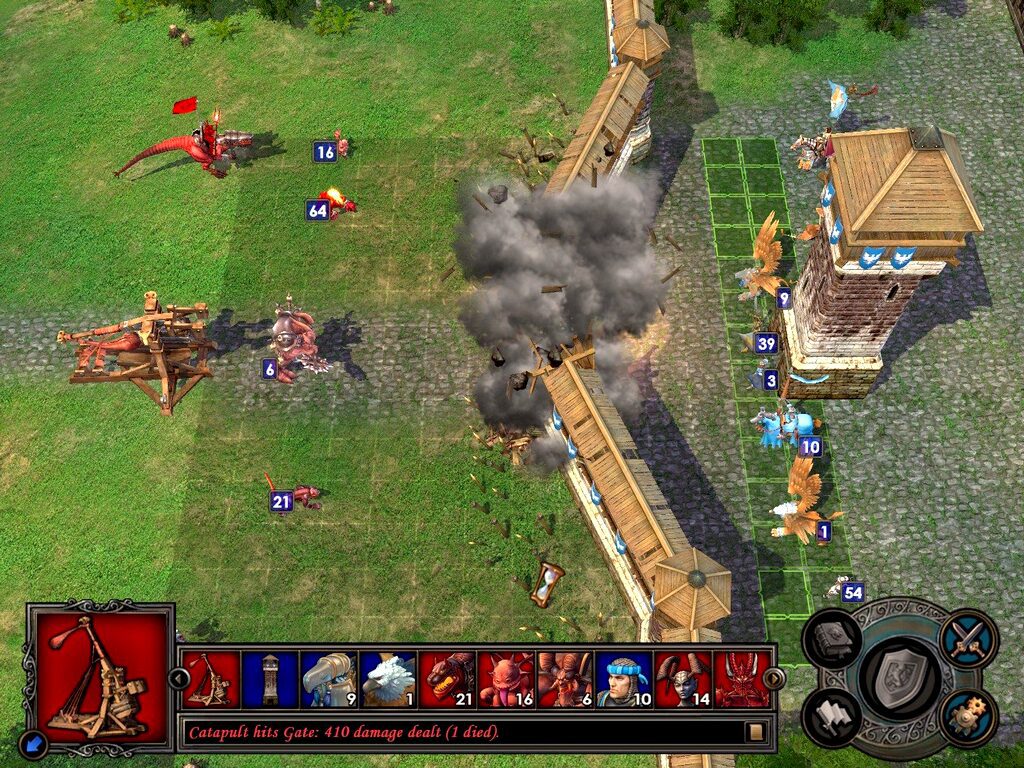
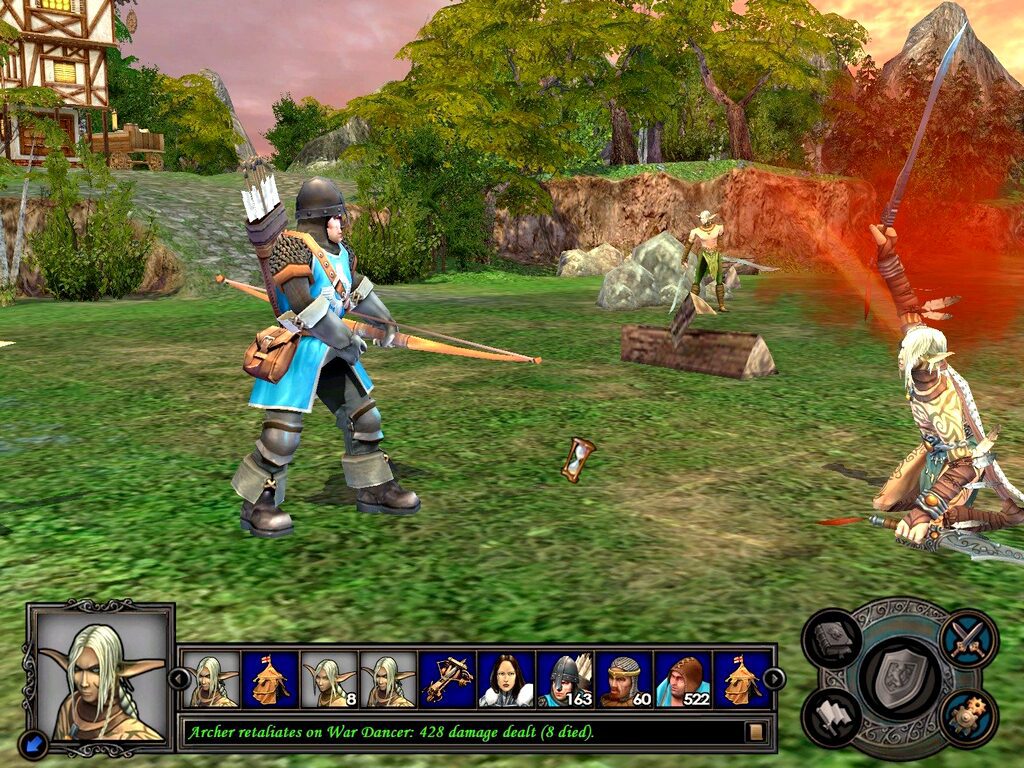
Battles are fought on a grid and debut the initiative bar: the turn order depends on each troop’s initiative, and the hero’s morale can make a unit act again sooner. Luck, by contrast, decides critical hits. In multiplayer, the standouts are ghost mode, in which while you wait for your turn you control a specter that explores and curses your rival, and duels with prepared heroes.
Two expansions
Hammers of Fate (November 2006) added Fortress, the dwarf faction with its rune magic, new creatures and campaigns. Tribes of the East (October 2007) is standalone and does not need the base game: it adds the orcs of Stronghold, who use war cries instead of spells, gives every creature an alternative upgrade that you can switch between by paying 10% of its price, introduces artifact sets and continues the story with new campaigns. Be aware, though, that it does not include the campaigns or maps of the base game and the first expansion.
The edition we offer
This is the Spanish edition, and in Downloads you have it complete. There are three repacks flagged for Windows XP, 7 and 10: (1), a customized version with Heroes V, Hammers of Fate and Tribes of the East together; (2), with Heroes V and Hammers of Fate; and (3), Tribes of the East only. There are also the images of the three original DVDs, for anyone who prefers to preserve the discs. Since Tribes of the East does not include the earlier campaigns, if you want to play the whole story you need repack (1) or repacks (2) and (3).
In Guides you will find the first launch, the controls and the strategy to get started; in Tips & tricks, the command console. To get to know the series from the beginning there are the first Heroes and Heroes II, and if you are looking for similar fantasy strategy, Disciples II, Age of Wonders or King’s Bounty: The Legend.
EVERY PIXEL COUNTS
The game in pictures.
Explore the screenshots and open every detail at full size.
GET READY FOR YOUR NEXT GAME
Choose your download.
Format, compatibility and server. All in view.
DOWNLOAD REPACK
COMPATIBILITYWindows XP / 7 / 10 ✓ At no cost✓ No sign-up Download www.mediafire.com · New tab MediaFire02 RepackDOWNLOAD REPACK
COMPATIBILITYWindows XP / 7 / 10 ✓ At no cost✓ No sign-up Download www.mediafire.com · New tab MediaFire03 RepackDOWNLOAD REPACK
COMPATIBILITYWindows XP / 7 / 10 ✓ At no cost✓ No sign-up Download www.mediafire.com · New tab MediaFire04 ISODOWNLOAD DVD
COMPATIBILITYWindows XP / 7 / 10 ✓ At no cost✓ No sign-up Download www.mediafire.com · New tab MediaFire05 ISODOWNLOAD DVD
COMPATIBILITYWindows XP / 7 / 10 ✓ At no cost✓ No sign-up Download www.mediafire.com · New tab MediaFire06 ISODOWNLOAD DVD
COMPATIBILITYWindows XP / 7 / 10 ✓ At no cost✓ No sign-up Download www.mediafire.com · New tabClicking opens the CLABA loading area and, in a few seconds, your download. If a link fails, let us know via Contact or in the forum.
THE SECRET SIDE OF THE GAME
Tips, tricks and secrets.
A hint at the right time. A code that changes everything.
How to enable the console
The Heroes V cheats are commands for the developer console. Make a copy of the autoexec.cfg file in the game’s profiles folder, open it with Notepad and add this line at the end:
setvar dev_console_password = schwinge-des-todes
Save, launch, and during a game press ~ to open the console: it is the key below Esc, which on a Spanish keyboard carries the º. In Hammers of Fate the file is called autoexec_a1.cfg.
Gold and resources
add_gold followed by a number (for example, add_gold 50000): gold. add_money followed by a number: resources. clear_money: sets all resources to zero.
Hero
With the hero selected: add_exp and a number gives experience; add_all_spells teaches him all the spells; set_hero_luck_morale X Y sets his luck and morale (for example, set_hero_luck_morale 5 3).
Skills
add_skill followed by the internal English name or its number adds a skill or ability to the selected hero: add_skill sorcery or add_skill 8 give sorcery; add_skill 1, logistics.
Armies
add_army town followed by the faction number and 0 or 1 (without or with upgrade) gives the hero that town’s creatures. Numbers: 0 Haven, 1 Sylvan, 2 Academy, 3 Dungeon, 4 Necropolis, 5 Inferno.
Spy on your rival
show_player_money and the player number shows their resources. show_hero_mp details the movement points of the selected hero.
No matches. Try another effect or code.
THE NEXT STEP, CLEARER
Guides to move forward.
From the first installation to that mission that won't give in.
Start here · first launch
- Choose in Downloads: repack (1) has everything; (2) is Heroes V with Hammers of Fate, and (3), Tribes of the East, which works on its own but without the earlier campaigns.
- Install in a short path, such as
C:\Juegos\Heroes5, outsideProgram Files. - Save games and the player’s settings are stored in
Documents\My Games\Heroes of Might and Magic V, in aProfilesfolder. Copy them before reinstalling, as we explain in our save games tutorial (in Spanish). - If you prefer the original DVDs, keep in mind that the retail discs of the base game carried SecuROM protection, which the official 1.6 patch removes.
If the game gives you compatibility problems, review how to play Windows XP classics on Windows 10 and 11 (in Spanish).
Controls
- Left click on a hero or town: selects it. On the map, it plots the route; with a double click, the hero sets off there.
- Space bar: the hero follows the plotted route.
- Enter: end turn.
- Right click on any object, creature or troop: description card.
- Mouse wheel: zoom the camera in and out.
- F6: quicksave.
- Esc: cancels the action in progress.
Keys can be changed by editing input.cfg.
First steps · strategy
- Play the Haven campaign first, with Isabel: it includes the tutorial.
- Always watch the initiative bar in combat: it tells you who acts next. Troops with high initiative act more often.
- The morale and luck of creatures are those of their hero: visiting places such as the Rally Flag before an important battle makes a difference.
- Capture the wood and ore mines early and build in your towns whatever lets you recruit more creatures each week.
- Do not let an enemy hero steal the Tear of Asha on its way to your town: if he defeats you, it is lost.
Technical notes
Base game requirements: Windows 2000 or XP, Pentium 4 or Athlon at 1.5 GHz, 512 MB of RAM, 2 GB of disk space and a card with DirectX 9.0c and 64 MB (GeForce 4 or Radeon 8500; GeForce 4 MX cards will not do). Tribes of the East calls for 1 GB of RAM and 3 GB of disk space.
The latest official versions are 1.6 for the base game (installed in order: 1.4, 1.41, 1.5 and 1.6), 2.1 for Hammers of Fate and 3.1 for Tribes of the East, which adds widescreen support and improves compatibility with Windows Vista. To skip the startup videos, empty the Movies section of the video\intro.xml file. It has no windowed mode of its own. The community maintains mods such as Heroes 5.5 or Quantomas’s AI patch.
Sources
- Age of Heroes · Heroes V: Nival and Ubisoft, Ashan, six factions, campaigns.
- Age of Heroes · Tribes of the East: standalone, without the earlier campaigns, Stronghold, alternative upgrades at 10%, war cries, artifact sets.
- PCGamingWiki · Heroes V and Tribes of the East: dates, Mac version, SecuROM, patches, requirements, save game paths, startup videos.
- Prima official guide (Internet Archive): the eclipse and wedding story, resources, initiative bar, Tear of Asha, controls.
- German Heroes V manual (Internet Archive): tutorial, quicksave, ghost mode and duels.
- GameRevolution · cheats and StopGame · cheats: console activation and commands.
Something wrong?
Give us a hint.
A broken link, a detail to correct or a game that won't start. Your report helps keep this game page up to date.
Get in touchReport an issue with this game Discuss it in the forumCLABA ARCADE ROOM
251 classics
without installing anything.
Don't feel like installing? These play right in your browser.
Enter the roomTHE CLABA APP1.0 RC 1
Take the archive
with you.

Game pages, online play and your shelf on Android. Free, no sign-up.
ARCHIVE SECRETS
Did you know?
Away from home. It was the first Heroes not developed by New World Computing: it was made by the Russian studio Nival Interactive, with Ubisoft supervising and publishing the game and its two expansions.
A password in German. The developer console is unlocked with the phrase «schwinge-des-todes,» «wing of death» in German, written into a configuration file.
Waiting without getting bored. In multiplayer ghost mode, while the rival moves, each player handles a specter that can explore, curse an enemy or haunt a mine, and that gains energy depending on how long the other takes to finish their turn.
The stained-glass treasure map. The Tear of Asha, the great hidden treasure of some maps, is located with a stained-glass-shaped map: each obelisk visited removes a piece of glass until the location is revealed.
On Mac too. In March 2007 it came out for Mac OS X, adapted by Freeverse with TransGaming’s Cider technology.