Dynamix · Other
The Incredible Machine
Rube Goldberg-style brain-teasers: place parts, ropes and mice so the machine meets its goal. English repack and original MS-DOS version.
Game by Dynamix (1993) for MS-DOS (in English) and 3DO. Available to download.
Choose your version 2 platforms
No computer handy? Play one of the 251 classics online right now
4.6 5 votes
THE CLABA ARCHIVE
Inside the game.
Its history, its ideas and the reasons to come back.
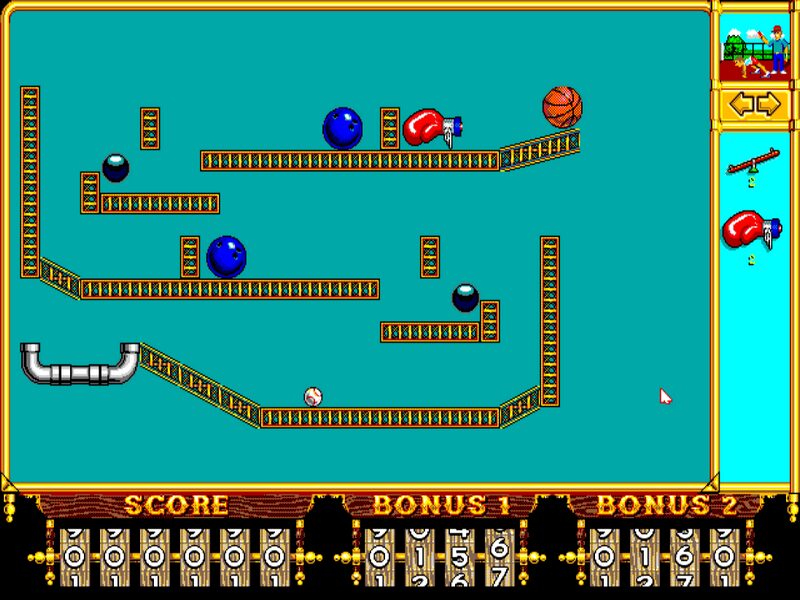
A basketball, a pair of conveyor belts, a mouse on a wheel and a cat with an appetite. Your job: place the leftover parts so that all of it ends up in the basket, or in a bowl of food. The Incredible Machine turned cartoonists’ old fondness for absurd contraptions into a video game, and did so with so much ingenuity that it gave its name to an entire Sierra series.
A tribute to Rube Goldberg
The game is an interactive tribute to the cartoonist Rube Goldberg, famous for his cartoons of colossal machines that solve tiny tasks. The work came from Jeff Tunnell Productions, with Kevin Ryan as programmer, and Sierra published it. The sources do not agree on the date: PCGamingWiki and Hardcore Gaming 101 say 1992 and Wikipedia says 1993, so the most honest thing is to say it arrived between those two years. According to Wikipedia, Ryan programmed it in nine months on a budget of about $36,000. It is hard to imagine today: a hit that left its mark on an entire generation of players with a tiny production.
How it plays
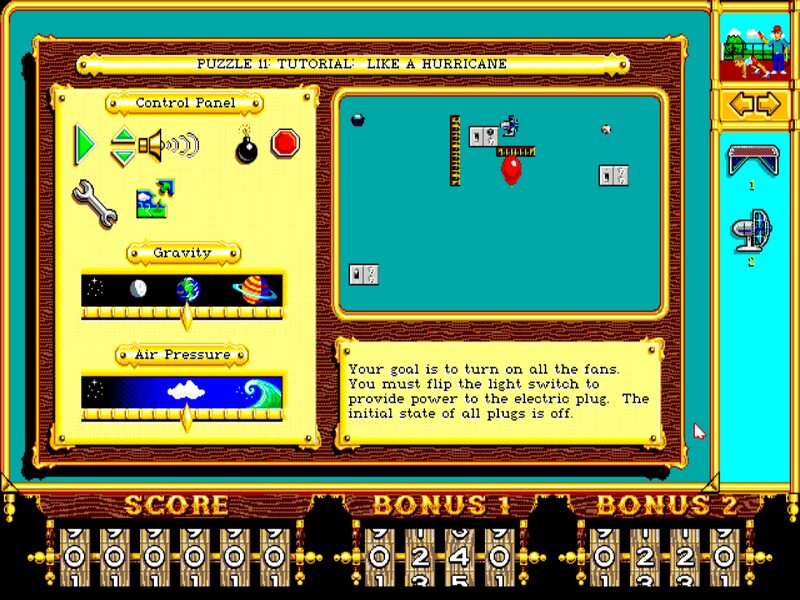
Each level shows you a half-assembled scene and a written goal: get the ball through the hoop, switch on a lamp, switch on the can opener so the cat reaches its food. Below you have a bin of loose parts (balloons, buckets, ropes, pulleys, belts, motors, mice, bowling balls) and you must place them, orient them and connect them with ropes and belts. When you think the mechanism works, you start it with a click and watch it unfold. If it fails, no harm done: there is no time limit or limit on attempts, you simply stop the machine and start over.
The original edition contains, according to Hardcore Gaming 101, 65 puzzles plus 22 tutorials that you can skip, and progress is saved with passwords. There is also a sandbox mode with unlimited parts where you can build whatever you like, although in this first game you cannot define the victory conditions: that came with the second installment, which also added a full editor. And the engine is deterministic, with no random numbers in its physics, so a good solution always works the same way.
Why it hooked people
The difficulty rises unhurriedly. The first puzzles are relaxed, but they soon demand synchronizing belts, bounces and levers down to the millimeter. There is no single solution: two players can solve the same level in different ways, and that made it ideal for playing as a family, in front of the same screen. In 1994, the critic Neil Harris wrote in Computer Gaming World that showing the series to an engineer friend set off «a chain reaction» that halted work at a shipyard. The series passed a million copies around the year 2000.
If you like brain-teasing puzzles, on our site you have the Lemmings (and their sequel The Tribes) and, from the same Sierra, 3-D Ultra Pinball: The Lost Continent. The first direct sequel was The Even More Incredible Machine (1993), which reuses the levels of this game and adds many more.
The edition we offer
It is the English version. In Downloads there are two options: a repack prepared for Windows XP and later, and the original MS-DOS edition. For the original you will need DOSBox; see the tutorial DOSBox from scratch. In Guides you will find the first launch, how to handle the parts and where to start; in Tips & tricks, useful advice (there are no documented codes). Everything you have read is backed by the sources in the last guide.
ONE GAME, 2 PLATFORMS
Versions.
2 platforms1994
Pick a platform: the screenshots, downloads and online game on this page switch with it.
- Year
- 1993
- Developer
- Dynamix
- Downloads
- 2
- Screenshots
- 3
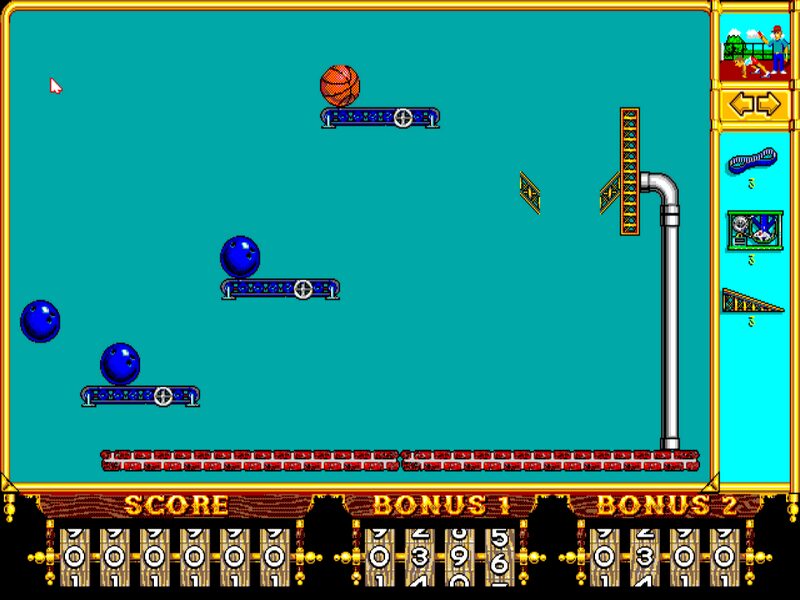
The MS-DOS version is the one this page covers: the information, review and main screenshots are from this platform.
- Year
- 1994
- Port by
- Dynamix
- Downloads
- 1
- Screenshots
- 1
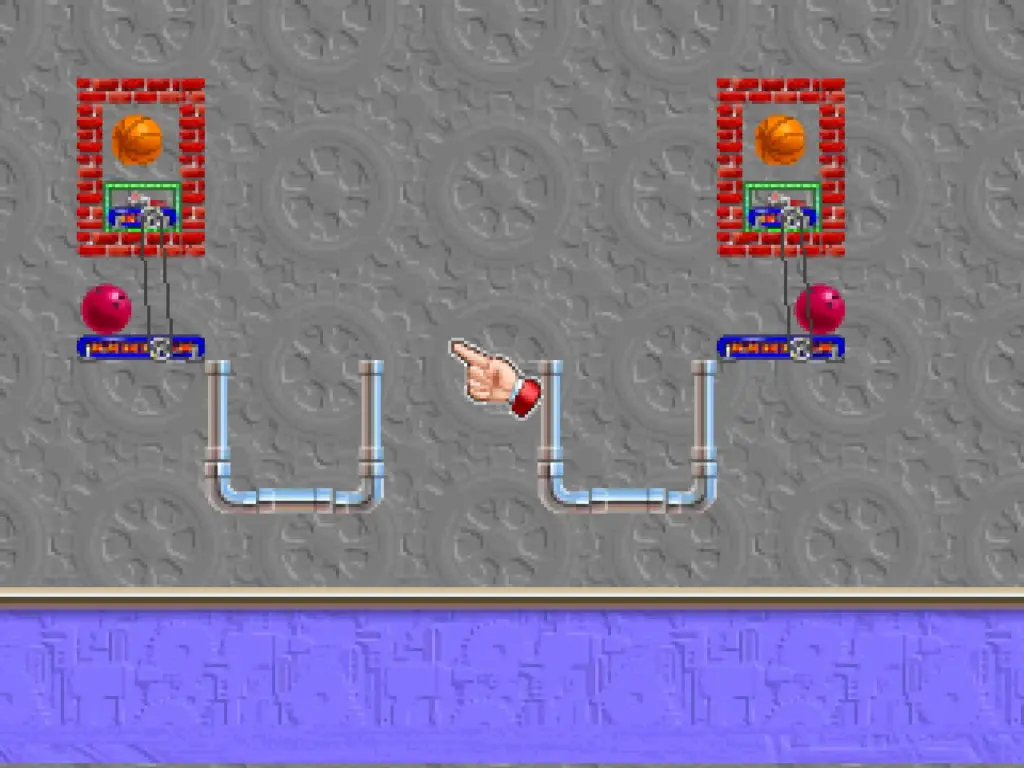
The 3DO conversion compiles levels from the original game and its expansion, and adds new puzzles with its own graphical presentation. Handling is adapted to the console's controller, without the mouse of the computer editions, so moving around the board feels different. This one-player version appeared in 1994 and gathers content from several early installments of the series.
EVERY PIXEL COUNTS
The game in pictures.
Explore the screenshots and open every detail at full size.

GET READY FOR YOUR NEXT GAME
Choose your download.
Format, compatibility and server. All in view.
Version
SELECTED VERSIONMS-DOS2 archivos
Clicking opens the CLABA loading area and, in a few seconds, your download. If a link fails, let us know via Contact or in the forum.
HIT PLAY
The game in motion.
Trailers and videos to see it in action.
-
3DO · How it plays
The Incredible Machine gameplay on 3DO.
THE SECRET SIDE OF THE GAME
Tips, tricks and secrets.
A hint at the right time. A code that changes everything.
Tip · no codes here
We have found no codes or cheat keys for this first game in any reliable source, and we are not going to invent them. What you do have is a handful of handling tips, checked against the manual of the sequel, which shares the engine, and against community documentation.
Tip · read the goal before touching anything
Each level shows its goal under the preview. Look closely at what is already in place: almost always a fixed part (a ball, a cat, a mouse) indicates where the chain should begin. Start from the end: what has to happen last? And work backward.
Tip · a red X means "not here"
According to the manual of The Even More Incredible Machine, which uses the same controls, a red X indicates that you cannot drop the part at that spot. If it won’t let you place it where you expected, try a couple of pixels farther along: many parts need to be resting on something or clear of other parts.
Tip · use each part's handles
When you hover the cursor over a placed part, handles appear: red arrows to flip it, blue arrows to change its size and a trash can to return it to the bin. A slightly longer conveyor belt or a better-tensioned rope solves many «impossible» levels.
Tip · stop and retry without fear
A click anywhere stops the machine and the right mouse button takes you back to the control panel (that is how the sequel’s manual describes it). There is no time limit or limit on attempts: try, watch where the chain breaks, fix it and repeat.
Tip · write down the passwords
Hardcore Gaming 101 explains that progress is kept with passwords. Write them down as soon as the game gives them to you: that way you resume the level without starting over. The installation’s TIM.CFG file stores your progress, according to PCGamingWiki.
Tip · music in sandbox mode
In sandbox mode (the one for building without a goal), PCGamingWiki says that the keys 1 to 9 and A to G select one of the music tracks. It is a detail very few people discover.
No matches. Try another effect or code.
THE NEXT STEP, CLEARER
Guides to move forward.
From the first installation to that mission that won't give in.
Start here · first launch
- Download from Downloads the repack if you want to play directly on Windows XP or later, or the original MS-DOS edition if you prefer to mount it in DOSBox.
- Extract the archive to a short path, for example
C:\Juegos\TIM, and not inProgram Files, to avoid permission problems when saving. - With the original, mount that folder in DOSBox with
mount c C:\Juegos\TIM, enterc:and launch the game’s executable. The DOSBox steps are in the tutorial DOSBox from scratch. - If the game asks you to choose video and sound, pick VGA and a simple option; the manual of the Sierra Originals edition recommends AdLib when in doubt.
- If the repack does not start on Windows 10 or 11, go over the tutorial how to play Windows XP classics on Windows 10 and 11.
According to PCGamingWiki, the commercial edition asked for the manual as copy protection: if your copy asks for it, you will have to look up the page the game indicates.
Controls · everything with the mouse
- Click on a part in the bin and another click on the stage: it places it.
- Cursor over a placed part: handles appear to flip it, change its size or return it to the bin.
- Click on the start button (in the sequel’s first puzzle, a running figure): starts the machine.
- Click anywhere with the machine running: stops it.
- Right button: returns to the control panel.
- Sandbox mode: unlimited parts; you can save and load your creations.
These controls are the ones described in the manual of The Even More Incredible Machine, which shares its interface with this first game.
First steps · how to tackle a level
- Note the goal and what is already placed in the scene.
- Identify the last step that must happen and reason backward.
- Place first the parts that provide energy or movement (motors, belts, mice, balls).
- Connect with ropes and belts and test the setup with a click.
- If it fails, stop the machine and look at where the chain broke; change only one thing per attempt.
- When you are sure you have understood it, move on to the next one: the initial tutorials can be skipped, but they teach the behavior of each part.
There is no single solution. If an idea of yours works and differs from the «expected» one, it counts just the same.
Technical notes
It is an MS-DOS game that runs in VGA (according to PCGamingWiki, at 640×448 with 16 colors) and is played with the mouse alone; it supports no gamepad or windowed mode. The configuration is saved in RESOURCE.CFG and your progress in TIM.CFG; player-created levels are saved as *.TIM files. To keep your save games you can follow the tutorial on copying and restoring save games.
The commercial edition’s interface existed in English, French and German; the one we offer is the English one. There are versions for Mac, 3DO, FM Towns and PC-98, but here we offer only the PC one.
Sources
- PCGamingWiki: configuration and save files, video mode, manual-based protection, languages and music keys.
- Hardcore Gaming 101: number of puzzles, passwords, sandbox mode and Mac and 3DO versions.
- The Even More Incredible Machine manual (Internet Archive): how to handle the parts, handles and controls.
- Wikipedia: guidance on the series, the engine and the development and sales figures, cross-checked against its references.
Something wrong?
Give us a hint.
A broken link, a detail to correct or a game that won't start. Your report helps keep this game page up to date.
Get in touchReport an issue with this game Discuss it in the forumCLABA ARCADE ROOM
251 classics
without installing anything.
Don't feel like installing? These play right in your browser.
Enter the roomTHE CLABA APP1.0 RC 1
Take the archive
with you.

Game pages, online play and your shelf on Android. Free, no sign-up.
ARCHIVE SECRETS
Did you know?
A tribute to a cartoonist. The game pays homage to Rube Goldberg, who drew preposterous machines for simple tasks; hence the idea of so many parts for such a simple result.
Nine months and $36,000. According to Wikipedia, Kevin Ryan programmed the first game in nine months on that budget. It came from Jeff Tunnell Productions and Sierra published it.
No chance involved. Its physics engine is deterministic and uses no random number generator: the same machine always behaves the same way, something essential for a puzzle game.
Passwords instead of save games. According to Hardcore Gaming 101, progress is saved with keywords, such as «fish» or «calculator», instead of save files.
A different 3DO version. According to Hardcore Gaming 101, the 3DO one changes the graphics, adds screen scrolling, a CD soundtrack and voiced objectives; it handled worse with the controller than with the mouse.