The Software Toolworks · Simulation
Life & Death
A 1988 abdominal surgery simulator: diagnose, operate on an appendicitis or an aneurysm with the mouse and don't kill the patient. Spanish-language repack.
Simulation game by The Software Toolworks (1988) for PC (in Spanish) and Atari ST. Available to download.
Choose your version 2 platforms
No computer handy? Play one of the 251 classics online right now
— no rating yet
THE CLABA ARCHIVE
Inside the game.
Its history, its ideas and the reasons to come back.
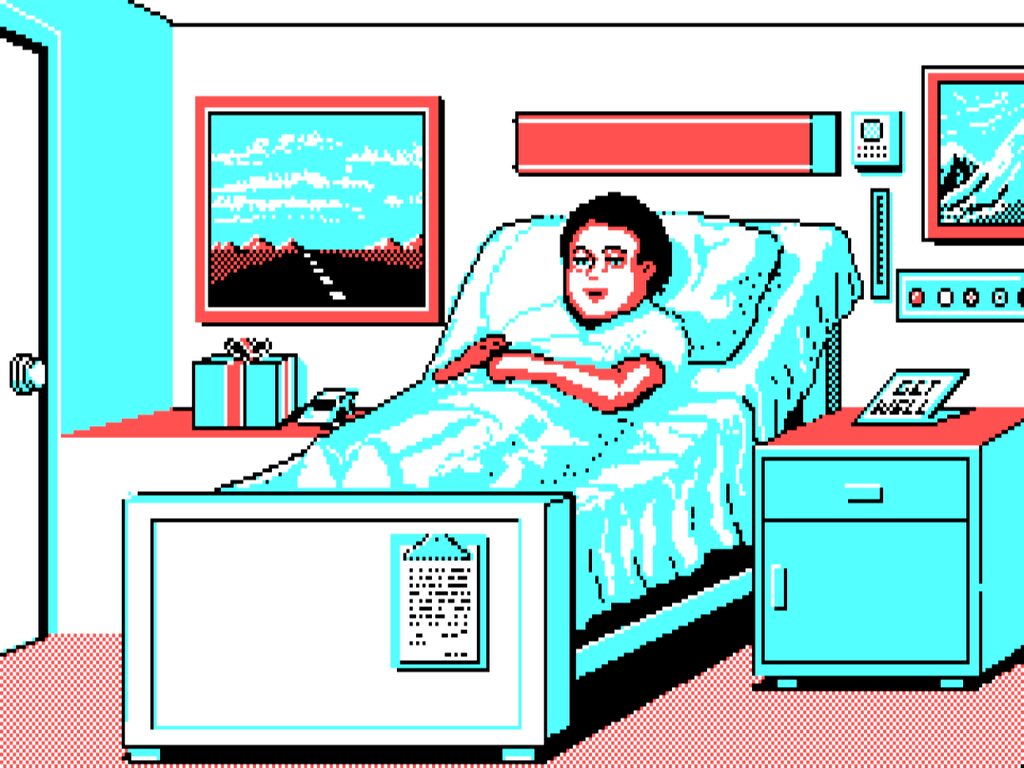
The box of Life & Death came with a surgical mask and gloves. It was no joke: The Software Toolworks wanted you to feel like a doctor before you even installed the disk. Published in 1988, it is an abdominal surgery simulator in which you diagnose, decide whether to operate and, if needed, pick up the scalpel with the mouse. The graphics are modest, yes, but the tension is still noticeable.
Resident at Toolworks General
You start as a resident doctor in a fictional hospital, Toolworks General. Each patient arrives with a history and symptoms: you palpate the abdomen, look at the report, order an X-ray or an ultrasound and decide what to do. In the first part of the game the cases range from gas to a bacterial infection, by way of kidney stones and appendicitis; medicine or simple observation is enough for almost everything, and only appendicitis ends up in the operating room. In the second part arthritis and the aortic aneurysm appear, which does require surgery, though not always: sometimes an ultrasound shows an immature aneurysm that only needs monitoring.
The operating room, where everything is decided
The operation is the heart of the game. You control the scalpel with the mouse, work with three trays of instruments and keep an eye on an electrocardiogram that warns you when the patient is getting into trouble. Delicate tissues are not treated like sturdy ones, the right anticoagulant must be injected before opening the aorta, and in the aneurysm procedure an artificial aorta is grafted in. A skipped step or a clumsy move sends you back to medical school, where a class shows you the correct procedure before you try again. You also choose two assistants from six, with their personal files: it is wise to pick ones who get along with each other.
What was said then and now
Compute! praised the sound and the use of CGA’s four colors, and warned that the caution to the squeamish about blood was serious. In Macworld, a doctor praised the realism of the Mac version, though he criticized the copy protection and the lack of a save function. Years later, Leigh Alexander defended it on Gamasutra as a design that frustrates and repeats itself, but creates exactly the state of mind of a surgeon: total concentration with a trembling pulse. It had a sequel in 1990 with Life & Death II: The Brain, devoted to neurosurgery.
The edition we offer
In Downloads you will find a Spanish-language repack prepared for Windows XP onward. The PC original is an MS-DOS game, so if you want to run it yourself, there is the tutorial DOSBox from scratch (in Spanish). There are conversions for Atari ST and Amiga, by Simon Beal, and others for Japanese systems; the one on this game page is the PC version. In Guides and Tips & tricks you will find advice for your first shifts.
ONE GAME, 2 PLATFORMS
Versions.
2 platforms
Pick a platform: the screenshots, downloads and online game on this page switch with it.
- Year
- 1988
- Developer
- The Software Toolworks
- Downloads
- 1
- Screenshots
- 3
The PC version is the one this page covers: the information, review and main screenshots are from this platform.

- Downloads
- 1
- Screenshots
- 1
This edition adds the Atari ST conversion of Life & Death to the game page for the surgery simulator. It is a standalone download, separate from the Spanish-language PC package our site already offered. The ZIP file contains an ST floppy disk image, not a Windows game.
It is offered for use with an Atari ST emulator or a compatible machine. There is no online play for this edition: the current player has no Atari ST core.
EVERY PIXEL COUNTS
The game in pictures.
Explore the screenshots and open every detail at full size.
GET READY FOR YOUR NEXT GAME
Choose your download.
Format, compatibility and server. All in view.
Version
SELECTED VERSIONPC1 archivo
Clicking opens the CLABA loading area and, in a few seconds, your download. If a link fails, let us know via Contact or in the forum.
HIT PLAY
The game in motion.
Trailers and videos to see it in action.
-
Atari ST · Gameplay
Life & Death gameplay on Atari ST.
THE SECRET SIDE OF THE GAME
Tips, tricks and secrets.
A hint at the right time. A code that changes everything.
Tip · about cheats
We have not been able to confirm any cheat codes with two sources, so we publish none. These tips come from reviews and from the game itself.
Tip · read the documents
The reviewer of the time insists on reading and rereading the documents in the package before tackling each new procedure. That is where the order of the steps for each operation is found.
Tip · anesthesia always first
Before cutting, anesthetize the patient. Skipping it is good only for a curiosity and a scare.
Tip · peritoneum in four steps
The reviewer says that to cut the peritoneum you have to scrape it with the scalpel, lift it with the hemostatic forceps, nick it again at the same spot and cut across with the scissors. The manual described a different sequence, which did not work.
Tip · choose your team well
In the personnel office there are six possible assistants. Read their complete files: an expert in arterial grafts who does not get along with the chosen nurse will help you less.
Tip · start at a low level
At high levels the action is faster, the assistants lend less of a hand and the operations get more complicated. The reviewer completed both operations at novice level after three weeks.
No matches. Try another effect or code.
THE NEXT STEP, CLEARER
Guides to move forward.
From the first installation to that mission that won't give in.
Start here · first launch
- Download the Spanish-language repack from Downloads.
- Unpack it in a short path such as
C:\Juegos\LifeDeath. - Run the repack’s shortcut. If it fails, try compatibility mode or DOSBox, with this tutorial (in Spanish).
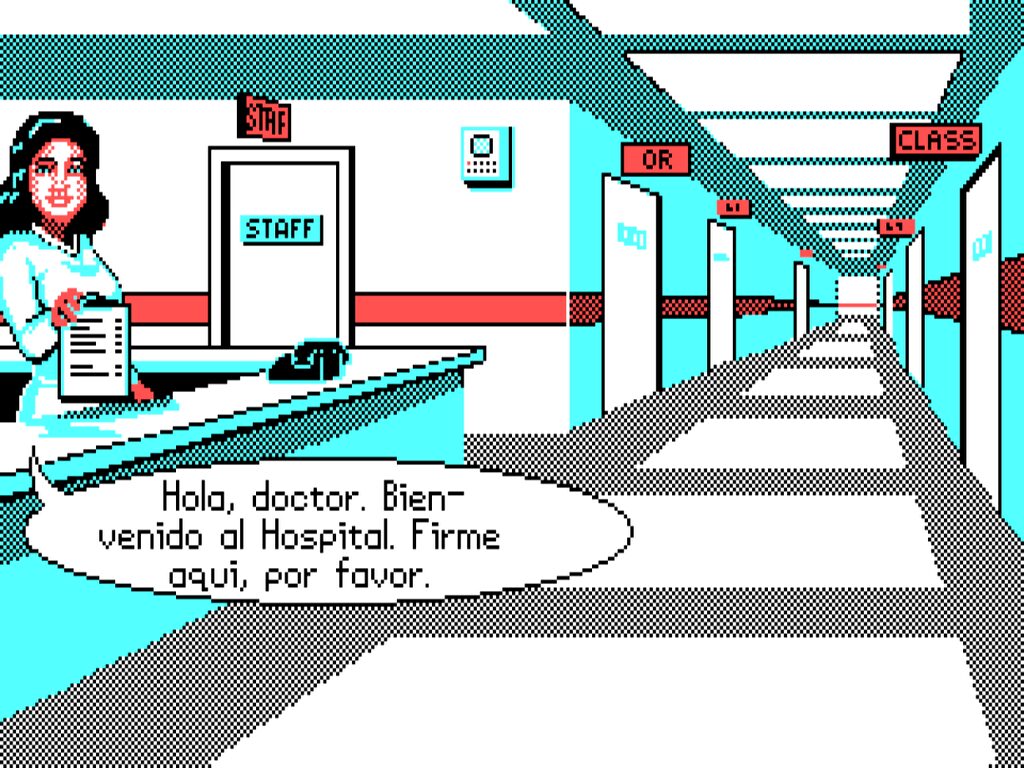
- At reception, sign in with your resident name: the game will remember your progress, and you can customize the difficulty level and the sound.
If your system is modern, also see Windows XP classics on Windows 10 and 11 (in Spanish).
Controls
The game is played almost entirely with the mouse, according to the review of the PC edition, although it also supports keyboard and joystick; the keyboard requires two hands to move the cursor smoothly. P pauses the game and Esc exits. Apart from typing your name and initials the first time, everything is handled through menus.
First steps
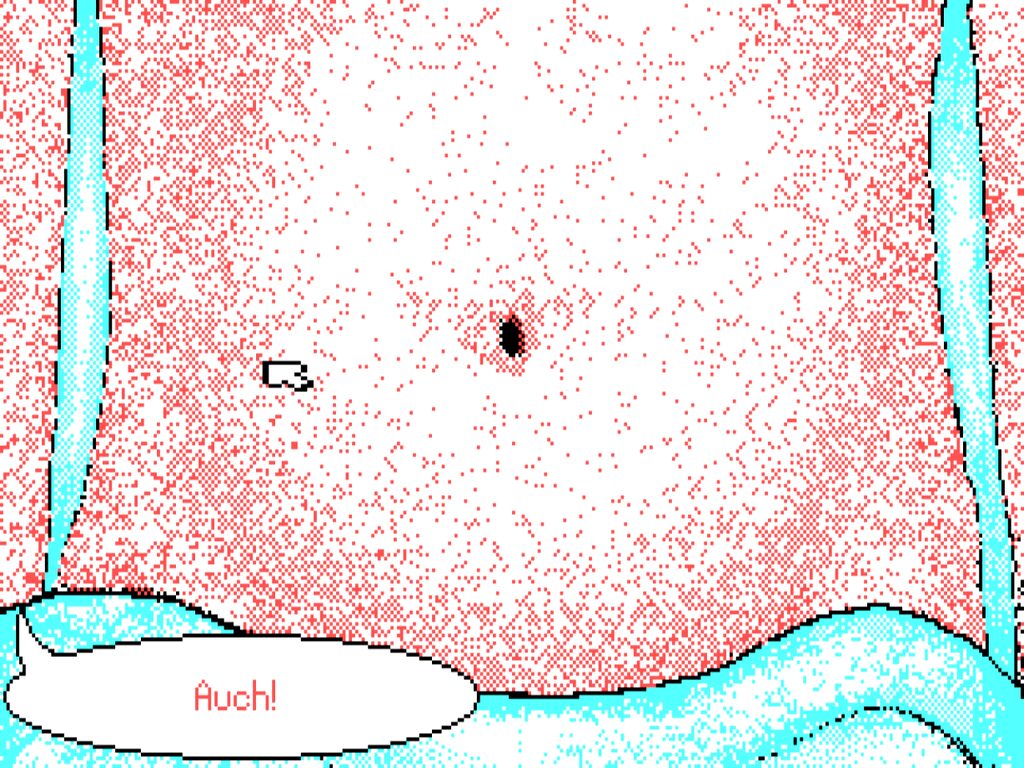
- Read the history and palpate the abdomen by clicking on different points: the speech balloon tells you where it hurts.
- Decide between observing, medicating or ordering tests. The X-ray shows whether there are kidney stones; if not, appendicitis calls for the operating room.
- Before operating, review the order of the steps in the documentation.
- If you fail, do not be discouraged: the class at medical school teaches you the correct step.
Technical notes
The 1988 PC edition required DOS 2.0 or higher, 512 KB of memory and a CGA, EGA or VGA card, although the game only displayed CGA graphics (640×200 with black, white, light blue and red). It supports mouse, keyboard and joystick. The original protection was a paper code wheel; if your copy asks for a code, you will have to track down the wheel or the scanned manual. Back up your progress with the save game backup tutorial (in Spanish).
Sources
- Review of the PC edition (textfiles): procedure, code wheel, requirements, controls and manual errors.
- Game Developer · A matter of Life & Death: design, operations, assistants and deliberate frustration.
- PPE.pl · Life & Death: release dates (May 1988; Amiga in Europe, 1991).
- Wikipedia · Life & Death: reception in Compute! and Macworld, and the sequel (for orientation only).
Something wrong?
Give us a hint.
A broken link, a detail to correct or a game that won't start. Your report helps keep this game page up to date.
Get in touchReport an issue with this game Discuss it in the forumCLABA ARCADE ROOM
251 classics
without installing anything.
Don't feel like installing? These play right in your browser.
Enter the roomTHE CLABA APP1.0 RC 1
Take the archive
with you.
Game pages, online play and your shelf on Android. Free, no sign-up.
ARCHIVE SECRETS
Did you know?
Dressed to operate. The original packaging included a surgical mask and gloves, plus a booklet on the history of surgery and a procedures manual.
A pager as copy protection. The protection was a code wheel shaped like a pager: a call that you had to return from a car phone gave you the number to dial. If you did not return the call, you were taken out of the operating room.
Up to ten residents. The game stores the progress of up to ten users and, when you complete both operations, gives you a diploma and puts you on the honor roll.
Operating without anesthesia. According to a review from the time, trying to make the incision without first anesthetizing the patient provokes a very effective and somewhat humorous reaction.
A manual with a mistake. The same reviewer discovered that the manual described incorrectly how to cut the peritoneum and had to call the publisher to learn the correct sequence.