
Muse Software · Action-adventure
Beyond Castle Wolfenstein
Beyond Castle Wolfenstein is Muse Software's 1985 stealth adventure for IBM PC. Find a bomb and escape the bunker amid guards and document checks.
Action-adventure game by Muse Software (1985) for MS-DOS, in English. Playable in your browser or downloadable.
— no rating yet
THE CLABA ARCHIVE
Inside the game.
Its history, its ideas and the reasons to come back.
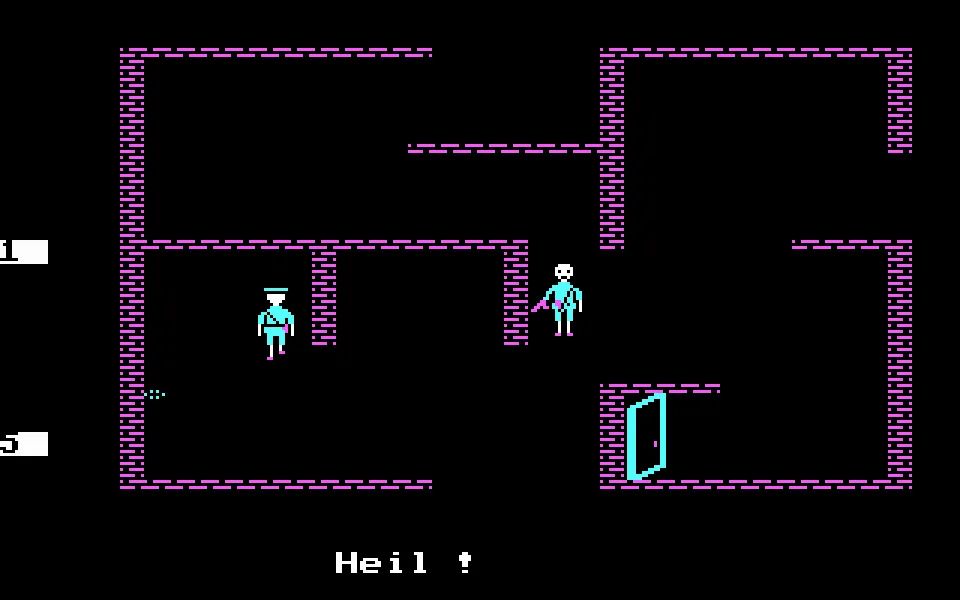
Beyond Castle Wolfenstein leaves you in a bunker with a pistol, ten bullets, money and some documents that might persuade the next guard. The resistance has hidden a briefcase with a bomb inside the building. Your mission is to find it, carry it to the room where Hitler meets and get back to the entry point before the explosion.
Muse Software continues the infiltration of Castle Wolfenstein with top-down rooms, doors, storerooms and elevators. Each room fills one screen and forces you to read the route before crossing it. Guards patrol the building and may ask you for a pass. Showing the right document avoids a confrontation, while money offers another way to get past an inspection.
Entering the bunker
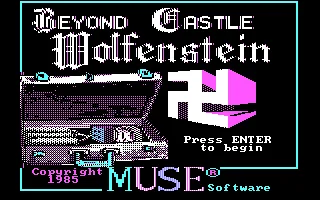
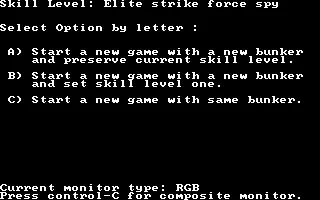
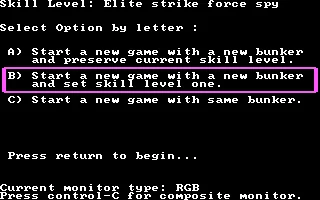
The IBM PC edition shows its title over a scene of the building, with the cyan and magenta colors of CGA and a 1985 copyright. Press Enter to open the options. There you can create another bunker while keeping your level, create a new one and go back to level one, or keep the same building. To learn the route from the beginning, select B and confirm with Enter.
The character moves with a group of letters on the keyboard. W takes him up, A to the left, D to the right and X down. S stops his movement. There are also diagonal directions in the QWE, ASD and ZXC block. It is best to start with short presses and get used to stopping the infiltrator before reaching a door or a guard.
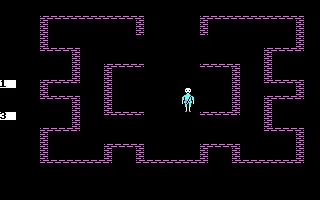
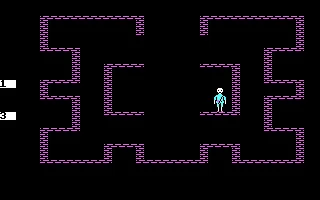
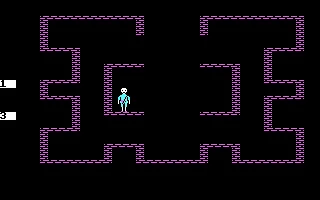
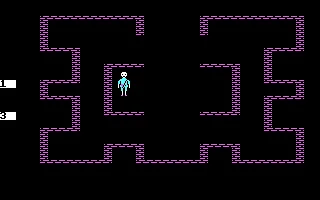
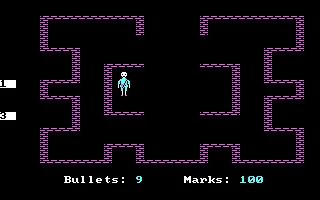
The starting room lets you try out those commands. Look at where the character stands in relation to the walls and the exit passage. The gallery preserves a new game with movements to the right, to the left and upward. The inventory, which you check with Enter, shows the ammunition and the marks available.
Documents, money and a pistol
The numbers one to five are used to present passes when a guard demands them. If the document does not convince him, you can try another one or attempt a bribe with M. The manual explains that there are also seated guards who offer information in exchange for money. Their messages help you understand the building and decide which room deserves a visit.
L fires in the PC version. I aims the weapon before firing. Each shot uses up ammunition, and the noise can attract attention. You start with a maximum of ten bullets, so it is worth checking your reserves before using the weapon again. Guards who have been downed or have surrendered may carry resources that are added to your supplies when you search them.
The manual lets you hide bodies and use a dagger when you find one. It also describes lockers closed with three-digit combinations. Each hit produces a signal and a mistake forces you to start over. Recognizing the sound of the lock helps you move forward without wasting random tries.
Finding the briefcase and getting out
The bomb is hidden in a locker on the first level. After that you will have to locate the meeting room on the lower floors and work out the way back. The elevators connect the areas of the bunker, while the doors link rooms on the same floor. Remembering where you came in can save you a detour when the timer is already running.
The B and R commands in the manual correspond to handling the briefcase and setting its timer. Before leaving the bomb at its destination, check the way out and review the guarded passages. An inspection that seemed like a small nuisance during the search can delay your escape.
The PC copy in the browser
This game page uses the original PC files. The GAME.DAT floppy disk image runs through the small BCW.COM launcher that comes with that copy. The browser runs it with DOSBox, CGA video and a speed set so that the menus and movement can be followed.
The download keeps the original ZIP. The gallery and the background come from real game screens, including its title screen. The program's initial options let you set up a new bunker every time you want to start over. The Commodore 64 and Atari instructions belong to their respective versions and use some different keys.
EVERY PIXEL COUNTS
The game in pictures.
Explore the screenshots and open every detail at full size.
GET READY FOR YOUR NEXT GAME
Choose your download.
Format, compatibility and server. All in view.
Clicking opens the CLABA loading area and, in a few seconds, your download. If a link fails, let us know via Contact or in the forum.
Your game starts here
Play in your browser.
Pick, press and go back to the classics without leaving the game page.
RetrogamingRight in your browserNo installation

MS-DOSIn your browser
Beyond Castle Wolfenstein
Your next game starts here.
- 53 KB · downloads on click
- Save the game's files
- Keyboard, controller or touch
Controls
Click the game to use the keyboardOn mobile, play with the on-screen controllerEnter opens options and inventory. B and Enter start level one. W/A/D/X move, S stops, I aims and L fires. 1–5 show passes, M bribes.
- Full screen
Use the button on the bar. Esc returns to the game page; “Exit” closes the game.
- Saves
Save keeps the files the game creates, not the exact moment. Save inside the game, then press Save.
- Mobile and tablet
Press Controls during the game to show buttons and keyboard. Gamepad support depends on the browser.
Saves live in this browser and device. Clearing the site data deletes them too.
THE SECRET SIDE OF THE GAME
Tips, tricks and secrets.
A hint at the right time. A code that changes everything.
Stop the character before you decide
Press S when you reach a door or finish a move. Movement continues in its direction until you change it or stop it. Scouting the room's exit first helps you choose the next keypress.
Save ammunition for a tough encounter
Open the inventory with Enter and check how many bullets are left. L uses up one bullet per shot. Documents and money can resolve inspections without spending that resource.
Note down the passes and the way back
Guards ask for documents, which are presented with the keys one to five. Remember which pass has worked and where the connections between rooms are. Those references help when you have to return after placing the bomb.
Listen for the locker combination
The manual describes locks with three numbers and a signal for each correct one. If you miss, start again from the first digit. Writing down the sequence you have already identified keeps you from losing it while you explore another room.
No matches. Try another effect or code.
THE NEXT STEP, CLEARER
Guides to move forward.
From the first installation to that mission that won't give in.
Starting with a new bunker
Open Play online and press Play now. On the title screen use Enter. Select B to generate a new bunker and return to level one, and confirm with Enter. If the title screen has turned into a demo, Esc exits the program in this copy. The Restart button of ClaBa Player lets you go back to the boot.
Moving around and checking your reserves
W moves up, A to the left, D to the right and X down. Q, E, Z and C complete the diagonals. S stops movement. Enter shows supplies. In the PC version, I lets you aim and L fires. The Controls buttons in the player offer the main movements and these actions. Focus the screen to return to the keyboard.
Choosing documents before opening fire
When a guard asks for a pass, use its number between one and five. M tries to bribe him. The inventory shows the marks you have available. Watch the guard's response before repeating the command or resorting to the weapon.
Consulting the original manuals
The manual for the Main Street edition for PC and other computers explains the menus, the objects and the keyboard differences. The 1984 Muse manual corresponds to Apple II and Commodore 64. The PC title screen and the game in this gallery complete the references on this game page.
Something wrong?
Give us a hint.
A broken link, a detail to correct or a game that won't start. Your report helps keep this game page up to date.
Get in touchReport an issue with this game Discuss it in the forumCLABA ARCADE ROOM
This one and 250 more
play here.
When you finish your game, the room has other machines switched on.
Enter the roomTHE CLABA APP1.0 RC 1
Take the archive
with you.

Game pages, online play and your shelf on Android. Free, no sign-up.
ARCHIVE SECRETS
Did you know?
The year changes depending on the version. The original Apple II and Commodore 64 manual carries a 1984 copyright. The title screen of this IBM PC copy shows 1985. This game page uses the year visible in the PC program.
A building that can change. The options let you generate a new bunker or return to the same one. They also separate the choice of building from the choice of skill level, so you can keep your rank or go back to the first one.
Silence is part of the infiltration. The manual explains that guards can react to the noise of gunfire and to bodies they discover. Passes, bribes and the concealment of guards change the way you get through the rooms.


