LucasArts · Action-adventure
Indiana Jones and the Infernal Machine
Indy's first 3D adventure: 1947, the Cold War and four pieces of a Babylonian machine. Whip, jumps and puzzles across 16 levels; Spanish repack.
No computer handy? Play one of the 251 classics online right now
4.8 17 votes
THE CLABA ARCHIVE
Inside the game.
Its history, its ideas and the reasons to come back.
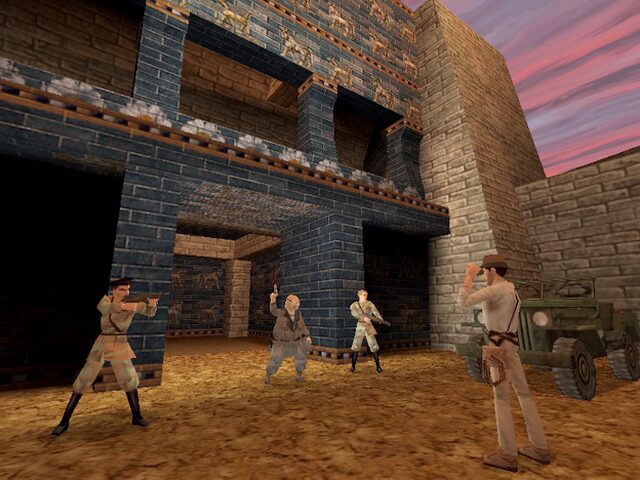
It is 1947, the Cold War has just begun and the Soviets are digging in the ruins of Babylon in search of a weapon more powerful than the atomic bomb. That is the excuse for Dr. Henry Jones Jr. to take down his whip once again. Indiana Jones and the Infernal Machine (Indiana Jones y la Máquina Infernal in its Spanish edition) was the archaeologist’s debut in three dimensions. LucasArts released it for PC in November 1999, with design, script and direction by Hal Barwood.
Four pieces to open a portal
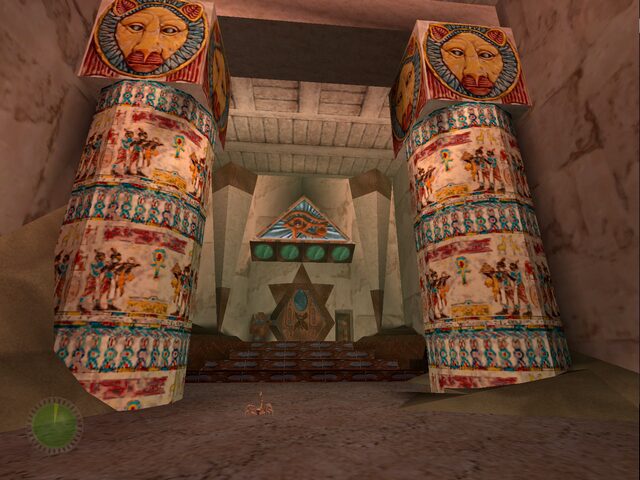
After a reunion with his old friend Sophia Hapgood, now with the CIA, Indy discovers in the ruins of the Etemenanki, the tower some identify with the Tower of Babel, that the frightened Babylonians dismantled a great machine inspired by the god Marduk, and four disciples carried off its pieces. They must be found before the Russians do: in a monastery in the mountains of Kazakhstan, a volcano on the island of Palawan, an Olmec valley in Mexico and a tomb near Meroe, in Sudan. Barwood preferred the Soviets as enemies because he considered the Nazis overused; he even thought of flying saucers, although George Lucas vetoed it to reserve them for a future film.
Action, jumps and puzzles
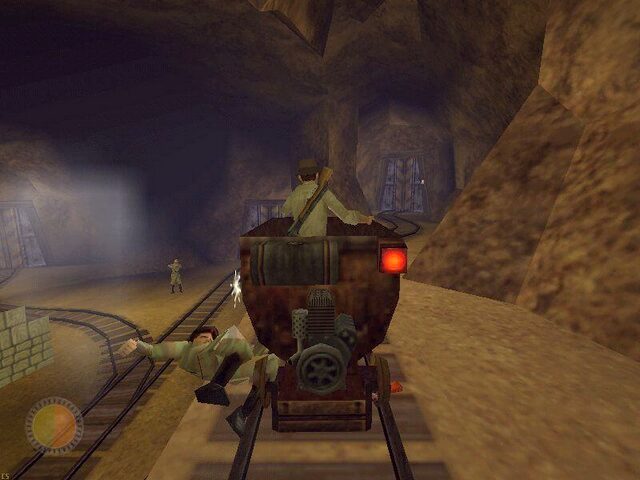
You see Indy in third person across 16 levels, plus a secret one, «Return to Peru,» which is unlocked by buying a map with the treasure you collect. You have to run, jump, climb, use the whip to swing, fight humans, animals and supernatural creatures, with revolver, shotgun, whip and machete, and solve puzzles. Some stages include stretches on a raft, in a jeep or in a mine cart. The engine, called Jones, derives from the Sith engine of Jedi Knight and was rewritten in lighting, collisions and rendering.
It was compared to Tomb Raider, although critics noted that it leaned more on puzzles and story: IGN praised an intricate plot, Eurogamer described it as «expertly woven» and several outlets highlighted very well laid-out levels, and GameSpot criticized how many puzzles end up as repetitive platforming. Almost everyone agreed on the weak point: clumsy controls. It has a hint system and brings back the «Indy Quotient,» the score from earlier adventures such as Indiana Jones and the Fate of Atlantis or Indiana Jones and the Last Crusade. If you want to keep going with the character, there is also Indiana Jones and the Emperor’s Tomb.
The edition we offer
In Downloads there is a repack marked as compatible with Windows XP, whose file name indicates that it is in Spanish; the edition dubbed in Spain was distributed by Electronic Arts. We have not downloaded the file to inspect it, so we cannot confirm exactly what it includes.
The original required Windows 95, a 200 MHz Pentium, 32 MB of RAM and DirectX 6.1. To play on a current PC, follow the tutorial how to play your Windows XP classics on Windows 10 and 11. In Guides you will find the first launch, the controls and the known bugs; in Tips & tricks, the game console and its codes.
EVERY PIXEL COUNTS
The game in pictures.
Explore the screenshots and open every detail at full size.
GET READY FOR YOUR NEXT GAME
Choose your download.
Format, compatibility and server. All in view.
Clicking opens the CLABA loading area and, in a few seconds, your download. If a link fails, let us know via Contact or in the forum.
THE SECRET SIDE OF THE GAME
Tips, tricks and secrets.
A hint at the right time. A code that changes everything.
How to enter them
Press F10 during the game to open the game console (an indicator appears at the top of the screen), type the code and press Enter. Some codes, according to the listings, only work in some versions.
If Indy gets stuck
fixme: frees Indy if he gets trapped in the scenery, for example between a rock and a wall. PCGamingWiki also recommends it for the blockage in level 7.
Invincibility
taklit_marion on turns invincibility on and taklit_marion off turns it off.
Weapons and health
urgon_elsa: all weapons. azerim_sophia: health items (a Steam user confirms that it works).
Hints without a penalty
nub_willie: lets you ask for hints without a score penalty, according to one guide; other lists do not include it.
Debug information
framerate shows the frames per second and some debug information.
Tip · there are no reliable level skips
Level-skip codes are in circulation, but one user reports that they don’t work for him; we are not including them.
No matches. Try another effect or code.
THE NEXT STEP, CLEARER
Guides to move forward.
From the first installation to that mission that won't give in.
Start here · first launch on a current PC
- Download the repack from Downloads and unpack it with 7-Zip or WinRAR.
- Install it in a short path outside
Program Files, for exampleC:\Juegos\Indy3D. Save games are stored in the game’sSaveGamesfolder (how to copy and restore them). - Apply the community 1.2 patch if your copy doesn’t include it: it fixes odd cameras at the start of a level, the controls menu and sound and AI bugs.
- 3D sound has not worked well since Windows Vista; PCGamingWiki recommends DSOAL.
- If the original disc installer won’t start (it is 16-bit), PCGamingWiki suggests using winevdm with
SETUP.EXE, or Markus Egger’s unofficial installer. More help: tutorial on Windows XP games on Windows 10 and 11.
Controls · the good and the bad
- Keyboard and mouse or gamepad; the control scheme is the game’s weak point and already was in 1999.
- In the training stage, Alt is used to jump and Ctrl, in front of a block, to grab and push it, according to one guide.
- The game supports up to 8 buttons and one stick on gamepads; in the GOG version it works with the Xbox 360 gamepad configuration by enabling «Enable Gamepad/Joystick.»
- PCGamingWiki warns that the GOG version freezes if you try to remap keys.
First steps · how to survive the whip
- The first stage, Canyonlands, works as training: practice jumping, climbing and pushing blocks.
- Indy won’t fall off an edge if you only walk; if you jump or run, he will. Walk across the dicey spots.
- Collect all the treasures: they will be used to buy ammunition, health upgrades and the map to the secret stage «Return to Peru.»
- Use the hint system only if you get stuck, because it penalizes your «Indy Quotient» score.
- Save often before each difficult platform.
Technical notes
Requirements of the original, according to PCGamingWiki: Windows 95 (98 recommended), a 200 MHz Pentium, 32 MB of RAM, 4 MB of video memory and DirectX 6.1. The GOG version supports widescreen; for the disc version there are community field-of-view fixes. The game ties its pace to the frame rate: it becomes unplayable at around 160 fps, so don’t turn off vertical sync.
If it fails on level 7 of the Steam version, PCGamingWiki suggests editing Resource\Cog\TEM_introCut.cog; the fixme code frees Indy in case of a blockage. To play in a window, use dgVoodoo 2 and launch Indy3D.exe.
DREAMM, the LucasArts emulator, also lets you run the retail versions on modern machines.
Sources
- PCGamingWiki: the 1.2 patch, installation, requirements, resolution, controls and fixes.
- Wikipedia: development, plot, reception, Nintendo 64 version.
- The Spoiler guide: F10 console, codes, controls and levels.
- Steam forum: confirmation of azerim_sophia and the level-skip failure.
- DREAMM: emulator for the retail versions.
Something wrong?
Give us a hint.
A broken link, a detail to correct or a game that won't start. Your report helps keep this game page up to date.
Get in touchReport an issue with this game Discuss it in the forumCLABA ARCADE ROOM
251 classics
without installing anything.
Don't feel like installing? These play right in your browser.
Enter the roomTHE CLABA APP1.0 RC 1
Take the archive
with you.
Game pages, online play and your shelf on Android. Free, no sign-up.
ARCHIVE SECRETS
Did you know?
A veto from Lucas. Hal Barwood wanted to include UFOs in the plot, but George Lucas vetoed it to reserve them for a fourth Indiana Jones film that did not yet exist.
Inspired by the Antikythera mechanism. The designer was interested in ancient technology, such as the Antikythera mechanism, and placed his Infernal Machine in the Etemenanki, the temple of Marduk.
No multiplayer. It was planned from the start, but was dropped because it was too complex to test. In its place the campaign was strengthened and a hint system was included.
About 130 pieces of music. In addition to John Williams’s «Raiders March,» Clint Bajakian composed about 130 original pieces.
A 19-month port. The Nintendo 64 version, made by Factor 5 with LucasArts staff, took 19 months, was only sold in North America and was canceled in Europe, as were a Dreamcast version and a PlayStation one. On PC, GOG re-released it in October 2018 and Steam in November.