
Electronic Arts · Sports
Ski or Die
Ski or Die is Electronic Arts' 1990 snow sports game for DOS. This English-language copy from RetroBat brings together five events on the slopes.
Choose your version 2 platforms
— no rating yet
THE CLABA ARCHIVE
Inside the game.
Its history, its ideas and the reasons to come back.
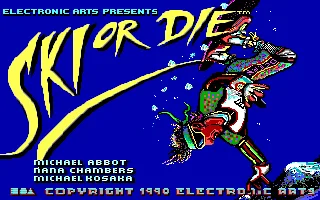
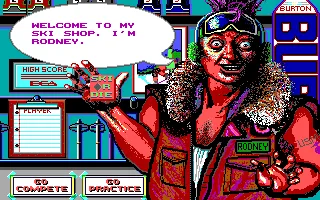
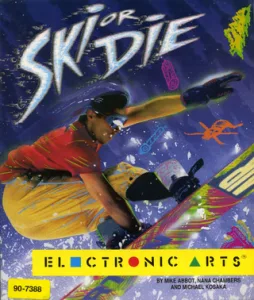
Ski or Die brings together five snow events around Rodney's shop. Electronic Arts published the DOS edition in 1990. The title credits Michael Abbot, Nana Chambers and Michael Kosaka, and it sets the tone before you begin: snowboards, skis and artwork that fills almost the whole screen.
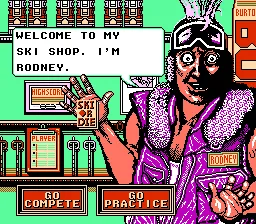
You don't need to sign up for a competition to get to know the courses. In the shop, the cursor takes the shape of the game's logo. You can point at the player list, the records, Go Practice or Go Compete. Practice lets you head straight out onto the snow and learn one event on its own.
Five paths from the shop
When you step outside, a small map appears with the entrances to Snowball Blast, Downhill Blitz, Acro Aerials, Snowboard Halfpipe and Innertube Thrash. The Compete All entrance is added to those five routes. The trip to each entrance is part of the selection: you steer the skier around the map instead of picking the sport from a list.
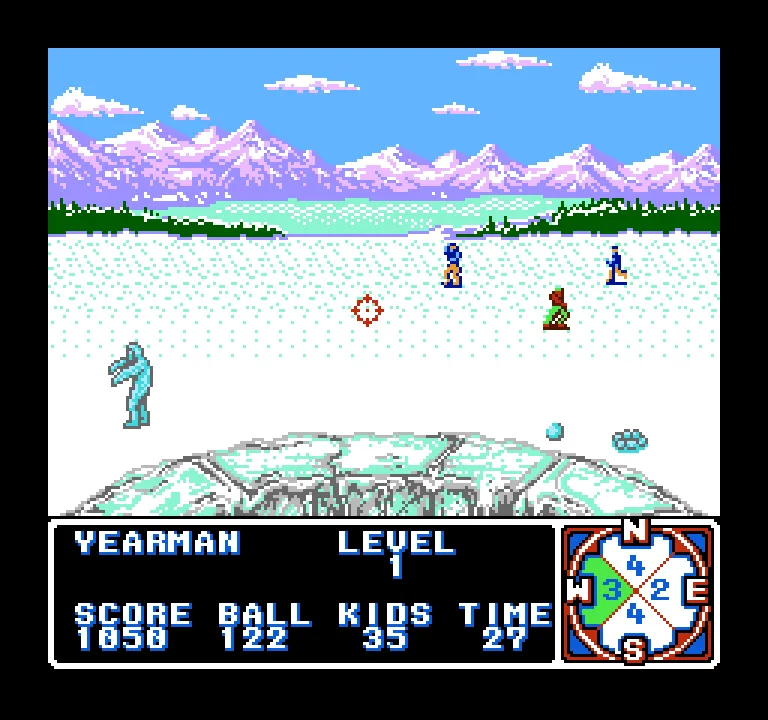
The events differ quite a bit from one another. There is a downhill run, acrobatic jumps, a snowboard course, a descent on inner tubes and a snowball fight. It pays to learn the controls for each one; a command that selects or advances on one screen doesn't necessarily produce the same movement during a jump.
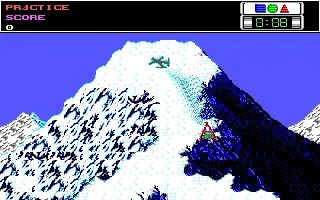
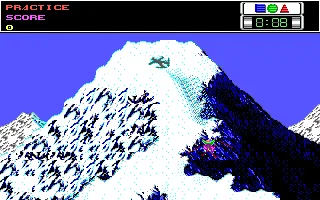
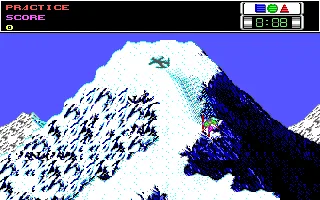
In Downhill Blitz, the scenery scrolls beneath the skier while you look for a line among the snow, the trees and the cuts in the mountainside. The arrow keys let you steer, and Down makes the skier advance. Enter confirms choices and takes part in the actions of the events. If you want to switch events during practice, Esc brings up the question about repeating or returning to the map.
The DOS edition and its conversions
This game page keeps RetroBat's English DOS copy. The player loads straight into the game and uses AdLib sound. The download keeps the collection's folder: to start Ski or Die in a DOS emulator, run SKI.EXE adlib. The GOLF subfolder contains Links 386 Pro, another game from the collection that is covered separately.
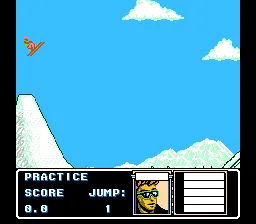
The screenshots of the title, the shop and the downhill run belong to the DOS edition. The NES and Amiga conversions have their own graphics and controls. The available editions are chosen from the selector on this page, along with their downloads and images. Rodney's artwork and the screen layout change depending on the machine; use the instructions for the version you have selected.
ONE GAME, 2 PLATFORMS
Versions.
2 platforms19912 playable online
Pick a platform: the screenshots, downloads and online game on this page switch with it.
- Year
- 1990
- Developer
- Electronic Arts
- Downloads
- 1
- Screenshots
- 5
The MS-DOS version is the one this page covers: the information, review and main screenshots are from this platform.
- Year
- 1991
- Port by
- Konami
- Downloads
- 1
- Screenshots
- 6
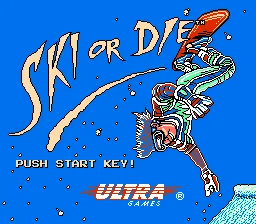
NES conversion of Ski or Die, published by Ultra Games in the United States in 1991. This RetroBat copy corresponds to the U.S. cartridge and keeps the text in English. The five events are chosen from Rodney's shop and the map, with the console's graphics and controls.
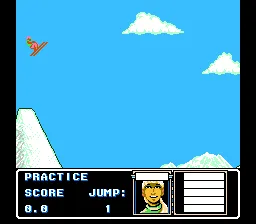
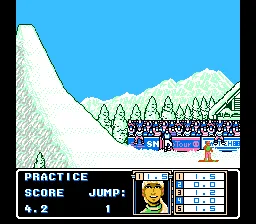
In the browser, Enter corresponds to Start; Z to the A button and X to B. The arrow keys move the cursor and turn the skier. In the shop, choose Go Practice and confirm with A. On the map, turn toward the path you want and hold A to advance. Testing of this edition reached Acro Aerials, completed jumps and showed a score of 4.2.
The original Ultra manual explains the NES-specific buttons. The DOS instructions are kept separately on the game page. The download contains the cartridge's game image; to use it on a computer you need an NES emulator.
EVERY PIXEL COUNTS
The game in pictures.
Explore the screenshots and open every detail at full size.
GET READY FOR YOUR NEXT GAME
Choose your download.
Format, compatibility and server. All in view.
Version
SELECTED VERSIONMS-DOS1 file · also playable online
SELECTED VERSIONNES1991 · 1 file · also playable online
Clicking opens the CLABA loading area and, in a few seconds, your download. If a link fails, let us know via Contact or in the forum.
Your game starts here
Play in your browser.
There are 2 versions ready to play. Pick one and click.
Version
MS-DOSIn your browser
Ski or Die
MS-DOS version. Your next game starts here.
- 10 MB · downloads on click
- Save the game's files
- Keyboard, controller or touch
Controls
Click the game to use the keyboardOn mobile, play with the on-screen controllerTeclado del ordenador. En pantallas táctiles, abre Controles durante la partida para ver botones y teclado.
- Full screen
Use the button on the bar. Esc returns to the game page; “Exit” closes the game.
- Saves
Save keeps the files the game creates, not the exact moment. Save inside the game, then press Save.
- Mobile and tablet
Press Controls during the game to show buttons and keyboard. Gamepad support depends on the browser.
Saves live in this browser and device. Clearing the site data deletes them too.
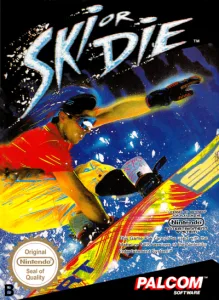
NESIn your browser
Ski or Die
NES version. Your next game starts here.
- 128 KB · downloads on click
- Save states in this browser
- Controller, keyboard or touch
Controls
Click the game to use the keyboardOn mobile, play with the on-screen controllerUse the game menu, with the gamepad icon, to view and change the buttons.
- Full screen
Use the button on the bar. Esc returns to the game page; “Exit” closes the game.
- Saves
Save State, in the game's menu, keeps the exact moment. Load brings it back when you return.
- Mobile and tablet
Press Controls during the game to show buttons and keyboard. Gamepad support depends on the browser.
Saves live in this browser and device. Clearing the site data deletes them too.
HIT PLAY
The game in motion.
Trailers and videos to see it in action.
-
NES · How it plays
Ski or Die gameplay on NES.
THE SECRET SIDE OF THE GAME
Tips, tricks and secrets.
A hint at the right time. A code that changes everything.
Tip: learn the map first
Start with Go Practice and find the five entrances. You can learn an event without registering a group of players. Check the name of the route before moving the skier forward.
Tip: correct your downhill line with short movements
Try Down to advance and correct with left or right. A long press can take you too close to a cut in the mountainside. Repeat the same section to see how the steering responds before you go looking for a fast descent.
Tip: read the question when you exit
During practice, Esc shows the choice to repeat. Choose No if you want to go back to the map and switch events. Choosing Yes returns you to the same activity.
No matches. Try another effect or code.
THE NEXT STEP, CLEARER
Guides to move forward.
From the first installation to that mission that won't give in.
Starting a practice run in DOS
Leave the title screen with Space. In the shop, the arrow keys move the logo cursor and Enter confirms. Point at Go Practice to head out to the map. Turn the skier toward an entrance and use Enter to move up to it.
Your first downhill run
Go into Downhill Blitz. Confirm the start with Enter and press Down to advance; left and right correct your line. The event shows the score and time in the top strip. The testing for this page covers the start of the run and changes of direction.
Switching events
If you are practicing, press Esc. On the Practice Again? screen, move the selection to No and confirm with Enter to return to the map. Find another of the entrances and repeat the process. The events have different mechanics: learn their actions before competing.
Using the download and choosing an edition
The DOS download keeps the original folder. In a DOS emulator, start SKI.EXE adlib. The console and Amiga versions have their own controls. For NES, the original Ultra manual explains the shop, the paths and the five events. Don't automatically carry its buttons over to the DOS edition.
Something wrong?
Give us a hint.
A broken link, a detail to correct or a game that won't start. Your report helps keep this game page up to date.
Get in touchReport an issue with this game Discuss it in the forumCLABA ARCADE ROOM
This one and 215 more
play here.
When you finish your game, the room has other machines switched on.
Enter the roomTHE CLABA APP1.0 RC 1
Take the archive
with you.
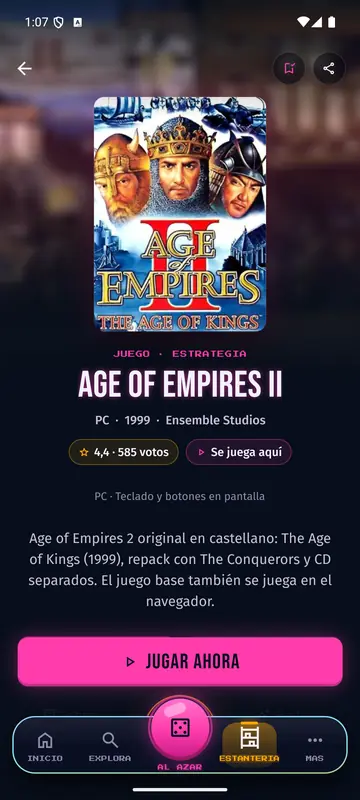
Game pages, online play and your shelf on Android. Free, no sign-up.
ARCHIVE SECRETS
Did you know?
- The DOS title credits Michael Abbot, Nana Chambers and Michael Kosaka.
- Burton posters appear on the course map.
- In addition to the five individual entrances, the map includes Compete All.


