Electronic Arts · Point-and-click adventure
Rome A.D. 92
Hector, a slave from Herculaneum, wants to be emperor: a humorous adventure with touches of strategy (1992). Spanish and English; repack and DOS original.
Point-and-click adventure by Electronic Arts (1992) for MS-DOS (in Spanish and English) and Amiga. Available to download.
Choose your version 2 platforms
No computer handy? Play one of the 541 classics online right now
— no rating yet
THE CLABA ARCHIVE
Inside the game.
Its history, its ideas and the reasons to come back.
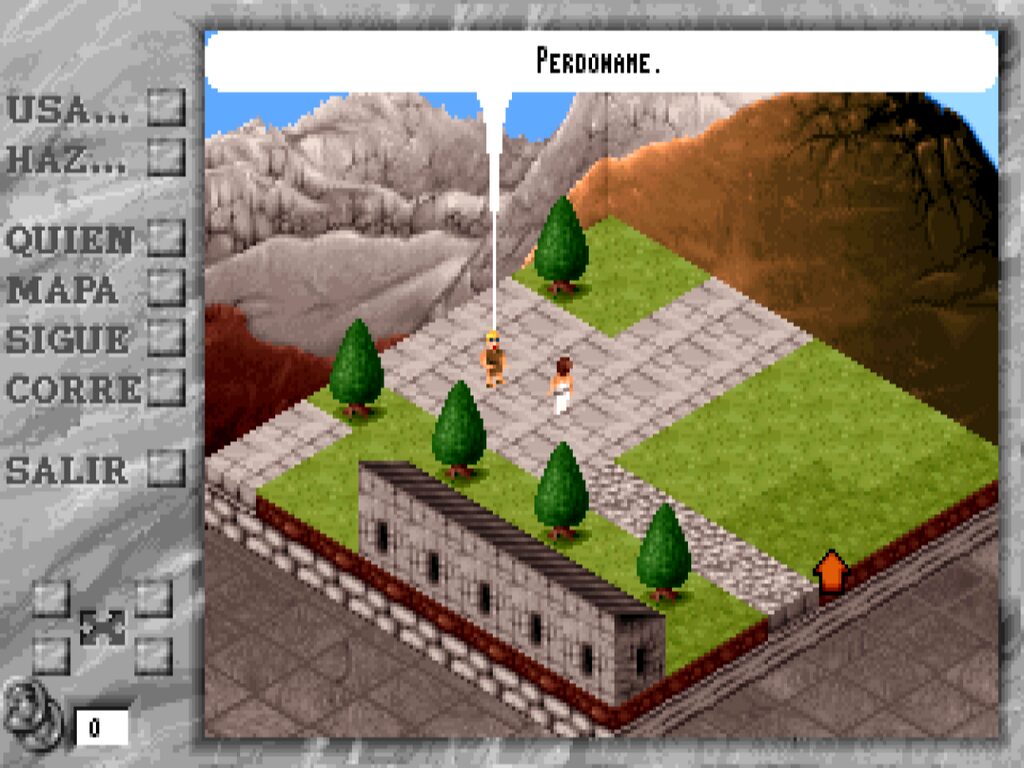
You start the game with no illustrious name, no money and a volcano about to blow up over your head. You are Hector, a slave from Herculaneum, and your only advantage is a well-furnished head and an impossible task: to become emperor of Rome. Rome: A.D. 92, subtitled The Pathway to Power, is an adventure with touches of strategy that Millennium Interactive published in 1992 for the Amiga and PC.
From slave to Caesar in six chapters
The story advances in self-contained chapters, each with its own map, characters and plot twist. You begin in Herculaneum, where you must escape the eruption of Vesuvius, and from there you jump to Rome, to Britannia to stand up to the Britons, back to the capital to earn a seat in the Senate, to Egypt (where Cleopatra plays a prominent role) and, finally, to the last stretch toward the throne. In between, some sections are military: there you command your soldiers instead of solving riddles.
The dates, characters and buildings are real, but the tone is comic. The manual itself is written with the same humor: it tells how Juno’s sacred geese saved the Capitol with their honking or how Caligula ordered his legions to collect seashells on the beach instead of invading Britannia. It is the kind of game that makes you smile while you solve a puzzle.
How it plays
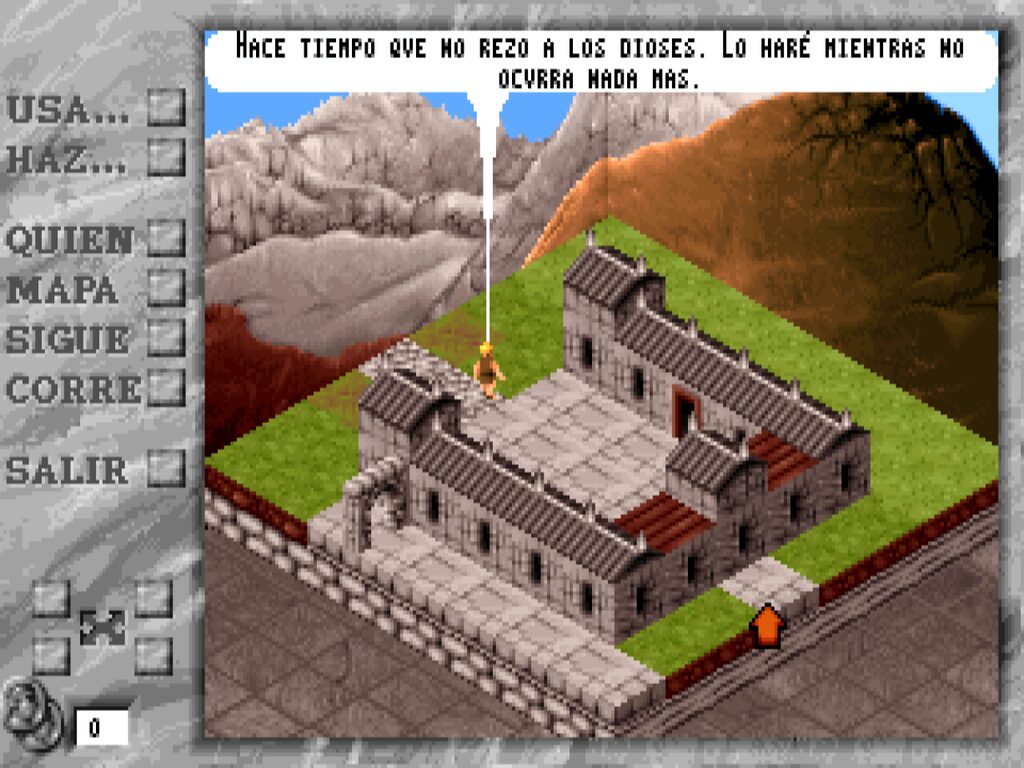
Everything is done with the mouse in an isometric view. You click on the landscape to make Hector walk (dodging obstacles on his own) and use the on-screen buttons, DO (greet, ask, accept or refuse) and USE (the objects you have picked up), to interact with people and things. The key is that the people in the game have lives of their own: they leave, they cross your path, and many puzzles ask you to observe and wait for the right moment. In the military stages another panel appears with four soldier units, formations, orders and the Roman standard as a rallying point.
It shares its technical base with The Adventures of Robin Hood, also from Millennium and designer Steve Grand, but it arrives considerably more polished: VGA graphics, smoother animations and a much longer story. Critics of the period received it warmly; The One magazine scored the Amiga version 80% and highlighted that the game is divided into stages, each with its own map, so as not to overwhelm. The complaints were about the tiny figures and an interface that requires several steps to do simple things.
The edition we offer
In Downloads you have two options, both with the game in Spanish and English according to their labels. One is a repack prepared for Windows XP and later. The other is the original MS-DOS edition, for those who prefer to set it up by hand with DOSBox; if that’s you, the tutorial DOSBox from scratch (in Spanish) explains how. If you change computers, here is how to copy and restore your save games (in Spanish).
In Guides you have the first launch, the controls and first-steps advice; in Tips & tricks, the tips that work best, because this game has no real codes that we know of. If you like the humor of classic adventures, also look at King’s Quest I, from Sierra.
ONE GAME, 2 PLATFORMS
Versions.
2 platforms1992
Pick a platform: the screenshots, downloads and online game on this page switch with it.
- Year
- 1992
- Port by
- Millennium Interactive (original PC programming by Steve Grand)
- Downloads
- 2
- Screenshots
- 3
1992 MS-DOS version with its own installer, language and sound options (AdLib, Sound Blaster, Roland) and VGA graphics. It is Steve Grand's original programming, with which the game was created before being adapted for the Amiga.

- Year
- 1992
- Port by
- Vectordean (Amiga programming) for Millennium Interactive
- Downloads
- 2
- Screenshots
- 1
Amiga version, also published in 1992 by Millennium. According to the manual's credits, the Amiga adaptation was programmed by Andi Smithers and Alan McCarthy of Vectordean. It boots from a boot disk with disk swaps, and The One magazine gave it 80% in its review.
EVERY PIXEL COUNTS
The game in pictures.
Explore the screenshots and open every detail at full size.
GET READY FOR YOUR NEXT GAME
Choose your download.
Format, compatibility and server. All in view.
Version
SELECTED VERSIONMS-DOS1992 · 2 files
SELECTED VERSIONAmiga1992 · 2 files
Download for hard disk
COMPATIBILITYRequires an emulator ✓ At no cost✓ No sign-up Download BoxSharer server · New tab BoxSharer02 Amiga · Floppy disksDownload original floppy disks
COMPATIBILITYRequires an emulator ✓ At no cost✓ No sign-up Download BoxSharer server · New tabClicking opens the CLABA loading area and, in a few seconds, your download. If a link fails, let us know via Contact or in the forum.
THE SECRET SIDE OF THE GAME
Tips, tricks and secrets.
A hint at the right time. A code that changes everything.
How to enter them
We don’t know of any reliable cheat codes or keys for this game, and we are not going to make them up. What there are, are shortcuts from the manual itself: the movement keys, the list of orders and the mechanics that help most. Here are the tips that work best.
Tip · use the DO box as a hint
If you don’t know what to do, open the DO box: according to the manual, new buttons appear when the situation allows them. When someone asks you a question, the accept and refuse buttons appear temporarily.
Tip · stop people with a click
Characters leave the screen before you have time to pick an order. Click on them first: Hector holds their attention for a while and lets you press the buttons calmly.
Tip · walk with the landscape, not the arrows
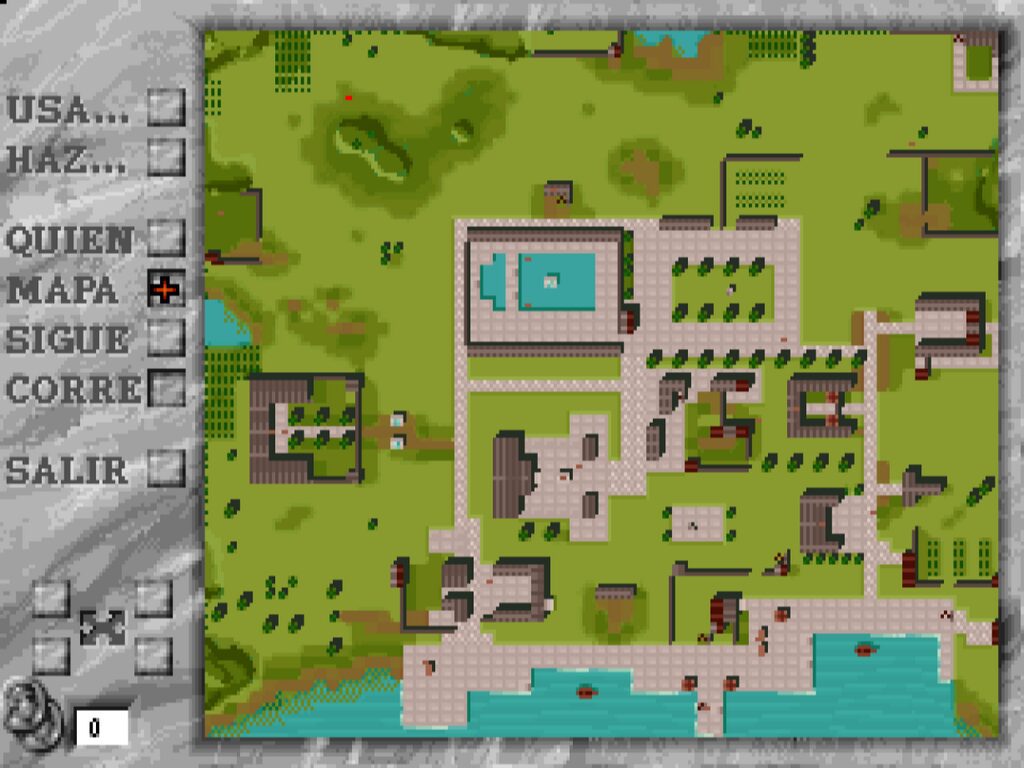
Click directly on the ground: Hector dodges obstacles by himself. Save the arrows (or their keys) for fine position adjustments and use the map for long trips: when you close it by clicking on a point, Hector heads there.
Tip · the standard in battles
In the military stages, the standard (STD button) marks the point your men will run to when you call for a regroup. Plant it in a safe place and don’t let it fall into enemy hands. The lookout button lets you see on the map where the enemies within reach of your soldiers are.
Tip · give orders from the front line
Hector gives some orders with a trumpet, which can be heard from far away, and others by voice, which can only be heard at a moderate distance. If you hang back giving orders, your men won’t hear you: get closer to the fighting.
No matches. Try another effect or code.
THE NEXT STEP, CLEARER
Guides to move forward.
From the first installation to that mission that won't give in.
Start here · first launch on a current PC
- In Downloads, choose the repack if you want to play without complications on Windows, or the original DOS edition if you prefer the classic environment with DOSBox.
- Extract to a short path, for example
C:\Juegos\Rome92, and don’t put it insideProgram Files. - With the DOS edition, mount that folder in DOSBox as a drive and type
ROMEin the game directory. The manual asks for it this way. - Inside the installation program there is an options menu where you choose the language and the sound (AdLib, Sound Blaster, Roland or none). Choose Sound Blaster or AdLib in DOSBox.
- If you are on modern Windows and the repack won’t start, see how to play Windows XP classics on Windows 10 and 11 (in Spanish).
Guide to DOSBox: DOSBox from scratch (in Spanish).
Controls
- Mouse: click on the landscape to walk or on the DO and USE buttons to act.
- On-screen arrows: held down with the mouse or with their keyboard equivalents, which are listed in the manual.
- Map: opened with its button; when you close it by clicking on it, Hector walks to that point.
- Crosshair cursor: when an order needs a target, the cursor changes and you must click on the person or object.
- Cancel: press the box’s cancel button or click the same button again.
- Military stages: buttons I, II, III, IV and ALL to choose a unit, FORM for formations, ORDER for orders and STD for the standard.
First steps
- In Herculaneum, talk to everyone and watch their reactions; timing and the scene matter.
- Pick up the objects you see and check the USE box from time to time: that is where they appear.
- When something doesn’t work, try a different action in DO: Hector responds according to context (for example, “ask” lets him ask a question suited to each person).
- Save often and in different slots, especially before changing chapters.
- In battles, don’t send everyone at once from afar: split the four units and use them according to the terrain.
Technical notes
It is a 1992 DOS game with its own installer and support for AdLib, Sound Blaster and Roland. In DOSBox it runs with no known problems, although some users have reported difficulties with the floppy disk installer; for that reason it is best to start with the repack or with the already installed folder of the DOS edition.
If the game asks you for a word from the manual, that is the copy protection: it shows you numbers and you must type the word that corresponds to them in the list in the original manual, which you have in full at the Internet Archive link in the sources.
Sources
- Scanned Rome: A.D. 92 manual on the Internet Archive: credits, controls, installation, protection and historical texts.
- MyAbandonware: release dates by region, publishers and user notes.
- Home of the Underdogs: review, episodic structure and difficulty.
- Wikipedia: chapters, Microcosm engine and the review in The One.
Something wrong?
Give us a hint.
A broken link, a detail to correct or a game that won't start. Your report helps keep this game page up to date.
Get in touchReport an issue with this game Discuss it in the forumCLABA ARCADE ROOM
541 classics
without installing anything.
Don't feel like installing? These play right in your browser.
Enter the roomTHE CLABA APP1.0 RC 1
Take the archive
with you.

Game pages, online play and your shelf on Android. Free, no sign-up.
ARCHIVE SECRETS
Did you know?
A manual with a sense of humor. Millennium’s manual tells the history of Rome as a joke: from Juno’s geese, which warned the defenders of the Capitol, to Caligula’s “seashell” invasion on the Channel coast.
Two names, two continents. In Europe it came out as Rome: A.D. 92 from Millennium in 1992; in the United States Maxis distributed it in 1993 as Rome: Pathway to Power.
A secondhand engine. The game makes use of an isometric adventure technology created by Steve Grand, the same one he used in The Adventures of Robin Hood (1991).
Copy protection in Latin. At some point it asked for a word from the manual: the copy-protection list includes 128 numbered terms, from Cassius to Patricia.
Two teams for two machines. According to the manual’s credits, the original PC programming was by Steve Grand and the Amiga version was made by Vectordean.