
Access Software Inc · Sports
Links 386 Pro
Links 386 Pro is Access Software's 1992 golf simulator for DOS. This English-language copy lets you set up a round and control your swing with the mouse.
— no rating yet
THE CLABA ARCHIVE
Inside the game.
Its history, its ideas and the reasons to come back.
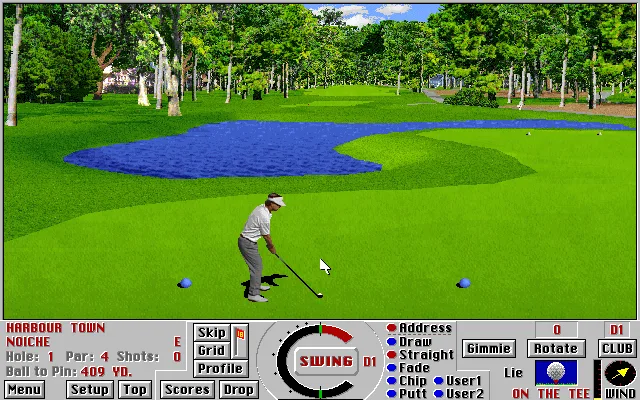
Links 386 Pro is the golf simulator that Access Software released for DOS in 1992. The camera sits behind the golfer and shows the fairway, the trees, and the water hazards before each shot. The landscape fills almost the whole screen; the clubs, the scoreboard, and the swing meter sit in a strip along the bottom.
Your first job is to read the hole. The distance to the flag guides your choice of club, but the wind and the surface where the ball has landed matter too. A long shot that ends up in the water can cost far more than a short approach to a clear area.
You Make the Shot with the Mouse
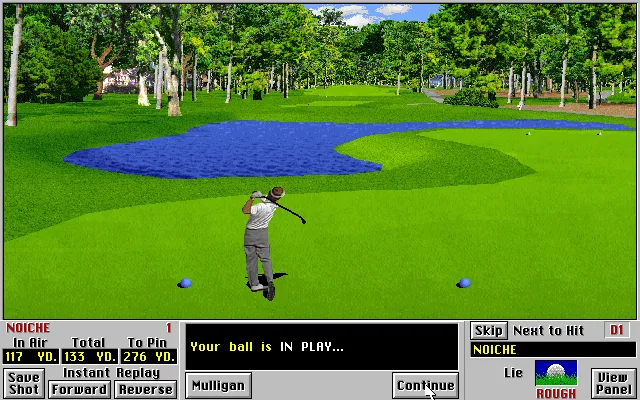
The circular meter combines power and accuracy. Hold down the left button to start the motion, release it to set the power, and click again when the indicator returns to the bottom mark to adjust the accuracy. It is worth practicing its rhythm with a single club before changing distance. The golfer's animation and the ball's path let you check the result; the next attempt starts from the position reached.
The panel distinguishes straight shots, draws, fades, chips, and putts. You can consult other views and statistics instead of relying only on the main image. Access's original advertising presented the configurable windows and the overhead and side views as tools for studying the trajectory and the terrain.
Setting Up the Round
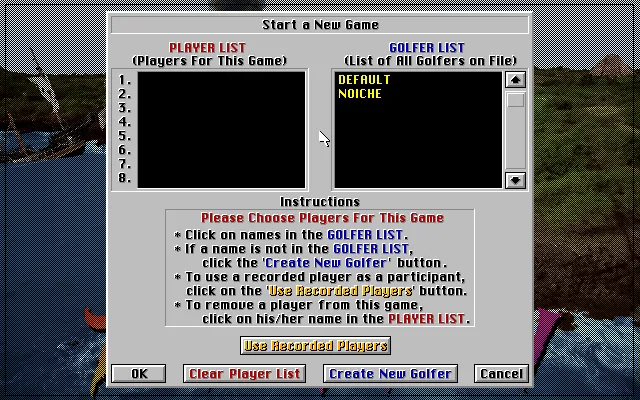
In the Game menu, Start New Game takes you to the list of players. Select a golfer in the right-hand column to add him to the group on the left, and confirm with OK. Then choose the course and review the wind conditions, the tees, and the skill level. The copy offers predefined golfers; there is also an option to create a new one.
Harbour Town lets you start with a recognizable course right in the game's own title. On the first hole, the screen shows par 4 and 414 yards to the flag from the tee used in the test. Those numbers correspond to that configuration: other tees and positions change the situation of the shot.
This DOS Copy
The download preserves the RetroBat ZIP. To launch it in a DOS emulator, run GOLF.BAT. The site's player prepares its own settings and uses DOSBox-X. The old configuration is kept under a different name inside the emulated session so that the game can create a new one; the files in the original download remain untouched.
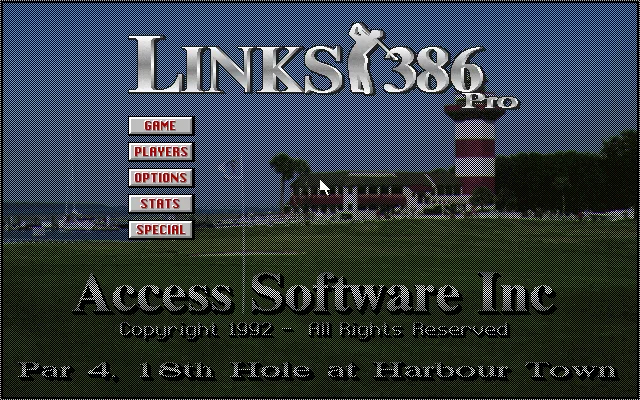
The executable also appears in the GOLF subfolder of the collection's copy of Ski or Die. The two files have been verified as identical, so they are combined on this game page. Links 386 Pro is a different game from Ski or Die, even though they ended up stored together. The screenshots on this page come from the DOS program; the background uses its title screen.
EVERY PIXEL COUNTS
The game in pictures.
Explore the screenshots and open every detail at full size.
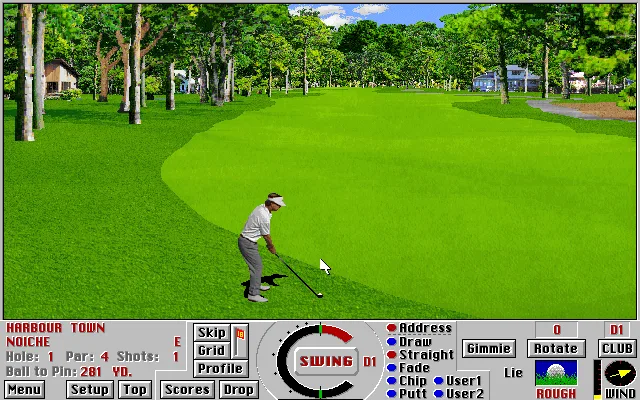
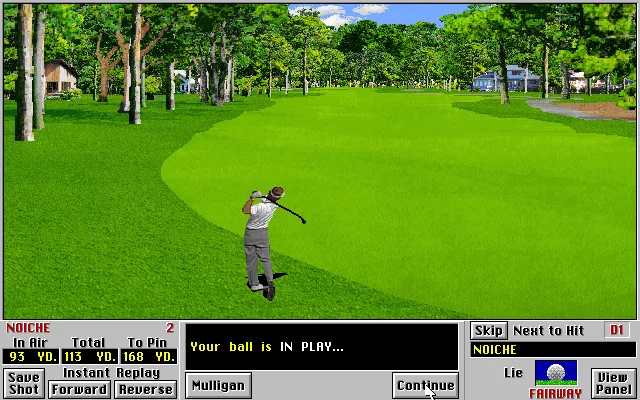
GET READY FOR YOUR NEXT GAME
Choose your download.
Format, compatibility and server. All in view.
Clicking opens the CLABA loading area and, in a few seconds, your download. If a link fails, let us know via Contact or in the forum.
Your game starts here
Play in your browser.
Pick, press and go back to the classics without leaving the game page.
RetrogamingRight in your browserNo installation

MS-DOSIn your browser
Links 386 Pro
Your next game starts here.
- 9 MB · downloads on click
- Save the game's files
- Keyboard, controller or touch
Controls
Click the game to use the keyboardOn mobile, play with the on-screen controllerMouse: menus and swing. On Swing, hold the left button for power, release, and press again for accuracy.
- Full screen
Use the button on the bar. Esc returns to the game page; “Exit” closes the game.
- Saves
Save keeps the files the game creates, not the exact moment. Save inside the game, then press Save.
- Mobile and tablet
Press Controls during the game to show buttons and keyboard. Gamepad support depends on the browser.
Saves live in this browser and device. Clearing the site data deletes them too.
THE SECRET SIDE OF THE GAME
Tips, tricks and secrets.
A hint at the right time. A code that changes everything.
Tip: learn the rhythm of the swing
Repeat a few shots with the same club and watch where the indicator stops. Changing clubs and rhythm at the same time makes it hard to tell why the ball veers off.
Tip: leave a margin next to the water
Before going for maximum distance, find a safe landing area. The water you can see on the first hole at Harbour Town forces you to think about where your next shot will be played from.
Tip: check the round's aids
The setup shows the caddie, mulligans, and gimmies. Check their boxes before confirming so you know which aids you are playing with.
No matches. Try another effect or code.
THE NEXT STEP, CLEARER
Guides to move forward.
From the first installation to that mission that won't give in.
Creating your first game
Open Game and Start New Game. Select a golfer from the right-hand list to add them to the left. Click OK, select the course, review the conditions, and confirm again. Wait for the course to finish drawing.
Taking the first shot
Check the distance and the recommended club in the bottom area. On Swing, hold down the left button. Release near the twelve o'clock mark to set the power; when the indicator returns to the six o'clock mark, click again to adjust the accuracy. This is the sequence explained on page 25 of the original manual.
Reading the game screen
The lower-left panel shows the hole, par, strokes, and distance to the flag. The wind and the surface appear on the right. Top and Profile offer additional references for the course and its changes in elevation.
Sources
La descarga DOS arranca con GOLF.BAT. El folleto original de Access explica las vistas y las novedades. La edición comercial actual en GOG pertenece al mismo juego, pero su selección de cursos y sus ajustes pueden diferir de esta copia.
Something wrong?
Give us a hint.
A broken link, a detail to correct or a game that won't start. Your report helps keep this game page up to date.
Get in touchReport an issue with this game Discuss it in the forumCLABA ARCADE ROOM
This one and 215 more
play here.
When you finish your game, the room has other machines switched on.
Enter the roomTHE CLABA APP1.0 RC 1
Take the archive
with you.
Game pages, online play and your shelf on Android. Free, no sign-up.
ARCHIVE SECRETS
Did you know?
- The name 386 referred to the computer Access designed this version for, with Super VGA graphics.
- The original brochure advertised seven windows and more than 345 combinations for arranging the views.
- The series let you record a round and use it as a rival in another game.


