Kevin Bales · Platformer
Janitor Joe
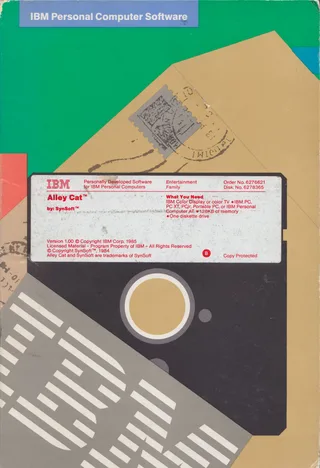
Janitor Joe is Kevin Bales's 1984 platformer for DOS. This RetroBat copy keeps the space station, its keys and robots, with instructions in English.
— no rating yet
THE CLABA ARCHIVE
Inside the game.
Its history, its ideas and the reasons to come back.
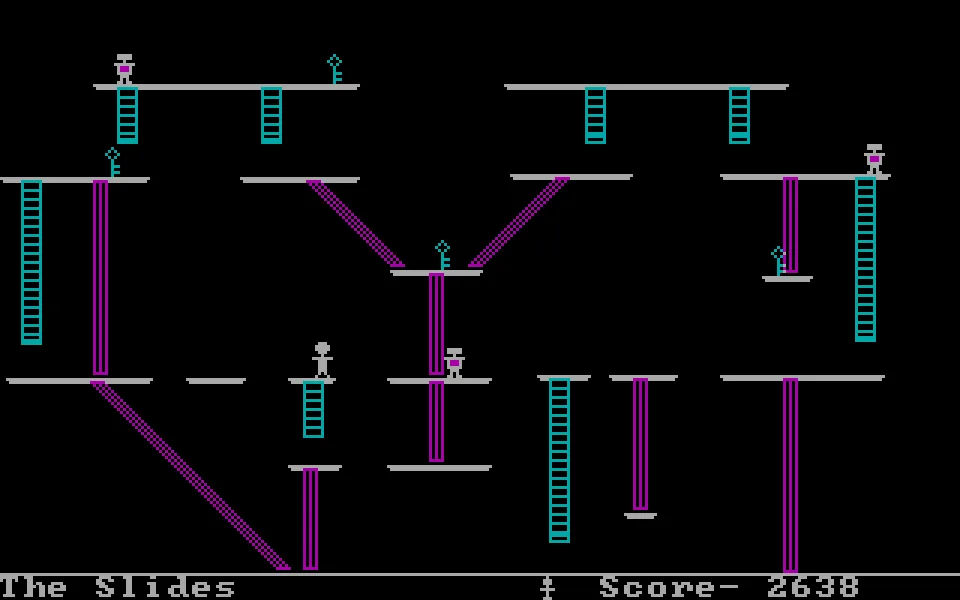
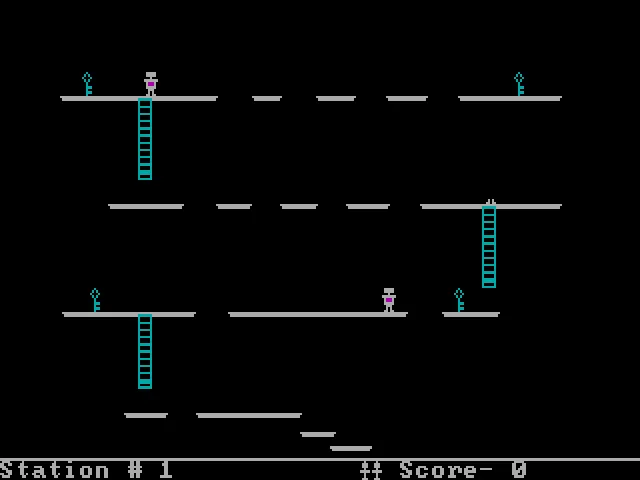
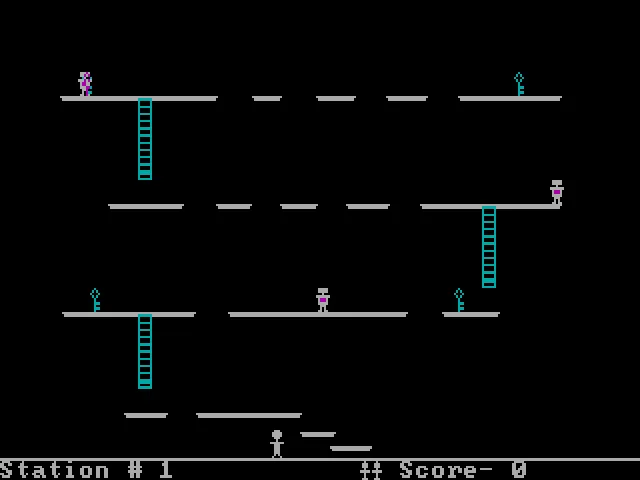
Joe is the only human left on a space station whose robots have turned against him. To escape he needs to find the keys scattered through the rooms, make his way across platforms and avoid falls. In Janitor Joe, the maintenance job ends up as a race to get out of a building that is no longer safe.
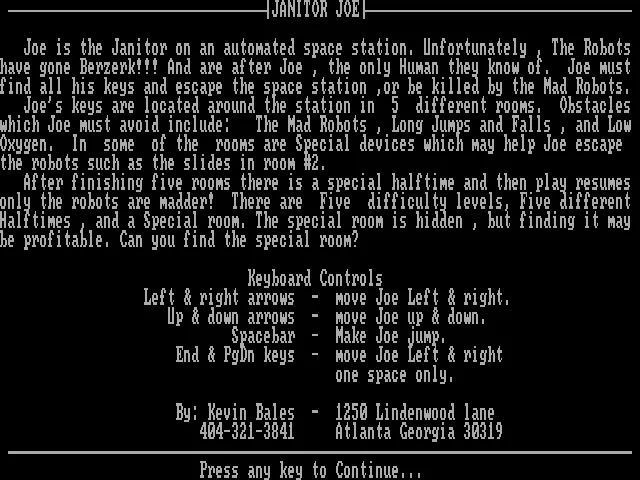
Kevin Bales is credited in the built-in instructions of this DOS edition, dated 1984. That credit makes it possible to correct the author name shown in the RetroBat file. The intro and the help are in English; the game uses platform lines, ladders and small characters in CGA colors.
The keyboard is chosen before you start
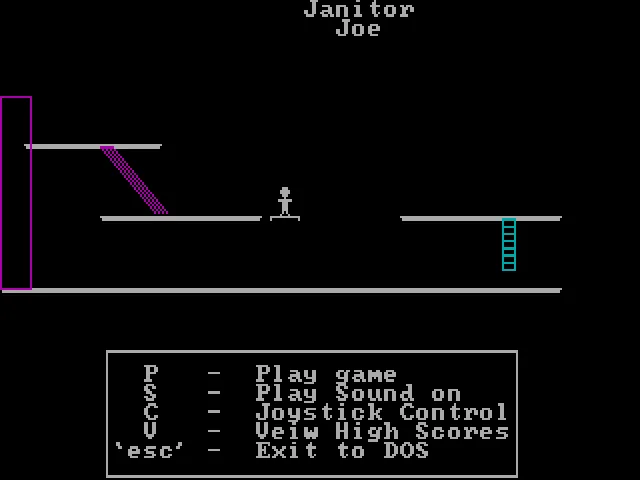
The first screen explains the story and the controls. A key takes you to the title, where C changes the control type and P starts the game. To use the keyboard you must select it before starting; seeing the characters move in the menu background does not mean you are already controlling a game.
The arrow keys move Joe and Space makes him jump. End and PgDn also appear as short one-step moves to the left and right. That precision is useful when lining up in front of a ladder or near the edge of a platform. The character can keep moving forward, so it pays to prepare each jump and correct before you run out of floor.
Keys, robots and oxygen
The original help mentions five rooms, five difficulty levels and a hidden special room. The obstacles include robots, gaps and falls that are too long, as well as oxygen. Some rooms add their own elements, such as the slides in the second room.
The download keeps two executables of the same size, JANJOE.EXE and JANITOR JOE.EXE, which differ by two bytes. Both show the Kevin Bales credit. JANJOE.EXE is used for the browser; the difference has not been presented as a new game or as a conversion for another machine.
EVERY PIXEL COUNTS
The game in pictures.
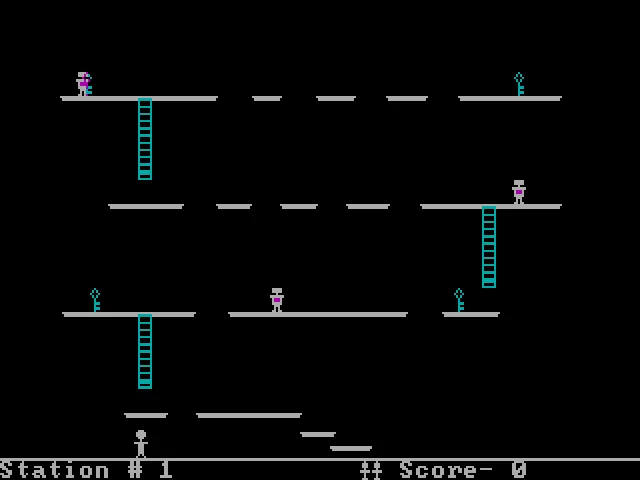
Explore the screenshots and open every detail at full size.
GET READY FOR YOUR NEXT GAME
Choose your download.
Format, compatibility and server. All in view.
Clicking opens the CLABA loading area and, in a few seconds, your download. If a link fails, let us know via Contact or in the forum.
Your game starts here
Play in your browser.
Pick, press and go back to the classics without leaving the game page.
RetrogamingRight in your browserNo installation

MS-DOSIn your browser
Janitor Joe
Your next game starts here.
- 74 KB · downloads on click
- Save the game's files
- Keyboard, controller or touch
Controls
Click the game to use the keyboardOn mobile, play with the on-screen controller- C
- select keyboard
- P
- play
- ↑←↓→
- move
- Space
- jump
- Full screen
Use the button on the bar. Esc returns to the game page; “Exit” closes the game.
- Saves
Save keeps the files the game creates, not the exact moment. Save inside the game, then press Save.
- Mobile and tablet
Press Controls during the game to show buttons and keyboard. Gamepad support depends on the browser.
Saves live in this browser and device. Clearing the site data deletes them too.
THE SECRET SIDE OF THE GAME
Tips, tricks and secrets.
A hint at the right time. A code that changes everything.
Tip: select the keyboard before moving
If Joe does not respond to the arrow keys, go back to the title and check the control mode with C. The initial option may be set to joystick.
Tip: approach the edge with short steps
The short moves help you line up before a jump or a ladder. Using them near a gap keeps you from covering more distance than intended.
Tip: watch the robot from a safe foothold
Wait for it to leave room before crossing its platform. Changing your mind when you are already in the air leaves little chance to correct.
No matches. Try another effect or code.
THE NEXT STEP, CLEARER
Guides to move forward.
From the first installation to that mission that won't give in.
Selecting the keyboard and starting
Read the initial screen and press a key to continue. On the title screen, C switches between joystick and keyboard. Select keyboard and then press P to play. The animated menu background is a demonstration, not a game in progress.
Moving and jumping
The arrow keys control Joe's movement and Space makes him jump. Set up your direction before jumping a gap. According to the program's help, the End and PgDn controls allow short steps to the sides.
Finding the keys without losing your route
Before crossing a platform, locate the next ladder and watch the path of the nearest robot. A key may be in a spot that is easy to reach and hard to leave. Leave room to set up the jump back.
Documentation for this copy
The story and the keys are in the executable's instructions. The ZIP also keeps texts that talk about JumpJoe2; they are kept as part of the archive as received, and their solutions are not automatically carried over to all the variants. To play in DOS, start with JANJOE.EXE.
Something wrong?
Give us a hint.
A broken link, a detail to correct or a game that won't start. Your report helps keep this game page up to date.
Get in touchReport an issue with this game Discuss it in the forumCLABA ARCADE ROOM
This one and 206 more
play here.
When you finish your game, the room has other machines switched on.
Enter the roomTHE CLABA APP1.0 RC 1
Take the archive
with you.
Game pages, online play and your shelf on Android. Free, no sign-up.
ARCHIVE SECRETS
Did you know?
- The executable credits Kevin Bales; the name of the RetroBat ZIP mentions a different author.
- The instructions announce five rooms, five difficulty levels and a hidden room.
- The two executables included in this ZIP differ by only two bytes and keep the same author credit.