Digital Dialect · Fighting
Battle Arena Toshinden
Battle Arena Toshinden, 3D fighting game from Digital Dialect for DOS (1996). Play online with the English copy; Game Boy edition also available.
Fighting game by Digital Dialect (1996) for MS-DOS (in English), Game Boy, PlayStation and Sega Saturn. Playable in your browser (four versions) or downloadable.
Choose your version 4 platforms
— no rating yet
THE CLABA ARCHIVE
Inside the game.
Its history, its ideas and the reasons to come back.
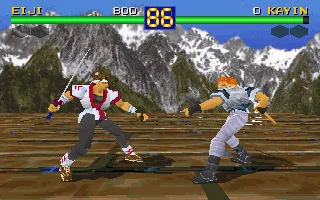
Battle Arena Toshinden brings together eight fighters invited to an underground tournament. Eiji carries a katana, Kayin a sword, and Sofia fights with a whip: a weapon's reach changes the distance from which it pays to attack. Digital Dialect's DOS conversion arrived in 1996 and keeps the polygonal stages and fighters of the original game.
Duels are fought on open platforms. You can win by draining your rival's energy or by using the edge of the stage to knock them off. A heavy attack that is badly timed leaves you exposed; backing away too far can end just as badly. Sidesteps let you get out of the line of attack, although they require learning the distances of each fighter.
Four attacks and room to dodge
The keyboard separates weapon strikes from kicks, each with a light and a heavy variant. Defense and special attacks add options to that repertoire. Before looking for long combos, it is worth trying a short strike, backing off and watching what the opponent does. The difference between landing a hit and swinging at air shows right away.
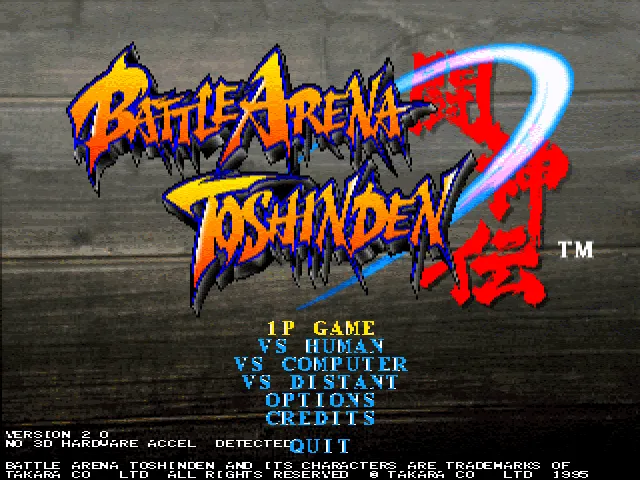
The menu offers 1P Game, VS Human, VS Computer and VS Distant. In the single-player game you choose a fighter and the computer decides the successive opponents. VS Computer also lets you choose your opponent; VS Human is for two people on the same computer. The options include difficulty, round length and controls for each player.
This page is based on the English DOS copy, which shows Version 2.0. Its original ZIP is kept, and the browser configuration is prepared separately. The launch uses options built into the executable itself to disable 3D acceleration, VESA mode and the automatic demos. The background is a real screenshot of this edition's menu.
ONE GAME, 4 PLATFORMS
Versions.
4 platforms1995–19964 playable online
Pick a platform: the screenshots, downloads and online game on this page switch with it.
- Year
- 1996
- Developer
- Digital Dialect
- Downloads
- 1
- Screenshots
- 2
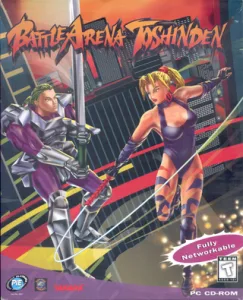
The MS-DOS version is the one this page covers: the information, review and main screenshots are from this platform.
- Year
- 1996
- Downloads
- 1
- Screenshots
- 1
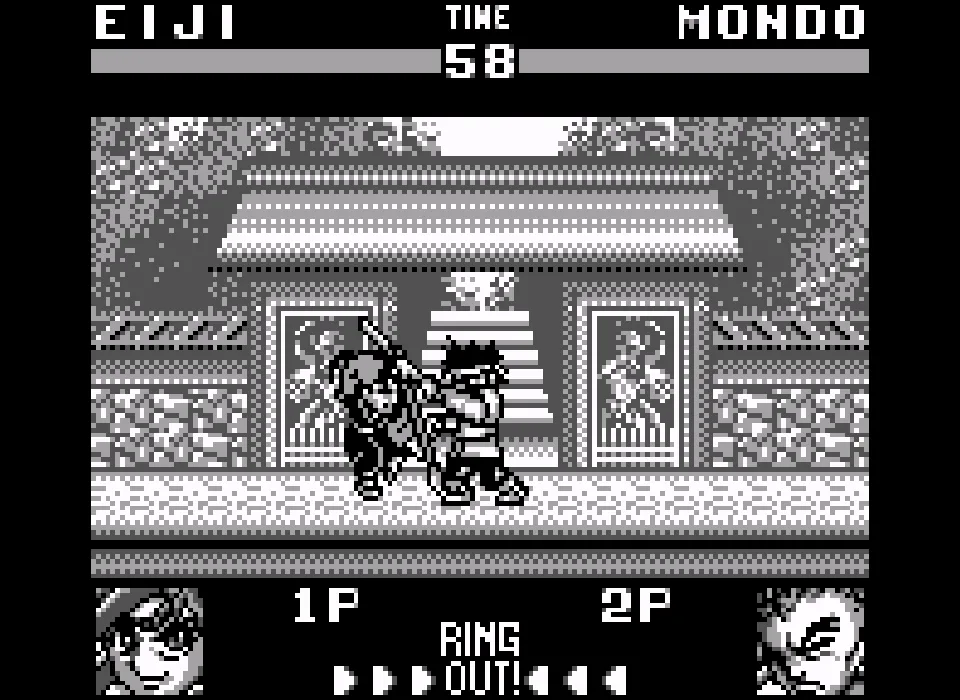
Battle Arena Toshinden for Game Boy adapts the duels to fighters drawn in two dimensions. This 1996 American edition is in English. The cartridge from the collection is used, and the player shows the monochrome Game Boy picture.
Starting and controlling the fight
Enter is equivalent to Start. The arrow keys move the fighter and up makes him jump. X corresponds to the B button, which throws punches; Z corresponds to the A button, which kicks. On the character select screen, Z confirms and X can go back. Wait for the round announcement to finish before attacking. Enter pauses the fight and lets you resume it.
Testing with this copy covered movement, punches, kicks, jumping and damage to the opponent, as well as the pause. The DOS controls shown in the general guides do not apply to this version.
Cartridge and download
The download keeps the American file unchanged. Although it was stored in the collection's Super Game Boy folder, it contains a Game Boy cartridge. The game on this site uses the Game Boy core and does not show Super Game Boy borders or colors. To use the download outside this site you need a Game Boy-compatible emulator.
- Year
- 1995
- Downloads
- 1
- Screenshots
- 1
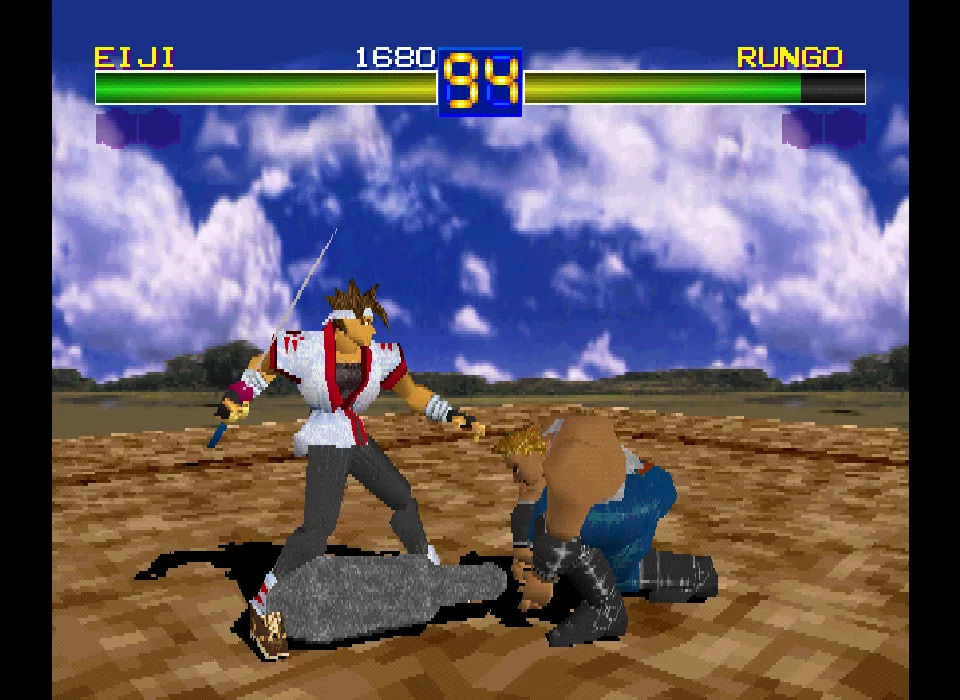
Battle Arena Toshinden for PlayStation is the original 1995 edition. This American copy is in English and keeps the polygonal duels, the open platforms and the eight starting fighters. The file is used without modifying its contents.
Starting a game
Wait for the intro to finish and press Enter to open the menu. Choose 1P Game with the arrow keys and confirm. On Player Select, X confirms the fighter. The game loads the stage and the opponent before the round starts. VS Computer lets you choose your opponent; the tests of this copy included a fight between Eiji and Rungo.
PlayStation controls on the keyboard
The arrow keys move the character and up makes him jump. In the manual's A1 configuration, Z is equivalent to Circle and uses the light weapon attack; A is equivalent to Triangle and performs the heavy weapon attack. X corresponds to Cross and gives the light kick; S corresponds to Square and gives the heavy kick. Enter is equivalent to Start and opens or closes the pause. The keys are different from those for DOS and Game Boy.
Movement, attacks and the pause were checked with the copy of this edition. The player's toolbar lets you mute, enlarge the screen, restart and quit.
Download and manual
The download keeps the American disc image in the collection's CHD format. To use it outside this site you need an emulator compatible with PlayStation and CHD, plus your own BIOS. The online game already has loading set up.
The original PlayStation manual preserved at OldGames explains the game's modes and moves. The cover art and the video come from the collection; the screenshot of Eiji against Rungo was taken while testing this same copy.
- Year
- 1996
- Port by
- Sega
- Downloads
- 1
- Screenshots
- 1
Battle Arena Toshinden Remix for Sega Saturn is the American adaptation of the first Toshinden offered on this game page. The title keeps the 1995 Takara copyright and adds Reprogrammed © Sega 1996. This copy is in English and keeps the duels on open polygonal stages.
Choosing the game mode
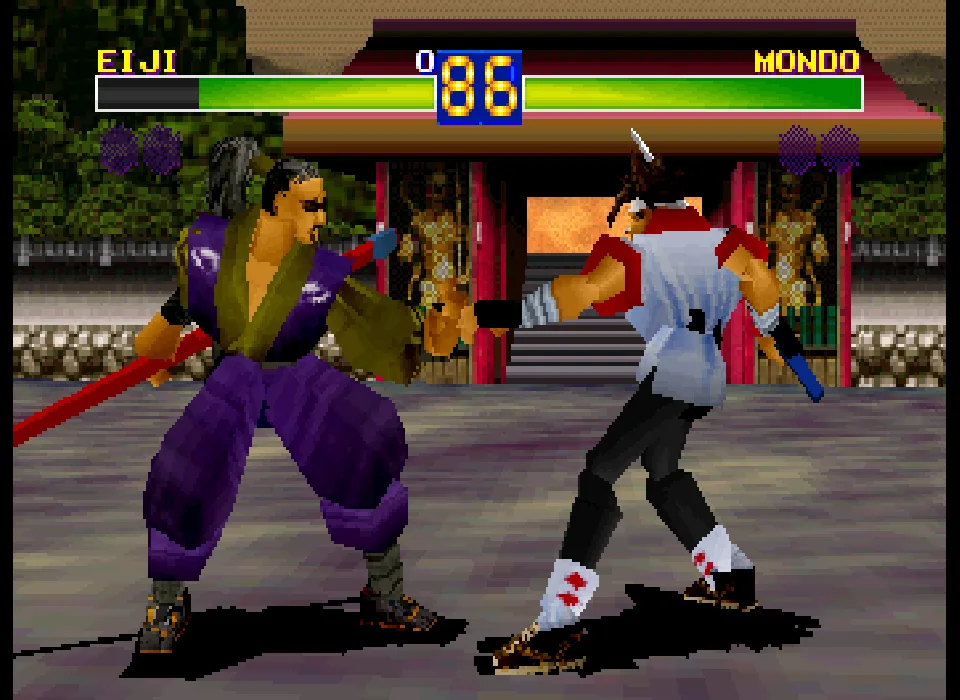
Enter is equivalent to Start. The menu offers Story Mode, 1P Game, VS Human, VS Computer and Options. Story Mode includes character introductions with English text; Eiji's tells of his search for his brother. Wait for the loading to finish before giving the first commands. The test of this copy included a fight between Eiji and Mondo.
Controls in the browser
The arrow keys move the fighter. X, Z, S, A, Q and E correspond to the action buttons of the emulated controller. You can see their mapping under Controls. An action button confirms the game's selection; Enter opens and closes the pause. Use these indications for Saturn: the DOS, Game Boy and PlayStation controls are different.
Startup, the introductions, the three-dimensional combat, movement and the controller's actions were checked. Start opens the pause menu.
Disc image and provenance
The download keeps the American CHD image unchanged. To use it outside this site you need an emulator compatible with Sega Saturn and CHD, plus your own BIOS. The player on this page already has loading set up. The cover art and the video come from the collection; the screenshot of the fight was taken while testing this same edition.
Satakore gathers the editions and scans of Remix. That reference corresponds to the European box; the copy on this page is the American one. Remix and Toshinden URA are different titles.
EVERY PIXEL COUNTS
The game in pictures.
Explore the screenshots and open every detail at full size.
GET READY FOR YOUR NEXT GAME
Choose your download.
Format, compatibility and server. All in view.
Version
SELECTED VERSIONMS-DOS1 file · also playable online
SELECTED VERSIONGame Boy1996 · 1 file · also playable online
SELECTED VERSIONPSX1995 · 1 file · also playable online
SELECTED VERSIONSega Saturn1996 · 1 file · also playable online
Clicking opens the CLABA loading area and, in a few seconds, your download. If a link fails, let us know via Contact or in the forum.
Your game starts here
Play in your browser.
There are 4 versions ready to play. Pick one and click.
Version
MS-DOSIn your browser
Battle Arena Toshinden
MS-DOS version. Your next game starts here.
- 11 MB · downloads on click
- Save the game's files
- Keyboard, controller or touch
Controls
Click the game to use the keyboardOn mobile, play with the on-screen controller- Enter
- menus
- WASD
- movement
- Esc
- pause
R/T: light/heavy weapon attack. F/G: light/heavy kick. 1/Q: dodge.
- Full screen
Use the button on the bar. Esc returns to the game page; “Exit” closes the game.
- Saves
Save keeps the files the game creates, not the exact moment. Save inside the game, then press Save.
- Mobile and tablet
Press Controls during the game to show buttons and keyboard. Gamepad support depends on the browser.
Saves live in this browser and device. Clearing the site data deletes them too.
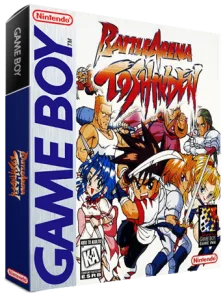
Game BoyIn your browser
Battle Arena Toshinden
Game Boy version. Your next game starts here.
- 301 KB · downloads on click
- Save states in this browser
- Controller, keyboard or touch
Controls
Click the game to use the keyboardOn mobile, play with the on-screen controller- ↑←↓→
- move
- X
- punch (B)
- Z
- kick (A)
- Enter
- Start and pause
Game Boy. Press Z to confirm the selection.
- Full screen
Use the button on the bar. Esc returns to the game page; “Exit” closes the game.
- Saves
Save State, in the game's menu, keeps the exact moment. Load brings it back when you return.
- Mobile and tablet
Press Controls during the game to show buttons and keyboard. Gamepad support depends on the browser.
Saves live in this browser and device. Clearing the site data deletes them too.
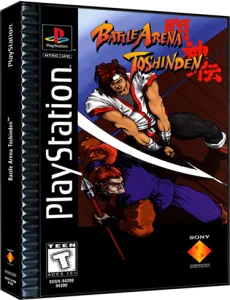
PlayStationIn your browser
Battle Arena Toshinden
PlayStation version. Your next game starts here.
- 270 MB · downloads on click
- Save states in this browser
- Controller, keyboard or touch
Controls
Click the game to use the keyboardOn mobile, play with the on-screen controller- ↑←↓→
- move
- Enter
- Start and pause
PlayStation. Z/A: light/heavy weapon attack. X/S: light/heavy kick. X confirms the selection.
- Full screen
Use the button on the bar. Esc returns to the game page; “Exit” closes the game.
- Saves
Save State, in the game's menu, keeps the exact moment. Load brings it back when you return.
- Mobile and tablet
Press Controls during the game to show buttons and keyboard. Gamepad support depends on the browser.
Saves live in this browser and device. Clearing the site data deletes them too.
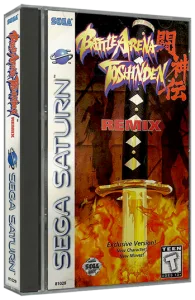
Sega SaturnIn your browser
Battle Arena Toshinden
Sega Saturn version. Your next game starts here.
- 228 MB · downloads on click
- Save states in this browser
- Controller, keyboard or touch
Controls
Click the game to use the keyboardOn mobile, play with the on-screen controller- ↑←↓→
- move
- Enter
- Start and pause
Saturn. X/Z/S/A/Q/E: controller actions. Press an action button to confirm the selection.
- Full screen
Use the button on the bar. Esc returns to the game page; “Exit” closes the game.
- Saves
Save State, in the game's menu, keeps the exact moment. Load brings it back when you return.
- Mobile and tablet
Press Controls during the game to show buttons and keyboard. Gamepad support depends on the browser.
Saves live in this browser and device. Clearing the site data deletes them too.
HIT PLAY
The game in motion.
Trailers and videos to see it in action.
-
Game Boy · Game Boy through Super Game Boy
Fight between Eiji and Sofia recorded on Super Game Boy, with border and color. The online game uses the monochrome picture.
-
PSX · How it plays on PlayStation
Kayin fights Mondo in the PlayStation edition.
-
Sega Saturn · How Remix plays on Saturn
Duke fights Kayin in Battle Arena Toshinden Remix for Sega Saturn.
THE SECRET SIDE OF THE GAME
Tips, tricks and secrets.
A hint at the right time. A code that changes everything.
Tip: test your weapon's reach
Start with light strikes before chaining heavy attacks. Get close enough to see the contact and then pull back again: each weapon occupies a different amount of space.
Tip: watch the edge
If your rival backs toward the limit, you can pressure them. Keep an escape route for your own fighter too; the stage allows you to lose by falling off.
Tip: practice against a chosen rival
VS Computer lets you pick both your fighter and your opponent. Repeating the same duel helps you recognize their attacks.
Tip: check Options before playing
Difficulty and round length are changed in the main menu. Also check that Control Type shows Keyboard for the player you are going to control.
No matches. Try another effect or code.
THE NEXT STEP, CLEARER
Guides to move forward.
From the first installation to that mission that won't give in.
First match and fighter selection
Wait for the intro to finish or press Enter to advance when the game accepts input. In the main menu, the arrow keys choose the mode and Enter confirms. 1P Game starts the single-player game; VS Computer also lets you choose your rival. The Player Select screen shows the eight fighters. Confirm your selection with an attack button and wait for Now Loading to finish.
Controls of the prepared copy
The keyboard setup of the prepared copy uses WASD to move. R and T correspond to the light and heavy weapon attacks; F and G, to the light and heavy kicks. 1 and Q let you dodge. Esc pauses the game. The menus use the arrow keys and Enter. The controls table in the original PC manual is on printed page 8; the assignments can also be seen in Options.
How to practice your first fights
Pick a fighter and start by trying one attack at a time. Watch how far it advances and how long it takes to recover position. Combine a light strike with a short retreat before attempting the heavy ones. The stages are open: keep some space between your fighter and the edge.
Original and browser configuration
The ZIP marked Original keeps the original copy. The browser preparation adjusts the keyboard and the Normal level separately; it keeps the original options inside CLABAORI. It does not replace the game's executables. The launch uses TSD.EXE with -demonone -novesa -no3d, at 60000 cycles and with 32 MB of memory. To mount a folder on your own, see DOSBox from scratch (in Spanish).
Original manual and provenance
The Manuels section of Battle Arena Toshinden at Abandonware France keeps the original PC manual and installation card. Printed pages 8–10 explain the keyboard, the modes and the options. The credits and the game's own files support the edition used. The menu and the screenshots were taken from this same copy during testing.
Something wrong?
Give us a hint.
A broken link, a detail to correct or a game that won't start. Your report helps keep this game page up to date.
Get in touchReport an issue with this game Discuss it in the forumCLABA ARCADE ROOM
This one and 250 more
play here.
When you finish your game, the room has other machines switched on.
Enter the roomTHE CLABA APP1.0 RC 1
Take the archive
with you.

Game pages, online play and your shelf on Android. Free, no sign-up.
ARCHIVE SECRETS
Did you know?
- This copy's menu identifies the program as Version 2.0. Its credits distinguish Takara's 1995 copyright from Digital Dialect's 1996 conversion.
- The PC manual documents separate controls for the two players and lets you change them from Options.
- Besides the single-player game, VS Computer lets you choose the opponent for each fight; VS Human is for local duels.
- The original executable includes the parameters -novesa, -no3d and -demonone. The browser launch uses them without modifying the program.