Panda Entertainment · Fighting
Sango Fighter 2
Sango Fighter 2 is a 1995 fighting game from Panda Entertainment for DOS. This RetroBat copy includes the Super Fighter Team reissue with English menus.
— no rating yet
THE CLABA ARCHIVE
Inside the game.
Its history, its ideas and the reasons to come back.
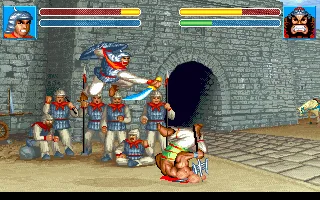
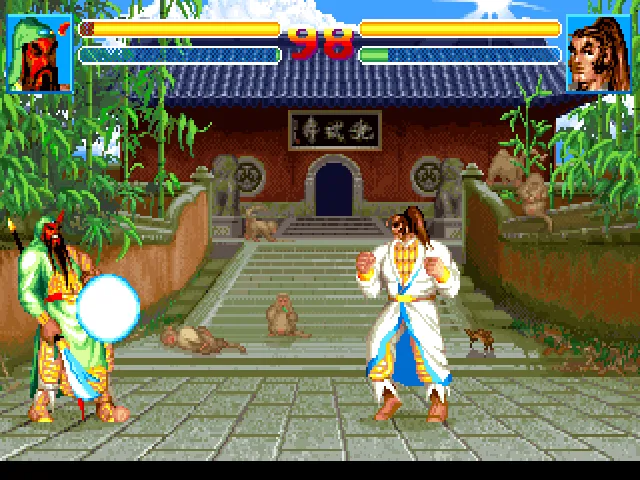
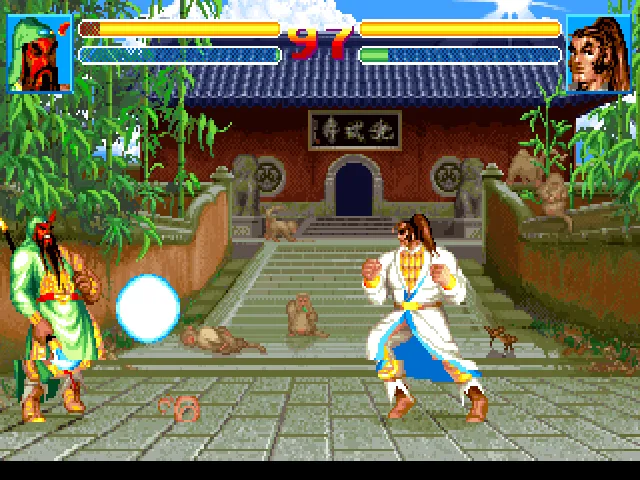
Guan Yu enters combat wielding an enormous curved blade; across from him may stand a general armed with a spear, a sword, or just his own fists. Sango Fighter 2 brings the characters of the Three Kingdoms to two-dimensional fighting duels. The distance between opponents matters: moving in without gauging the reach of the enemy's weapon usually leaves the attacker on the ground.
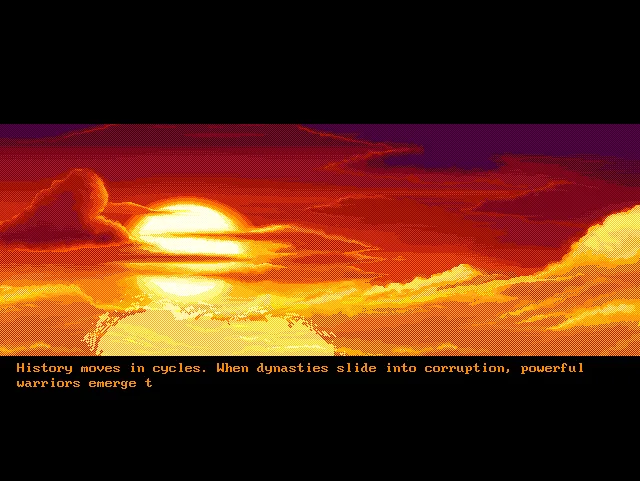
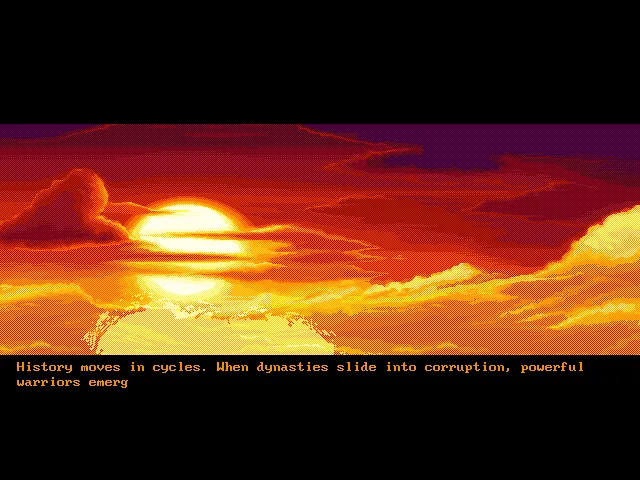
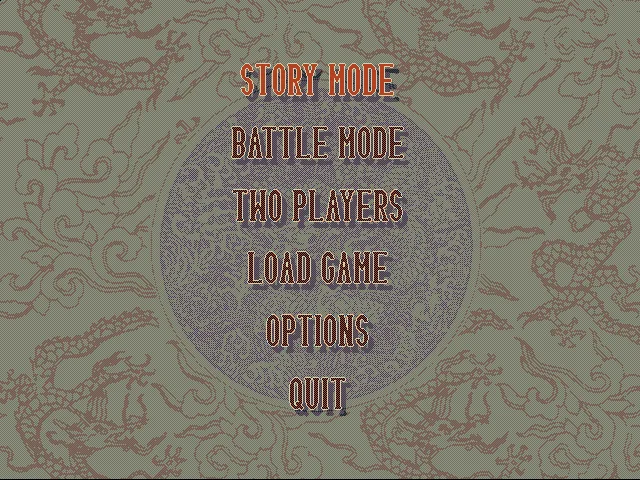
Panda Entertainment released the original DOS game in 1995. This RetroBat copy corresponds to the later Super Fighter Team edition, whose title screen shows a 2010 copyright. Its menus are in English, and the introduction explains the war among the warlords who contend for dominion over China. The year shown on that title screen should not be confused with that of the original release.
Choosing a general and learning his reach
The roster includes sixteen fighters. Their portraits fill two rows on the selection screen, and the chosen pair appears enlarged below. Battle mode lets you concentrate on the fights; Story adds the campaign, and Two Players offers the original program's two-player combat option.
The stages take the duels to different places, from a stone fortress to a room with curtains and braziers or a wooden platform. Soldiers in the background look on as the generals trade blows. The bars at the top show health and the time available, so watching only your opponent's animations leaves out information you need to decide when to advance.
The edition you play here
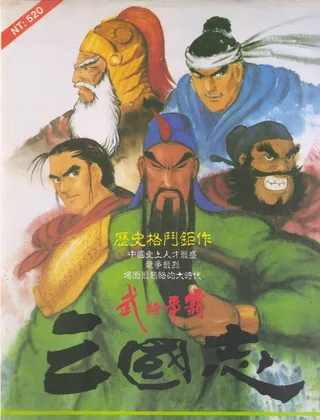
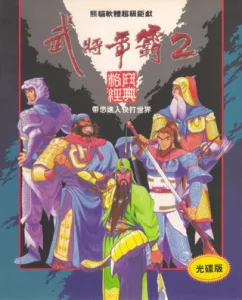
The browser game is set up with a keyboard and English menus. You can start with Battle, pick a fighter, and practice his movement before attempting special moves. The cover art keeps the Taiwanese artwork from the collection; the background of this page reproduces an authentic frame from the introduction.
EVERY PIXEL COUNTS
The game in pictures.
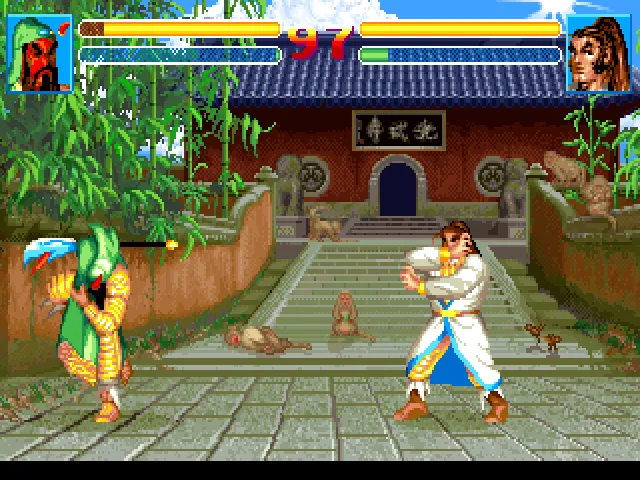
Explore the screenshots and open every detail at full size.
GET READY FOR YOUR NEXT GAME
Choose your download.
Format, compatibility and server. All in view.
Clicking opens the CLABA loading area and, in a few seconds, your download. If a link fails, let us know via Contact or in the forum.
Your game starts here
Play in your browser.
Pick, press and go back to the classics without leaving the game page.
RetrogamingRight in your browserNo installation
MS-DOSIn your browser
Sango Fighter 2
Your next game starts here.
- 15 MB · downloads on click
- Save the game's files
- Keyboard, controller or touch
Controls
Click the game to use the keyboardOn mobile, play with the on-screen controllerTeclado del ordenador. En pantallas táctiles, abre Controles durante la partida para ver botones y teclado.
- Full screen
Use the button on the bar. Esc returns to the game page; “Exit” closes the game.
- Saves
Save keeps the files the game creates, not the exact moment. Save inside the game, then press Save.
- Mobile and tablet
Press Controls during the game to show buttons and keyboard. Gamepad support depends on the browser.
Saves live in this browser and device. Clearing the site data deletes them too.
HIT PLAY
The game in motion.
Trailers and videos to see it in action.
-

ADG Episode 129 - Sango Fighter 2
Pixelmusement: Ancient DOS Games episode dedicated to Sango Fighter 2.
THE SECRET SIDE OF THE GAME
Tips, tricks and secrets.
A hint at the right time. A code that changes everything.
Tip: step in and out of attack range
Move in just close enough to try a strike, then pull back. Staying next to your opponent and pressing attacks without watching his response makes it easier for him to chain several hits on you. Practicing that distance is useful before going for special combinations.
Tip: try Battle before the campaign
Battle lets you get to know a fighter without having to deal with the Story campaign yet. Repeat with the same character to tell his animations apart from your opponent's movements; switching generals after every defeat makes it harder to learn their timing.
Tip: wait for the transitions
If Enter seems not to respond when choosing a character or opponent, let the animation finish before pressing it again. Several presses in a row during a transition can take you to the next screen without your seeing which option was selected.
No matches. Try another effect or code.
THE NEXT STEP, CLEARER
Guides to move forward.
From the first installation to that mission that won't give in.
Starting a fight
Click Play now and then click inside the screen. Enter lets you skip the introduction and open the menu. Use the arrow keys to choose Battle Mode and confirm. Wait for the character selection entrance to finish before pressing another key: some commands are not accepted during transitions. Choosing your opponent also has an animation.
Movement and attacks with the keyboard
The prepared configuration uses the game's left keyboard. A and D let you move back or forward; Tab performs the strike and Left Shift is the kick. First try moving around with space between the two fighters. Because of weapon reach, a correct keypress does not guarantee a hit if you are too far away.
Checking the options
Options lets you change music, sound effects, difficulty, speed, background effects, language, and controls. Controls shows two keyboards and two joystick positions. If you change the assignment, the keys listed on this page may no longer control the first player. To return to the prepared configuration, use Restart and confirm that you want to start a new game.
Download and sources
The download keeps the three files from the original RetroBat folder. To play on a current computer, open SANGO2.EXE inside a DOS emulator. The official Super Fighter Team website offers information about the roster and a download for DOS. The year of the original edition is cross-checked against DOS Games Archive; the menus and keys on this page were verified on our copy.
Something wrong?
Give us a hint.
A broken link, a detail to correct or a game that won't start. Your report helps keep this game page up to date.
Get in touchReport an issue with this game Discuss it in the forumCLABA ARCADE ROOM
This one and 208 more
play here.
When you finish your game, the room has other machines switched on.
Enter the roomTHE CLABA APP1.0 RC 1
Take the archive
with you.
Game pages, online play and your shelf on Android. Free, no sign-up.
ARCHIVE SECRETS
Did you know?
- The title screen of our copy shows Super Fighter Team's 2010 copyright, although the original game dates from 1995.
- The menu lets you choose English, Chinese, or Korean; the configuration used here starts in English.
- The sixteen portraits on the selection screen include Guan Yu, Zhang Fei, and Zhao Yun, characters from the Three Kingdoms.