M. W. Bayley · Strategy
8088 Othello
8088 Othello is M. W. Bayley's board game for DOS from 1985. This copy preserves the colored board and its instructions in English.
Strategy game by M. W. Bayley (1985) for MS-DOS, in English. Playable in your browser or downloadable.
— no rating yet
THE CLABA ARCHIVE
Inside the game.
Its history, its ideas and the reasons to come back.
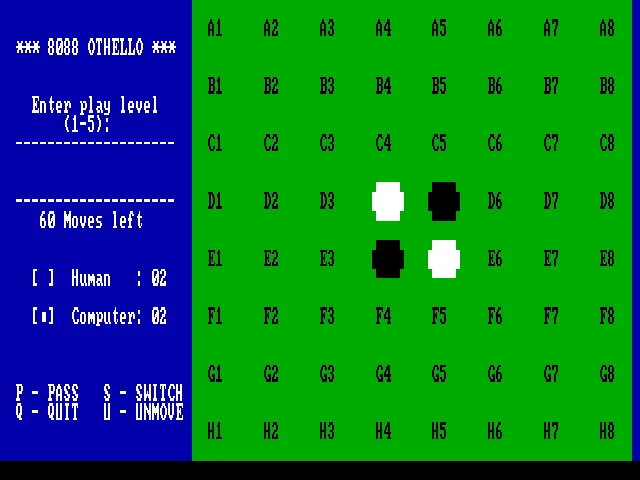
8088 Othello boils the game down to a green board, two colors of pieces, and a square you must choose with care. M. W. Bayley is credited with the program and dates its introduction to November 1985. The DOS copy lets you face the computer at five levels of play.
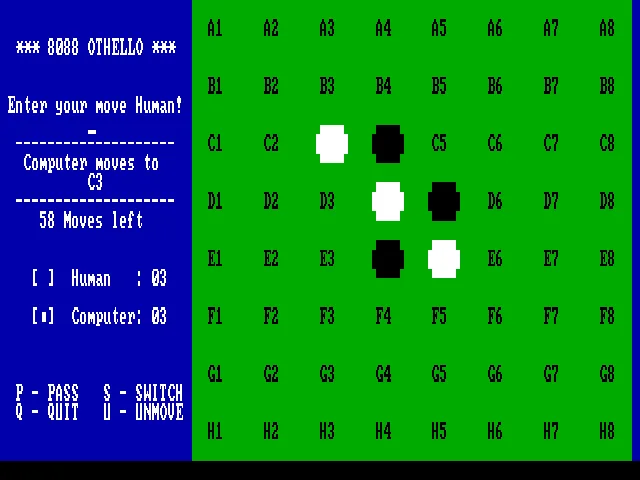
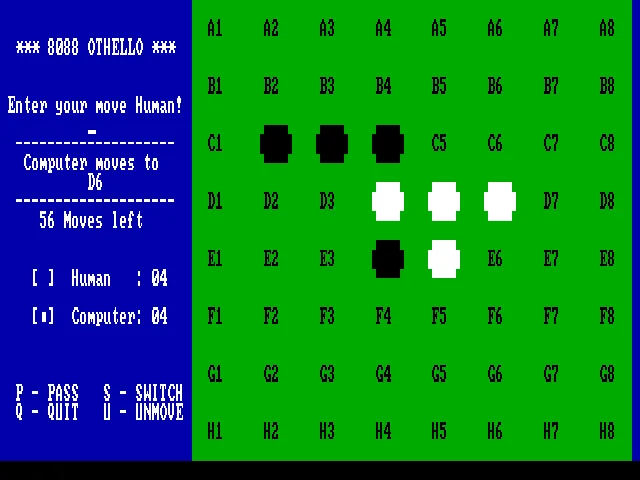
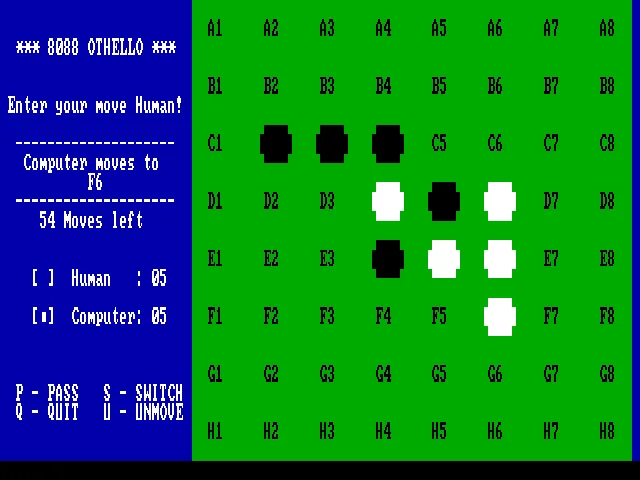
The starting position has four pieces in the center. Each valid move traps a line of opposing pieces between the one you place and another of your color; the captured pieces switch sides. The line can be horizontal, vertical, or diagonal. The side panel counts each player's pieces and the remaining empty squares.
One coordinate for each move
The squares are labeled with coordinates from A1 to H8. Type one, for example C4 in the starting position, and confirm with Enter. The computer replies on its turn. The goal is to finish with more pieces of your color, although holding an advantage in mid-game does not guarantee keeping it until the end.
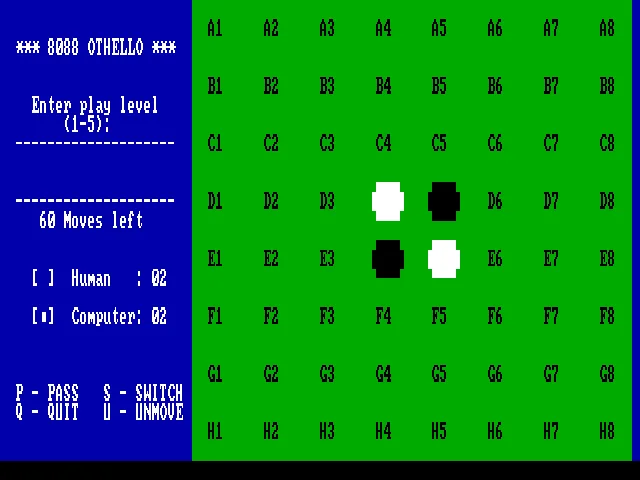
The side menu also shows the commands for passing, switching, and undoing. The original title screen identifies this edition; the background of this game page reproduces the level selection over its own board.
EVERY PIXEL COUNTS
The game in pictures.
Explore the screenshots and open every detail at full size.
GET READY FOR YOUR NEXT GAME
Choose your download.
Format, compatibility and server. All in view.
Clicking opens the CLABA loading area and, in a few seconds, your download. If a link fails, let us know via Contact or in the forum.
Your game starts here
Play in your browser.
Pick, press and go back to the classics without leaving the game page.
RetrogamingRight in your browserNo installation
MS-DOSIn your browser
8088 Othello
Your next game starts here.
- 3 KB · downloads on click
- Save the game's files
- Keyboard, controller or touch
Controls
Click the game to use the keyboardOn mobile, play with the on-screen controller- P
- pass
- I
- undo
1–5: level. Type a coordinate such as C4 and press Enter. Letters A–H and numbers 1–8.
- Full screen
Use the button on the bar. Esc returns to the game page; “Exit” closes the game.
- Saves
Save keeps the files the game creates, not the exact moment. Save inside the game, then press Save.
- Mobile and tablet
Press Controls during the game to show buttons and keyboard. Gamepad support depends on the browser.
Saves live in this browser and device. Clearing the site data deletes them too.
THE SECRET SIDE OF THE GAME
Tips, tricks and secrets.
A hint at the right time. A code that changes everything.
Tip: protect the corners
A piece in a corner cannot be trapped from outside the board. Before playing next to an empty corner, check whether you are giving your opponent the chance to take it.
Tip: count your options
Look for moves that keep several possible plays open. Running out of valid captures can force you to pass, even if there are still empty squares.
No matches. Try another effect or code.
THE NEXT STEP, CLEARER
Guides to move forward.
From the first installation to that mission that won't give in.
Starting the game
Press a key on the title screen and choose a level from 1 to 5. The board starts with four pieces in the center. The panel indicates when it is waiting for the human move and then shows the coordinate chosen by the computer.
Entering a move
Type the coordinate and press Enter. C4 is a valid opening with the black pieces. You can use Caps Lock to enter the letters in uppercase. If a square does not allow you to capture opposing pieces, you must choose another.
Looking beyond the current turn
Before confirming, check which squares you are leaving available to your opponent. Capturing many pieces can open up a corner or an edge in the computer's favor. The counters help you follow the score, but positions matter more during the game.
DOS download
The original file is a COM program. In a DOS environment its long name may appear shortened; use the name that DIR shows. The browser game is already set up to start. The download preserves the original file.
Something wrong?
Give us a hint.
A broken link, a detail to correct or a game that won't start. Your report helps keep this game page up to date.
Get in touchReport an issue with this game Discuss it in the forumCLABA ARCADE ROOM
This one and 250 more
play here.
When you finish your game, the room has other machines switched on.
Enter the roomTHE CLABA APP1.0 RC 1
Take the archive
with you.

Game pages, online play and your shelf on Android. Free, no sign-up.
ARCHIVE SECRETS
Did you know?
- The title screen includes the initials M. W. Bayley and the date 11/85.
- The program gathers the board, the counters, and the commands on a single screen.
- The pieces are shown as white and black blocks, with no animations of a three-dimensional board.