
Massive Development · Simulation
Archimedean Dynasty
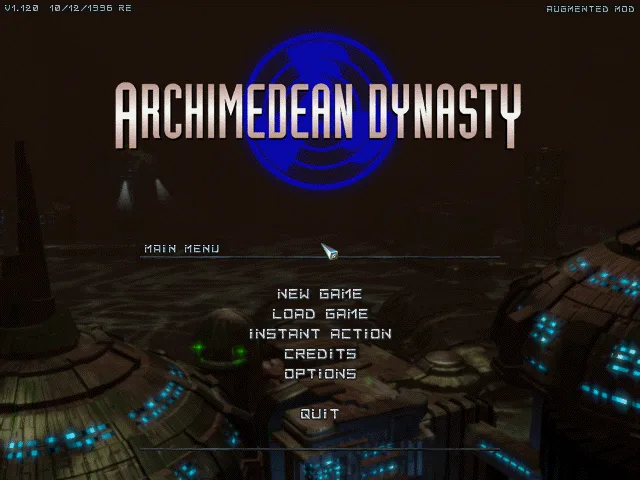
Archimedean Dynasty is Massive Development's 1996 submarine simulator for DOS. This RetroBat copy is in English and includes the Augmented Mod.
— no rating yet
THE CLABA ARCHIVE
Inside the game.
Its history, its ideas and the reasons to come back.
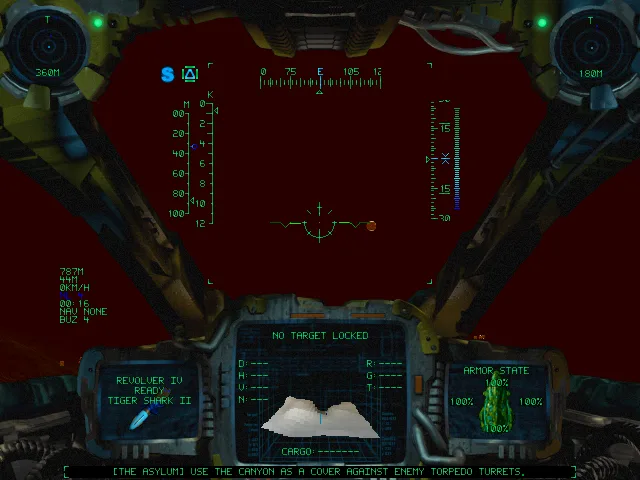
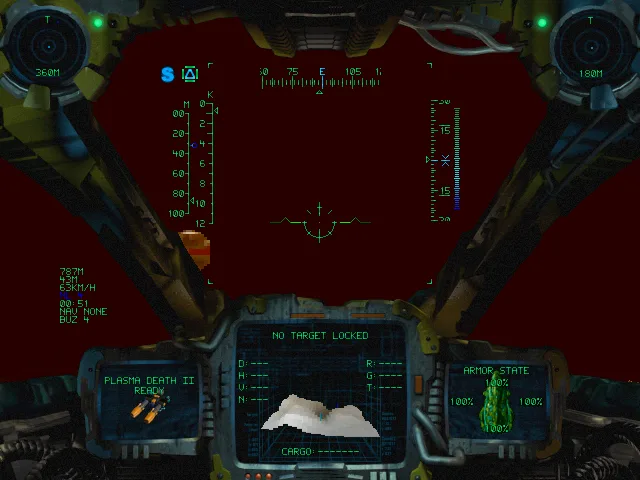
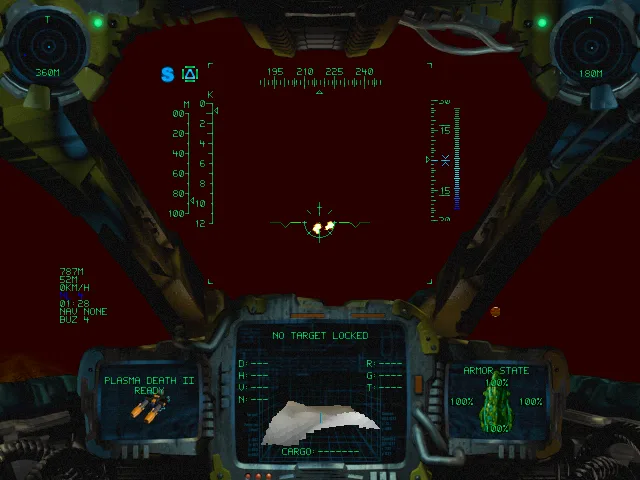
In Archimedean Dynasty, the cockpit takes up a good part of the screen. Outside lies a dark sea; inside, the sonar, weapons, speed, and hull status compete for your attention. Massive Development created this submarine simulator for DOS, published in 1996 and known in Germany as Schleichfahrt.
You play the mercenary Emerald “Dead Eye” Flint in a post-apocalyptic world set beneath the ocean. Assignments, conversations, and equipment upgrades go alongside the combat. Before reaching the AquaNox series, the studio was already blending navigation, weapon choices, and a story of clashing interests in the depths.
Navigating by the instruments
Limited visibility forces you to read the cockpit. A sonar contact, a change of heading, or the submarine's speed can prove more useful than firing at a silhouette. The cannon and the torpedoes have separate controls, and the help screen brings together target selection, turrets, and navigation.
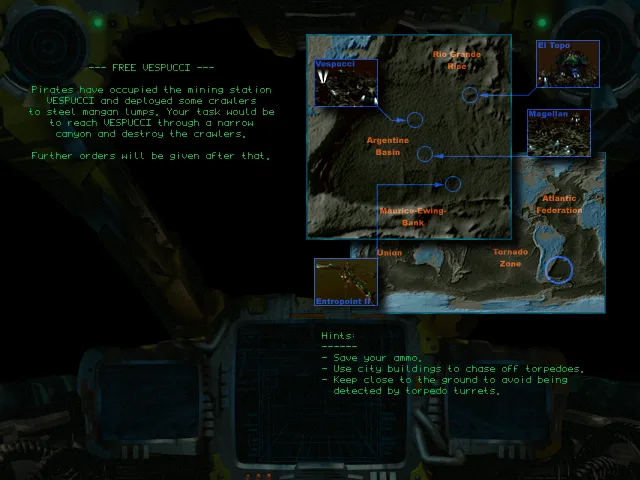
The menu lets you start the adventure with New Game or pick a mission in Instant Action. This second option is a way to get to know the cockpit without first going through the campaign's conversations. In Free Vespucci, the briefing explains that pirates have taken over a mining station and deployed vehicles to carry off the manganese. The map and the mission hints appear before you enter the water.
From the cockpit you can accelerate with A, turn with the arrow keys, and fire the cannon with Space. C brings the speed to zero. H opens a paged help screen: press it again to turn the page and exit with Esc. It's worth reading its controls before trying to handle all the systems at once.
The available copy
The download keeps the RetroBat folder, whose menus and text are in English. The main screen identifies this installation as Augmented Mod; it may therefore include adjustments compared with the unmodified commercial edition. The specific version of the mod has not been determined from the available files.
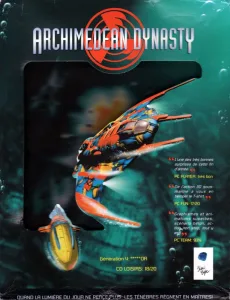
The player offers a copy prepared for the browser, and the download keeps the files of the collection. The screenshots show that same installation. The cover art comes from a French DOS edition and is kept as a reference for the game; the language of the box does not change the language of the playable copy.
EVERY PIXEL COUNTS
The game in pictures.
Explore the screenshots and open every detail at full size.
GET READY FOR YOUR NEXT GAME
Choose your download.
Format, compatibility and server. All in view.
Clicking opens the CLABA loading area and, in a few seconds, your download. If a link fails, let us know via Contact or in the forum.
Your game starts here
Play in your browser.
Pick, press and go back to the classics without leaving the game page.
RetrogamingRight in your browserNo installation
MS-DOSIn your browser
Archimedean Dynasty
Your next game starts here.
- 40 MB · downloads on click
- Save the game's files
- Keyboard, controller or touch
Controls
Click the game to use the keyboardOn mobile, play with the on-screen controllerTeclado del ordenador. En pantallas táctiles, abre Controles durante la partida para ver botones y teclado.
- Full screen
Use the button on the bar. Esc returns to the game page; “Exit” closes the game.
- Saves
Save keeps the files the game creates, not the exact moment. Save inside the game, then press Save.
- Mobile and tablet
Press Controls during the game to show buttons and keyboard. Gamepad support depends on the browser.
Saves live in this browser and device. Clearing the site data deletes them too.
THE SECRET SIDE OF THE GAME
Tips, tricks and secrets.
A hint at the right time. A code that changes everything.
Tip: practice one system at a time
Start by accelerating, stopping, and changing heading. Then add the cannon and check the help screen for selecting targets or using torpedoes. That way you can connect each command to what changes in the cockpit.
Tip: read the briefing before heading out
The mission screen includes objectives, a map, and hints. In Free Vespucci, the instructions point out the access canyon to the station and the enemy vehicles. Read that text before closing the briefing.
Tip: keep help and gameplay separate
H pages through the help screens; Esc returns to the cockpit. Make sure you have closed that screen before giving navigation commands. While it is open, don't mistake the lack of movement for a keyboard fault.
No matches. Try another effect or code.
THE NEXT STEP, CLEARER
Guides to move forward.
From the first installation to that mission that won't give in.
Starting an Instant Action mission
In the main menu, click Instant Action. Choose Free Vespucci and then Start. When the map and the instructions appear, press Space to enter the cockpit. The mouse selects the menu options; there is no need to move through them with the arrow keys.
First submarine controls
A applies maximum acceleration. The left and right arrow keys change heading, and C sets the speed to zero. Space fires the cannon. The original help screen also identifies Tab as firing a torpedo and Enter as selecting the next one, although the initial check for this page focused on navigation and the cannon.
Using the cockpit help
Press H during the mission. The bottom of the screen shows H for the next page and Esc to exit. The pages group weapons, contact selection, turrets, navigation, speed, and cameras. F1 corresponds to the status of the main cannon, not to the help screen.
Edition, download, and sources
The menu shows Augmented Mod. Its author describes changes to missions, dialogue, and settings in the mod announcement; no specific version is attributed to this copy. The game's details are cross-checked against the GOG page. The controls come from the help screen included in the game itself.
Something wrong?
Give us a hint.
A broken link, a detail to correct or a game that won't start. Your report helps keep this game page up to date.
Get in touchReport an issue with this game Discuss it in the forumCLABA ARCADE ROOM
This one and 214 more
play here.
When you finish your game, the room has other machines switched on.
Enter the roomTHE CLABA APP1.0 RC 1
Take the archive
with you.
Game pages, online play and your shelf on Android. Free, no sign-up.
ARCHIVE SECRETS
Did you know?
- Archimedean Dynasty predates the AquaNox series.
- The game's German title is Schleichfahrt.
- This installation identifies itself as Augmented Mod in the main menu.
- Its help screen treats the cannon, the torpedoes, and the two turrets as separate systems.


