
Dynabyte · Point-and-click adventure
The Big Red Adventure
Dynabyte’s DOS point-and-click adventure, released by Core Design in 1995. Doug, Dino, and Donna reunite in a satirical take on post-perestroika Russia.
Point-and-click adventure by Dynabyte (1995) for MS-DOS, in Italian. Playable in your browser or downloadable.
— no rating yet
THE CLABA ARCHIVE
Inside the game.
Its history, its ideas and the reasons to come back.
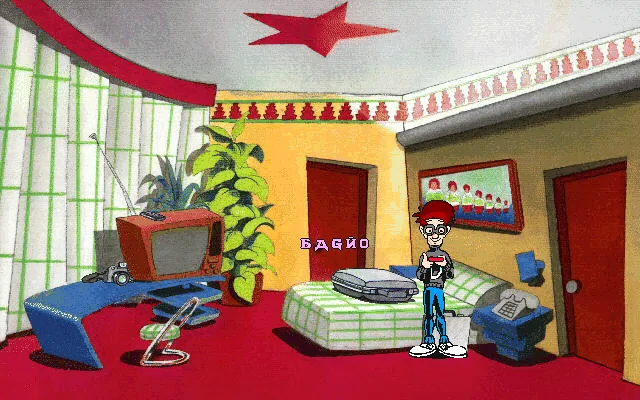
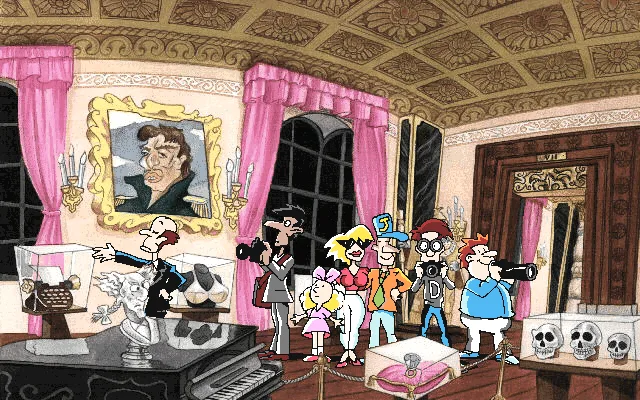
Doug Nuts arrives in Moscow with little interest in keeping a low profile. A museum visit, a crown, and a night at a hotel open The Big Red Adventure. Doug crosses paths again with Dino Fagioli and Donna Fatale, his companions from Nippon Safes Inc. Dynabyte moves the trio from Japan to a caricature of post-perestroika Russia.
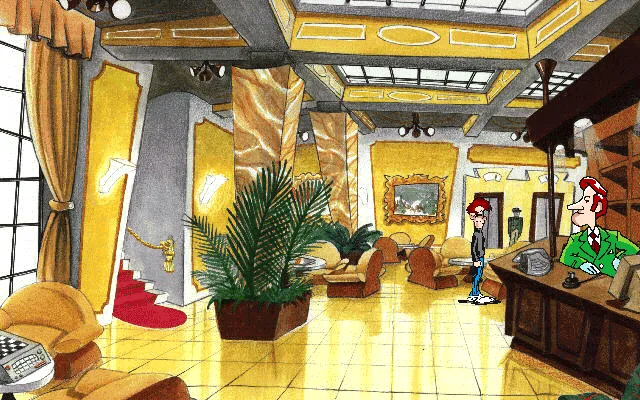
It’s a point-and-click adventure. Use the mouse to move around each scene, inspect objects, and approach people who might give you a clue. The dialogue, painted backgrounds, and details in each room all tell part of the story. In the hotel lobby, for example, you can move Doug from the stairs to the reception desk and inspect the porter.
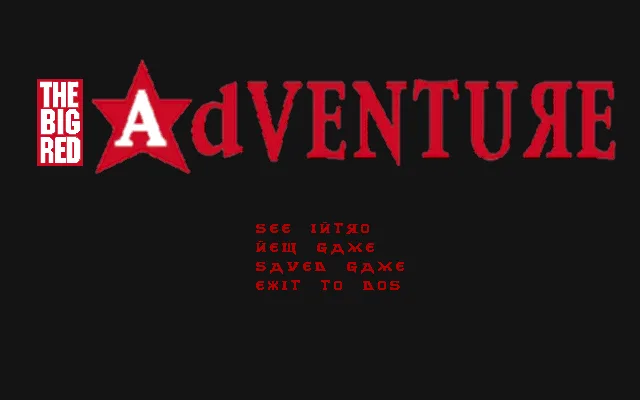
Core Design released the DOS edition in 1995. The RetroBat copy tested here opens with an English menu, followed by an Italian prologue and in-game text. The museum and hotel screenshots are from that playthrough.
EVERY PIXEL COUNTS
The game in pictures.
Explore the screenshots and open every detail at full size.
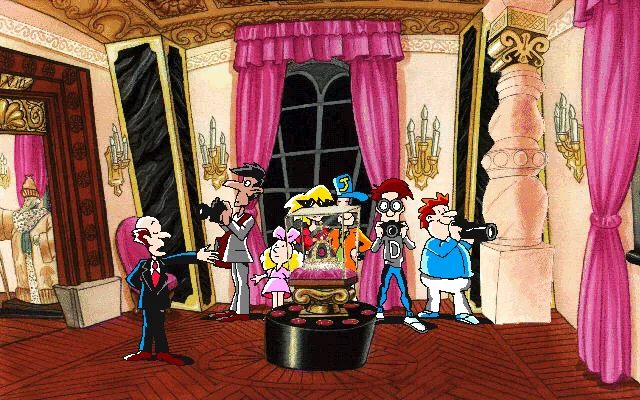
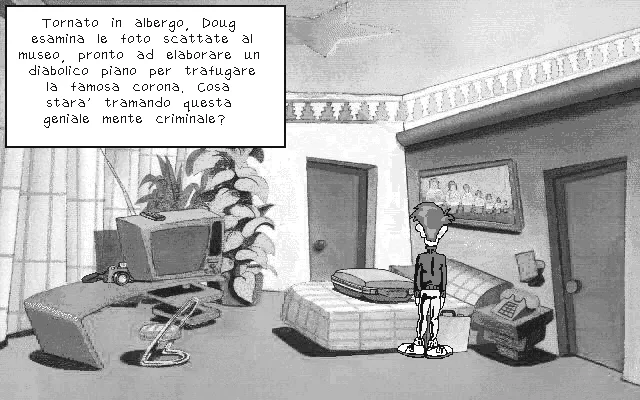
GET READY FOR YOUR NEXT GAME
Choose your download.
Format, compatibility and server. All in view.
Clicking opens the CLABA loading area and, in a few seconds, your download. If a link fails, let us know via Contact or in the forum.
Your game starts here
Play in your browser.
Pick, press and go back to the classics without leaving the game page.
RetrogamingRight in your browserNo installation
MS-DOSIn your browser
The Big Red Adventure
Your next game starts here.
- 23 MB · downloads on click
- Save the game's files
- Keyboard, controller or touch
Controls
Click the game to use the keyboardOn mobile, play with the on-screen controllerUse the mouse to point at objects and people. Choose New Game, then select the door to the right of the room.
- Full screen
Use the button on the bar. Esc returns to the game page; “Exit” closes the game.
- Saves
Save keeps the files the game creates, not the exact moment. Save inside the game, then press Save.
- Mobile and tablet
Press Controls during the game to show buttons and keyboard. Gamepad support depends on the browser.
Saves live in this browser and device. Clearing the site data deletes them too.
THE SECRET SIDE OF THE GAME
Tips, tricks and secrets.
A hint at the right time. A code that changes everything.
Look around again after a conversation
If you get stuck, re-examine nearby objects and exits after speaking to a character. The pointer labels help you recognize what you can point at.
No matches. Try another effect or code.
THE NEXT STEP, CLEARER
Guides to move forward.
From the first installation to that mission that won't give in.
Get started at the hotel
Choose New Game and advance through the intro. Once you control Doug in the hotel room, use the mouse to select the door on the right. In the lobby, select the porter to approach the front desk.
Read object labels
Move the pointer over doors, furniture, and characters. The game displays a label for the item you’re pointing at. Telling an exit from a piece of scenery makes it easier to explore.
Something wrong?
Give us a hint.
A broken link, a detail to correct or a game that won't start. Your report helps keep this game page up to date.
Get in touchReport an issue with this game Discuss it in the forumCLABA ARCADE ROOM
This one and 274 more
play here.
When you finish your game, the room has other machines switched on.
Enter the roomTHE CLABA APP1.0 RC 1
Take the archive
with you.

Game pages, online play and your shelf on Android. Free, no sign-up.
ARCHIVE SECRETS
Did you know?
- Doug, Dino, and Donna had already starred in Nippon Safes Inc., by the same developer.
- Core Design released the DOS version on both floppy disk and CD-ROM.


