Sierra · Point-and-click adventure
Heart of China
Journeys, conversations and objects in a Dynamix adventure where Jake, Kate and Chi shape a story of rescue and romance.
Choose your version 2 platforms
— no rating yet
THE CLABA ARCHIVE
Inside the game.
Its history, its ideas and the reasons to come back.
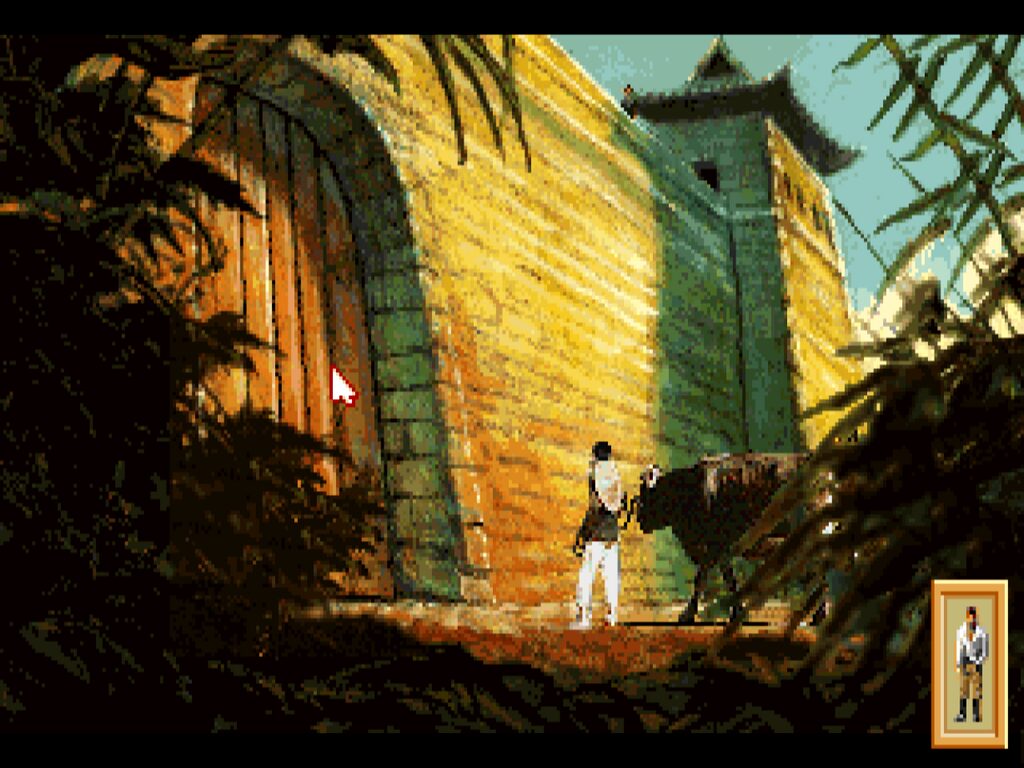
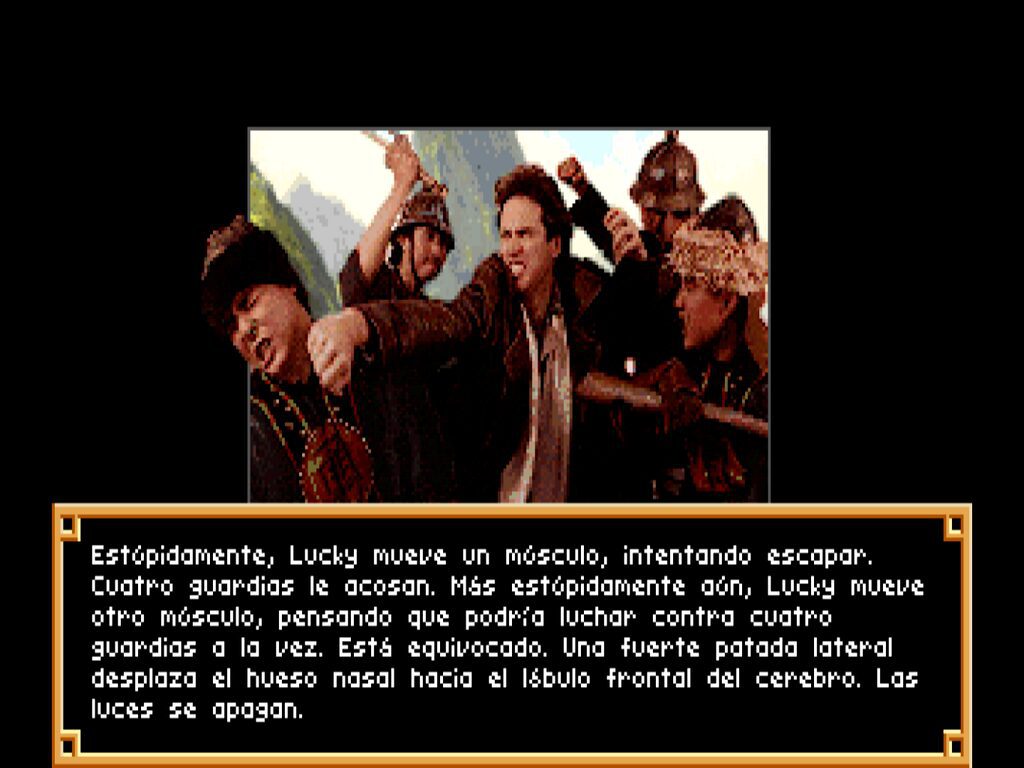


Lucky Jake Masters is not going to settle his journey by talking to himself. In Heart of China, objects, companions and the answers you choose drive a rescue-and-romance adventure through settings that look like the sets of a classic film.
The adventure is hands-on
The interface uses the mouse to act on the scenery. The character’s portrait serves as the way into the inventory; exits and conversations let you move from a general view to closer encounters. You do not need to type commands as in a text adventure.
At the start you can take in the dock, open Jake’s items and look for the exit. The driver offers destinations in a conversation: choosing the village changes the scene and sets the journey in motion. It is worth looking at the options and remembering that following one route does not mean you have exhausted all the alternatives.
A Spanish DOS copy
This online version presents Spanish menus, inventory and dialogue. The start, checking items and traveling by way of a conversation were checked. The later action sequences are not part of that test; instructions for another platform do not automatically carry over to this copy.
ONE GAME, 2 PLATFORMS
Versions.
2 platforms1991–19922 playable online
Pick a platform: the screenshots, downloads and online game on this page switch with it.
- Year
- 1991
- Port by
- Dynamix
- Downloads
- 2
- Screenshots
- 3
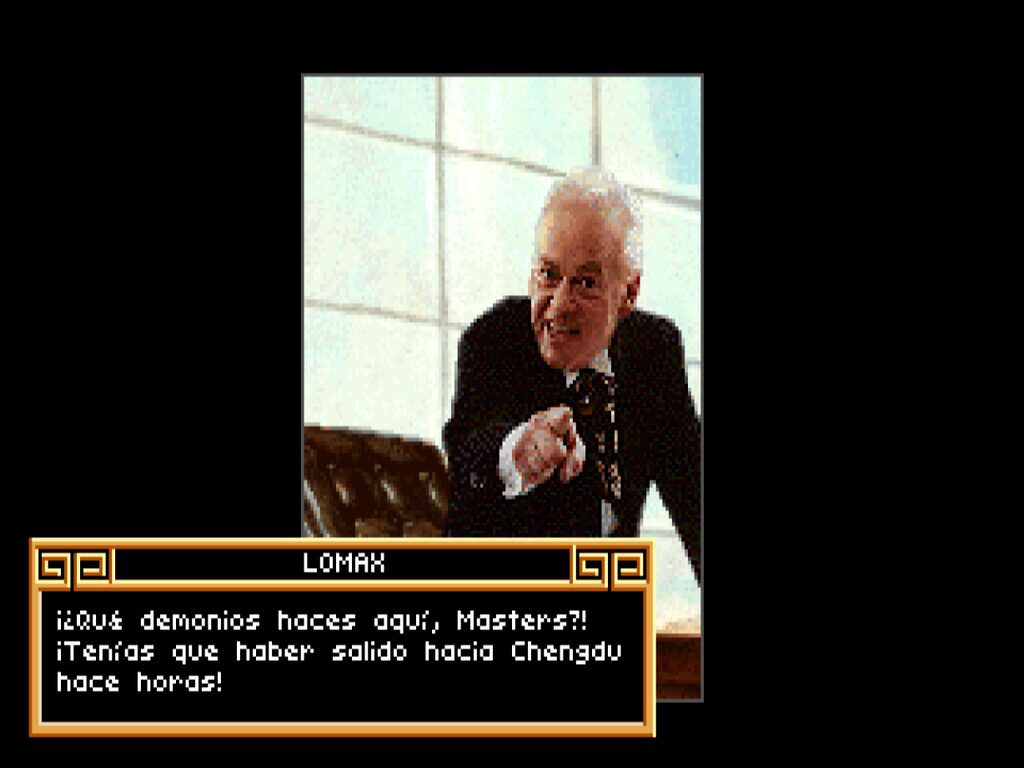
This is the original version, developed by Dynamix and published by Sierra in 1991 with the in-house development system used to make Rise of the Dragon. It mixes photographed actors and hand-painted backgrounds in 256-color VGA. The copy on this page has menus, inventory and dialogue in Spanish.

- Year
- 1992
- Port by
- Dynamix
- Downloads
- 2
- Screenshots
- 5
The Amiga version, by Dynamix and Sierra, is dated 1992. It keeps the mix of digitized actors and painted sets, and was the best received: ACE gave it 910 out of 1000 and called it a "significant advance" in interactive storytelling, with praise for its graphics, music and plot.
EVERY PIXEL COUNTS
The game in pictures.
Explore the screenshots and open every detail at full size.


GET READY FOR YOUR NEXT GAME
Choose your download.
Format, compatibility and server. All in view.
Version
SELECTED VERSIONMS-DOS1991 · 2 files · also playable online
SELECTED VERSIONAmiga1992 · 2 files · also playable online
Download for hard disk
COMPATIBILITYRequires an emulator ✓ At no cost✓ No sign-up Download BoxSharer server · New tab BoxSharer02 Amiga · Floppy disksDownload original floppy disks
COMPATIBILITYRequires an emulator ✓ At no cost✓ No sign-up Download BoxSharer server · New tabClicking opens the CLABA loading area and, in a few seconds, your download. If a link fails, let us know via Contact or in the forum.
Your game starts here
Play in your browser.
There are 2 versions ready to play. Pick one and click.
Version

MS-DOSIn your browser
Heart of China
MS-DOS version. Your next game starts here.
- 7 MB · downloads on click
- Save the game's files
- Keyboard, controller or touch
Controls
Click the game to use the keyboardOn mobile, play with the on-screen controller- Esc
- menu or release the pointer
Mouse: select. Right button on the portrait: inventory. In VCR, Play returns to the adventure.
- Full screen
Use the button on the bar. Esc returns to the game page; “Exit” closes the game.
- Saves
Save keeps the files the game creates, not the exact moment. Save inside the game, then press Save.
- Mobile and tablet
Press Controls during the game to show buttons and keyboard. Gamepad support depends on the browser.
Saves live in this browser and device. Clearing the site data deletes them too.

AmigaIn your browser
Heart of China
Amiga version. Your next game starts here.
- 8 MB · downloads on click
- Save states in this browser
- Controller, keyboard or touch
Controls
Click the game to use the keyboardOn mobile, play with the on-screen controller- ↑←↓→
- move
- X
- shoot
- Full screen
Use the button on the bar. Esc returns to the game page; “Exit” closes the game.
- Saves
Save State, in the game's menu, keeps the exact moment. Load brings it back when you return.
- Mobile and tablet
Press Controls during the game to show buttons and keyboard. Gamepad support depends on the browser.
Saves live in this browser and device. Clearing the site data deletes them too.
THE SECRET SIDE OF THE GAME
Tips, tricks and secrets.
A hint at the right time. A code that changes everything.
Tip: check your items
Open the inventory from the portrait before deciding a tool is missing. At Jake’s start, several useful items appear that tell you about his situation.
Tip: read the destinations
The driver at the beginning offers several routes. Confirm the one you want to explore rather than picking the first option out of habit.
Tip: keep your alternatives
Save before important decisions. The branching warning indicates that other approaches exist; it is not a score for getting it right.
Tip: recognize the exit
Point at the edges and entrances of the scene until the exit indicator appears. The scenery is not just a decorative image.
No matches. Try another effect or code.
THE NEXT STEP, CLEARER
Guides to move forward.
From the first installation to that mission that won't give in.
First launch
Open Play online and press Play now. The introduction alternates images and text; the left button lets you continue. If Esc opens the VCR menu, select Play to return to the adventure. Wait for the view of the dock before trying the inventory.
Mouse and inventory
Click on the game to capture the pointer; Esc releases it to return to the page. The right button on the portrait opens the full inventory. Exit, inside that inventory, returns you to the scenery without ending the game.
From the dock to the village
Look for the dock exit by pointing at its entrance and confirm with the left button. The driver opens a list of destinations; select «To the village» (Al pueblo) to change scenes. This conversation and the arrival were checked in the Spanish copy.
Saving and returning
Save first from the game’s own options and then use Save in the player. The latter keeps DOS files, not an automatic snapshot of the scene. Advanced recovery has not been tested; the data stays in that browser and device.
Manual and edition
The original Dynamix and Sierra manual explains the inventory, conversations and branching. The online test corresponds to DOS in Spanish; it does not certify the shortcuts for the tank or train sequences, nor the complete story.
Something wrong?
Give us a hint.
A broken link, a detail to correct or a game that won't start. Your report helps keep this game page up to date.
Get in touchReport an issue with this game Discuss it in the forumCLABA ARCADE ROOM
This one and 250 more
play here.
When you finish your game, the room has other machines switched on.
Enter the roomTHE CLABA APP1.0 RC 1
Take the archive
with you.

Game pages, online play and your shelf on Android. Free, no sign-up.
ARCHIVE SECRETS
Did you know?
- The manual identifies three protagonists with different knowledge and skills: Jake, Kate and Chi.
- It combines photographed characters with painted backgrounds, according to Dynamix’s explanation.
- The story’s branches get a specific warning; it does not necessarily mean you have chosen the best route.
- The online copy shows inventory and dialogue in Spanish.