
Spirit of Discovery · Board games
Beat the House
Explore a Spirit of Discovery casino with tables, machines and in-game help in English. Beat the House for DOS, playable online with a mouse.
Board game by Spirit of Discovery (1992) for MS-DOS, in English. Playable in your browser or downloadable.
— no rating yet
THE CLABA ARCHIVE
Inside the game.
Its history, its ideas and the reasons to come back.
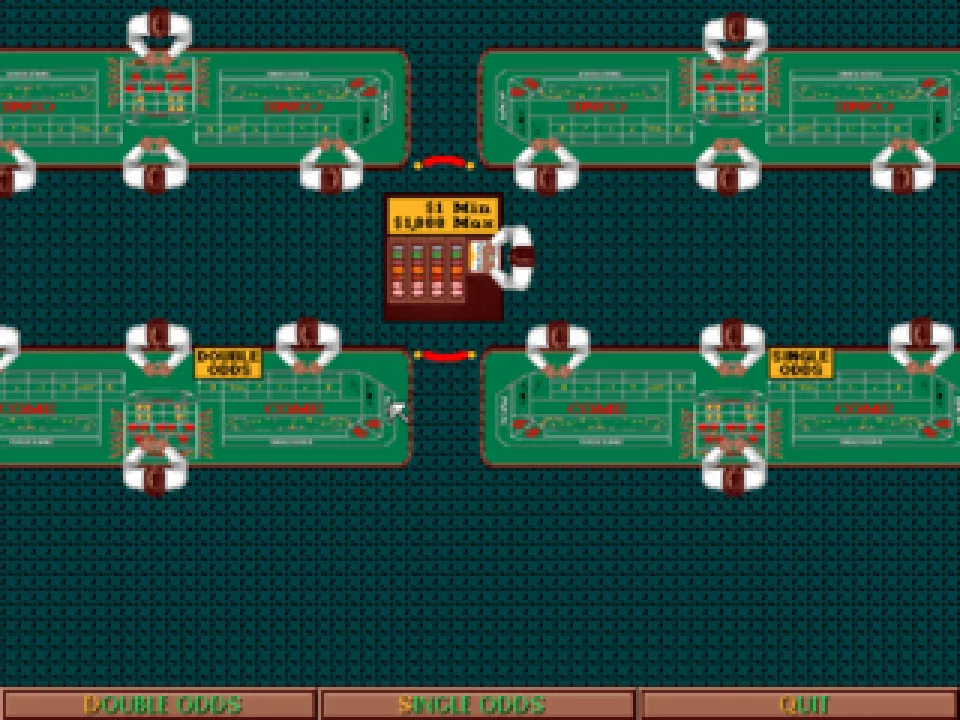
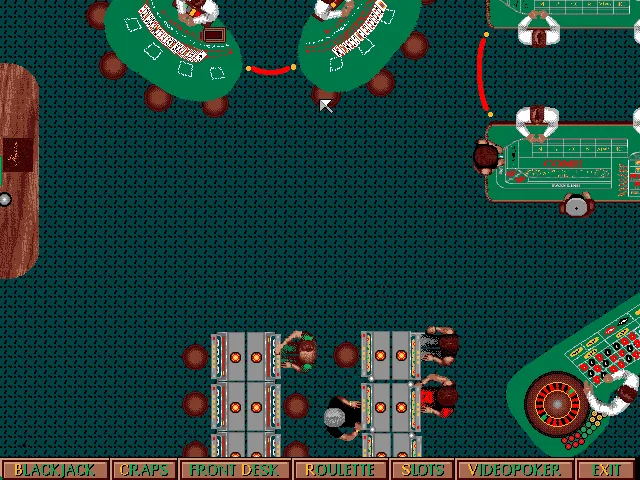
Beat the House for DOS brings casino tables and machines together in a 1992 program from Spirit of Discovery. The entry screen shows a top-down view of a casino floor with blackjack, dice, roulette, slots and video poker. You can move from one area to another using the buttons at the bottom. The game keeps a count of simulated money and presents the rules and help for each type of game in English.
The casino works as a starting point. You can tell the tables, seats and groups of machines apart. The names of the activities stay accessible in the bottom strip. When you pick one, the view changes and its own controls appear. The casino floor uses a 640 by 480 pixel image. The video poker screens we checked use 320 by 200.
A casino floor to explore with the mouse
After the title screen, Enter takes you into the casino. The mouse is used to select a table or a machine. Front Desk marks the reception area. The other buttons lead to Blackjack, Craps, Roulette, Slots and Video Poker. Wait for the screen change to finish before clicking the next control.
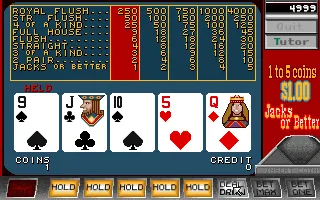
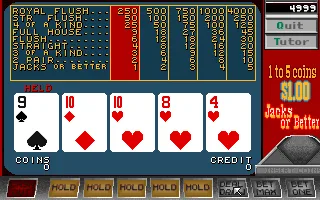
The video poker selection brings together four variants. Jacks or Better, Deuces Wild, Jokers Wild and Tens or Better each have their own labels and payout tables. The test run for this game page goes through Jacks or Better, from the casino floor to the end of a hand. The gallery shows the deal, a card held, and the result of drawing the other four.
Insert a coin and deal
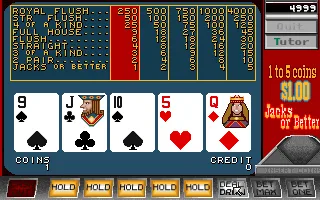
In Jacks or Better, the overall balance appears at the top right. Below it you can see the coin value and the entry slot. The Coins counter shows the coins in the current hand. Credit shows the credit available inside the machine. These indicators let you follow what happens when you insert a coin, deal or finish the hand.
Click the coin slot to set up the hand. In the game we tested, inserting a coin changed the balance from 5,000 to 4,999. With that coin in place, Deal/Draw started the deal of five cards. The Bet One button uses the machine's credit, as the original help explains.
After the deal you can hold cards with Hold and request replacements with Deal/Draw. The word Held appears above the selected cards. In the test we held the first card, a nine of spades, and the second deal kept that card while replacing the other four. The program then showed the finished hand and left its counters visible.
Checking the rules during the game
F1 opens the help for the current activity. On the Jacks or Better machine, we confirmed that it opens an explanation of that variant. The panel shows text about the rules and their tables. The copy keeps separate help files for blackjack, dice, roulette, slots and video poker.
The game includes hints on each screen. Read the labels next to the buttons and check the counters after every action. The position of the cards and the Held marker let you tell which ones you decided to keep. If you are reading a help panel, close it to return to the machine's controls.
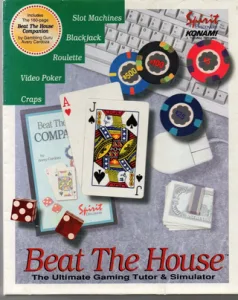
The download keeps the files of the original DOS edition. The player uses a copy prepared with DOSBox and a launcher that opens bth.exe. The cover art comes from the collection. The background of this game page is a screenshot of the casino floor taken while running the game.
EVERY PIXEL COUNTS
The game in pictures.
Explore the screenshots and open every detail at full size.
GET READY FOR YOUR NEXT GAME
Choose your download.
Format, compatibility and server. All in view.
Clicking opens the CLABA loading area and, in a few seconds, your download. If a link fails, let us know via Contact or in the forum.
Your game starts here
Play in your browser.
Pick, press and go back to the classics without leaving the game page.
RetrogamingRight in your browserNo installation
MS-DOSIn your browser
Beat the House
Online play uses the MS-DOS version; the game page and main download remain the PC one.
- 1 MB · downloads on click
- Save the game's files
- Keyboard, controller or touch
Controls
Click the game to use the keyboardOn mobile, play with the on-screen controller- Enter
- open the casino
- F1
- open help
Mouse: choose a machine, insert a coin and use Deal/Draw. 1: hold the first card.
- Full screen
Use the button on the bar. Esc returns to the game page; “Exit” closes the game.
- Saves
Save keeps the files the game creates, not the exact moment. Save inside the game, then press Save.
- Mobile and tablet
Press Controls during the game to show buttons and keyboard. Gamepad support depends on the browser.
Saves live in this browser and device. Clearing the site data deletes them too.
THE SECRET SIDE OF THE GAME
Tips, tricks and secrets.
A hint at the right time. A code that changes everything.
Tip · Telling the counters apart
In Jacks or Better, look at the overall balance, Coins and Credit separately. A coin put into the slot sets up the hand. The machine's credit lets you use Bet One or Bet Max, as its help explains. Check which indicator changes after you click.
Tip · Holding a card
After the deal, press Hold under the card you want to keep. The Held marker confirms the selection. Deal/Draw replaces the cards you left unheld. The test of this copy holds the first card using the 1 key and checks that it remains after the draw.
Tip · When changing screens
Entering an activity includes an image transition. Wait until the machine's name and its buttons appear before entering another command. The casino controls and the table controls occupy different areas of the screen.
Tip · Opening the right explanation
Inside Jacks or Better, F1 shows the help for that variant. Consult it when you need to identify the labels or interpret the table. The help is part of the original files in this copy.
No matches. Try another effect or code.
THE NEXT STEP, CLEARER
Guides to move forward.
From the first installation to that mission that won't give in.
From the casino to your first hand of video poker
Press Enter after the title screen to reach the casino floor. Click Video Poker in the bottom strip. When the machine selection appears, choose Jacks or Better. Wait until its payout table and the space for the five cards are visible.
Click the slot on the right to insert a simulated coin. Check Coins and the overall balance. Press Deal/Draw and let the deal finish. Now you can mark the cards you want to keep and press Deal/Draw again. The hand is finished when the new set of cards appears and the counters stop changing.
Mouse, cards and contextual help
The mouse selects the casino activities and the machine's buttons. In Jacks or Better, Hold marks a card to keep it, and Deal/Draw requests the deal or the draw, depending on the phase of the hand. The 1 key marks the first card. The Held marker shows its status.
F1 opens the contextual help for the activity. In the test, the Jacks or Better text was opened. Also check the labels on the screen to find the exit and the machine's options. The gallery screenshots come from a hand played with these controls.
Opening the download in a DOS environment
Keep bth.exe, bth.cfg, the data files and the help files from the download together. Open the executable inside a compatible DOS environment. The browser package adds a separate DOSBox configuration and a CLABA.BAT launcher.
The configuration we checked uses VGA/SVGA video and a mouse. The tutorial DOSBox from scratch (in Spanish) explains how to set up a folder and mount a drive. The download also keeps the bth.sav file that was already part of the original copy.
Origin of this game page and the program
The collection provides the cover art, a screenshot and the ZIP with 89 files. The five added images were taken by running that same DOS copy. The casino floor is used as the background of this game page. The player lets you pause, mute, enlarge the screen, capture, restart and close.
In September 1992, Computer Gaming World included Beat the House in its industry news. The text mentioned that Konami planned to distribute the Spirit of Discovery game and noted the presence of material by Avery Cardoza. You can consult issue 98 of Computer Gaming World. The practical instructions on this game page come from running the game and from the help included in it.
Something wrong?
Give us a hint.
A broken link, a detail to correct or a game that won't start. Your report helps keep this game page up to date.
Get in touchReport an issue with this game Discuss it in the forumCLABA ARCADE ROOM
This one and 250 more
play here.
When you finish your game, the room has other machines switched on.
Enter the roomTHE CLABA APP1.0 RC 1
Take the archive
with you.

Game pages, online play and your shelf on Android. Free, no sign-up.
ARCHIVE SECRETS
Did you know?
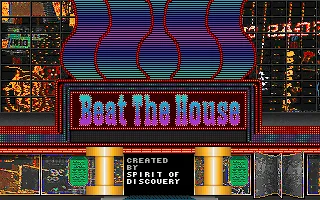
- The title screen and the exit message identify the program as a Spirit of Discovery product.
- The casino floor we checked uses 640 by 480 pixels and video poker uses 320 by 200.
- The video poker selection includes Jacks or Better, Deuces Wild, Jokers Wild and Tens or Better.
- The help for each activity is kept in its own files inside the DOS copy.


