Future Brain Inc · Racing
Lombard RAC Rally
Take the wheel of a Ford Sierra and race the Lombard RAC Rally stages in MS-DOS.
Racing game by Future Brain Inc (1988) for MS-DOS. Playable in your browser or downloadable.
— no rating yet
THE CLABA ARCHIVE
Inside the game.
Its history, its ideas and the reasons to come back.
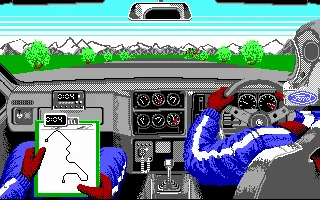
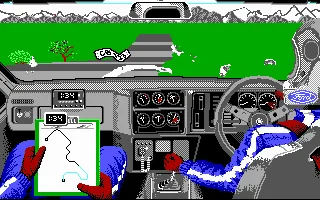
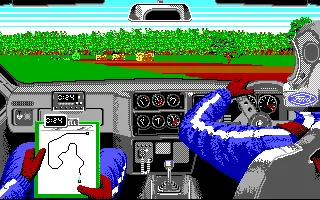
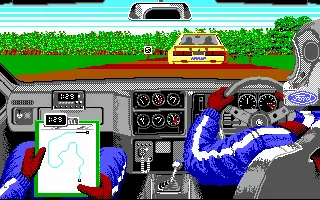
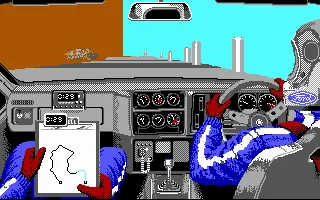
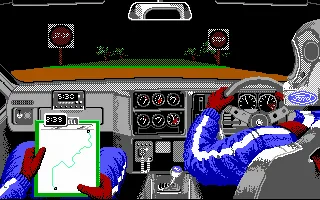
Lombard RAC Rally puts players behind the wheel of a Ford Sierra RS Cosworth for stages of the British rally. The cockpit view shows the steering wheel, instrument panel and the route consulted by the co-driver.
The DOS conversion offers individual stages or the full rally. Driving requires acceleration, braking, steering and gear changes while the clock records the time. The menu also provides access to the workshop and options for saving driver progress.
This edition uses EGA graphics and keyboard controls to drive the car.
EVERY PIXEL COUNTS
The game in pictures.
Explore the screenshots and open every detail at full size.
GET READY FOR YOUR NEXT GAME
Choose your download.
Format, compatibility and server. All in view.
Clicking opens the CLABA loading area and, in a few seconds, your download. If a link fails, let us know via Contact or in the forum.
Your game starts here
Play in your browser.
Pick, press and go back to the classics without leaving the game page.
RetrogamingRight in your browserNo installation
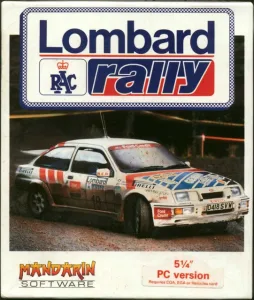
MS-DOSIn your browser
Lombard RAC Rally
Online play uses the MS-DOS version; the game page and main download remain the PC one.
- 289 KB · downloads on click
- Save the game's files
- Keyboard, controller or touch
Controls
Click the game to use the keyboardOn mobile, play with the on-screen controllerOn the menu, use the arrows to select an individual stage and press Space. While driving, Up accelerates, Down brakes and Left and Right steer. Press Up and Space together to shift up, or Down and Space to shift down.
- Full screen
Use the button on the bar. Esc returns to the game page; “Exit” closes the game.
- Saves
Save keeps the files the game creates, not the exact moment. Save inside the game, then press Save.
- Mobile and tablet
Press Controls during the game to show buttons and keyboard. Gamepad support depends on the browser.
Saves live in this browser and device. Clearing the site data deletes them too.
Something wrong?
Give us a hint.
A broken link, a detail to correct or a game that won't start. Your report helps keep this game page up to date.
Get in touchReport an issue with this game Discuss it in the forumCLABA ARCADE ROOM
This one and 612 more
play here.
When you finish your game, the room has other machines switched on.
Enter the roomTHE CLABA APP1.0 RC 1
Take the archive
with you.

Game pages, online play and your shelf on Android. Free, no sign-up.