
Magnetic Fields · Racing
Network Q RAC Rally Championship
Magnetic Fields' 1996 rally simulator: 28 RAC Rally stages, six real cars and five difficulty levels. Spanish-language repack with the X-Miles expansion.
Racing game by Magnetic Fields (1999) for PC, in Spanish and other languages. Available to download.
4.5 6 votes
THE CLABA ARCHIVE
Inside the game.
Its history, its ideas and the reasons to come back.

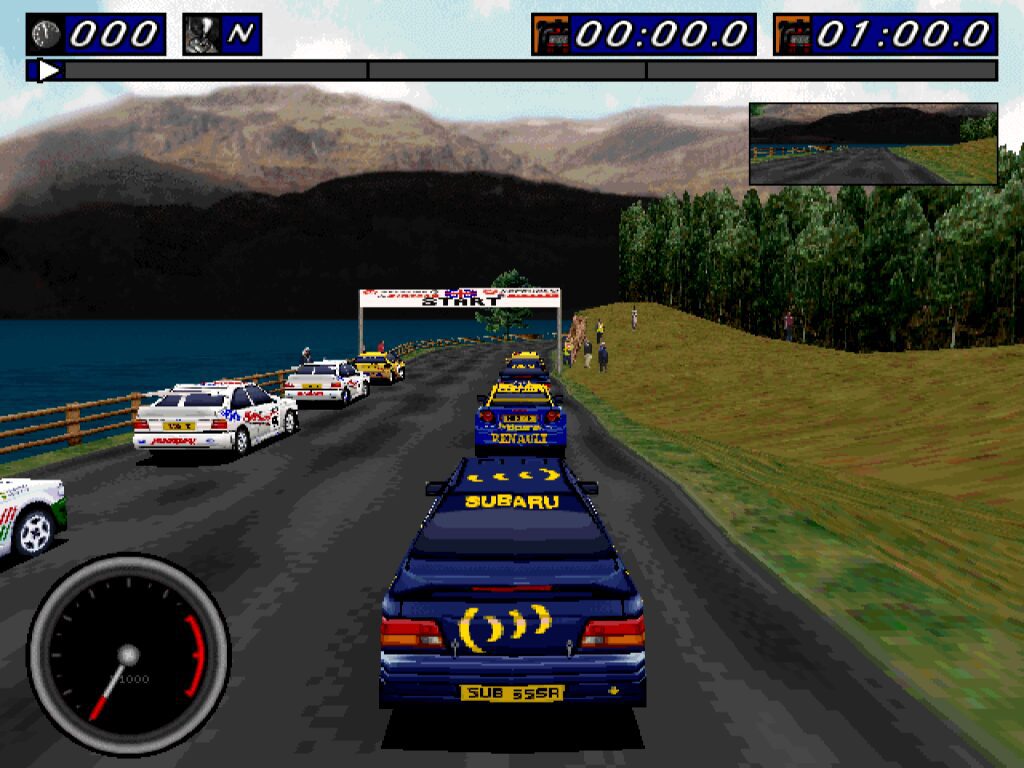
Mud up to the windshield, snow, fog and a car whose rear end steps out on the very first corner. Network Q RAC Rally Championship is the rally game that the British developers Magnetic Fields released with Europress in October 1996: a more simulation-oriented take than Sega Rally Championship, the game the press compared it to endlessly, and backed by the kind of official license that impresses.
The whole RAC Rally on your hard drive
The game recreates the 28 stages of the 1995 RAC Rally of Great Britain, about 400 kilometers of roads and tracks, according to the publisher itself. You race by day and by night, in rain, snow and fog, and on asphalt, gravel, mud and ice, and each surface changes how the car behaves. You can choose among six real cars, including the Subaru Impreza, the Ford Escort RS Cosworth, the Renault Mégane, the Škoda Felicia, the Volkswagen Golf and the Proton Wira, with sounds recorded from the genuine models.
Simulation without the torture
Every mistake is paid for: according to the publisher, one miscalculation and you end up with the car on its roof and damaged, and GameSpot praised the visible damage to the bodywork. In return there are five difficulty levels, from an arcade mode to the expert one, so both the casual Sunday driver and the purist have their place.
The British press was enthusiastic: PC Zone gave it 94% and went so far as to write «forget Sega Rally», and PC Pro spoke of «a lot more depth than Sega Rally». Outside the United Kingdom it was known as Rally Championship: International Off-Road Racing in North America and as Rallye Racing 97 in Germany.
The expansion and the legacy
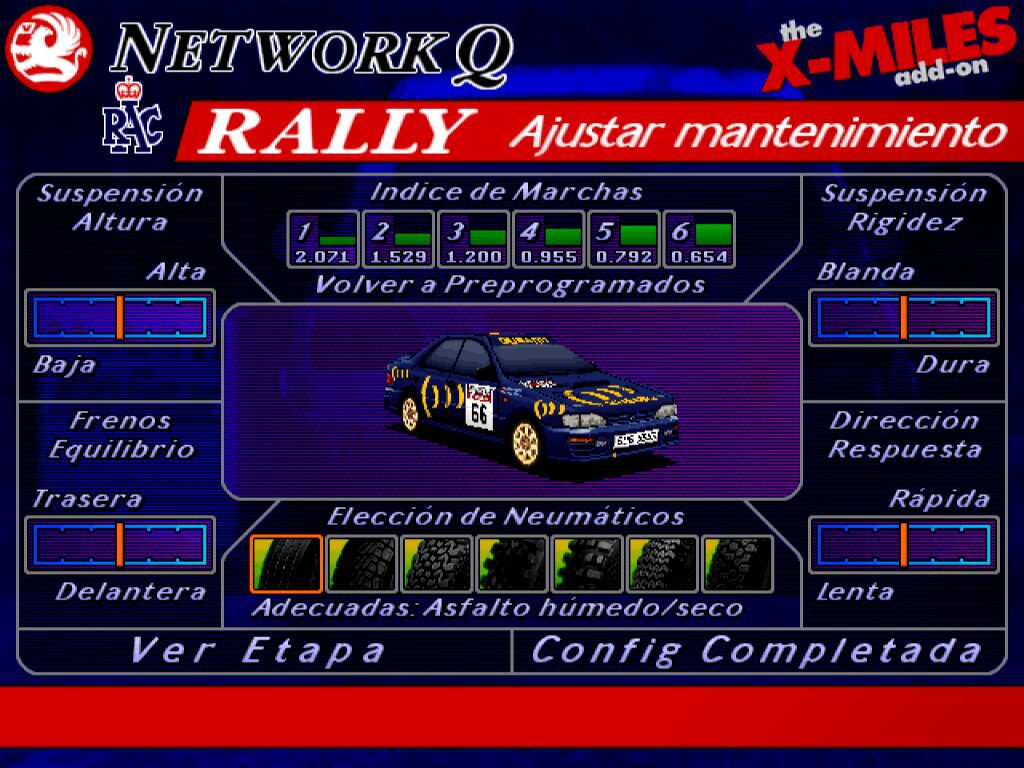
Shortly afterward, around the spring of 1997, came The X-Miles, an add-on with ten new tracks with jumps and tunnels, and an arcade mode that can only be played on those stages. The series continued that same year with International Rally Championship. If you prefer another kind of racing from the same decade, you have Need for Speed II, Screamer or the rowdier Death Rally.
The edition we offer
In Downloads there is a Spanish-language repack, marked for Windows XP, 7 and 10, which according to the page’s original description includes the expansion, and a multilingual ISO image (six languages according to its label) marked for Windows XP. It is an MS-DOS game, so if you prefer to play it in its original environment, we have our tutorial DOSBox from scratch; for the repack, see how to play Windows XP classics on Windows 10 and 11. The game supports two or more players over a local network, and in Guides we explain how to set it up.
EVERY PIXEL COUNTS
The game in pictures.
Explore the screenshots and open every detail at full size.
GET READY FOR YOUR NEXT GAME
Choose your download.
Format, compatibility and server. All in view.
Download Repack
COMPATIBILITYWindows XP / 7 / 10 ✓ At no cost✓ No sign-up Download www.mediafire.com · New tab MediaFire02 ISODownload ISO
COMPATIBILITYWindows XP ✓ At no cost✓ No sign-up Download www.mediafire.com · New tabClicking opens the CLABA loading area and, in a few seconds, your download. If a link fails, let us know via Contact or in the forum.
THE SECRET SIDE OF THE GAME
Tips, tricks and secrets.
A hint at the right time. A code that changes everything.
How this tab works
We have not found reliable cheat codes for this game, so instead of making them up, we have gathered tips checked against the period manual and the fact sheets. We do not accept codes circulating on the web without two sources.
Tip · choose your level wisely
The game has five difficulty levels, from arcade to expert. Start on one of the lower ones to learn the stages and move up once you have completed a race without going off the road.
Tip · screen and resolution
According to Europress, there are three window sizes and two resolutions. On a modern computer or with DOSBox it runs with room to spare, but if you notice stuttering, a smaller play area is the first thing worth trying.
Tip · car, surface and weather
There are six cars and four types of surface (asphalt, gravel, mud and ice), with rain, snow, fog, day and night. Before racing, look at the stage and the weather you have drawn: the surface changes how the car behaves, so don’t drive the same way on ice as on asphalt.
Tip · gamepad and wheel
The game supports keyboard, two-button joystick and steering wheels. PCGamingWiki lists the Thrustmaster and Per4mer devices and the GP500/F1 Sim wheels as official peripherals. The keys can be remapped.
Tip · playing against others
Multiplayer uses an IPX local network for up to eight drivers according to Europress, and PCGamingWiki notes that it is only available with more than 8 MB of RAM. To play over the internet today, the wiki itself mentions Classic Gaming Arena.
No matches. Try another effect or code.
THE NEXT STEP, CLEARER
Guides to move forward.
From the first installation to that mission that won't give in.
Start here · first launch on a current PC
- Download the repack from Downloads, in Spanish and marked for Windows XP, 7 and 10. Extract it in a short path, for example
C:\Juegos\RallyChamp. - It is an MS-DOS game. If the repack does not start on your system, try DOSBox by following DOSBox from scratch or the tutorial on Windows XP classics on Windows 10 and 11.
- The multilingual ISO image is the disc edition. The original uses a disc check, so it may require the CD to be mounted.
- The original runs at 640×480 in DOS mode. If you use DOSBox, adjust the window scaling in its configuration.
We have not downloaded or tested the files on this page: if one does not start, try the other.
Controls
- Keyboard: the game lets you remap the keys from its options.
- Joystick: it supports one with two buttons; the two supported buttons can be swapped.
- Steering wheel and pedals: Thrustmaster, Per4mer and GP500/F1 Sim, according to PCGamingWiki.
- Sound: there is a slider from «Quiet» to «Loud» for effects, engine and voices; the optional CD music can only be switched on or off.
First steps
- Start with a short race on the arcade level to see how the car responds on each surface.
- Try the first-person and third-person views and the window size until you find the view that best lets you anticipate the corners.
- Remember that you are racing against the clock: reaching the finish in one piece is worth more than driving on the limit and ending up in the ditch.
- Once you have mastered the base game’s stages, try the ten of The X-Miles and its arcade mode.
Technical notes
It is a DOS game released in October 1996. PCGamingWiki notes that the configuration and save games are stored in C:\RALLYC\VAR in the original, that it offers 60 fps and that it has a disc check as copy protection.
The local network works over IPX; if you play with DOSBox, you will have to enable its IPX emulation. To copy or restore your save games, see our tutorial on save games.
Sources
- PCGamingWiki · Network Q RAC Rally Championship: date, other names, data paths, peripherals, network and IPX.
- Europress (1997 archive) · product page: 28 stages, cars, surfaces, weather, levels, network and official seal.
- Magnetic Fields · Shaun Southern softography: developer, publisher, date and period reviews.
- Internet Archive · The X-Miles: existence of the expansion.
- Wikipedia · Network Q RAC Rally Championship: list of cars, expansion and sequel (for guidance only).
Something wrong?
Give us a hint.
A broken link, a detail to correct or a game that won't start. Your report helps keep this game page up to date.
Get in touchReport an issue with this game Discuss it in the forumCLABA ARCADE ROOM
251 classics
without installing anything.
Don't feel like installing? These play right in your browser.
Enter the roomTHE CLABA APP1.0 RC 1
Take the archive
with you.

Game pages, online play and your shelf on Android. Free, no sign-up.
ARCHIVE SECRETS
Did you know?
A title with three names. In North America it came out as «Rally Championship: International Off-Road Racing» and in Germany as «Rallye Racing 97», according to PCGamingWiki.
«Forget Sega Rally». PC Zone gave it 94% and wrote that it was «the best off-road driving game ever developed», as Magnetic Fields itself records in its list of reviews.
With the official seal. Europress presented the game as the only product of its kind endorsed by the RAC’s competition division.
Cars that sound like cars. The publisher claimed that the sound effects of each model were recorded from the real vehicles.
A series in a hurry. This title was followed by the expansion The X-Miles (spring 1997) and the sequel International Rally Championship, also from 1997.


