Digital Integration · Simulation
HIND
Fly the Mi-24V over Kazakhstan, Korea and Afghanistan: a 1996 simulator with three realism levels, co-op play and a demanding reputation.
Simulation game by Digital Integration (1996) for MS-DOS, in English.
— no rating yet
THE CLABA ARCHIVE
Inside the game.
Its history, its ideas and the reasons to come back.
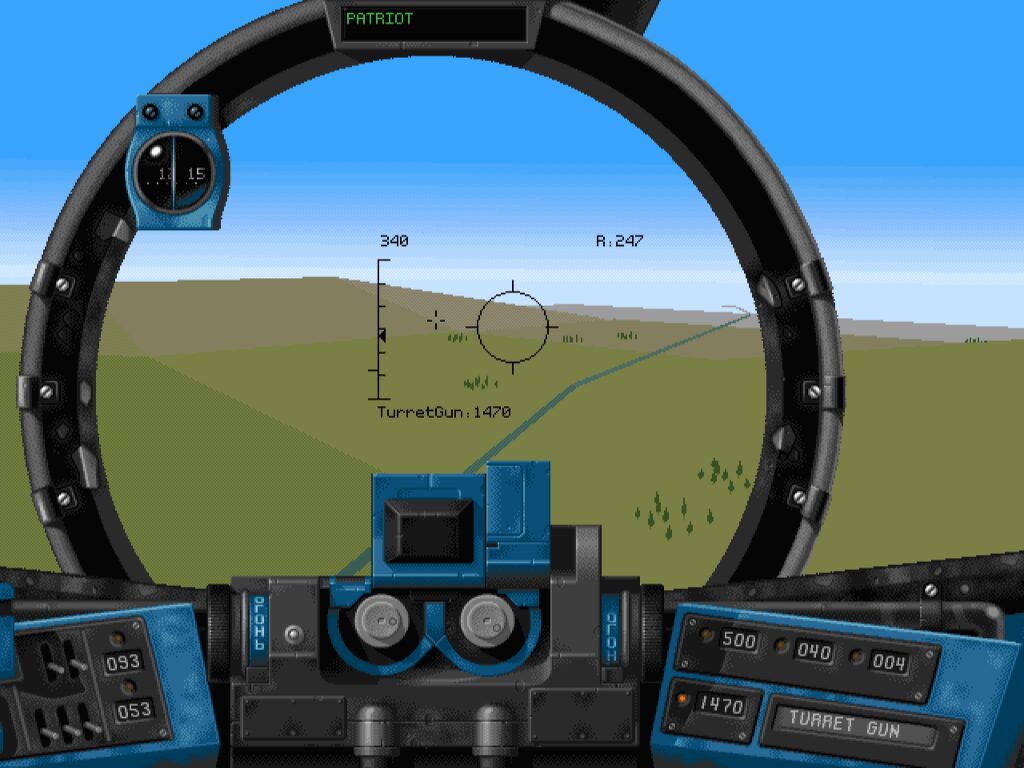
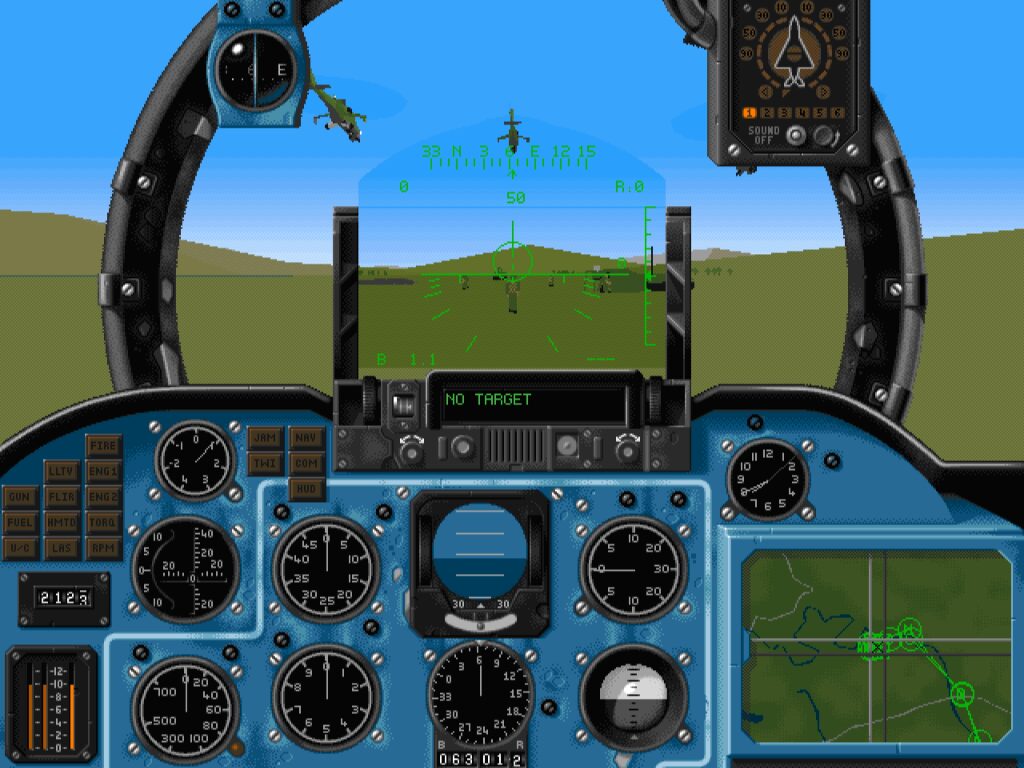
Keeping a Russian helicopter in the air without rotor torque taking you for a ride is, in realistic mode, quite a craft. HIND, by Digital Integration, puts you at the controls of the Mil Mi-24, the Soviet combat helicopter NATO gave the code name «Hind».
A Russian gunship with room for troops
It came out in 1996 for MS-DOS and Windows 95, with Interactive Magic as publisher in the United States, and it is the follow-up to Apache, Digital Integration’s 1995 simulator. Here you fly the Mi-24V, the «Hind-E» variant. It is an unusual helicopter: besides being armed, it can carry soldiers, and that shows in the missions, which mix reconnaissance, mine-laying, rescue, infantry support and troop transport, with the troops actually climbing aboard.
There are three theaters: Kazakhstan, Korea and Afghanistan, with ten single missions in each, and there are also campaigns based on real wars, although the missions are fictional. You also get a training area at the Soviet base in Saratov, which teaches everything from weapons and avionics to navigation and combat tactics.
Realism à la carte
What surprised people in 1996 was the flight model. It has effects as serious as ground effect, vortex ring state and retreating blade stall, and a skilled pilot can land in autorotation if the engine fails. For those who do not want that much, there are three modes: novice, stable and realistic. With realistic at its maximum and a joystick with throttle and pedals, the Hind becomes a fight against rotor torque.
The second half of the package is tactical. A weapons systems operator (WSO) can take care of choosing and tracking targets, and can be switched on or off. If you sit in the WSO’s seat, the sight follows the target regardless of where you look. The game also supports cooperative mode: two players in the same helicopter, one flying and the other on the weapons. And if you do nothing, the war carries on by itself: the AI sometimes completes the missions for you, and you can just watch them by moving the camera from unit to unit.
What the press said
The graphics were simple, untextured, shaded with Gouraud; in exchange the game ran on a 486, which was unusual for a serious simulator. GameSpot gave it an 8.5 and Next Generation recommended it to any simulation fan. It was nominated for best simulator of 1996 by Computer Gaming World and Computer Games Strategy Plus, but both awards went to Jane’s AH-64D Longbow. It could be linked over IPX or modem with Apache Longbow, in what Digital Integration called a «virtual battlefield».
The edition we offer
The game is in English. In Downloads there is a repack for Windows XP and later and the original CD image, for MS-DOS. If you prefer the image, our tutorial DOSBox from scratch (in Spanish) explains it; for the repack, see the one on Windows XP classics on Windows 10 and 11 (in Spanish).
In Guides you have the first launch and the command-line parameters, and in Tips & tricks, flying tips: we do not know of any codes for this game.
EVERY PIXEL COUNTS
The game in pictures.
Explore the screenshots and open every detail at full size.
GET READY FOR YOUR NEXT GAME
Choose your download.
Format, compatibility and server. All in view.
Download Repack
COMPATIBILITYWindows XP / 7 / 10 ✓ At no cost✓ No sign-up Download www.mediafire.com · New tab MediaFire02 ISODownload ISO
COMPATIBILITYMS-DOS 6.22+ ✓ At no cost✓ No sign-up Download www.mediafire.com · New tabClicking opens the CLABA loading area and, in a few seconds, your download. If a link fails, let us know via Contact or in the forum.
THE SECRET SIDE OF THE GAME
Tips, tricks and secrets.
A hint at the right time. A code that changes everything.
Tip · no codes: start with stable mode
No cheats or codes are known for this game. The closest thing to a cheat is the realism level: start in novice, move to stable when you have mastered takeoff and landing, and leave realistic mode for when you have a joystick, throttle and pedals.
Tip · switch on the weapons operator (WSO)
According to Old PC Gaming’s review, the WSO reports on the situation and chooses and prioritizes targets, and can be switched on or off. Leave it on while you learn: it lets you concentrate on flying.
Tip · use the Saratov training
The training at the Saratov base covers weapons, avionics, navigation and tactics. Wikipedia describes it as very extensive, and it is the best way to get to know the systems before risking your helicopter.
Tip · learn the cockpit view
The cockpit is wide and you can look around with the joystick’s hat. Combined with the WSO, you have the cockpit view for flying and the gunner’s view for locking targets.
Tip · inverted throttle and joystick
If the throttle control feels backwards, the game has the /Q1 parameter, which reverses the throttle direction. If the joystick calibrates badly, try /J1 to reduce the timeout (the default value is 5000).
Tip · strike and run
According to Old PC Gaming, the Hind is more of a «hit and run» helicopter than a «pop up and shoot» one like the Apache: plan the attack and the withdrawal before approaching the target.
No matches. Try another effect or code.
THE NEXT STEP, CLEARER
Guides to move forward.
From the first installation to that mission that won't give in.
Start here · first launch
- In Downloads, choose the repack to play on Windows, or the CD image for MS-DOS with DOSBox.
- With the image, mount it and run
installfrom the CD drive. The default path isC:\DI\HIND. - The installer offers three sizes: A (15 MB), B (20 MB) and C (50 MB). C leaves everything on the disk except the voices and animations, so screens change faster.
- To play, go into
C:\DI\HIND, typeHINDand keep the CD mounted: the game still needs it. - The first time, it takes you to the preferences screen.
Controls · devices and parameters
The game supports two-button joysticks, the CH Flightstick, Flightstick Pro and Virtual Pilot, ThrustMaster FCS, WCS, TQS and pedals, and the Gravis Gamepad or Phoenix. The game is designed to be flown with a joystick; if you can, use one.
/V1: single-buffer screen./V2: double buffer./C0: VESA SVGA driver./C1: S3./C2: Trident./C3: Tseng./Q1: reverses the throttle direction./J1to/J10000: joystick timeout.
They go after the name, for example HIND /Q1.
First steps · from ground to air
- Do the Saratov training first, in novice mode.
- Practice takeoff and hovering away from the fighting, without weapons. Old PC Gaming compares it to keeping your balance on a slippery ball.
- Switch on the WSO so it marks the targets for you.
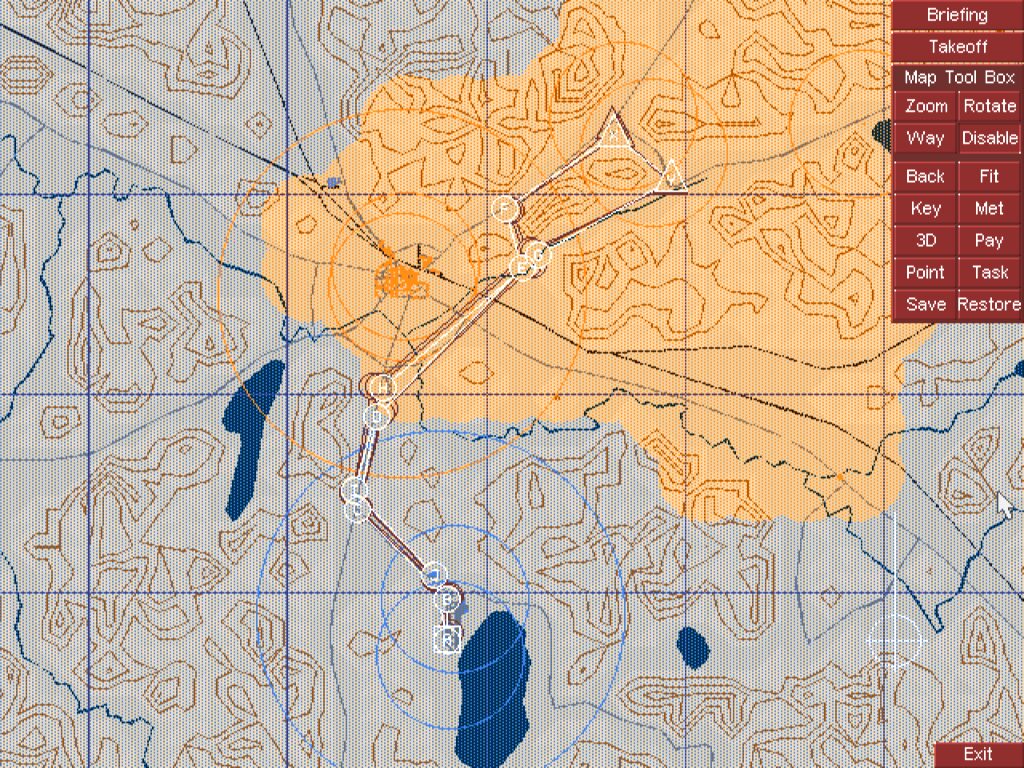
- Before each mission, look at the map and the weapons setup in the briefing.
- Once you have mastered stable mode, move on to realistic.
Remember that the Hind can carry soldiers: some missions are solved with transport and not just with cannons.
Technical notes
The installation manual asks for a 486DX/33, 8 MB of RAM, a double-speed CD-ROM, a VESA card with 256-color SVGA at 800×600, a mouse, a Sound Blaster compatible and MS-DOS 5.0 or Windows 95. It supports Sound Blaster, Pro Audio Spectrum, Gravis Ultrasound and Ensoniq Soundscape.
Patches exist: version 1.2 (for DOS, Windows 95 and the GOG edition) and the 3Dfx/Voodoo ones, collected on the Internet Archive. For network play today, PCGamingWiki points to Classic Gaming Arena.
Sources
- Hind Installation Guide (Internet Archive): requirements, installation, parameters and supported devices.
- Old PC Gaming · Hind: review, WSO, attack style and missions.
- PCGamingWiki · Hind: releases, stores, patches and network play.
- GOG · Hind: description of the current edition.
- Hind patch collection (Internet Archive): patch 1.2 and 3Dfx.
- Wikipedia · Hind: modes, scenarios and reception (for orientation only).
Something wrong?
Give us a hint.
A broken link, a detail to correct or a game that won't start. Your report helps keep this game page up to date.
Get in touchReport an issue with this game Discuss it in the forumCLABA ARCADE ROOM
251 classics
without installing anything.
Don't feel like installing? These play right in your browser.
Enter the roomTHE CLABA APP1.0 RC 1
Take the archive
with you.

Game pages, online play and your shelf on Android. Free, no sign-up.
ARCHIVE SECRETS
Did you know?
A 99-page manual. The game came with a printed manual that explained the fundamentals of helicopter flight, along with the traits and armament of the Mi-24.
You can let the war carry on by itself. If you do nothing, each mission plays out with scenarios and a basic AI, and it is possible to watch the battle by moving from unit to unit; sometimes your side’s AI accomplishes the objectives without you.
Different helicopters, one battlefield. It could be connected over IPX or modem with Apache Longbow, to play on the same battlefield with different helicopters.
Built for a 486. Next Generation pointed out that the graphics were modest but that this made it playable on a 486, something rare in a good simulator. The official minimum was a 486DX at 33 MHz with 8 MB of RAM.
Still on sale. According to PCGamingWiki, it can be bought today on GOG, Steam and ZOOM, with DOSBox included.