Bethesda Game Studios · RPG
The Elder Scrolls IV: Oblivion
Open-world RPG in Cyrodiil: ten races, 21 skills that rise with use, guilds and Oblivion gates to close. Gold Edition repack in English and Spanish.
Role-playing game by Bethesda Game Studios (2006) for PC, in Spanish and English. Available to download.
4.5 31 votes
THE CLABA ARCHIVE
Inside the game.
Its history, its ideas and the reasons to come back.
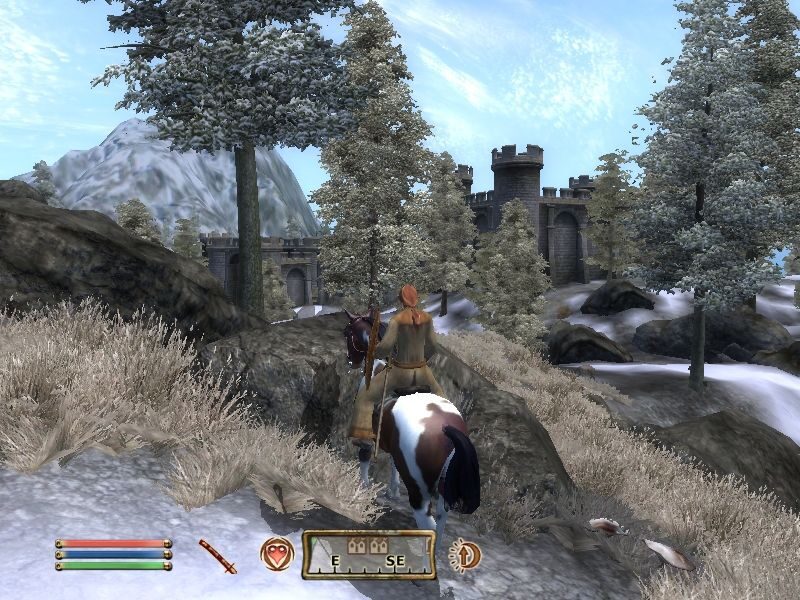
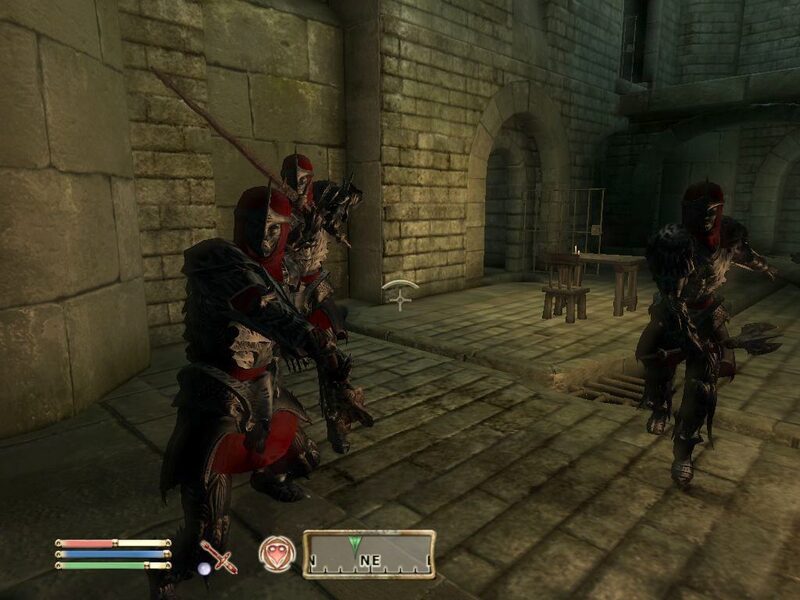
You begin in a cell in the Imperial City prison, with no idea why you’re there. After a while the emperor himself walks in, fleeing a band of assassins, and it turns out your cell hides the secret exit his guard is looking for. A few minutes later you emerge from the sewers into daylight, carrying an amulet that isn’t yours and a whole province ahead of you. That is how The Elder Scrolls IV: Oblivion starts, the role-playing game from Bethesda Game Studios that came out on March 20, 2006 for PC and Xbox 360, co-published by Bethesda Softworks and 2K Games.
Cyrodiil and the gates of Oblivion
The action takes place in Cyrodiil, the central province of the continent of Tamriel, six years after the events of Morrowind. Emperor Uriel Septim VII, voiced by Patrick Stewart in the original, is murdered by a cult that worships Mehrunes Dagon, and with him the barrier separating the world from the demonic plane of Oblivion breaks. Portals full of daedra open all over the land. Your mission is to find Martin, the emperor’s illegitimate son, voiced by Sean Bean, and restore him to the throne before the invasion sweeps everything away.
How it plays
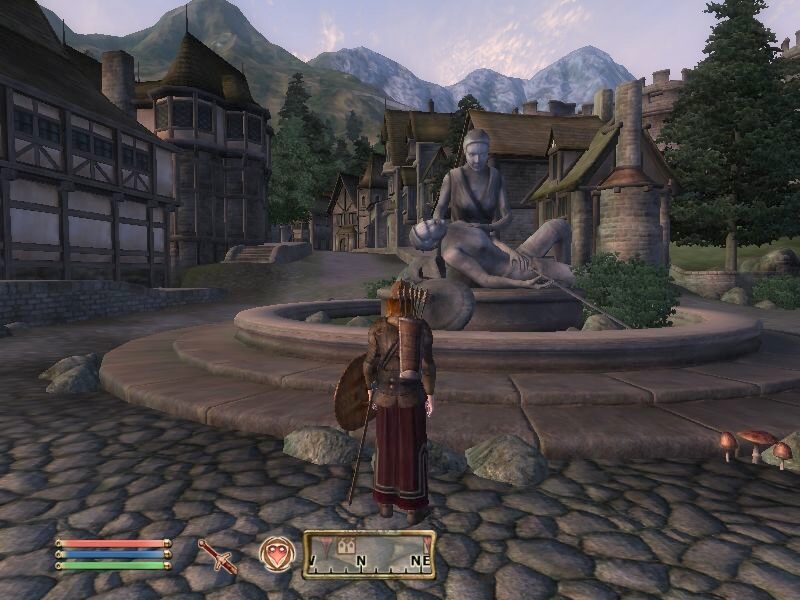
You can go anywhere from the very first moment, in first or third person, and leave the main story for when you feel like it. When creating your character you choose from ten races and mark seven major skills out of the 21 available, spread across combat, magic and stealth. Skills improve through use: if you fight with a sword, you get better with the sword; if you pick locks, you get better at security. When your major skills add up to ten points, you level up by sleeping in a bed. There are fighters’, mages’ and thieves’ guilds, a Dark Brotherhood of assassins, a gladiator arena, houses to buy and hundreds of caves and ruins. Enemies and loot scale with your level, something that was much debated because a badly planned character can run into rivals that are too tough.
What made it special
Part of the press went as far as calling it the first game of the new generation, and it looked the part. It had Havok physics, HDR lighting, an enormous draw distance and fully voiced characters, something new for the series. Its most ambitious bet was Radiant AI: the inhabitants of Cyrodiil have their own schedules and goals, and they eat, sleep, shop or chat with each other. You can watch a neighbor go out to buy food, sit down to read a book or stop to talk with another. The critics received it with enthusiasm; GameSpot went so far as to say it was clearly better than Morrowind. In 2006 it sold more than three million copies. Two expansions followed: Knights of the Nine, in November 2006, and Shivering Isles, in March 2007, which takes you to the realm of Sheogorath, the Prince of Madness.
The edition we offer
In Downloads you’ll find a repack of the Gold Edition, in English and Spanish, with the translations by Clan DLAN, the veteran community translation group, and set up for Windows XP, 7 and 10. Keep in mind that the official Spanish version translated the text and subtitles, but dubbed only the intro and ending videos: conversations are heard in English. The game needs the DirectX 9.0c libraries; if you are missing a d3dx9_ file at launch, install them and you’re set. If you’re coming from Windows XP, our tutorial on Windows XP classics on Windows 10 and 11 will help you with compatibility.
In Guides you’ll find the installation, the controls and advice for creating a character that doesn’t get stuck; in Tips & tricks, the most useful console commands. To continue with the series, there are The Elder Scrolls: Arena and Morrowind; with the same engine and the same studio, Fallout 3, and then Fallout: New Vegas. If you’re looking for other open fantasy worlds, try Risen or Arx Fatalis.
EVERY PIXEL COUNTS
The game in pictures.
Explore the screenshots and open every detail at full size.
GET READY FOR YOUR NEXT GAME
Choose your download.
Format, compatibility and server. All in view.
Clicking opens the CLABA loading area and, in a few seconds, your download. If a link fails, let us know via Contact or in the forum.
THE SECRET SIDE OF THE GAME
Tips, tricks and secrets.
A hint at the right time. A code that changes everything.
How to enter them
Oblivion on PC has a command console. Open it with the key below Esc and to the left of 1 (on a Spanish keyboard, º), type the command, press Enter and close it with the same key. Commands that target an object or character apply to the one you select with the mouse while the console is open. Save first: some can break quests.
God mode
tgm: toggles god mode: you can’t be hurt, health, magicka and fatigue don’t drop and you can carry unlimited weight.
Walk through walls
tcl: turns off collisions; you pass through walls and can walk on air. Type it again to turn it off. Useful if you get stuck.
The whole map
tmm 1: shows all the map markers, which lets you fast travel anywhere. With tmm 0 you hide them all, including those of the cities.
Gold and lockpicks
player.additem f 1000: gives you 1,000 gold coins (change the figure to taste). player.additem 0000000a 50: 50 lockpicks.
Open locks
With the console open, click on the door or chest and type unlock.
Level up
advlevel: forces a level-up and shows the screen for distributing attributes. It doesn’t count as a normal level-up toward the next level.
All spells
psb: adds every spell in the game to your spellbook, including test spells and those meant for enemies. It fills the list with odd entries; use it wisely.
No matches. Try another effect or code.
THE NEXT STEP, CLEARER
Guides to move forward.
From the first installation to that mission that won't give in.
Start here · first launch
- Download the repack from Downloads and install it in a short path outside
Program Files, for exampleC:\Juegos\Oblivion. - If at launch you see «d3dx9_27.dll was not found» (in the Spanish message, «No se ha encontrado d3dx9_27.dll»), install the DirectX 9.0c package: the game uses those old libraries, which Windows 10 and 11 don’t include.
- Launch from the launcher: there you choose resolution and quality, and in the data files section («Data Files») you enable or disable additional content.
- If a save game won’t load, check in the launcher that the same content is active as when you saved.
Save games and settings are in Documents\My Games\Oblivion (the saves, in the Saves subfolder). Before reinstalling, back them up with our tutorial on copying and restoring save games.
Controls
- W A S D: move. Mouse: look.
- E: jump. Ctrl: sneak. Shift: run. Caps Lock: always run. Q: auto-move.
- Space: use, talk, open or pick up. Z: grab an object without putting it away.
- Left click: attack. Right click or Alt: block. C: cast the selected spell. F: draw or sheathe your weapon.
- R or middle click: first or third person. Tab: opens the last menu you used. F1–F4: stats, inventory, magic and map or journal. 1–8: hotkeys.
- T: wait. F5 and F9: quick save and quick load.
Almost everything can be remapped in the options.
First steps · a character that doesn't get stuck
- The prison and sewers tutorial doubles as character creation. When you leave you can tweak race, class and birthsign before setting foot in Cyrodiil.
- Careful with major skills: you level up by improving them, and enemies level up with you. If you pick skills that improve on their own as major ones, such as Athletics or armor skills, you’ll gain levels without getting any stronger in combat.
- Remember that your level only goes up when you sleep in a bed.
- To follow the story, take the amulet to Weynon Priory. If you prefer to explore, the fighters’ and mages’ guilds are a good school.
- The big cities are unlocked for fast travel from the start; other places are added as you discover them.
- Carry lockpicks, healing potions and a repair hammer, and don’t let your armor break.
Technical notes
It required Windows 2000 or later (XP was recommended), a Pentium 4 at 2 GHz, 512 MB of RAM, a 128 MB graphics card compatible with DirectX 9.0c (Radeon 9500 or GeForce FX 5700) and 4.6 GB of disk space. The last official patch is 1.2.0416; the version appears at the bottom left of the main menu.
- If the graphics settings don’t save, open the console and type
saveini. - With modern Nvidia cards there can be black screens: turn off self-shadows and use Bloom instead of HDR.
- If the volume keys don’t work with the game open, change
bBackground Keyboard=0to1inOblivion.ini. - Above 60 frames per second the physics go haywire: leave vertical sync on.
- On Windows Vista and later, 3D sound may need a DirectSound restorer.
The community maintains the Unofficial Oblivion Patch, which fixes thousands of bugs. It is optional and best applied to a copy.
Sources
- PCGamingWiki: date, editions, patches, save game paths, Spanish language, known issues and requirements.
- UESP · console, controls, leveling and items: commands, keys, level and identifiers.
- Elder Scrolls Wiki · console commands and lockpick: a second source for the commands.
- Xbox.com · interview about Radiant AI: the AI and the 1,500 inhabitants.
- ESRB · press release of May 3, 2006: rating change.
- Gamasutra · Shivering Isles announcement: 2006 sales and the expansion.
- GameSpot · review: voices, guilds and assessment.
- Windows Central · Oblivion Remastered: the four million players.
Something wrong?
Give us a hint.
A broken link, a detail to correct or a game that won't start. Your report helps keep this game page up to date.
Get in touchReport an issue with this game Discuss it in the forumCLABA ARCADE ROOM
251 classics
without installing anything.
Don't feel like installing? These play right in your browser.
Enter the roomTHE CLABA APP1.0 RC 1
Take the archive
with you.

Game pages, online play and your shelf on Android. Free, no sign-up.
ARCHIVE SECRETS
Did you know?
Familiar faces. Emperor Uriel Septim VII is voiced by Patrick Stewart, and Martin, his heir, by Sean Bean. In the Spanish edition those voices are heard in English, with subtitles.
More than 1,500 neighbors with their own agendas. Producer Gavin Carter said the main complaint about Morrowind was its lifeless characters. Radiant AI was designed to give varied behaviors to the more than 1,500 inhabitants of Cyrodiil.
From «Teen» to «Mature.» On May 3, 2006, the ESRB raised the game’s rating in North America from T to M. It cited more blood than had been disclosed and a locked file in the PC version that, with an external tool, showed female characters topless.
Three million in its first year. When announcing Shivering Isles, Bethesda revealed that Oblivion had passed three million copies in 2006 across PC and Xbox 360.
A second life in 2025. Oblivion Remastered launched by surprise in April 2025 and in its first week passed four million players, according to Bethesda.