Gremlin Interactivo · RPG
Soulbringer
3D action RPG from Gremlin Interactive (2000): custom combos, five-element magic and a frozen world. Repack and both CDs in Spanish.
Role-playing game by Gremlin Interactivo (2000) for PC, in Spanish.
4.2 5 votes
THE CLABA ARCHIVE
Inside the game.
Its history, its ideas and the reasons to come back.
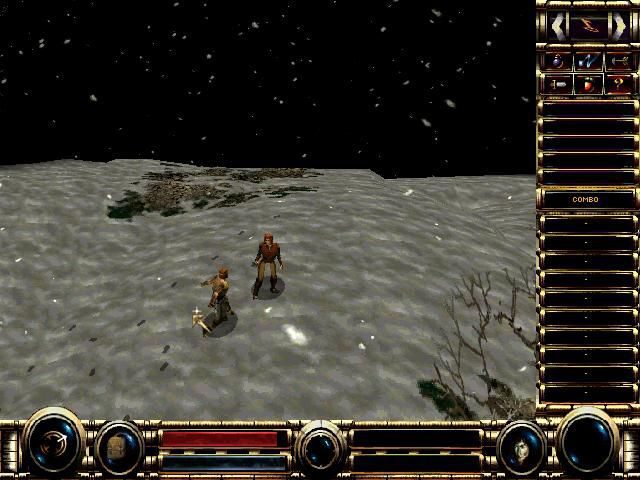
It is snowing on Kalaran. Your father has just died and has left you a cryptic instruction: go to Madrigal and find your uncle Andrus. That is how Soulbringer begins, the three-dimensional action RPG from Gremlin Interactive that Interplay published in North America and Infogrames in Europe in the summer of 2000. What looks like a family trip soon turns into a political and supernatural conspiracy.
A frozen world and a forgotten enemy
The world is called Rathenna and magic has been gone for a hundred years: according to the manual, only demons and monsters practice it, and the last human sorcerer vanished over a century ago. Your hero discovers that he is the reincarnation of a powerful being destined to face the Revenants, ancient demons who pull the strings of the world’s conflicts. To trap them in the Well of Souls you will have to awaken your powers from past lives and even travel to parallel worlds. The game has a good ending and a bad one.
How it plays
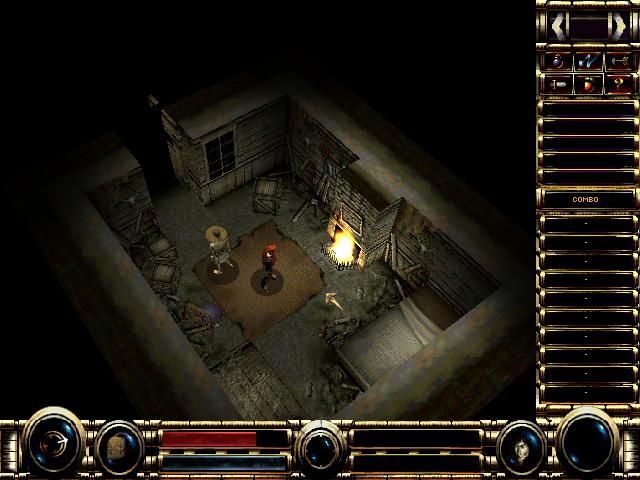
The view is three-dimensional, from above, with a camera that rotates with the right button or the numeric keypad. Almost everything is handled with the mouse: click to walk, double-click to run, click on objects to pick them up and on enemies to attack them. Combat is the most distinctive thing about the game. Each weapon has its own strikes, which unlock as you raise the combat stat, and you can chain up to 15 actions into combos with names of their own, even mixing weapons and spells. Terrain matters: low blows hit the legs, high ones the arms or head, and fighting on a slope changes where they land.
Magic is split into five elements (fire, earth, air, water and spirit) and your Seculorum, the body’s magical balance: the stronger one element is, the weaker another becomes. You have to specialize wisely. You advance through levels, up to 41, by distributing points among five stats.
What made it special
Among the cRPGs of the time, dominated by Baldur’s Gate and Diablo II, Soulbringer bet on a measured, almost tactical combat system and on an unusual circular magic. The critics of the time were divided: Next Generation magazine panned the graphics, the camera and the loot system, but praised the combat and the voices. Over the years it has won defenders, in part because of that ambition.
The edition we offer
This is the Spanish edition. In Downloads you have a repack to install and play on Windows XP or later and the images of the two original CDs (CD1 and CD2) for anyone who prefers to keep it as is. The original had SecuROM 3 protection, according to PCGamingWiki, so the convenient option on a current PC is the repack; for compatibility, see our tutorial on Windows XP classics on Windows 10 and 11. The controls and the first launch are in Guides; if you are looking for something similar, try Dungeon Siege or Throne of Darkness.
EVERY PIXEL COUNTS
The game in pictures.
Explore the screenshots and open every detail at full size.
GET READY FOR YOUR NEXT GAME
Choose your download.
Format, compatibility and server. All in view.
Download Repack
COMPATIBILITYWindows XP / 7 / 10 ✓ At no cost✓ No sign-up Download www.mediafire.com · New tab MediaFire02 ISODOWNLOAD CD1
COMPATIBILITYWindows XP ✓ At no cost✓ No sign-up Download www.mediafire.com · New tab MediaFire03 ISODOWNLOAD CD2
COMPATIBILITYWindows XP ✓ At no cost✓ No sign-up Download www.mediafire.com · New tabClicking opens the CLABA loading area and, in a few seconds, your download. If a link fails, let us know via Contact or in the forum.
THE SECRET SIDE OF THE GAME
Tips, tricks and secrets.
A hint at the right time. A code that changes everything.
Tip · about cheats
Console codes for this game are circulating, but we have only seen them in one source and have not been able to verify them, so we are not publishing them. These tips do come from the official manual and from play experience.
Tip · distribute your points wisely
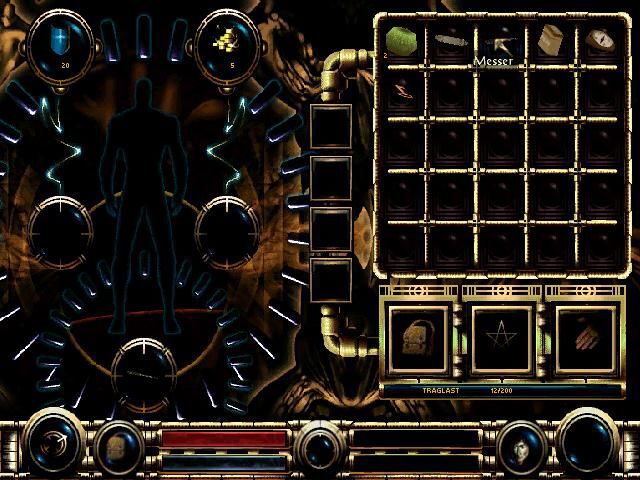
The manual says it plainly: what you spend on the character panel stays fixed for the whole game. At the start, distribute the points evenly among the five stats (combat, strength, speed, magic and health), as the manual’s own starter guide suggests.
Tip · create a combo from the first minute
Press M, name a combo (the manual suggests «Brigand Basher»), drag «cut» from the knife twice and press the loop button. In combat you launch it with the 1 key with an enemy targeted.
Tip · eat to heal
You can eat in the middle of combat with the Q key (in the food category). Afterward you have to press the combo again to keep fighting. With the arrows on each side of the icon you choose between apple and fish.
Tip · aim low or high
Low blows tend to hit the legs and high ones the arms or head, according to the manual. Fighting on a slope changes the point of impact of your blows and your opponent’s, so choose carefully where you make your stand.
Tip · choose weapons according to armor
According to the manual, piercing damage is the best at getting through armor; light armor barely slows piercing blows and heavy armor offers the best overall protection. In addition, a weapon wears out faster when you strike armor that protects well against its damage type. Always carry an alternative.
No matches. Try another effect or code.
THE NEXT STEP, CLEARER
Guides to move forward.
From the first installation to that mission that won't give in.
Start here · first launch
- In Downloads choose the repack (Windows XP or later) or the CD1 and CD2 images, to keep the original edition.
- Install in a short path, for example
C:\Juegos\Soulbringer, outsideProgram Files. - Saves are stored in
data\save\inside the game folder, according to PCGamingWiki; copy them with our tutorial on copying and restoring save games. - If the startup videos bother you, PCGamingWiki indicates that you can rename
intro.bikandinterplay.bikin thedatafolder. - If it does not start properly on Windows 10 or 11, see our tutorial on Windows XP compatibility.
Controls
- Mouse: left click to walk, interact and attack; double-click or Shift + click to run; hold the right click to rotate the camera.
- I inventory, C character, M combos, J journal, F5 save, F6 load, Esc options.
- Q, W, E, R, T run the actions of the selected item; 1 to 0 launch combos.
- Down arrow targets the nearest enemy; up arrow cancels the target.
- Caps Lock toggles always-run; Z brings the camera closer to the hero; Space skips one line of dialogue and the period key skips the whole scene.
The manual warns that these shortcuts are designed for an English keyboard; on other layouts they may vary.
First steps · your first hour
- Distribute the starting points in the character panel (C key) before leaving the path.
- Go back to the ferryman’s house and search barrels and crates: you will find a fish worth picking up.
- Create your first combo and fight the first bandit with it.
- Open the door with Allis Ham’s key from the miscellaneous items icon and talk to the ferryman to collect your reward.
- Continue along the road to Madrigal and start reading your journal: quests are noted there, and their description changes as you progress.
This is the opening the manual itself proposes; it works as a tutorial.
Technical notes
It is a 2000 Windows game. On modern machines it does not offer true widescreen resolutions: PCGamingWiki indicates that wide resolutions stretch the image from 4:3 and that it has no windowed mode. There is a DirectX compatibility patch and a community patch (Peixoto’s) that makes it work on Windows 10 and allows high resolutions without shrinking the menus; the latter is, for now, only compatible with the retail version. They are optional and it is best to apply them to a copy of the installation.
Sources
- Official manual (Interplay, on Steam): startup, controls, combos, magic, weapons and maximum level.
- PCGamingWiki: release, SecuROM, saves, patches and resolution.
- Cheat Happens: consulted for the codes, which we have not been able to verify with a second source.
- GOG: the game’s current store page.
- Wikipedia: plot, circular magic and Next Generation’s reception.
Something wrong?
Give us a hint.
A broken link, a detail to correct or a game that won't start. Your report helps keep this game page up to date.
Get in touchReport an issue with this game Discuss it in the forumCLABA ARCADE ROOM
251 classics
without installing anything.
Don't feel like installing? These play right in your browser.
Enter the roomTHE CLABA APP1.0 RC 1
Take the archive
with you.

Game pages, online play and your shelf on Android. Free, no sign-up.
ARCHIVE SECRETS
Did you know?
Magic in a circle. Instead of opposing elements, air dominates earth, earth dominates spirit, spirit dominates water, water dominates fire and fire dominates air. Balancing your Seculorum takes strategy.
Up to level 41. The manual sets the hero’s maximum level at 41. Advancement points you do not spend accumulate, but the ones you distribute stay fixed for the whole game.
15-hit combos. Each combo accepts up to 15 actions, can loop from any point and mixes weapons and spells; they are launched with the number keys.
A forgotten note. In the original manual, next to the keyboard shortcuts, an unpolished internal note was left: «Foreign keyboards will make all this untrue. Needs to be localized».
Two endings. The game has a good ending and a bad one, and was later bundled with Planescape: Torment, from Interplay.