Black Forest Games · RPG
Gothic 4
A Feshyr shepherd seeks revenge on King Rhobar III, Gothic's old hero. Action RPG with three schools of magic and crafting. Spanish base-game repack.
Role-playing game by Black Forest Games and Spellbound Entertainment (2010) for PC, in Spanish.
4.9 14 votes
THE CLABA ARCHIVE
Inside the game.
Its history, its ideas and the reasons to come back.
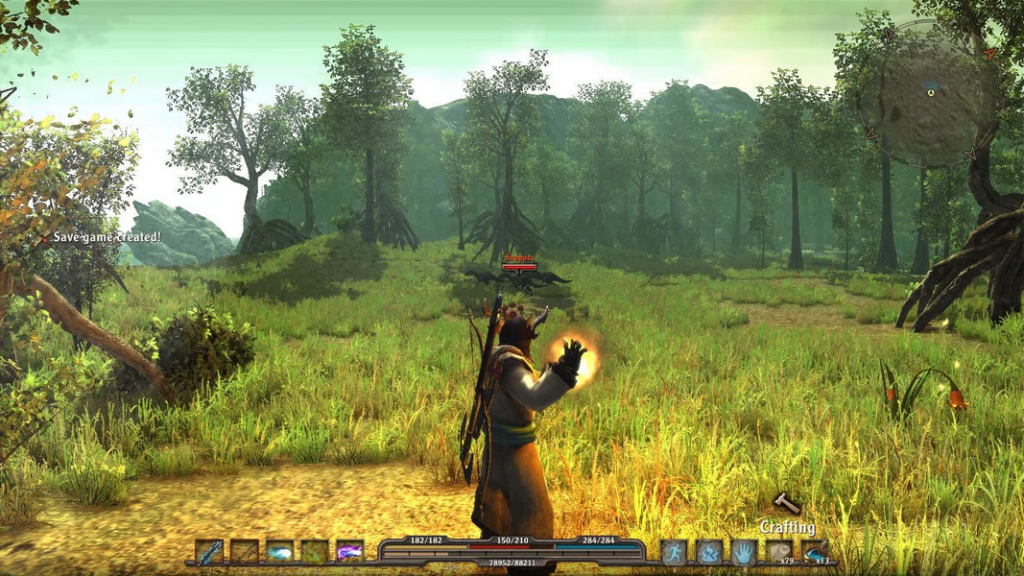
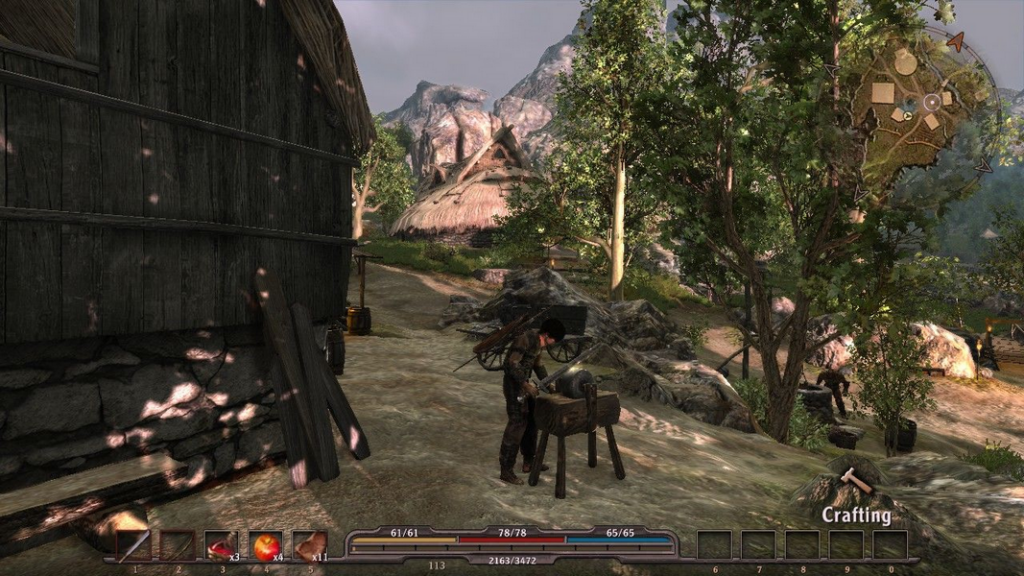
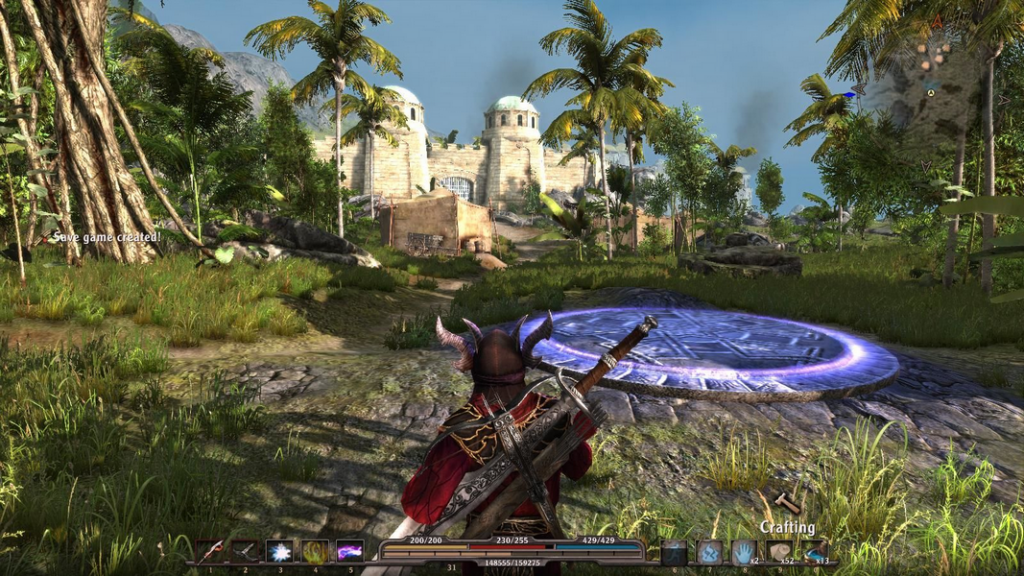
A shepherd from Feshyr, a quiet island lost in the Southern Seas, returns home after trials that were meant to let him marry and finds the village in flames. On the horizon, ships bearing the standard of the king of Myrtana sail away. That is the opening scene of Arcania: Gothic 4, the role-playing game that Spellbound Entertainment developed for JoWooD and that came out in October 2010 on PC and Xbox 360.
The old hero, now on the throne
The story takes place ten years after Gothic 3. The nameless hero of the first three installments is now King Rhobar III, and his army has landed on Argaan, the big island of the southern archipelago, sowing war in its wake. Your character is another nameless hero who leaves Feshyr thirsting for revenge and soon discovers that there is more behind the attack than the whim of a despotic king. Along the way familiar faces from the series appear, such as Diego, along with new places: the castle of Stewark, the village of Tooshoo or the jungle surrounding Setarrif.
How it plays
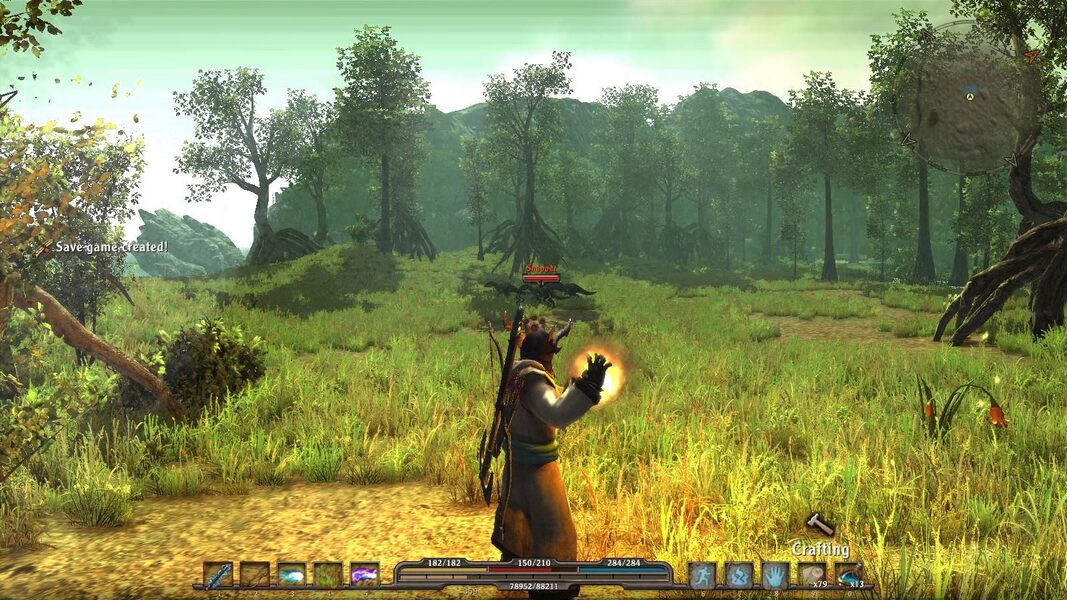
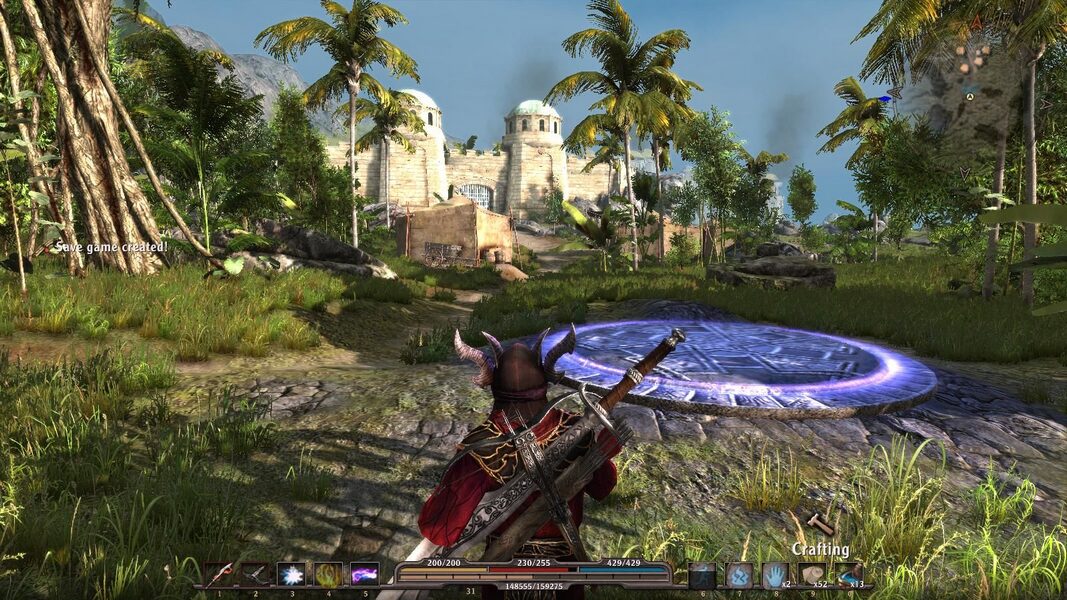
It is a third-person action RPG. You attack with one- or two-handed swords, bows, crossbows or magic; you block with a shield or with the two-handed weapon, and you dodge the charged blows that enemies announce with a glint before unleashing them. Every time you level up you earn three points to spend on a scheme of eight branches: five for combat and stealth skills and three for magic, corresponding to fire, ice and lightning. There are no trainers to pay and no requirements for wielding a weapon, and with the right recipes you can craft potions, food and gear.
The world is big and pretty, with sunrises that looked great in 2010, and you get around on foot or with the teleport stones scattered across the island. Only named characters talk to you; the rest toss off a short line in passing.
A Gothic without its creators
Piranha Bytes, the studio that had created the series, broke with JoWooD after a Gothic 3 that, according to its founders, was released before it was finished. JoWooD handed the fourth part to Spellbound, known for Desperados, and Piranha left to make Risen. The result divided the critics: almost everyone praised the landscapes, but many missed the toughness and freedom of the earlier Gothic games. Eurogamer gave it a 4 and described it as a spreadsheet of role-playing elements that does not reward the player. Its expansion, Fall of Setarrif, was delayed in the middle of JoWooD’s bankruptcy, and the Gothic rights went back to Piranha Bytes, so today it is sold simply as «ArcaniA».
The edition we offer
In Downloads you will find a Spanish-language repack, install-and-play, marked for Windows XP, 7 and 10. It is the base game: as explained in its thread on the forum (in Spanish), it does not include the Fall of Setarrif expansion, which is why it takes up quite a bit less space than other compilations. The download’s own note warns that on Windows 10 it may not start on the first try; in Guides you will find the most common fixes, and our tutorial on Windows XP classics on Windows 10 and 11 will help you with compatibility.
In Tips & tricks there are no codes, but there is advice to keep you from getting stuck. If you are after more open-world RPGs, try The Elder Scrolls IV: Oblivion, Morrowind or Arx Fatalis.
EVERY PIXEL COUNTS
The game in pictures.
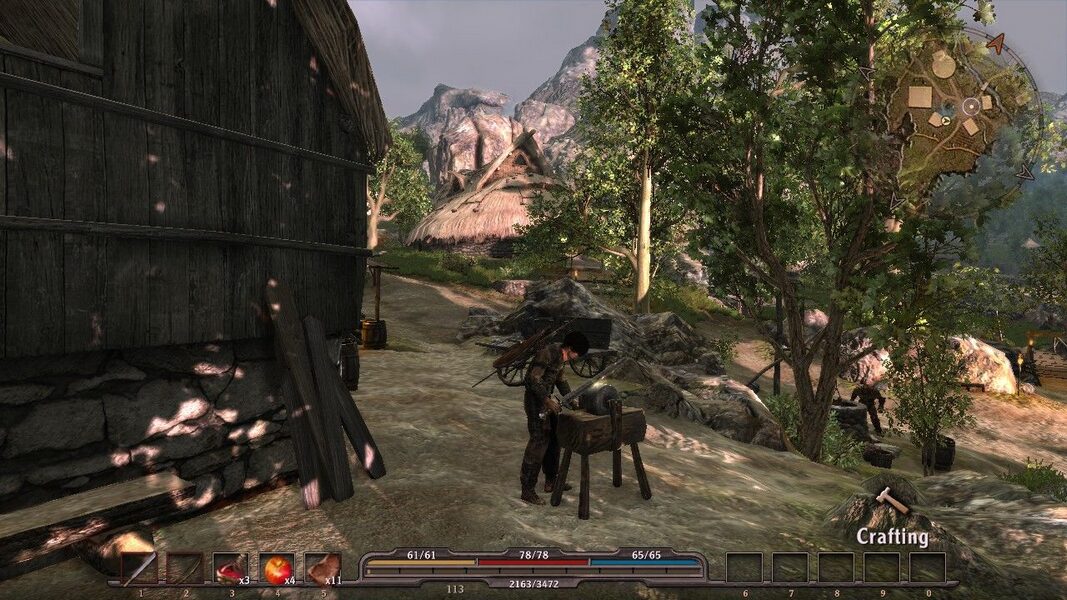
Explore the screenshots and open every detail at full size.
GET READY FOR YOUR NEXT GAME
Choose your download.
Format, compatibility and server. All in view.
Clicking opens the CLABA loading area and, in a few seconds, your download. If a link fails, let us know via Contact or in the forum.
THE SECRET SIDE OF THE GAME
Tips, tricks and secrets.
A hint at the right time. A code that changes everything.
How to use them
The PC version of Arcania has no cheat codes that you type during the game. What you will find here is gameplay advice based on the official guide and on reviews of the time. The game keeps a hidden debug menu that is only activated by editing its configuration files; we explain it in the technical notes guide, because it helps to get out of a known jam.
Tip · dodge at the last moment
Charged attacks cannot be blocked: the enemy announces them with a glint around the weapon. Wait until he is about to release it and then dodge to one side. If you step away too early, he corrects his trajectory and hits you anyway.
Tip · quests give more than monsters
Completing quests, side quests included, levels you up much faster than killing creatures nonstop. Talk to all the named characters in each new area before continuing with the story.
Tip · choose your specialty early
Each level gives three points. The gear is designed for three styles (melee, archer and mage) and spreading everything around leaves you mediocre at everything. Decide early where you are headed and look for weapons and armor that reinforce it.
Tip · alchemy before smithing
Gold is scarce and gear recipes are expensive. The potions and elixirs you craft do make a difference in combat and cost less than buying them; weapon smithing pays off far less.
Tip · locked chests
With lockpicks, locked chests open a minigame: stop the spinning tumblers at just the right moment to line up the locks. If you fail, you do not lose the lockpick: you just start over, so there is no limit on attempts.
Tip · travel with the stones
The teleport stone circles appear on the map marked with concentric circles. Activate them as you pass: they save you long walks when you go back to turn in quests.
No matches. Try another effect or code.
THE NEXT STEP, CLEARER
Guides to move forward.
From the first installation to that mission that won't give in.
Start here · first launch
- Download the repack from Downloads: it is in Spanish, install-and-play, and marked for Windows XP, 7 and 10. It includes the base game, without the Fall of Setarrif expansion.
- Install it outside
Program Files, in a short path such asC:\Juegos\Arcania, to avoid permission problems. - If your antivirus blocks a file, add the game folder to its exclusions instead of turning it off completely.
- On the first launch go to Options: that is where the resolution, graphics quality, difficulty and on-screen hints are.
- If it does not start on Windows 10 or 11, try Windows XP SP3 compatibility mode and run it as administrator; there are more fixes under «Technical notes».
According to PCGamingWiki, save games (*.sav) and configuration files are stored in Documents\ArcaniA - Gothic 4. Copy them from time to time by following our tutorial on copying and restoring save games.
Controls
- Left click: attack. Some blows are charged by holding the button; the progress appears under the crosshair.
- Right click: block, with a shield or a two-handed weapon. While holding the block, pressing a direction makes you roll to dodge.
- The quick-access menu holds potions, food, runes and scrolls; runes and scrolls can only be used from there, so assign them before entering combat.
- From the inventory you learn recipes and activate runes; runes are not used up, but they need to recharge between uses.
All keys can be changed in Options. The game supports the Xbox 360 gamepad, although PCGamingWiki warns that the console interface is only enabled with a hidden setting.
First steps
- Feshyr works as the tutorial: complete everything you are asked to do there before leaving, and take the chance to try melee weapons, the bow and blocking.
- Once on Argaan, talk to all the named characters in each area and accept their quests: they are the fast track to leveling up.
- Pick up plants and mushrooms along the way; they are the ingredients for health, mana and stamina potions.
- Sell what you do not use: almost all the loot is worth little, but you need gold to buy recipes and good gear.
- Against groups, back up while attacking and do not let yourself get surrounded; against a single big enemy, wait for his charged blow, dodge and punish.
- Save often in different slots: this is a game with a few known scripting bugs.
Technical notes
On Steam it is listed with Windows XP, Vista or 7, a dual-core processor, 1 GB of RAM on XP (1.5 GB on Vista), a GeForce 8600 GTS or Radeon X1900 with 256 MB, DirectX 9.0c and 10 GB of disk space. It uses Trinigy’s Vision engine and NVIDIA’s PhysX physics.
- Does not start: PCGamingWiki recommends installing NVIDIA’s PhysX Legacy software, setting Windows sound to 16 or 24 bits and 48,000 Hz, using XP SP3 compatibility mode and excluding the folder from the antivirus. On NVIDIA machines, copying the
cudart32_*.dllandcudart64_*.dllfiles from the PhysX folder to the game’s folder has also worked. - Stutter on current processors: in
Data\configuration\ProcessManager.xml(make a copy first) change thecores="1"value in the PC section to the number of cores in your processor. - Skipping the startup videos: rename
JWD_Logo.wmv,Nvidia.wmvandSB_Logo.wmvinData\Video. - Stuck when returning to the jungle: equip a speed rune (of the four or the seven winds), take off your weapons and jump from the ledge near the monastery, next to Bartur. If that does not work, PCGamingWiki explains how to enable an unrestricted-movement debug mode in
input.xml. - The video options include windowed mode and widescreen resolutions; vertical sync is forced from the graphics card’s control panel.
Sources
- Arcania manual (Xbox 360, Internet Archive): introduction in Feshyr and Argaan, quick-access menu, runes and recipes, crafting, lockpicks and teleport stones.
- Prima official guide (Internet Archive): attack, block and dodge, skill scheme, three points per level, fire, ice and lightning, combat styles, alchemy, chests and game areas.
- PCGamingWiki: engine, save game and configuration paths, languages, startup fixes, ProcessManager.xml, startup videos, the jungle jam and the hidden menu.
- Eurogamer · review: graphics, quests, three spells, loot and score.
- Eurogamer · why Piranha dumped JoWooD, the Fall of Setarrif delay, the demo and Spellbound’s move to Black Forest Games: break with JoWooD, rights to the brand, bankruptcy, legal dispute, demo contents, Desperados and Black Forest Games’s staff.
- Gothic Wiki · ArcaniA: plot, Diego, named characters, combat controls and the 2014 title change.
- Steam: current title, publisher, languages and requirements.
- ClaBa forum (in Spanish): contents of the repack (base game, Spanish) and the Windows 10 warning.
Something wrong?
Give us a hint.
A broken link, a detail to correct or a game that won't start. Your report helps keep this game page up to date.
Get in touchReport an issue with this game Discuss it in the forumCLABA ARCADE ROOM
251 classics
without installing anything.
Don't feel like installing? These play right in your browser.
Enter the room #43 in the community rankingTHE CLABA APP1.0 RC 1
Take the archive
with you.

Game pages, online play and your shelf on Android. Free, no sign-up.
ARCHIVE SECRETS
Did you know?
Win-win. Michael Hoge, co-founder of Piranha Bytes, explained to Eurogamer in 2011 that for them Arcania was a no-lose situation: if it went well, it strengthened the brand; if it went badly, everyone would know why. They also knew from the start that the Gothic rights would return to the studio.
An expansion in limbo. Fall of Setarrif was due out on March 25, 2011, but JoWooD, which had filed for bankruptcy in January, delayed it indefinitely over a legal dispute with the investment fund that had financed the game. It ended up arriving on PC in October of that year.
Goodbye, «Gothic 4». In 2014 its new publisher, Nordic Games, removed «Gothic 4» from the title. Today THQ Nordic sells it on Steam simply as «ArcaniA».
A studio reborn. Spellbound, the studio behind Desperados and Airline Tycoon, fell into insolvency and in July 2012 re-emerged as Black Forest Games, with 40 of its 65 employees and almost all of its management.
The first two hours, at no cost. The September 2010 demo for PC and Xbox 360 included the beginning of the game in Feshyr, which works as a tutorial.