Starbreeze Studios · RPG
Enclave
Starbreeze sword-and-sorcery with two campaigns, Light and Darkness, 12 classes and 25+ missions. PC version in Spanish.
No computer handy? Play one of the 251 classics online right now
4.8 9 votes
THE CLABA ARCHIVE
Inside the game.
Its history, its ideas and the reasons to come back.
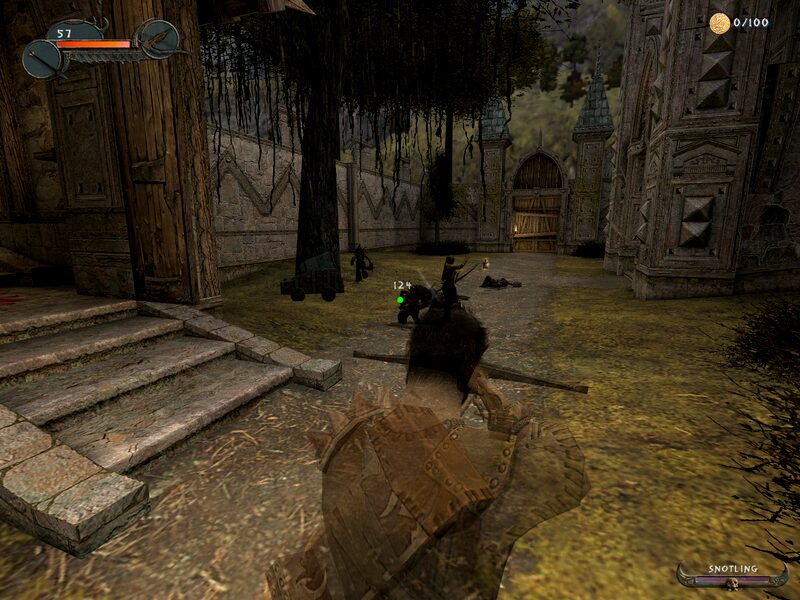
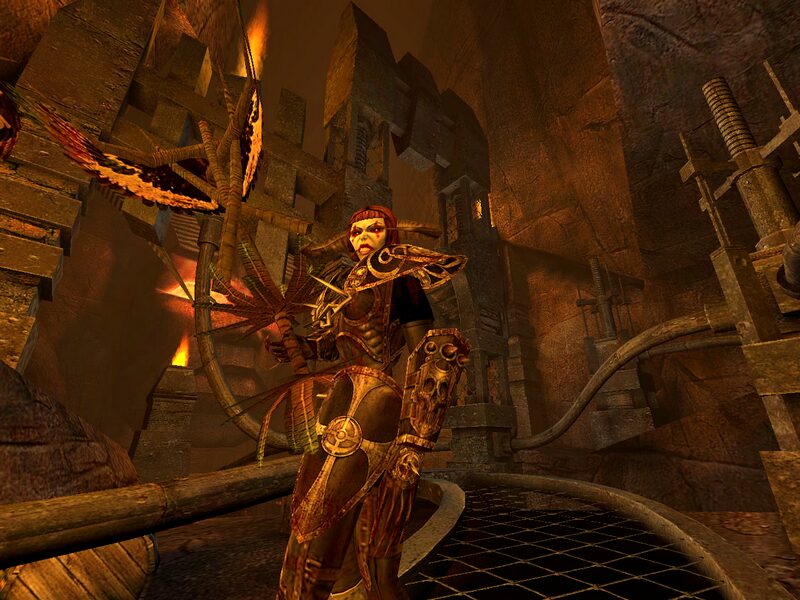
A bottomless chasm has separated the peoples of the Light and the Darkness for millennia, and that rift is closing. Enclave is the sword-and-sorcery game that made Starbreeze Studios, the Swedish studio that would later make the Riddick adventures, a name: it came out first on Xbox in July 2002 and reached PC in March 2003.
Light versus Darkness
The kingdom of Celenheim is an enclave of order surrounded by the Outlands, the wastelands ravaged by war. When border skirmishes threaten to turn into all-out war, a group of men and women sets out on a journey in search of their ancestors, the people of Meckelon. On the other side, Mordessa, the leader of the Darkness, wants to summon the demon Vatar with the Book of Souls. The neat part is that you can take either side: there are two independent campaigns, one for the Light and one for the Darkness, each with its own missions.
How it plays
It is a third-person action game, with an optional first-person view, that mixes sword fighting, shooting, puzzles and platforming in a level-based structure. Before each mission you choose your character from 12 classes and equip their weapons and items with the gold you are carrying; during the mission you pick up more gold and gems, which increase the budget for the next one. Steam sums the game up as more than 25 missions, five final bosses and secret bonus games.
What made it special
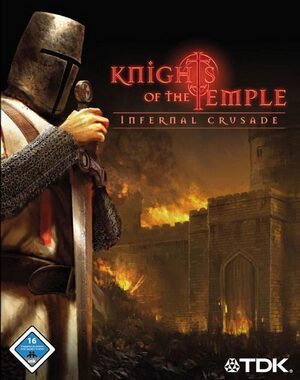
It won people over with its looks: in 2002 it was praised as a visual showcase for Xbox. But critics were divided. GamesAsylum recalls that almost all the low scores came down to the controls of the Xbox version, much worse than those on PC, and that unfair deaths and the lack of checkpoints wore players out: Official Xbox Magazine gave it a 7.4, GameSpot 68% and Computer Gaming World, 3 out of 10. On PC, Metacritic gives it 71 out of 100. Starbreeze announced Enclave II, which was cancelled and turned into Knights of the Temple. Years later, the studio would make Riddick.
The edition we offer
In Downloads there is a repack in Spanish, prepared for Windows XP, 7 and 10, of the PC version. PCGamingWiki warns that on Windows 8 and later it may always open in a window, which is fixed with Windows 7 compatibility mode. If something goes wrong, our tutorial on Windows XP classics on Windows 10 and 11 can lend a hand. For more action-packed fantasy, try Arx Fatalis or Risen. In Guides and Tips & tricks you will find fixes and gameplay tips.
EVERY PIXEL COUNTS
The game in pictures.
Explore the screenshots and open every detail at full size.
GET READY FOR YOUR NEXT GAME
Choose your download.
Format, compatibility and server. All in view.
Clicking opens the CLABA loading area and, in a few seconds, your download. If a link fails, let us know via Contact or in the forum.
THE SECRET SIDE OF THE GAME
Tips, tricks and secrets.
A hint at the right time. A code that changes everything.
Tip · no reliable codes
Some guides mention a cheat mode that is activated by editing game files, but we have not been able to verify any combination, so we do not list codes. What we can offer are tested settings and tips.
Tip · skip the startup videos
PCGamingWiki links the Enclave intro skip patch, which replaces the opening videos. Copy it over the installation, after backing up the originals.
Tip · sharper shadows
Open environment.cfg in the game folder and set XR_PORTALTEXTURESIZE and XR_SHADOWDECALTEXTURESIZE to 2048, the maximum; any higher value is reduced to 2048 at startup.
Tip · stuttering mouse
If the mouse moves in jumps or there is stuttering when drinking potions, try lowering the mouse polling rate to 125 Hz, according to PCGamingWiki.
Tip · cap the frame rate
At very high frame rates, animations break and your character can drown faster underwater. Cap the game at 60 frames per second, enable vertical sync and set the display to 60 Hz.
Tip · manage your gold
Each mission starts with a limited gold budget and you cannot buy all the gear. Equip what you need for the mission and pick up gold and gems along the way to have more room in the next one.
No matches. Try another effect or code.
THE NEXT STEP, CLEARER
Guides to move forward.
From the first installation to that mission that won't give in.
Start here · first launch on a current PC
- Download the repack from Downloads.
- Install it in a short path such as
C:\Juegos\Enclave; the game stores save games and settings in its own folder (Sbz1\Save,options.cfg). - Launch the game. If on Windows 8 or later it ignores the resolution and always opens in a window, run it in Windows 7 compatibility mode.
- If you see excessive glare from the torch, PCGamingWiki suggests using dgVoodoo 2.
Back up your save games with our tutorial on copying and restoring save games. And if compatibility fails, see how to play Windows XP classics on Windows 10 and 11.
Controls · how to move around
- Keys can be remapped in the options.
- The view is third-person, with an optional first-person mode.
- Gamepads are not supported out of the box; there are community patches to enable them.
If the mouse stutters, try a polling rate of 125 Hz.
First steps · choose a side and gear
- At the start, choose between the Light campaign and the Darkness campaign; they are independent, with their own missions.
- Before each mission, choose your character from the 12 classes.
- Equip only what you can afford with your gold and keep some in reserve for the next mission.
- Collect all the gold and gems you can: they increase your starting budget.
- Combine sword, shooting and magic depending on the enemy, and do not neglect the puzzles: the game mixes all of that in every level.
Technical notes
Minimum requirements: Windows 98, ME, 2000 or XP, a 600 MHz Pentium III, 192 MB of RAM, 2.5 GB of disk space and a GeForce or Radeon with 16 MB and DirectX 8.1. Recommended: a 1.5 GHz Pentium 4 or a 1 GHz Athlon, 256 MB of RAM and a GeForce 3.
The original uses SecuROM 4 protection (SafeDisc on the German copies). PCGamingWiki states that, to play windowed or borderless, dgVoodoo 2 is needed, and that windowed mode only exists at 800×600. A community patch by Peixoto allows high resolutions without shrinking the interface.
Sources
- PCGamingWiki: requirements, copy protections, settings and fixes.
- Steam: official page, 12 classes, more than 25 missions, five bosses and the 2013 re-release.
- Games Asylum · what critics thought in 2002: scores and criticism of the controls and saving.
- Wikipedia: history, platforms and the cancelled sequel (for orientation).
Something wrong?
Give us a hint.
A broken link, a detail to correct or a game that won't start. Your report helps keep this game page up to date.
Get in touchReport an issue with this game Discuss it in the forumCLABA ARCADE ROOM
251 classics
without installing anything.
Don't feel like installing? These play right in your browser.
Enter the roomTHE CLABA APP1.0 RC 1
Take the archive
with you.

Game pages, online play and your shelf on Android. Free, no sign-up.
ARCHIVE SECRETS
Did you know?
Xbox first. It came out on Xbox in July 2002; the PC version arrived in March 2003. A GameCube version was cancelled in early 2003.
Two sides, two stories. You can play as a Warrior of the Light or as a Subject of the Darkness, with separate missions for each side.
A sequel that became another game. Starbreeze announced Enclave II in March 2003; the project was cancelled and, months later, turned into Knights of the Temple.
From gamepad to mouse. The Xbox version’s controls were one of the most repeated criticisms, and almost all the lowest scores are attributed to that version, not the PC one.
A long life. In 2012 it came out on Wii as Enclave: Shadows of Twilight, in 2013 it returned to Steam and GOG, with Mac and Linux versions, and in 2023 Enclave HD arrived on consoles.