Westone · Platformer
Wonder Boy III: The Dragon’s Trap
A curse turns you into a lizard man, and each dragon you beat gives you a new form to explore Monster Land. Westone's Master System adventure (1989).
Platform game by Westone (1989) for Master System (in English) and Game Gear. Playable in your browser (Master System and Game Gear) or downloadable.
Choose your version 2 platforms
— no rating yet
THE CLABA ARCHIVE
Inside the game.
Its history, its ideas and the reasons to come back.


You kill the dragon, the adventure ends… and you turn into a lizard. That is how Wonder Boy III: The Dragon’s Trap begins, which Westone created for the Master System and Sega published in 1989. It is the direct sequel to Wonder Boy in Monster Land and one of the most beloved games on Sega’s 8-bit console.
A curse as a starting point
The first stage is the previous game’s final castle, simplified, with the battle against the MEKA Dragon. When you land the final blow, the monster casts a curse on you and turns you into Lizard-Man, a lizard man. From there the goal is to find the Salamander Cross, the cross that undoes spells, hidden by the Vampire Dragon in the heart of Monster Land.
How it plays
The clock, the score and Monster Land’s back-to-back stages are gone. Now there is a continuous world with a village in the center and paths leading to the desert, the jungle, the sea floor or a Japanese castle. A dragon awaits at the end of each zone and, every time you defeat one, you change form:
- Lizard-Man spits fire, crouches and crosses lava without getting burned.
- Mouse-Man fits through small gaps and walks on the walls and ceilings of checkered blocks.
- Piranha-Man swims freely.
- Lion-Man strikes in an arc and does the most damage.
- Hawk-Man flies, although water hurts him.
Each form opens up areas you couldn’t visit before, and later on you’ll find rooms where you can change form at will. With the gold from enemies and chests you buy swords, shields and armor in the shops, but some items are only sold to you if you have enough charm, which depends on your form, your equipment and the charm stones you carry. The game is saved with passwords given by the pig in the village church.
What makes it special
Long before the term «metroidvania» existed, The Dragon’s Trap already combined a world that opens up according to your abilities with role-playing-style equipment upgrades. The graphics are big, colorful and full of personality, and Shinichi Sakamoto’s music stays in the memory. Hardcore Gaming 101 places it alongside Phantasy Star among the best on the Master System. It also has its rough edges: the charm system doesn’t explain what you need, and some corridors become repetitive when you fall to a boss.
Its influence reaches to this day: in 2017 the French studio Lizardcube remade it entirely, with new artwork, and even respected the original’s passwords.
The edition we offer
This is the Master System cartridge for the United States and Europe, in English. This version was not released in Japan: there the Game Gear version arrived in 1992, under the title Monster World II. You can play online (the player boots the console in Japanese mode, so the title screen says Monster World II, although the game and its text are the same, in English) in your browser, with save and load game from the player in addition to the game’s passwords, or download the game image in Downloads for an emulator.
In Guides you have the controls and a route to get started; in Tips & tricks, how to enter passwords and the famous Westone password.
ONE GAME, 2 PLATFORMS
Versions.
2 platforms19922 playable online
Pick a platform: the screenshots, downloads and online game on this page switch with it.

- Year
- 1989
- Developer
- Westone
- Downloads
- 1
- Screenshots
- 6
The Master System version is the one this page covers: the information, review and main screenshots are from this platform.

- Year
- 1992
- Port by
- Game Gear adaptation of the same Wonder Boy III: The Dragon's Trap, with Tom-Tom's adventure and his transformations in a handheld format.
- Downloads
- 1
- Screenshots
- 6
This Game Gear edition adapts the adventure of The Dragon's Trap: Tom-Tom seeks to regain his human form, and the transformations he gains by defeating dragons let him explore new areas. The handheld screen shows only a portion of the scenery at a time; this page and the sources cited do not support claiming any other specific changes compared with the other versions.
EVERY PIXEL COUNTS
The game in pictures.
Explore the screenshots and open every detail at full size.


GET READY FOR YOUR NEXT GAME
Choose your download.
Format, compatibility and server. All in view.
Version
SELECTED VERSIONMaster System1 file · also playable online
SELECTED VERSIONGame Gear1992 · 1 file · also playable online
Clicking opens the CLABA loading area and, in a few seconds, your download. If a link fails, let us know via Contact or in the forum.
Your game starts here
Play in your browser.
There are 2 versions ready to play. Pick one and click.
Version
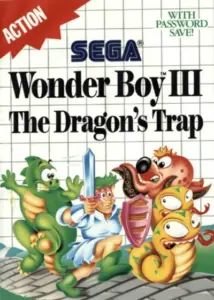
Master SystemIn your browser
Wonder Boy III: The Dragon’s Trap
Master System version. Your next game starts here.
- 256 KB · downloads on click
- Save states in this browser
- Controller, keyboard or touch
Controls
Click the game to use the keyboardOn mobile, play with the on-screen controller- ↑←↓→
- walk, crouch and enter doors
- X
- button 1 (attack; it also starts the game)
- Z
- button 2 (jump)
Down + Z: spell. The console's Pause button has no key here, so the status screen can't be opened to change equipment.
- Full screen
Use the button on the bar. Esc returns to the game page; “Exit” closes the game.
- Saves
Save State, in the game's menu, keeps the exact moment. Load brings it back when you return.
- Mobile and tablet
Press Controls during the game to show buttons and keyboard. Gamepad support depends on the browser.
Saves live in this browser and device. Clearing the site data deletes them too.
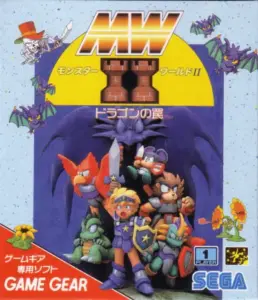
Game GearIn your browser
Wonder Boy III: The Dragon’s Trap
Game Gear version. Your next game starts here.
- 135 KB · downloads on click
- Save states in this browser
- Controller, keyboard or touch
Controls
Click the game to use the keyboardOn mobile, play with the on-screen controllerUse the game menu, with the gamepad icon, to view and change the buttons.
- Full screen
Use the button on the bar. Esc returns to the game page; “Exit” closes the game.
- Saves
Save State, in the game's menu, keeps the exact moment. Load brings it back when you return.
- Mobile and tablet
Press Controls during the game to show buttons and keyboard. Gamepad support depends on the browser.
Saves live in this browser and device. Clearing the site data deletes them too.
HIT PLAY
The game in motion.
Trailers and videos to see it in action.
-
Game Gear · Gameplay
A play session of Wonder Boy III: The Dragon’s Trap on Game Gear.
THE SECRET SIDE OF THE GAME
Tips, tricks and secrets.
A hint at the right time. A code that changes everything.
How to enter them
Passwords are entered on the title screen: choose CONTINUE and press button 2. Move the cursor among the 14 characters with left and right and change each one with up and down (numbers and letters; some letters are missing, which is normal). Finish on END with button 2. You appear in the village with your form, your gold and your equipment, but without the magic items or the medicines. The passwords are given to you by the village church.
Westone password
WE5T 0NE 0000 000 (with zeros, not O’s): you start as Hu-Man with all the forms and equipment, 99 charm stones and almost a million gold. It leaves you at the doors of the final boss, so it is for playing at the end or for testing, not for starting the adventure. It also works on the Game Gear.
Hades Armor · the armor that resurrects
If you die wearing the Hades Armor, you come back to life. In this Master System version a bug lets you keep it after resurrecting, which makes you practically immortal; in the other versions it was fixed.
Equipment with a bonus
With the Lucky Sword, enemies and chests give more gold. With the Prince Armor, more hearts, spells and charm stones drop. With the Dragon Mail, lava doesn’t hurt you. The manual gives the hint: the name of each piece tells you what it’s for.
Changing form anywhere
With the Tasmanian Sword equipped, jump and, in the air, hold button 2 on controller 2 and press button 1 on controller 1: you change form when you land. It needs two controllers; we haven’t tested it in the online player.
Tip · transformation rooms
Later on you’ll find rooms where you can choose your form at will. Remember where they are: the game becomes much more comfortable when you don’t depend on your last transformation.
No matches. Try another effect or code.
THE NEXT STEP, CLEARER
Guides to move forward.
From the first installation to that mission that won't give in.
Start here · first launch
Online: open Play online and press Play. On the title screen, press button 1 or 2 to start. So you don’t lose anything, combine two systems: write down the password from the church every time you pass through the village, and also use the player’s save game and load game, which also keep the spells and medicines that the password doesn’t save. The full screen button enlarges the picture.
On your computer: download the game image from Downloads and open it with a Master System emulator. In RetroArch, the Genesis Plus GX core works: load the core, choose «Load Content» and select the game image.
Controls
- D-pad: walk; down to crouch (Hu-Man and Lizard-Man only); up in front of a door to enter.
- Button 1: attack with the sword in the direction you’re facing (Lizard-Man spits fire). On the status screen, return to the game.
- Button 2: jump and confirm in menus.
- Down + button 2: cast the selected spell (fireball, arrow, boomerang, tornado or lightning).
- Pause (on the console): opens the status screen to equip items and choose the spell.
- Mouse-Man: button 2 and the D-pad toward the wall to cling to the checkered blocks.
Keyboard in the online player: arrows = D-pad; X = button 1 (it also starts the game on the title screen); Z = button 2. The console’s Pause button has no key in the player, so online you can’t open the status screen: you play with the equipment you’re wearing, but you can’t change sword, shield, armor or spell. For the complete adventure, download the game image and play it in an emulator with Pause assigned (in RetroArch, the Start button). To stop the game, use the «Pause» button on the player’s bar.
First steps
- After the opening castle you appear in the village as Lizard-Man. Look for the first life heart in the village basement, as the manual indicates.
- Enter every door: the ones with a window are shops; the ones without are chests, hospitals or shortcuts.
- Spend your gold on equipment. If an item appears with question marks, you’re short on charm: wear other armor, gather stones or come back in another form.
- Enemy projectiles do a lot of damage. Learn to block them with the shield (Lizard-Man cancels them with his fire).
- When you get stuck, think about which form could reach that spot: Mouse-Man climbs the checkered blocks and Hawk-Man flies. Return to the old areas with the new forms to find more hearts.
- The breakable blocks need the Thunder Saber, and without the Magical Saber you can’t finish the game.
Technical notes
Our game image is the Master System cartridge for the United States and Europe (CRC32 679e1676, 256 KB). Sega Retro records another European variant and a Japanese one with different fingerprints, and in Brazil the Tec Toy version with Turma da Mônica characters circulates, which is effectively a different game.
The cartridge detects the console: on a Japanese Mark III or Master System it shows the title Monster World II and, if it finds the FM sound unit, it uses FM music. On a Western console you see Wonder Boy III with the normal sound (PSG). To hear the FM version, RetroArch’s Genesis Plus GX core emulates the FM sound unit and lets you choose the NTSC-J region; it is optional and doesn’t change the game.
The Game Gear version (1992) brings the camera closer, redesigns rooms and is somewhat easier; the PC Engine one (Dragon’s Curse) changes some sprites. The 2017 remake accepts the Master System and Game Gear passwords.
Sources
- Master System manual (scanned, regvault): controls, passwords, forms, charm, shops, blocks, spells and tips.
- Sega Retro: release dates, versions, credits, remake and fingerprints of the game image.
- SMS Power · game page and SMS Power · cheats: the WE5T 0NE password, equipment effects, the Tasmanian Sword and secret rooms.
- The Cutting Room Floor: Monster World II and FM on Japanese consoles, the Brazilian version and the Westone password.
- Hardcore Gaming 101: world structure, forms, charm, the Hades Armor bug, PC Engine and Game Gear versions, and the remake.
- Sega-16: button layout and status screen.
- libretro documentation · Genesis Plus GX: Master System compatibility, FM unit and NTSC-J region.
Something wrong?
Give us a hint.
A broken link, a detail to correct or a game that won't start. Your report helps keep this game page up to date.
Get in touchReport an issue with this game Discuss it in the forumCLABA ARCADE ROOM
This one and 250 more
play here.
When you finish your game, the room has other machines switched on.
Enter the roomTHE CLABA APP1.0 RC 1
Take the archive
with you.

Game pages, online play and your shelf on Android. Free, no sign-up.
ARCHIVE SECRETS
Did you know?
It starts at the end. The first stage is a simplified version of the last castle of Wonder Boy in Monster Land, with its music and its boss, the MEKA Dragon.
The hidden Monster World II. The Japanese Master System edition was canceled, but the cartridge carries it inside: on a Japanese console the title becomes Monster World II and, with the FM sound unit, the music sounds enhanced. The text stays in English.
Mônica instead of Wonder Boy. In Brazil, Tec Toy turned it into Turma da Mônica em O Resgate, with the script adapted and the forms replaced by characters from those comics.
The same game, another name. Hudson brought it to the PC Engine as Dragon’s Curse in the United States and, to add to the confusion, as Adventure Island in Japan.
From fan remake to professional. Omar Cornut, creator of the MEKA emulator and founder of SMS Power, began studying the game image and ended up directing Lizardcube’s 2017 remake, which accepts the cartridge’s passwords.