Broderbund Software · Platformer
Prince of Persia
Jordan Mechner's classic (1989): one hour, twelve levels, traps and swordplay animated by tracing film footage. Repack in English and Spanish.
Platform game by Broderbund Software (1990) for PC (in Spanish and English), Atari ST, Game Boy and four other platforms. Playable in your browser (five versions) or downloadable.
Choose your version 7 platforms
4.5 74 votes
THE CLABA ARCHIVE
Inside the game.
Its history, its ideas and the reasons to come back.
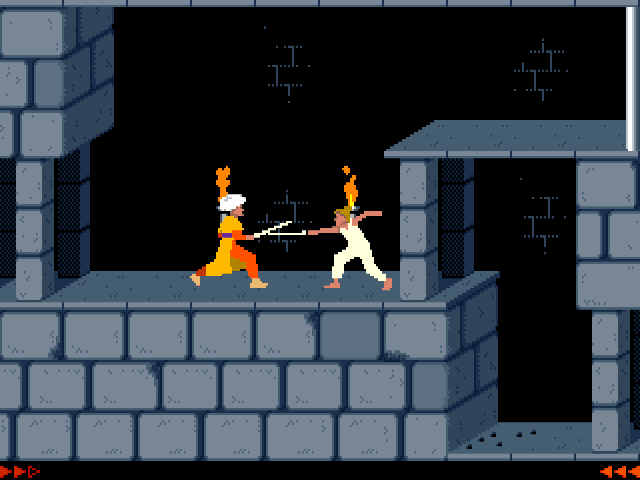
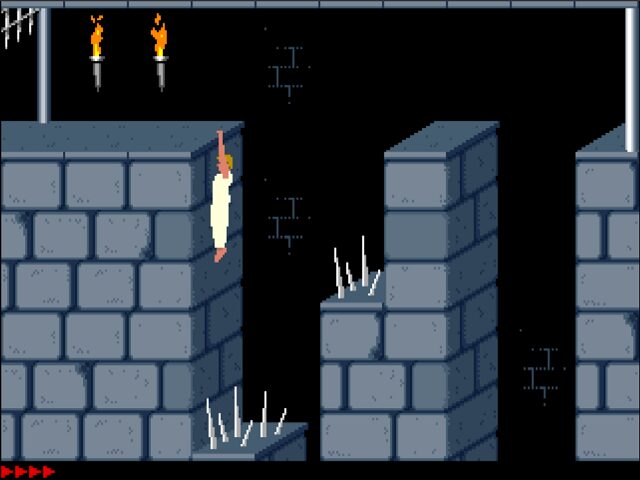


Sixty minutes. That is all the time the Sultan's daughter has left before the grand vizier Jaffar forces her to marry him or die. And you, a nameless young man locked in the palace dungeons, have to escape, cross dozens of trap-filled rooms and stand up to him. Prince of Persia is the game with which Jordan Mechner convinced the world that a video game could move like a film.
How a prince moves
Mechner had made his debut with Karateka and this time he went further with rotoscoping. He filmed his brother David running, jumping and hanging from ledges in white clothes, and traced the frames. For the sword duels he turned to the final fight between Errol Flynn and Basil Rathbone in Robin Hood. The result is fluid animation that looked like nothing else in 1989: the prince crouches before jumping, swings as he grabs an edge and stumbles if you misjudge a run-up.
A clock that shows no mercy
The game has twelve levels plus a final stretch, with one hour to complete them all. If you die, you start the level again, but the clock does not reset: that is what makes every failure so tense. There are spikes, collapsing floors, guillotines, closing gates, potions (red ones to heal you, blue ones that poison you and a few green ones that make you float) and swordplay against ever fiercer guards. Halfway through, a magic mirror takes your double from you, the shadow, which will chase you until the last encounter.
Hardcore Gaming 101 points out a virtue hidden behind the difficulty: it is a systematic game. Every jump always takes the same steps, so you can work out in your head whether you will make it, and the fights have a rhythm you can learn.
A story of conversions
It came out first on the Apple II in 1989 and flopped in the United States: by July 1990 it had sold about 7,000 copies on Apple II and as many again on PC. It took off in Japan and Europe, and the MS-DOS version ended up as the basis for much of the rest. It reached Amiga, Atari ST, Amstrad CPC, Master System, Game Gear, Game Boy, NES, Super Nintendo, Mega Drive (Genesis) and many more, up to 2 million copies. Its influence reaches Another World, Flashback and the Lara Croft series, and the series itself continued with Prince of Persia 2 and The Sands of Time.
The edition we offer
In Downloads you will find a repack labeled in English and Spanish, prepared for Windows XP or later. This page only states that language and that compatibility; for the first launch, see Guides. If your machine is modern, have a look at our tutorial on Windows XP classics on Windows 10 and 11 (in Spanish). In Tips & tricks you will find the famous "megahit" mode, and further down this page, the editions for other platforms: each conversion has its differences.
ONE GAME, 7 PLATFORMS
Versions.
7 platforms1990–19945 playable online
Pick a platform: the screenshots, downloads and online game on this page switch with it.
- Year
- 1990
- Port by
- Broderbund
- Downloads
- 1
- Screenshots
- 3
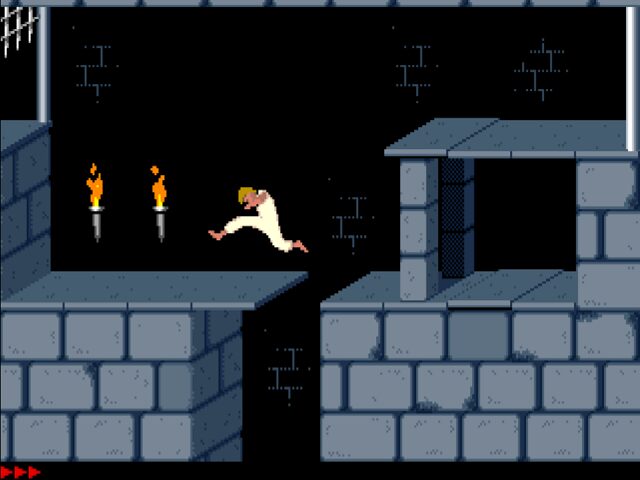
This is the PC conversion for MS-DOS, which came out in 1990 and was developed at the same time as the Apple II one. It offers 256-color graphics and improved music compared with the original, and it was the basis of most later conversions. Versions 1.0, 1.1, 1.3 and 1.4 exist, with changes in wall colors and in the setup options.
- Year
- 1991
- Port by
- Broderbund
- Downloads
- 1
- Screenshots
- —
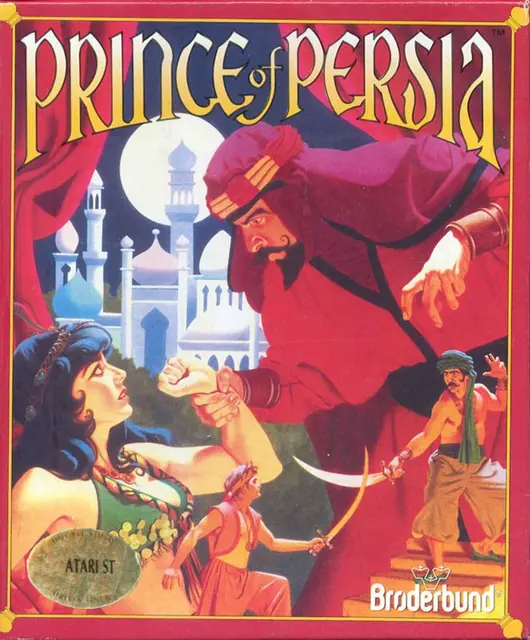
March 1991 Atari ST version, commissioned after the PC one. According to Hardcore Gaming 101, some concessions had to be made in color, while the Amiga one is almost identical to the PC one.

- Year
- 1992
- Port by
- Virgin Games
- Downloads
- 1
- Screenshots
- 5
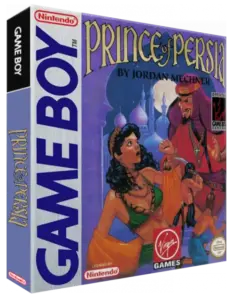
Virgin Games' handheld version, with a soundtrack by Tommy Tallarico in one of his first works. Everything is scaled down to fit on the screen and, for lack of color, all the levels look the same, according to Hardcore Gaming 101. A color version with a training level arrived in 1999, which falls outside our cutoff.

- Year
- 1992
- Port by
- MotiveTime / Virgin Games
- Downloads
- 1
- Screenshots
- 3
Conversion by MotiveTime, published by Virgin Games in the United States and Mindscape in Europe. It is very similar to the PC one, although some levels are split into several stages and the screens scroll a little because they don't fit whole. The blood was toned down and the cover gained a more sensual air, according to Hardcore Gaming 101.

- Year
- 1992
- Port by
- Domark
- Downloads
- 1
- Screenshots
- 6
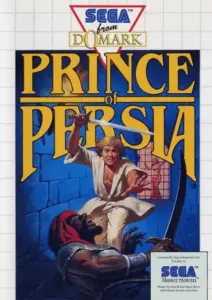
Prince of Persia on Master System keeps the escape from the dungeons, the traps and the one-hour countdown. This conversion by Domark, from 1992, uses a two-button controller and offers passwords on its title screen. The download is the European edition. The computer controls listed on this page do not carry over directly to this version.
In the browser, press X to skip the intro, start and continue. The arrow keys move the prince; Z together with a direction makes him jump. The player's save feature keeps one state in this browser and on this device.

- Year
- 1992
- Port by
- The Kremlin / Domark
- Downloads
- 1
- Screenshots
- 6
Handheld sibling of the Master System version, also made by The Kremlin for Domark. It shares its fade between screens, a dedicated jump button instead of the original's diagonal direction, and combat that is more confusing than the PC's, according to Hardcore Gaming 101.

- Year
- 1994
- Port by
- Domark
- Downloads
- 1
- Screenshots
- 5
Domark's Mega Drive version, published by Tengen in the United States in February 1994 and by Domark in Europe a month later. Hardcore Gaming 101 credits it with the most detailed graphics of all, but also an annoying fade between screens and weak music. The European edition adds an intro, four new levels and potions that extend the time.
EVERY PIXEL COUNTS
The game in pictures.
Explore the screenshots and open every detail at full size.


GET READY FOR YOUR NEXT GAME
Choose your download.
Format, compatibility and server. All in view.
Version
SELECTED VERSIONPC1990 · 1 file · also playable online
SELECTED VERSIONAtari ST1991 · 1 file
SELECTED VERSIONGame Boy1992 · 1 file · also playable online
SELECTED VERSIONNES1992 · 1 file
SELECTED VERSIONMaster System1992 · 1 file · also playable online
SELECTED VERSIONGame Gear1992 · 1 file · also playable online
SELECTED VERSIONMega Drive1994 · 1 file · also playable online
Clicking opens the CLABA loading area and, in a few seconds, your download. If a link fails, let us know via Contact or in the forum.
Your game starts here
Play in your browser.
There are 5 versions ready to play. Pick one and click.
Version
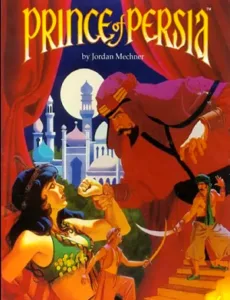
MS-DOSIn your browser
Prince of Persia
MS-DOS version. Your next game starts here.
- 578 KB · downloads on click
- Save the game's files
- Keyboard, controller or touch
Controls
Click the game to use the keyboardOn mobile, play with the on-screen controller- ↑←↓→
- run; up jumps and climbs; down, crouch
- Shift
- grab, pick up, step carefully and sword
- Space
- time
- Esc
- pause
Ctrl+A: restart level.
- Full screen
Use the button on the bar. Esc returns to the game page; “Exit” closes the game.
- Saves
Save keeps the files the game creates, not the exact moment. Save inside the game, then press Save.
- Mobile and tablet
Press Controls during the game to show buttons and keyboard. Gamepad support depends on the browser.
Saves live in this browser and device. Clearing the site data deletes them too.
The Atari ST version can't be played in the browser yet.
You can download it or play another version now:
Game BoyIn your browser
Prince of Persia
Game Boy version. Your next game starts here.
- 66 KB · downloads on click
- Save states in this browser
- Controller, keyboard or touch
Controls
Click the game to use the keyboardOn mobile, play with the on-screen controllerUse the game menu, with the gamepad icon, to view and change the buttons.
- Full screen
Use the button on the bar. Esc returns to the game page; “Exit” closes the game.
- Saves
Save State, in the game's menu, keeps the exact moment. Load brings it back when you return.
- Mobile and tablet
Press Controls during the game to show buttons and keyboard. Gamepad support depends on the browser.
Saves live in this browser and device. Clearing the site data deletes them too.
The NES version can't be played in the browser yet.
You can download it or play another version now:
Master SystemIn your browser
Prince of Persia
Master System version. Your next game starts here.
- 109 KB · downloads on click
- Save states in this browser
- Controller, keyboard or touch
Controls
Click the game to use the keyboardOn mobile, play with the on-screen controller- X
- skip intro, start and continue
- ↑←↓→
- move
- Z
- jump with an arrow key
- Full screen
Use the button on the bar. Esc returns to the game page; “Exit” closes the game.
- Saves
Save State, in the game's menu, keeps the exact moment. Load brings it back when you return.
- Mobile and tablet
Press Controls during the game to show buttons and keyboard. Gamepad support depends on the browser.
Saves live in this browser and device. Clearing the site data deletes them too.
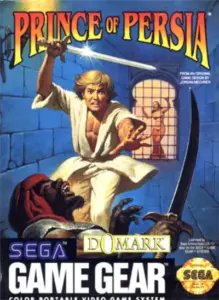
Game GearIn your browser
Prince of Persia
Game Gear version. Your next game starts here.
- 110 KB · downloads on click
- Save states in this browser
- Controller, keyboard or touch
Controls
Click the game to use the keyboardOn mobile, play with the on-screen controllerUse the game menu, with the gamepad icon, to view and change the buttons.
- Full screen
Use the button on the bar. Esc returns to the game page; “Exit” closes the game.
- Saves
Save State, in the game's menu, keeps the exact moment. Load brings it back when you return.
- Mobile and tablet
Press Controls during the game to show buttons and keyboard. Gamepad support depends on the browser.
Saves live in this browser and device. Clearing the site data deletes them too.
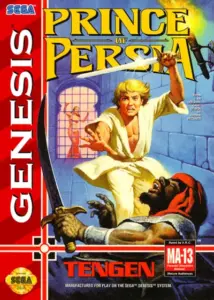
Mega DriveIn your browser
Prince of Persia
Mega Drive version. Your next game starts here.
- 384 KB · downloads on click
- Save states in this browser
- Controller, keyboard or touch
Controls
Click the game to use the keyboardOn mobile, play with the on-screen controllerUse the game menu, with the gamepad icon, to view and change the buttons.
- Full screen
Use the button on the bar. Esc returns to the game page; “Exit” closes the game.
- Saves
Save State, in the game's menu, keeps the exact moment. Load brings it back when you return.
- Mobile and tablet
Press Controls during the game to show buttons and keyboard. Gamepad support depends on the browser.
Saves live in this browser and device. Clearing the site data deletes them too.
HIT PLAY
The game in motion.
Trailers and videos to see it in action.
-

PC · CLABA TV · Prince of Persia: why every jump matters
A look back at the original Prince of Persia: animation, movement, traps and the clock, with footage from DOS, Mega Drive (Genesis), Game Gear and Game Boy. Running time: 14:49.
-
NES · How it plays
A game of Prince of Persia on NES.
-
Master System · How it plays
Prince of Persia gameplay on Master System.
-
Game Gear · How it plays
A game of Prince of Persia on Game Gear.
THE SECRET SIDE OF THE GAME
Tips, tricks and secrets.
A hint at the right time. A code that changes everything.
How to activate them
The original game's cheat mode is activated by launching it with a parameter. In MS-DOS version 1.0: prince megahit; in versions 1.3 and 1.4: prince improved. With prince megahit 5 you start directly on level 5. If you want to avoid typing the parameter every time, create a text file with that line and save it as cheats.bat. This only works if your repack includes the original executable prince.exe; this page does not say.
Health, time and levels
With the mode active, press Shift + L to skip to the next level, Shift + T to gain an extra life triangle, Shift + S to heal one point, + and - to add or subtract a minute on the clock and R to resurrect on the spot where you died. Note: popuw.com says Shift + L only advances as far as level 4 (and that in practice mode it reduces the time to 15 minutes); DOS Game Club describes it with no limit. Try it on your version.
Falls and enemies
Shift + W: slow fall, to survive long drops. K: kills the guard on the screen. Careful: using K on the skeleton can crash the game, according to a player on DOS Game Club.
Exploring and poking around
H, J, U, N let you look at the screen to the left, to the right, above and below. C shows the room number; Shift + C, the numbers of the diagonals. Shift + I turns the screen upside down and Shift + B hides static objects.
Useful keys that are not cheats
Ctrl + A restarts the level; Ctrl + G saves (from level 3 on); Ctrl + L loads a game during the intro; Spacebar shows how much time is left; Ctrl + S turns the sound on or off.
Tip · potions and shadows
Small red potions heal one triangle and large ones raise your maximum; blue ones poison. On level 3 a skeleton cannot be killed by sword: let it fall into a pit. When you face your shadow on level 12, do not attack it: you have to merge with it.
No matches. Try another effect or code.
THE NEXT STEP, CLEARER
Guides to move forward.
From the first installation to that mission that won't give in.
Start here · first launch
- Download the repack from Downloads; it is prepared for Windows XP and later and is labeled in English and Spanish.
- Unzip it to a short path such as
C:\Juegos\PoP. - If the game is the MS-DOS version and does not start properly on your machine, use DOSBox (tutorial in Spanish); for Windows versions, our XP compatibility tutorial helps.
- In the DOS original, saving is done with Ctrl+G from level 3 on and loading with Ctrl+L on the intro screen. PCGamingWiki says it stores them in
PRINCE.SAV; make a backup by following our tutorial on copying and restoring save games.
In the original copy protection, on level 2 you had to choose the right potion according to the manual, according to Wikipedia.
Controls
- Left / right: turn or run.
- Up: jump or climb. Up while running: long jump.
- Down: crouch or climb down; down + a direction: small hop.
- Shift: pick up objects; with Shift + a direction you take a careful step; Shift while falling, to grab an edge.
- Swordplay: left/right advances or retreats, Shift attacks, Up to parry, Down sheathes the sword.
- Esc pauses.
These are the original's controls, according to the SDLPoP documentation.
First steps · how to survive
- Learn steps, not pixels: every jump always needs the same steps. Practice until you can count them without looking.
- Use the careful step (Shift + a direction) near edges and spikes.
- With spikes, keep Shift held down until they retract, even after you have already passed them.
- Do not run into a guard without your sword drawn: he can kill you in one blow.
- Memorize each level: dying restarts the room, not the clock. Practice the fast route.
- Press the spacebar from time to time to keep track of the time.
Technical notes
The original PC game comes in several versions: 1.1 fixes minor bugs; in 1.3 the wall colors of some levels change and a graphics and sound setup program is added; 1.4 limits sound to Sound Blaster or the PC speaker and requires VGA. The saves and the configuration are PRINCE.SAV, CONFIG.DAT and SETUP.DAT. To play it on a current system there is SDLPoP, an open-source port for Windows, macOS and Linux based on the original game, with full screen, quick save (F6, F9), gamepads and replays. It is optional and separate from our repack.
Sources
- Hardcore Gaming 101: history, Mechner's journals, differences between conversions.
- SDLPoP (GitHub): controls, keys and cheats of the original.
- Prince of Persia Unofficial Website: the megahit/improved parameter and cheats.
- DOS Game Club: confirmation of the cheat mode in version 1.0 and 1.3/1.4.
- PCGamingWiki: versions, saves and SDLPoP.
- Wikipedia: development, timeline of conversions and reception.
Something wrong?
Give us a hint.
A broken link, a detail to correct or a game that won't start. Your report helps keep this game page up to date.
Get in touchReport an issue with this game Discuss it in the forumCLABA ARCADE ROOM
This one and 250 more
play here.
When you finish your game, the room has other machines switched on.
Enter the roomTHE CLABA APP1.0 RC 1
Take the archive
with you.

Game pages, online play and your shelf on Android. Free, no sign-up.
ARCHIVE SECRETS
Did you know?
The creator's brother. Mechner filmed his brother David running and jumping in white clothes and traced the video to animate the prince. For the swordplay he copied the final duel in Robin Hood between Errol Flynn and Basil Rathbone.
At first there were no swords. In its original conception the prince did not fight. A friend of Mechner's, Tomi Pierce, told him the game was "all survival and no triumph", and the sword and the shadow came out of that.
American flop, European hit. In July 1990 it stood at 7,000 units on Apple II and another 7,000 on PC in the United States, while the NEC PC-9801 version shifted 10,000 in Japan. It ended up at 2 million copies worldwide.
The lost code. Mechner believed the Apple II source code was lost until his father found a box with the disks in 2012; he published it that same year on GitHub.
A controversial cover. Mechner was horrified by the Mega Drive (Genesis) cover, which portrayed the prince as a Luke Skywalker lookalike, but by the time he protested it was already at the printer's.