Argonaut Games · Platformer
The Emperor's New Groove
Argonaut's 3D platformer based on the Disney film: Kuzco, turned into a llama, and his transformations into a frog, a turtle and a rabbit.
Platform game by Argonaut Games (2001) for PC, in Spanish. Available to download.
4.4 26 votes
THE CLABA ARCHIVE
Inside the game.
Its history, its ideas and the reasons to come back.
An emperor turned into a llama, a wicked advisor with a terrible temper and a peasant with infinite patience. The Emperor’s New Groove (El emperador y sus locuras in Spanish) is the 3D platformer that Argonaut Games made from Disney’s 2000 film, with Kuzco as the absolute star and plenty of self-parodying humor.
From emperor to llama
The game follows the film’s plot without much rigor. Kuzco has been turned into a llama by Yzma, who has seized the throne, and he teams up with the villager Pacha to reach her and her henchman Kronk and get the potion that will give him back his appearance. It includes scenes from the film at the start or end of some levels, and characters who do not appear in it, such as the boy on the llama-shaped bicycle who challenges Kuzco to races.
How it plays
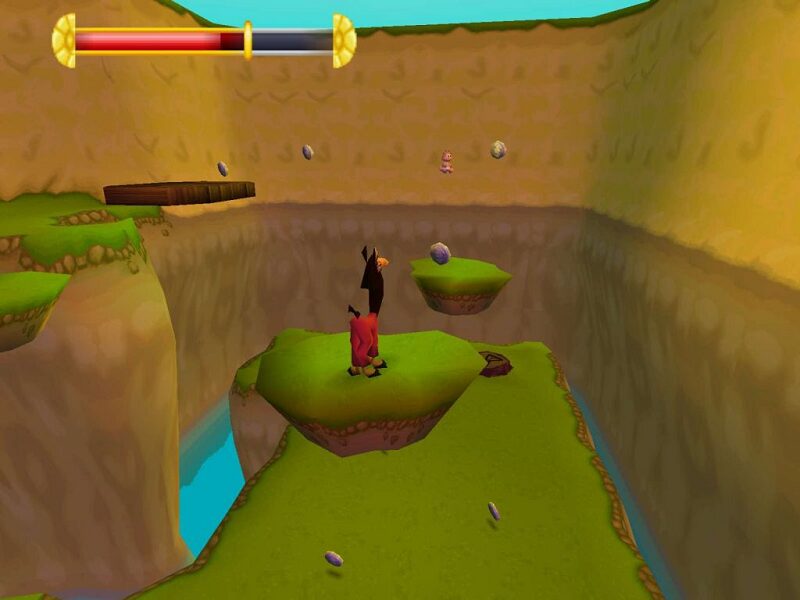
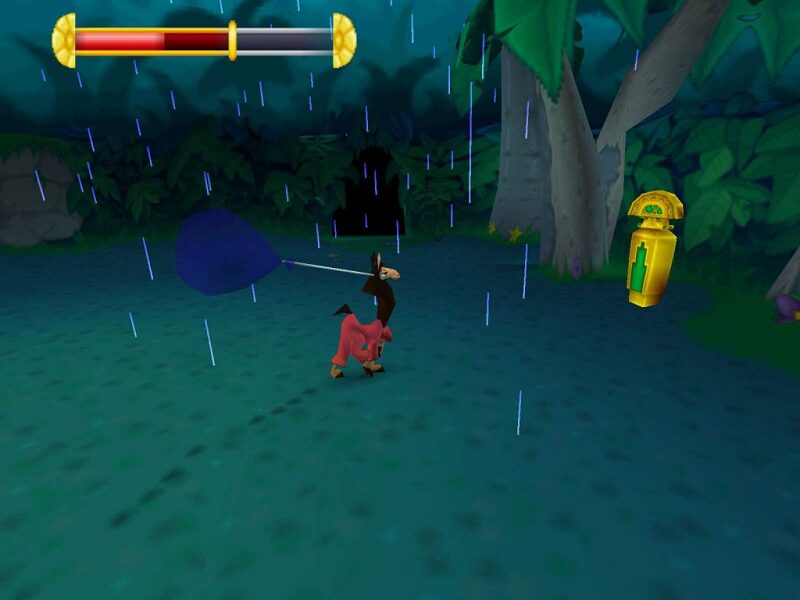
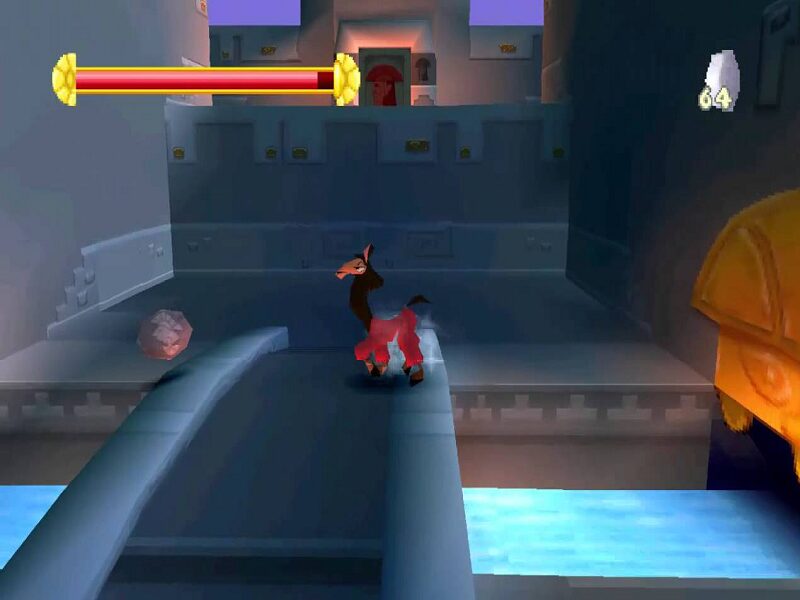
It is a third-person platformer with linear levels inspired by the film’s settings. The goal is to reach the end without losing all your health, but 100% demands more: you have to collect every coin in each level, which earns a large gold coin, defeat enemies and find their secrets. In some sections, Kuzco drinks magic potions that turn him into a frog, a turtle or a rabbit, and each animal has abilities needed to advance. On top of that come the races proposed by the boy on the llama-shaped bicycle, a breather among all the jumping. The controls were considered precise, and what stretches out the game is searching every corner for coins and secrets.
First cousin of Aladdin
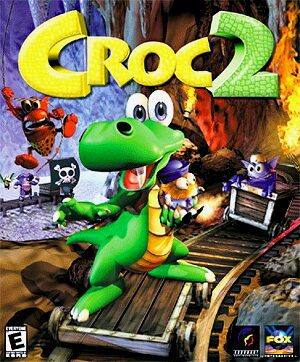
Argonaut reused the engine of Croc 2 and developed the game at the same time as Disney’s Aladdin in Nasira’s Revenge, another 3D platformer, so the two are very similar in control and graphics. The press compared it to Spyro the Dragon: it praised its variety, its humor and its controls, and criticized its low difficulty and short length. It sold about 400,000 copies across PlayStation and PC through mid-2001, and Argonaut itself called its launch disappointing.
The edition we offer
In Downloads you have two options, both in Spanish and for Windows XP and later: a ready-to-install repack and an image of the original CD. The PC version came out on Windows in November 2000 and asked for a 233 MHz Pentium, so it runs with plenty of headroom on any current machine, although it is worth reading the notes in Guides. If you like Disney platformers, you also have Disney’s Hercules and Toy Story 2. And for running games of the period, our guide to Windows XP classics on Windows 10 and 11.
EVERY PIXEL COUNTS
The game in pictures.
Explore the screenshots and open every detail at full size.
GET READY FOR YOUR NEXT GAME
Choose your download.
Format, compatibility and server. All in view.
Download Repack
COMPATIBILITYWindows XP / 7 / 10 ✓ At no cost✓ No sign-up Download www.mediafire.com · New tab MediaFire02 ISODownload ISO
COMPATIBILITYWindows XP / 7 / 10 ✓ At no cost✓ No sign-up Download www.mediafire.com · New tabClicking opens the CLABA loading area and, in a few seconds, your download. If a link fails, let us know via Contact or in the forum.
THE SECRET SIDE OF THE GAME
Tips, tricks and secrets.
A hint at the right time. A code that changes everything.
Tips instead of codes
There are keyboard cheat sequences documented by the community, but we have not been able to confirm them with two accessible sources, so we are not listing them. Here are gameplay tips collected by Cheatbook and by the reviews.
Tip · coins and 100%
To complete a level at 100% you have to collect all the coins, defeat enemies and find the secrets. If you miss any, replay the level from the select map: you don’t have to start the game over.
Tip · the jaguar race
According to Cheatbook, charge the jump with the hand closest to the spacebar, cross your hands before the first narrow stretch and steer with the other, alternating when one gets tired. It is a tip for keyboard play.
Tip · use the transformations
When Kuzco drinks a potion, think about which animal you need: the frog, the turtle and the rabbit have abilities of their own, essential for getting through each level.
Tip · gamepad
The game supports gamepads and lets you remap keys. A gamepad makes the jumps and camera turns easier; according to PCGamingWiki, the pause menu cannot be assigned to the gamepad.
No matches. Try another effect or code.
THE NEXT STEP, CLEARER
Guides to move forward.
From the first installation to that mission that won't give in.
Start here · first launch
- Download the repack or the CD image from Downloads. Both are in Spanish, for Windows XP and later.
- Install in a short path such as
C:\Juegos\Kuzco, outsideProgram Files. - The executable is called
groove.exe.
If you go with the CD image and the installer fails, PCGamingWiki suggests installing it by hand by copying the contents of the disc’s Setup\Eng\Hd folder to the destination folder. For save games, see how to copy and restore them, and for Windows 10 or 11, the guide to Windows XP classics.
Controls
- It is played with a keyboard or gamepad; the mouse is not used during play.
- Keys and gamepad buttons are remapped in the options menu.
- Music and effects have independent volume.
- Most dialogues have subtitles.
First steps
- Go through each level calmly: coins and secrets are what give you 100%.
- Keep an eye on the potions: they put you in the skin of an animal you need to continue.
- Accept the race challenges from the boy on the bicycle.
- Don’t stress about the difficulty: reviews consider it low, and the challenge lies in completing everything.
Technical notes
According to PCGamingWiki, it uses Direct3D 7, a 32-bit executable and is capped at 30 frames per second. It asked for Windows 95, a 233 MHz Pentium, 32 MB of RAM and 50 MB of disk space. For widescreen displays there is an executable modified by the community and, for windowed mode, you can use DxWnd. Save games are stored in the game folder and the configuration in the Windows registry.
Sources
- PCGamingWiki: requirements, PC date, controls, 30 FPS, fixes.
- Cheatbook: gameplay tips.
- Wikipedia: plot, development, engine, sales and reception.
- Argonaut · July 2001 results announcement: approximate sales and disappointing launch.
Something wrong?
Give us a hint.
A broken link, a detail to correct or a game that won't start. Your report helps keep this game page up to date.
Get in touchReport an issue with this game Discuss it in the forumCLABA ARCADE ROOM
251 classics
without installing anything.
Don't feel like installing? These play right in your browser.
Enter the roomTHE CLABA APP1.0 RC 1
Take the archive
with you.

Game pages, online play and your shelf on Android. Free, no sign-up.
ARCHIVE SECRETS
Did you know?
The same engine as Croc 2. Argonaut reused its engines and tools: the game uses that of Croc 2 and was developed alongside Disney’s Aladdin in Nasira’s Revenge.
Yzma’s roller coaster. According to Jez San, Argonaut’s founder, the team exaggerated scenes from the film that lent themselves to gameplay. The roller coaster to the laboratory, a minor detail in the film, is a big level in the game.
A demo on the DVD. The film’s DVD included a playable demo of the game for the computer.
Voices in nine languages. In Europe, the PlayStation version had dubbing and subtitles localized in nine languages.
Weak sales. Across PlayStation and PC it stood at about 400,000 units through mid-2001, and the company said it did not expect royalty income in the short term.