Argonaut Games · Platformer
Disney's Aladdin in Nasira's Revenge
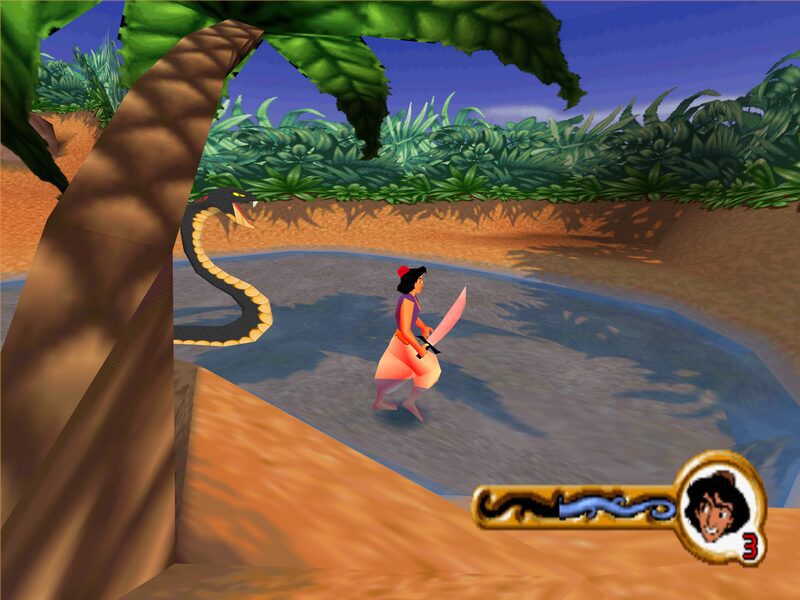
Aladdin, Abu and Jasmine against Nasira, Jafar's sister, in a 3D platformer from Argonaut Games for PC (2001). Spanish-language repack.
Platform game by Argonaut Games (2001) for PC, in Spanish. Available to download.
4.4 13 votes
THE CLABA ARCHIVE
Inside the game.
Its history, its ideas and the reasons to come back.
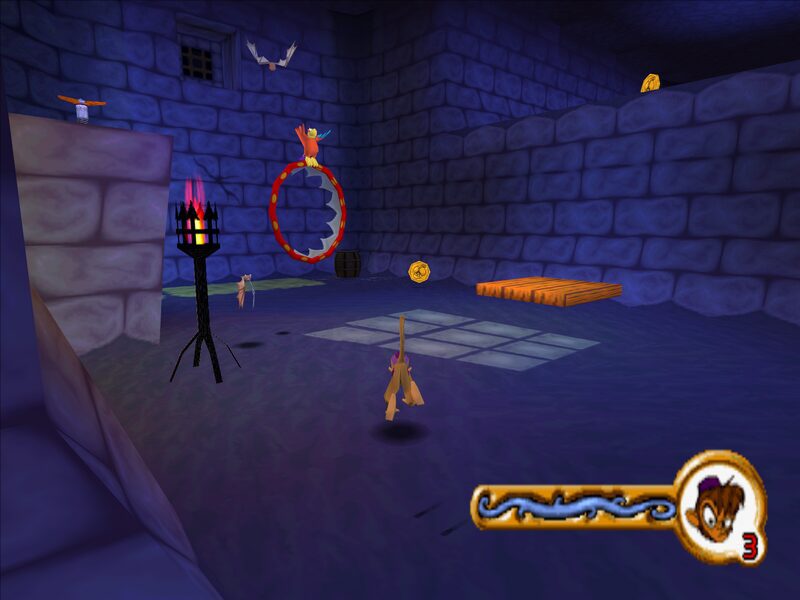
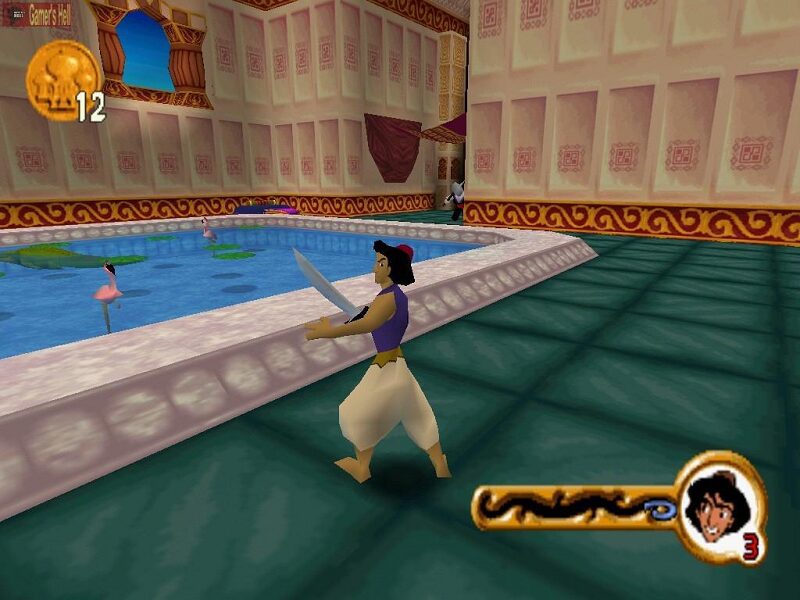
Agrabah has fallen once again, and the culprit is no longer Jafar. Disney’s Aladdin in Nasira’s Revenge (Aladdin: La venganza de Nasira in Spanish) is a 3D platformer that Argonaut Games developed for Disney Interactive based on the Aladdin television series. It came out for PlayStation and PC in early 2001, and brought together three characters with different moves.
Jafar’s sister
The story is set after Jafar’s attacks. His twin sister, Nasira, arrives in Agrabah to take revenge, seizes the palace, captures the Sultan and Princess Jasmine, imprisons the Genie and leaves him powerless. To undo the spell, Aladdin has to gather some ancient relics; the problem is that those same relics can be used to bring Jafar back to life. The adventure takes place between The Return of Jafar and Aladdin and the King of Thieves.
Three heroes, three ways to play
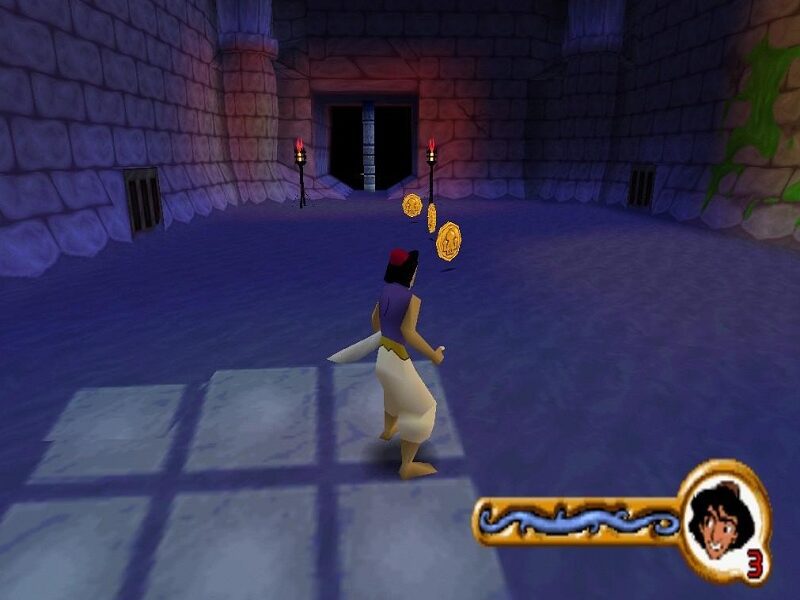
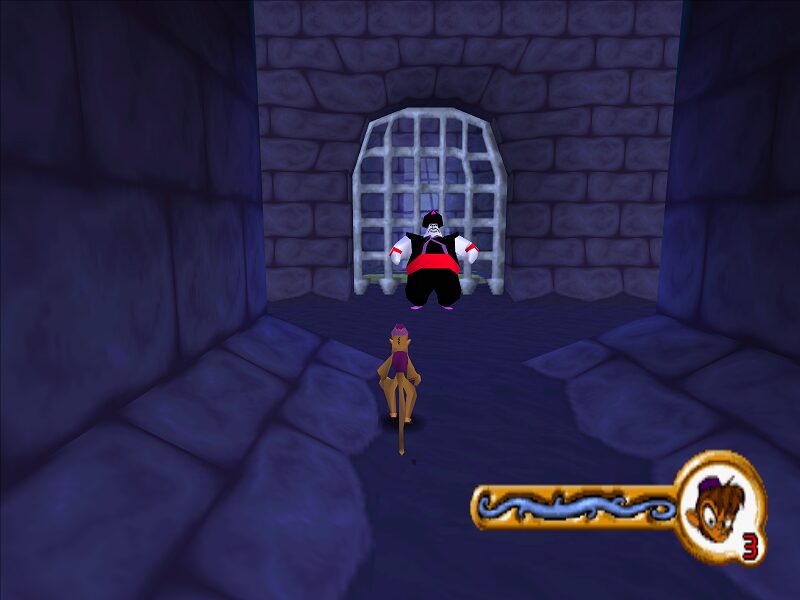
You control Aladdin, who fights with a sword, jumps and stomps; Abu, who jumps, rolls and climbs walls to a certain extent; and Jasmine, who hides in a vase to go unnoticed and moves by hopping. You collect gold coins and, between levels, there are bonus minigames. The listing for the PlayStation version also mentions nine environments, magic carpet sections, apple throwing and fire daggers, swinging on vines and a built-in tutorial that teaches the controls.
An Aladdin for PC
The Windows version was published by Disney Interactive in 2001 and, according to PCGamingWiki, uses BRender, Argonaut’s render engine. It is a third-person game with direct control, cartoon-style visuals and for a single player, played with a keyboard or gamepad and it does not support the mouse during play. Its requirements are modest even for the time (a 200 MHz Pentium and 64 MB of RAM), although the game runs capped at 30 frames per second. It is, in short, a light and family-friendly proposition: designed for the audience of the series and of the Disney films, rather than for platforming specialists.
Reception
Reviews were barely passing: 61 out of 100 on Metacritic for PlayStation and scores of 6 out of 10 at GameSpot (6.3) and IGN. Even so, according to VGChartz, 300,000 units were shipped. If you are looking for another Aladdin, you have the 1993 classic on our site, and if you like Disney platformers, try Disney’s Hercules, Brother Bear or Donald Duck: Quack Attack.
The edition we offer
This is the Spanish-language PC version. In Downloads you will find a repack designed for Windows XP and later. In Guides you will find the first launch, the controls and the known problems on current systems; in Tips & tricks, advice for getting ahead.
EVERY PIXEL COUNTS
The game in pictures.
Explore the screenshots and open every detail at full size.
GET READY FOR YOUR NEXT GAME
Choose your download.
Format, compatibility and server. All in view.
Clicking opens the CLABA loading area and, in a few seconds, your download. If a link fails, let us know via Contact or in the forum.
THE SECRET SIDE OF THE GAME
Tips, tricks and secrets.
A hint at the right time. A code that changes everything.
Tip · no reliable codes
We have not found any reliable cheat codes for the PC version in the sources we consulted, and we are not going to make any up. Here is what does help.
Tip · use each character for what they do best
Aladdin fights with the sword and stomps; Abu rolls and climbs walls; Jasmine hides in the vase. When a section holds you up, think about which move specific to that character you are missing.
Tip · look for the gems
According to the PlayStation listing, the red gems lead to the bonus minigames, and collecting all twenty blue ones gives an extra ending. Explore before moving on.
Tip · save often
Save games are stored in the slots.crd file in the game folder. Make a backup now and then: that way you don’t lose everything if something goes wrong.
No matches. Try another effect or code.
THE NEXT STEP, CLEARER
Guides to move forward.
From the first installation to that mission that won't give in.
Start here · first launch on a current PC
- Download the repack from Downloads.
- Install it outside
Program Files, in a short path such asC:\Juegos\Aladdin. - If it won’t start or looks wrong, open the executable’s properties, Compatibility tab, and enable Windows XP or 98 mode. More details in this tutorial.
- If the game asks for the disc (according to PCGamingWiki there is a simple check), copy the contents of the
Setup\Aladdin\Cdfolder on the disc into the game folder, skipping files that already exist: that way the game stops asking for the CD. - To back up your save games, copy
slots.crd; see how to copy and restore save games.
Controls
- The game does not support the mouse: it is played with a keyboard or a gamepad.
- The keys are remappable and there is full gamepad support, though not for XInput controllers directly.
- Aladdin attacks with the sword and stomps; Abu jumps, rolls and climbs; Jasmine hides.
Check the options menu when you start. The game includes a tutorial that teaches the controls.
First steps · how to get ahead
- Do the tutorial: it teaches you each character’s moves.
- Explore each level calmly and don’t leave any coins or gems behind.
- When you play as Jasmine, use the vase to go unnoticed.
- With Abu, take advantage of his wall climbing to reach high areas.
- Always save when the game allows it.
Technical notes
Minimum requirements according to PCGamingWiki: Windows 95, a 200 MHz Pentium, 64 MB of RAM, 70 MB of disk space, DirectX 7 and an 8x CD drive. The engine is Argonaut’s BRender.
- Frame rate: it is capped at 30 FPS.
- Widescreen: it accepts any resolution from the driver, but the menu and the 3D view come out stretched. A community patch exists, the FOV fix, that corrects the view.
- Windowed mode: it does not have one; it can be forced with D3DWindower.
- Language: PCGamingWiki lists interface and audio in English and several other languages, as well as a fan translation into Czech.
Sources
- PCGamingWiki: requirements, engine, 30 FPS, resolution, gamepad, saving and disc check.
- PSX Data Center: plot, characters, nine environments, gems and minigames (PlayStation version).
- VGChartz: dates, publisher and 300,000 units.
- Wikipedia (in English): developer, publishers, mechanics and reception.
Something wrong?
Give us a hint.
A broken link, a detail to correct or a game that won't start. Your report helps keep this game page up to date.
Get in touchReport an issue with this game Discuss it in the forumCLABA ARCADE ROOM
251 classics
without installing anything.
Don't feel like installing? These play right in your browser.
Enter the roomTHE CLABA APP1.0 RC 1
Take the archive
with you.
Game pages, online play and your shelf on Android. Free, no sign-up.
ARCHIVE SECRETS
Did you know?
Three hundred thousand units. VGChartz records 300,000 units shipped as of July 31, 2001, a shipment figure and not retail sales.
Between two films. The story is set between The Return of Jafar and Aladdin and the King of Thieves, during the television series.
A vase with an advantage. Jasmine hides inside a vase to go unnoticed and to be able to move by hopping.
Europe first. The PlayStation version came out in Europe on December 1, 2000, and in the United States on March 15, 2001; the PC one was published by Disney Interactive.
Twenty blue gems. On PlayStation, each blue gem is earned by finding three red gems in a level and winning the bonus minigame. With all twenty, there is a congratulations screen after the final video.