Unknown developer · Other
Kubix
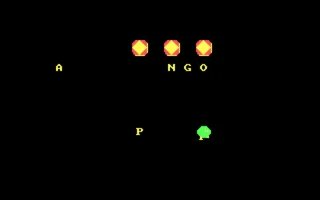
A 1998 MS-DOS puzzle: shift rows and columns of shapes with the mouse until you match the model; what leaves one side comes in from the other.
Game released in 1998 for PC, in Spanish. Available to download.
— no rating yet
THE CLABA ARCHIVE
Inside the game.
Its history, its ideas and the reasons to come back.
Some puzzles can be explained in a single sentence and still eat up an entire afternoon. Kubix is one of them: on the left you have a board of jumbled shapes; at the top right, the picture you have to reproduce. Between the two, a single type of move. It is a 1998 MS-DOS game whose developer we have not managed to identify in any source, and we prefer to say so plainly rather than invent one.
The goal
You have to arrange the shapes on the left side of the screen exactly as they appear in the model at the top right. You don’t drag the pieces one by one: you shift entire rows and columns. To do so, you click with the left mouse button, or press the space bar if you play with the keyboard, on the board’s connections, which are the points from which each line is pushed.
The rule that changes everything
Here is the game’s trick: whatever goes off one side reappears on the opposite one. If you push a row to the right, the shape at the right end isn’t lost but comes back in from the left; the same happens with columns vertically. The board behaves like a surface that closes in on itself, and that conditions every strategy: there are no edges where a piece is «safe,» and moving a row affects, by ripple effect, every column that crosses it.
This kind of mechanic has an appeal of its own. Each move fixes one thing and throws another out of place, so the player ends up thinking in chains of moves rather than single steps. If you like placement puzzles, there are relatives right here on our site: Tetris and Block Out for falling pieces, or The Incredible Machine for those who prefer ingenuity to reflexes.
How to approach it
A good method is not to touch anything at first and to compare the board with the model, shape by shape. Look first for the pieces that are already in place, or one move away from it, and plan how to move a row without breaking what you already have. When a shape is in the right row but the wrong column, or vice versa, think about which line takes it there and how to compensate for the effect on the rest. With patience, the feeling of getting closer to the model is very rewarding.
The edition we offer
In Downloads there is a single download, of the original type and marked for MS-DOS, that is, the period version, unadapted. The easy way is to run it with DOSBox; if you have never used it, start with DOSBox from scratch (in Spanish). And if you then want to set it up so it opens with one click, there is another tutorial on creating a portable game with DOSBox and a 7-Zip self-extracting archive (in Spanish). In Guides you have the launch steps and the controls, and in Tips & tricks, advice for planning your moves.
GET READY FOR YOUR NEXT GAME
Choose your download.
Format, compatibility and server. All in view.
Clicking opens the CLABA loading area and, in a few seconds, your download. If a link fails, let us know via Contact or in the forum.
THE SECRET SIDE OF THE GAME
Tips, tricks and secrets.
A hint at the right time. A code that changes everything.
Tip · how to move
There is no code to enter: click with the left mouse button on a connection of the board, or press the space bar if you play with the keyboard, and the corresponding row or column shifts.
Tip · there are no edges
What goes off one end comes back from the opposite one. Use it to your advantage: sometimes it is shorter to take a shape «backward» by leaving through the edge than to travel across the whole board.
Tip · compare before moving
Check the model at the top right and mentally mark which shapes are already correct. Each move affects an entire line, so it pays to know what you want to keep.
Tip · one line at a time
First bring one complete row to its final position and then work on the rest without touching it again, or, if that isn’t possible, with moves that leave it as it was (for example, pushing a column to one side and then to the other).
Tip · undo by hand
A shift is canceled by pushing the same line in the opposite direction, or by cycling it as many times as it has squares. No manual we have found mentions it, but it follows from the rule that the board closes in on itself.
No matches. Try another effect or code.
THE NEXT STEP, CLEARER
Guides to move forward.
From the first installation to that mission that won't give in.
Start here · first launch
- Download the file from Downloads, which is the original MS-DOS version.
- Extract it to a short path, such as
C:\Juegos\Kubix. - Mount it in DOSBox following our tutorial (in Spanish):
mount c C:\Juegos,c:and the executable in the folder. - Click inside the DOSBox window so it captures the mouse.
If you want to have it ready to open with a single click, see how to create a portable game (in Spanish).
Controls
- Left mouse button: click on a connection of the board to shift the row or column.
- Space bar: the same, if you play with the keyboard.
That is all the game’s own listing describes: a single gesture, repeated with thought.
First steps · how to approach a game
- Look at the model (top right) and the board (left).
- Locate the shapes that already match and those that are one move away.
- Make small moves and watch their effect on the whole row or column.
- Take advantage of the board «wrapping around» to shorten paths.
- If you get stuck, undo your moves, remembering that each line closes in on itself.
Technical notes
It is an MS-DOS game, so the usual way to run it today is with DOSBox. Since we have found no manual or technical sheet for the game, we cannot cite official requirements; it is to be expected that it is lightweight, but we leave that as a supposition.
If DOSBox keeps hold of the mouse and won’t let go, the usual key combination to release it is Ctrl+F10.
Sources
- The game’s own listing (description of the goal and the mechanics of the connections).
- PCGamingWiki · Kubix: a different game by baKno Games (2010); useful for ruling out the confusion.
- Internet Archive · Kubix (1995): another MS-DOS listing with the same name; restricted access.
We have found no manual, review or listing for the 1998 Kubix on MobyGames, Hardcore Gaming 101 or other specialist sources; for that reason this page asserts nothing that does not come from the original description.
Something wrong?
Give us a hint.
A broken link, a detail to correct or a game that won't start. Your report helps keep this game page up to date.
Get in touchReport an issue with this game Discuss it in the forumCLABA ARCADE ROOM
251 classics
without installing anything.
Don't feel like installing? These play right in your browser.
Enter the roomTHE CLABA APP1.0 RC 1
Take the archive
with you.

Game pages, online play and your shelf on Android. Free, no sign-up.
ARCHIVE SECRETS
Did you know?
A board that closes in on itself. According to the game’s description, a shape that disappears off the left or right side reappears on the opposite side, and the same happens vertically.
Mouse or keyboard. Moves are made with the left mouse button or with the space bar on the board’s connections.
Two different Kubix games. It should not be confused with the Kubix by baKno Games that PCGamingWiki places on Windows in 2010, nor with the 1995 MS-DOS Kubix listing kept by Internet Archive, whose relationship to this one we have not been able to verify.
Unidentified author. Neither the game’s own listing nor the sources we have reviewed name whoever programmed it, so we leave the developer as unknown.