7th Level · Other
Disney’s Timon & Pumbaa’s Jungle Games
Five arcade minigames with Timon and Pumbaa, from 1995: Burper, Hippo Hop, Bug Drop, Jungle Pinball and Slingshot. English repack and CD.
Game by 7th Level (1995) for PC, in English. Available to download.
4.5 6 votes
THE CLABA ARCHIVE
Inside the game.
Its history, its ideas and the reasons to come back.
Timon and Pumbaa open their own arcade in the middle of the jungle and invite you in. There is no plot, no villain, no final goal: just five minigames, a pile of hidden jokes and the promise that, every time you close the program, the two friends send you off with a party. Disney’s Timon & Pumbaa’s Jungle Games is one of those early CD-ROM curiosities that can still bring a smile.
An arcade for kids (and not-so-kids)
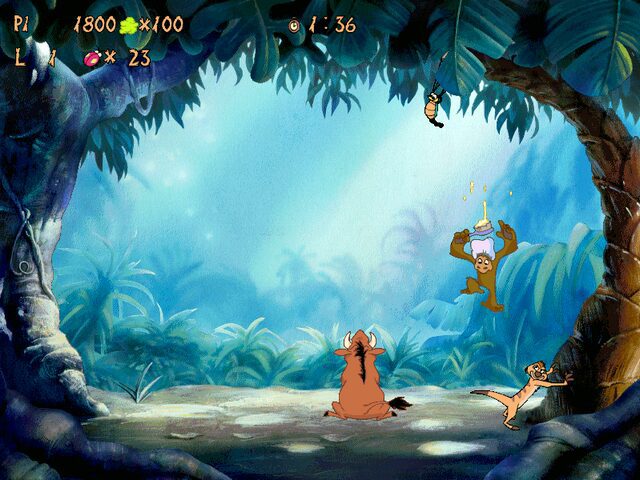
It was developed by the American company 7th Level together with Disney Interactive, which announced it in June 1995 as its first Windows CD-ROM game, with the idea of capitalizing on the success of The Lion King and the Timon and Pumbaa TV series. It went on sale for Windows on December 15, 1995 and, a year later, reached the Macintosh. Its look is that of a hand-painted cartoon, with Disney-style backdrops and characters who never stop commenting, joking and explaining the games with voices.
Five minigames and one goal: the score
You enter through a jungle setting full of objects you can interact with; many hide small animations and jokes. From there you access the games:
- Burper: a shoot ‘em up in which Pumbaa burps green clouds to bring down bugs, fruit and even kitchen sinks that fall from the sky, while defending the ground with his tail.
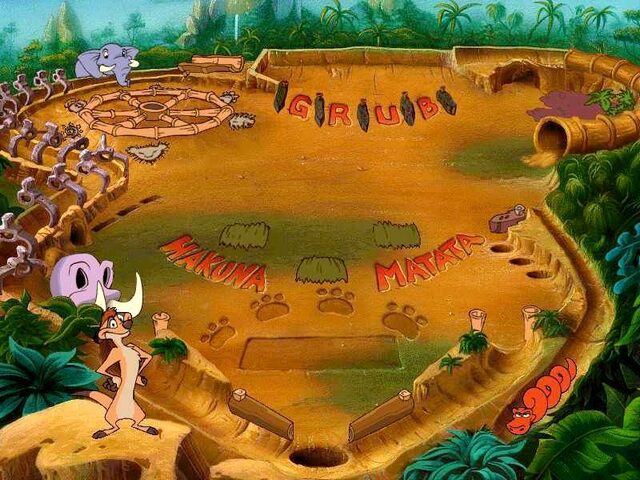
- Jungle Pinball: a pinball game in which the bumpers are animals.
- Hippo Hop: a jungle Frogger in which Timon crosses the river by hopping over logs and hippos.
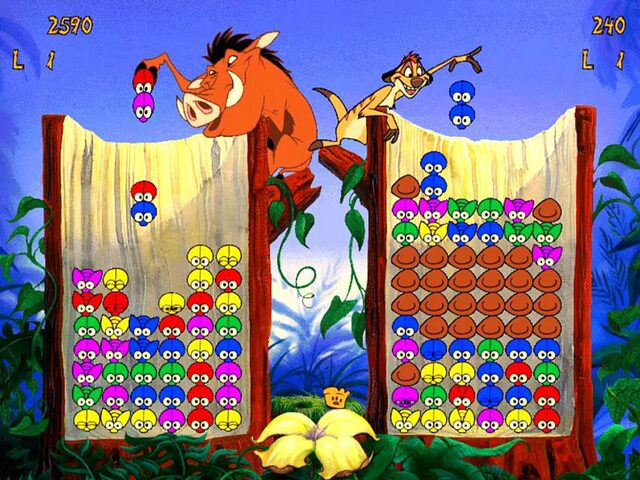
- Bug Drop: a puzzle game about matching colored bugs, the only one with a mode for two players or against the computer.
- Slingshot: a shooting gallery with berries and a slingshot.
None of them has an ending: the difficulty rises level by level to the impossible, as in the arcades, and the game remembers the best scores so you can try to beat them. You will find pinball and other arcade moments along the same lines in Pinball Dreams.
The edition we offer
This is the 1995 English PC version. In Downloads there is a repack to install and play on Windows XP, 7 or 10, and the original CD image. It is a game from the Windows 3.x era that asked for a 486 at 33 MHz, 8 MB of RAM and 256 colors, and it runs at 800 x 600. A 1997 adaptation for the Super Nintendo by Tiertex and THQ existed, but here we are talking about the original PC game.
In Guides you will find the first launch and gameplay tips, and in Tips & tricks, advice for each minigame. If something doesn’t work on your Windows, see how to play Windows XP classics on Windows 10 and 11.
EVERY PIXEL COUNTS
The game in pictures.
Explore the screenshots and open every detail at full size.
GET READY FOR YOUR NEXT GAME
Choose your download.
Format, compatibility and server. All in view.
Download Repack
COMPATIBILITYWindows XP / 7 / 10 ✓ At no cost✓ No sign-up Download www.mediafire.com · New tab MediaFire02 ISODownload ISO
COMPATIBILITYWindows XP ✓ At no cost✓ No sign-up Download www.mediafire.com · New tabClicking opens the CLABA loading area and, in a few seconds, your download. If a link fails, let us know via Contact or in the forum.
THE SECRET SIDE OF THE GAME
Tips, tricks and secrets.
A hint at the right time. A code that changes everything.
Tip · no known codes
We have not found verified cheats for the PC version, so we are not making any up. There are, however, details worth knowing to play and score better.
Tip · Burper
Shoot the fruit to get burp ammo and use the tail to scare off the bugs that approach along the ground. Avoid whatever falls and does damage, such as the kitchen sinks.
Tip · Hippo Hop
Cross the river by hopping over logs and hippos without touching the water. Watch the rhythm of the objects before you jump and complete the level to see the animated scene with Timon.
Tip · Bug Drop
Match three or more bugs of the same color. It is the only minigame with a mode for two players or against the computer, so it is the best one to play in company.
Tip · explore the setting
The main setting has many objects to interact with and small surprises. Click on everything: many jokes and animations are hiding there.
Tip · compete against yourself
There is no ending: the game keeps your best scores. Pick a minigame and try to improve your mark little by little; it is a good challenge for quiet afternoons.
No matches. Try another effect or code.
THE NEXT STEP, CLEARER
Guides to move forward.
From the first installation to that mission that won't give in.
Start here · first launch on a current PC
- Download the repack from Downloads, prepared for Windows XP, 7 and 10, or the original CD image.
- Install it in a short path, for example
C:\Juegos\TimonPumba. - The game dates from the Windows 3.x era and runs at 800 x 600 with 256 colors: on a modern monitor you will see a small window or one with black bars.
- If the program doesn’t start or the colors look odd, try Windows 95 compatibility mode or 256 colors in the executable’s properties. The tutorial on Windows XP classics on Windows 10 and 11 explains how.
- It is in English (voices and text).
Controls · mouse and keyboard
- The game supports keyboard and mouse, according to MobyGames.
- On the main setting, click on objects and characters to trigger animations and enter the minigames.
- Each minigame explains its controls at the start, narrated by the protagonists.
- Bug Drop supports two players on the same keyboard.
First steps · where to begin
- Explore the main setting before playing: it is full of hidden jokes.
- Start with Burper or Slingshot, the most immediate ones.
- Try Bug Drop against the computer and then against a friend.
- Try to beat your scores: the ten best of each minigame are saved.
- Don’t be scared by the difficulty: it grows without limit, as in an arcade.
Technical notes
According to PCGamingWiki, the game required Windows 3.1, a 486 DX at 33 MHz, 8 MB of RAM and a 256-color display, and it runs at 800 x 600 with no widescreen mode. The Macintosh version (1996) required a Motorola 68040 and System 7.1. If you want to keep your scores, copy the game folder by following the tutorial on copying and restoring save games.
Sources
- 7th Level and Disney press release, June 1995 (archive): announcement, first Disney game for Windows CD-ROM, recommended age.
- 7th Level press release, April 1996 (archive): the GameBreak series and sequel.
- Destructoid (archive): description of the five minigames and details of the setting.
- PCGamingWiki: dates, requirements and resolution.
- MobyGames (archive): platforms, entry and official description.
Something wrong?
Give us a hint.
A broken link, a detail to correct or a game that won't start. Your report helps keep this game page up to date.
Get in touchReport an issue with this game Discuss it in the forumCLABA ARCADE ROOM
541 classics
without installing anything.
Don't feel like installing? These play right in your browser.
Enter the roomTHE CLABA APP1.0 RC 1
Take the archive
with you.

Game pages, online play and your shelf on Android. Free, no sign-up.
ARCHIVE SECRETS
Did you know?
First Disney CD-ROM for Windows. A June 1995 note from 7th Level and Disney Interactive presented it as Disney’s first Windows CD-ROM game, for players aged 8 and up.
The GameBreak brand. In 1996 both companies announced a second installment in the «GameBreak» line: the one based on The Hunchback of Notre Dame, following the success of the Timon and Pumbaa pack.
Pumbaa the gunner. In Burper, Pumbaa fires burps to bring down bugs, fruit and kitchen sinks, and the fruit gives him more ammo, according to Destructoid’s analysis.
A farewell party. Every time you quit the game, Timon and Pumbaa throw a party, another detail Destructoid remembers.
An SNES version. In 1997 an adaptation for the Super Nintendo appeared, by Tiertex and THQ, according to MobyGames.