Konami · Board games
Yu-Gi-Oh! Power of Chaos: Yugi the Destiny
Yugi the Destiny for PC with Spanish: repack, ISO and All Cards patch. Duel against Yugi; see the guides and differences from Kaiba and Joey.
No computer handy? Play one of the 251 classics online right now
4.6 15 votes
THE CLABA ARCHIVE
Inside the game.
Its history, its ideas and the reasons to come back.
A black, red and gold playmat, forty cards in hand and, on the other side, the King of Games in person. Yu-Gi-Oh! Power of Chaos: Yugi the Destiny was the first Yu-Gi-Oh! for PC: Konami released it in Europe on November 28, 2003, Spain included, and with it opened the Power of Chaos trilogy. The proposition was simple and direct: you, your deck and one opponent, Yami Yugi, who does not give away a single duel.
Yugi the Destiny for PC: dueling Yugi or playing over a network
Yugi the Destiny installs on Windows and its duels are against the computer: this page does not offer online browser play. If you want to play against another person, Joey the Passion includes local network duels. For this edition with Spanish included, choose a repack, ISO or the community All Cards patch in Downloads and see how to save your collection in Guides.
The card game, no frills
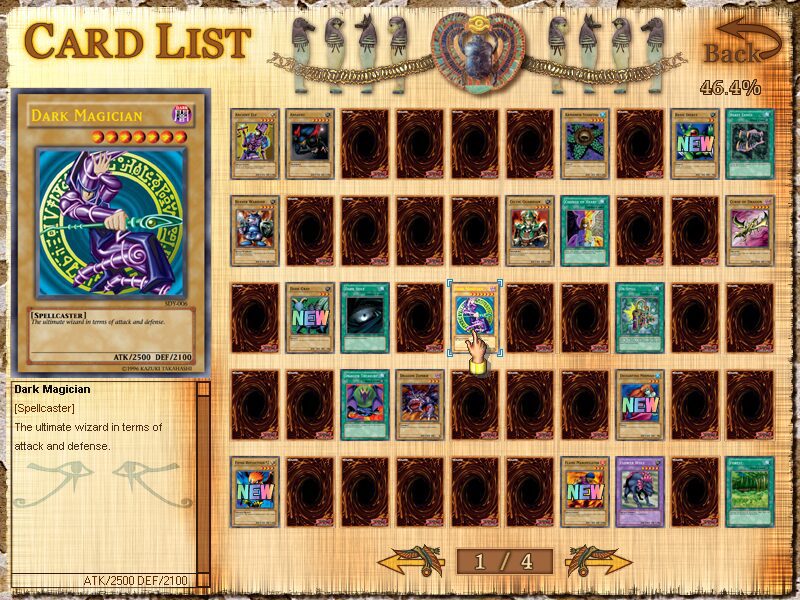
There is no map here, no story, and no characters to chat with. It is the Yu-Gi-Oh! trading card game brought to the screen with the rules of the day, and nothing more. The game’s 155 cards come mostly from the first sets in Europe and America, Legend of Blue Eyes White Dragon and Yugi’s starter deck, so the classics of the series show up on the playmat: Dark Magician, Blue-Eyes White Dragon, Exodia and its four limbs, or Kuriboh.
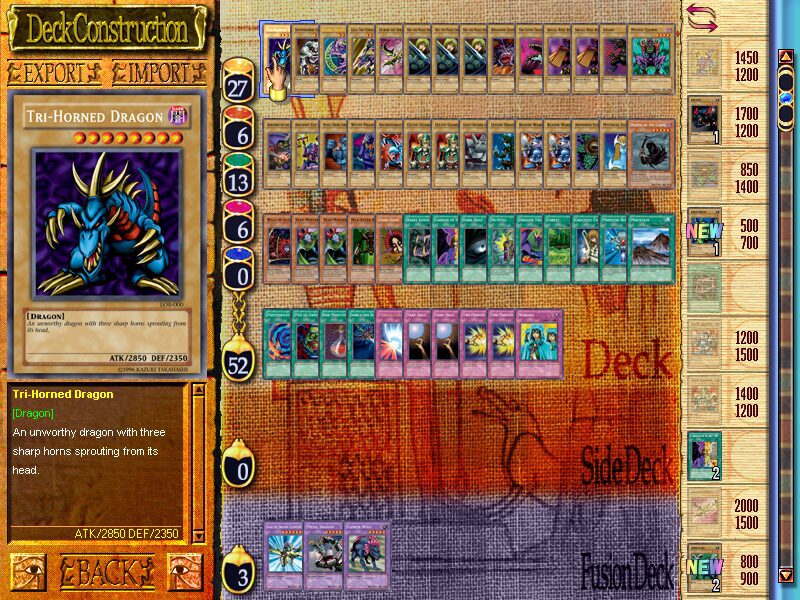
Before your first duel you can follow the tutorial, in which Yugi himself explains in four steps the field, the phases of the turn, how a deck is built and what limited cards are. Then you choose between a single duel or a best-of-three match, in which between duels you can swap cards with your side deck. Winning a single duel gives you one new card; winning a match, three. With them you fine-tune your deck in the editor until you complete the collection.
How it plays
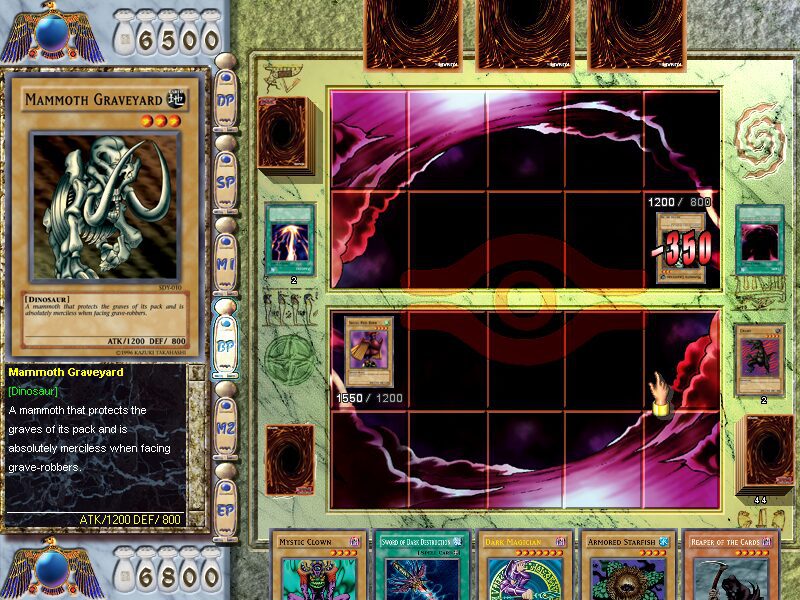
Everything is done with the mouse. On your turn you draw, Summon a monster face-up in attack position or Set it face-down in defense, prepare Spell and Trap cards and, when you have it clear, move on to the Battle Phase. If you attack a monster in defense, its owner does not lose Life Points; you do, if its defense exceeds your attack, and the tutorial itself makes you pay for it so you do not forget. The winner is whoever leaves the opponent with no Life Points or no cards left to draw.
The charm is in the staging. The cards are shown in good resolution and, when you do something important, a close-up of a surprised Yugi appears, with his line and sound effect, as in the television series. He also speaks when he plays: he announces his Dark Magician, laughs before activating a Trap Hole or warns you that his Mirror Force is going to cost you dearly.
The first of three
The press was harsh: GameSpot gave it a 4.9 for its lack of modes, with no story or multiplayer. Even so, for anyone who wanted to play with the real rules against a demanding opponent it more than delivered, and Konami continued the series in 2004 with Kaiba the Revenge and Joey the Passion. The cards from Yugi the Destiny can be used afterwards in those two games, and Kaiba the Revenge also brought a 2.0 update for this first one.
The edition we offer
It is the multilingual edition, with Spanish among its languages. In Downloads you have three options: a repack prepared for Windows XP, 7 and 10, which is the most comfortable way to play today; the ISO image of the original disc, to keep it as it is, and the All Cards patch, a community add-on that unlocks the collection and is not part of Konami’s game. Before applying it, back up your progress with our tutorial on copying and restoring save games (in Spanish).
In Guides you will find the installation, the controls and a strategy for the first duels; in Tips & tricks, the launch parameters and how the card payout works. If you are left wanting more cards, the collection also includes Magic: The Gathering.
EVERY PIXEL COUNTS
The game in pictures.
Explore the screenshots and open every detail at full size.
GET READY FOR YOUR NEXT GAME
Choose your download.
Format, compatibility and server. All in view.
Download Repack
COMPATIBILITYWindows XP / 7 / 10 ✓ At no cost✓ No sign-up Download www.mediafire.com · New tab MediaFire02 ISODownload ISO
COMPATIBILITYWindows XP / 7 / 10 ✓ At no cost✓ No sign-up Download www.mediafire.com · New tab MediaFire03 OriginalALL CARDS PATCH
FORMATOriginal ✓ At no cost✓ No sign-up Download www.mediafire.com · New tabClicking opens the CLABA loading area and, in a few seconds, your download. If a link fails, let us know via Contact or in the forum.
THE SECRET SIDE OF THE GAME
Tips, tricks and secrets.
A hint at the right time. A code that changes everything.
How to use the launch parameters
Yugi the Destiny has no reliable cheat codes, but its executable, yugi_pc.exe, accepts undocumented launch parameters, and it is case-sensitive. Right-click the shortcut, go to Properties and, in Target, add the parameter after the quotation marks of the path, separated by a space. It also works to type the path in quotes and the parameter in Run (Windows + R).
Tip · text language
-Lspa sets the text to Spanish. The others are -Leng (English), -Lfra (French), -Lger (German), -Lita (Italian) and -Ljpn (Japanese). Use it if the installation picked another language.
Tip · window and colors
-win opens the game in a window. -16, -24 and -32 force full screen with 16, 24 or 32-bit color.
Tip · sound and speed
-nosound turns the sound off and -fps shows the frames per second in the top left corner. The game is capped at 30; the -speedy parameter, which raises it to 60 and speeds up the animations, only works if you have the 2.0 update, the one that comes with Kaiba the Revenge.
Tip · how cards are awarded
A single duel gives one card and a best-of-three match gives three, all different from one another. All cards have the same chance of appearing, so matches pay off more: it is the fastest way to fill the collection. Near the end, once you pass 79% and 89%, the game rerolls on its own if you would only get duplicates.
Tip · the All Cards patch
The patch in Downloads comes from the community, not from Konami, and it changes your collection. Before applying it, copy the Yu-Gi-Oh! Power of Chaos Common folder, where decks and progress are stored, so you can go back if you prefer to earn the cards.
No matches. Try another effect or code.
THE NEXT STEP, CLEARER
Guides to move forward.
From the first installation to that mission that won't give in.
Start here · first launch
- In Downloads, choose the repack: it is prepared for Windows XP, 7 and 10.
- Install it in a short path, for example
C:\Juegos\YuGiOh\YugiTheDestiny. Next to that folder the game creates another one,Yu-Gi-Oh! Power of Chaos Common, which it shares with Kaiba the Revenge and Joey the Passion. - If the text does not appear in Spanish, add
-Lspato the shortcut (we explain it in Tips & tricks). - On the first launch, do the tutorial: it is four short lessons and the second one is a guided duel.
The ISO preserves the disc as it is, with its SecuROM protection; on a current PC the repack is simpler. If something fails on Windows 10 or 11, review our tutorial on Windows XP classics on Windows 10 and 11 (in Spanish).
Controls · all with the mouse
- Hover over a card in your hand and the Summon command appears (shown in the Spanish edition as «Invocar»). With the right button it switches to Set («Colocar»: face-down, in defense); with the left, you confirm it.
- Spell and Trap cards are placed the same way. A Trap has to be set on the field before it can be activated.
- To change phase, right-click an empty area of the field: a window with three commands appears, among them move to the Battle Phase.
- In battle, only monsters with the sword icon can attack, that is, those in attack position. You click yours and then its target.
- You can check the opponent’s Graveyard at any time to see which cards they have used.
First steps · how to beat Yugi
- The starting deck is solid: it includes Dark Magician, Summoned Skull, Change of Heart, Monster Reborn, Dark Hole and two Trap Holes.
- Before attacking, compare the numbers: if the opposing monster is in defense with more points than your attack, you take the difference.
- Remember Tributes: Level 5 and 6 monsters require one and those of Level 7 or higher, two.
- Yugi uses Mirror Force and Swords of Revealing Light. If he has face-down cards, do not throw your whole army in at once.
- Play best-of-three matches instead of single duels: they give three cards instead of one.
- Keep your deck near 40 cards, the minimum, and at most three copies of each card (only one of the limited ones, such as Pot of Greed or Monster Reborn).
Technical notes
Original requirements: Windows 98, 2000, Me or XP, a Pentium II at 450 MHz, 128 MB of RAM and 645 MB of disk space. It runs on DirectDraw, does not appear to use 3D acceleration and is capped at 30 frames per second.
Decks (.ydc), recorded duels (.ydr) and progress (system.dat) are stored in Yu-Gi-Oh! Power of Chaos Common, and part of the progress also goes in the Windows registry, under the Konami key. To take your collection to another computer, copy that folder and export the key; our tutorial on copying and restoring save games (in Spanish) helps with the first part.
If in windowed mode the game closes or fails to open, PCGamingWiki recommends ticking disable desktop composition in the compatibility settings (a Windows Vista and 7 option). To set other frame rate limits there is TnG Patcher, from the community.
Sources
- Konami of Europe · press release of October 21, 2003 (Wayback Machine): European date, limited edition with a Millennium Puzzle box and five cards, standard edition with three, 155 cards, single and best-of-three duels, tutorial and the voice of the series’ actor.
- Yugipedia · Yugi the Destiny: dates by country, card list and origin, starter deck, tutorial and controls, Yugi’s lines, launch parameters, card payout and cover.
- PCGamingWiki: SecuROM, the 2.0 update, the Common folder and registry, the 30 fps limit and
-speedy, windowed mode, TnG Patcher and requirements. - GameSpot · review by Ryan Davis (2003, Wayback Machine): the 4.9 score, the lack of story and multiplayer, Yugi’s close-ups and presentation.
- Yugipedia · Limited Collector’s Edition: the five promotional cards and the Spanish edition.
Something wrong?
Give us a hint.
A broken link, a detail to correct or a game that won't start. Your report helps keep this game page up to date.
Get in touchReport an issue with this game Discuss it in the forumCLABA ARCADE ROOM
251 classics
without installing anything.
Don't feel like installing? These play right in your browser.
Enter the roomTHE CLABA APP1.0 RC 1
Take the archive
with you.

Game pages, online play and your shelf on Android. Free, no sign-up.
ARCHIVE SECRETS
Did you know?
A box shaped like a puzzle. The limited collector’s edition came in a case that imitated the Millennium Puzzle, Yugi’s triangular pendant, and included five official cards; the standard edition, released the same day, came with three.
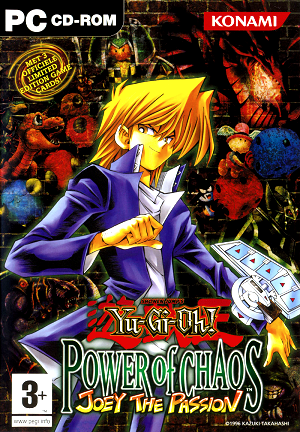
Cover taken from the manga. The image of Yami Yugi on the cover reproduces the title page of chapter 192 of Kazuki Takahashi’s manga.
The voice from television. Konami announced that Yami Yugi spoke with the voice of the actor who dubbed him in the series. The 2.0 update, which arrived with Kaiba the Revenge, also added German voices for the German version.
A payout that takes pity. Each prize card comes up at random among the 155, but once you have more than 79% of the collection the game rerolls if you would only get duplicates, and from 89% it tries once more, without you noticing.
«Like a game of solitaire.» Ryan Davis, at GameSpot, wrote in December 2003 that, for anyone who was not a fan of the series, the game had about as much to offer as a game of solitaire.