Team 17 · Strategy
Worms Plus
Team17's worm warfare in its expanded PC edition: turn-based artillery, British humor and hundreds of thousands of different landscapes.
Choose your version 5 platforms
No computer handy? Play one of the 251 classics online right now
4.7 7 votes
THE CLABA ARCHIVE
Inside the game.
Its history, its ideas and the reasons to come back.
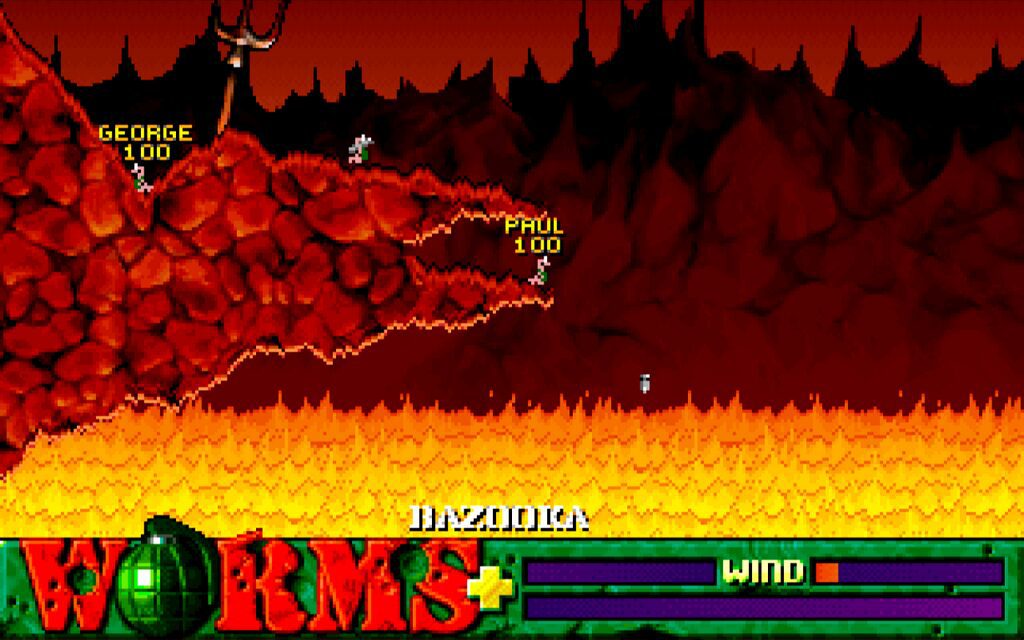
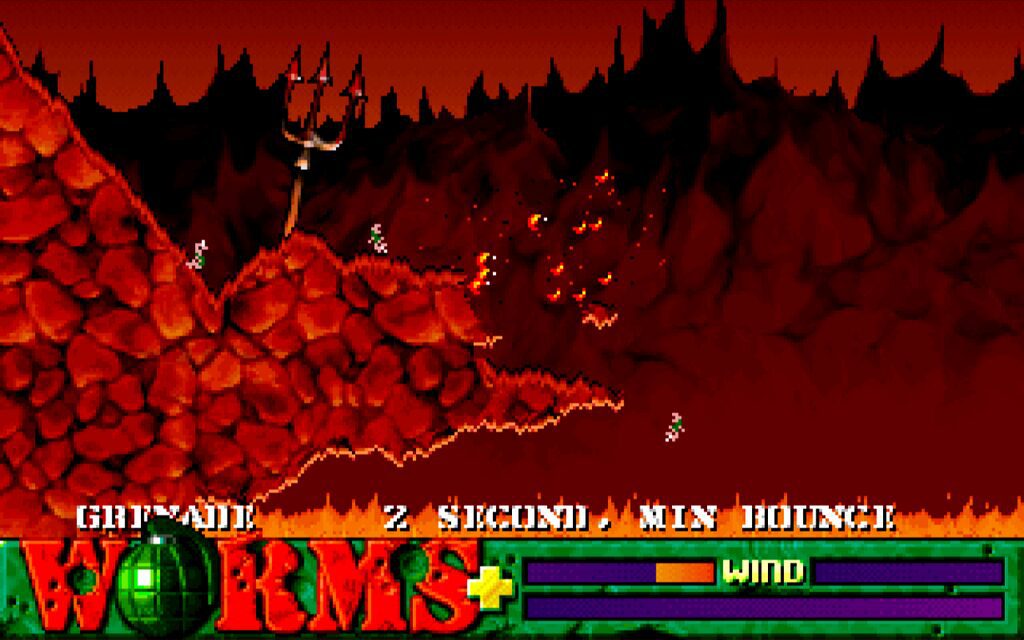


Four pink worms, a landscape you had never seen before and a bazooka. That is how Worms began, the turn-based artillery game that Team17 released in late 1995 and that grew into one of the best-loved franchises of home computing. What you have here is its expanded PC edition, the one that appears on this game page as Worms Plus.
An idea born on a calculator and an Amiga
The game started as a personal project of Andy Davidson, who in 1990 was already tinkering with an artillery idea on a Casio graphing calculator and in August 1993 took it to the Amiga. It was first called Artillery and later Total Wormage; it was even entered in a Blitz BASIC programming contest run by Amiga Format magazine without winning anything. Davidson showed it around to several publishers until, at the ECTS fair in London in September 1994, Martyn Brown, co-founder of Team17, made him an offer on the spot. According to the story told by the community, worms replaced some lemmings in the first tests, and the animation and humor of Lemmings were always the yardstick.
How it plays
Each team has four worms and plays in turns with a time limit. You have to eliminate your rivals with a collection of weapons and tools: bazooka, grenades, shotgun, Uzi, air strike, dynamite, blowtorch, drill, ninja rope, bungee, girders… and the famous Banana Bomb and Sheep, which arrive in crates. Explosions disfigure the terrain, and worms that fall into the water die. The landscapes are generated from a word or a number that you type yourself; the manual boasts of «more than four billion» combinations and of supporting up to 16 teams.
If you enjoyed the spirit of Scorched Earth, here is its version with British humor: no tanks, but the same tension of calculating wind and angle.
What the expanded edition includes
In 1996 Team17 released the Worms Reinforcements expansion for PC, and later bundled the game and the expansion as Worms and Reinforcements United. It added a single-player challenge mode with 25 missions, IPX network or modem games, import of your own landscapes and sound banks, the Mole Bomb weapon, health crates that restore 50 points, booby-trapped crates, mines that don’t explode, fall damage, retreat time at the end of the turn and three new terrain themes: city, graveyard and war zone. Judging by the name and description with which this page was uploaded at the time («expanded version»), it points to that package; the exact contents of the repack depend on whoever prepared it, so in the installation itself you can check whether it includes the new missions and crates.
Reception
It was a hit that took time to be understood: by March 1996 it had sold almost 250,000 copies and, counting all versions, more than five million by 2006. Critics were divided, but it ended up in the book 1001 Video Games You Must Play Before You Die. Its sequel, Worms 2, arrived in 1997, and Worms Armageddon followed later.
The edition we offer
In Downloads there is an English repack designed to install and play on Windows XP, 7 and 10. The original game was for MS-DOS and Windows 95, so if you prefer you can turn to our tutorial on DOSBox to understand how this kind of classic runs, or to the one dedicated to Windows XP games on current machines. In Guides you will find the controls, how to choose weapons and the technical notes; in Tips & tricks, advice taken from the manual itself.
ONE GAME, 5 PLATFORMS
Versions.
5 platforms1995–1996
Pick a platform: the screenshots, downloads and online game on this page switch with it.
- Year
- 1995
- Port by
- Team17
- Downloads
- 1
- Screenshots
- 3
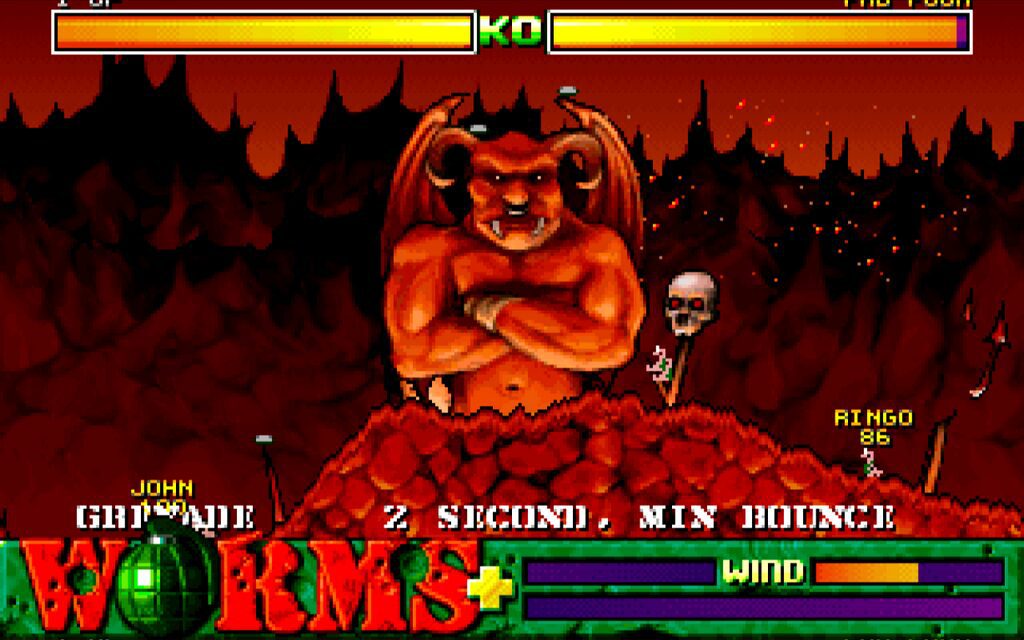
Expanded PC edition of Team17's Worms: the 1995 game (MS-DOS and Windows 95) together with the new features of the Reinforcements expansion, such as the 25-mission mode, IPX network or modem play, the Mole Bomb weapon and health crates. The name and description on the page point to this package, also known as Worms and Reinforcements United.

- Year
- 1995
- Port by
- Team17 (original)
- Downloads
- 2
- Screenshots
- 2
The original version of the game, released in Europe on November 17, 1995 by Ocean. This is where it all began: Andy Davidson programmed it for the Amiga and Team17 published it. It is the base game, without the Reinforcements content that the PC edition added later.
- Year
- 1995
- Port by
- Team17
- Downloads
- 1
- Screenshots
- 1
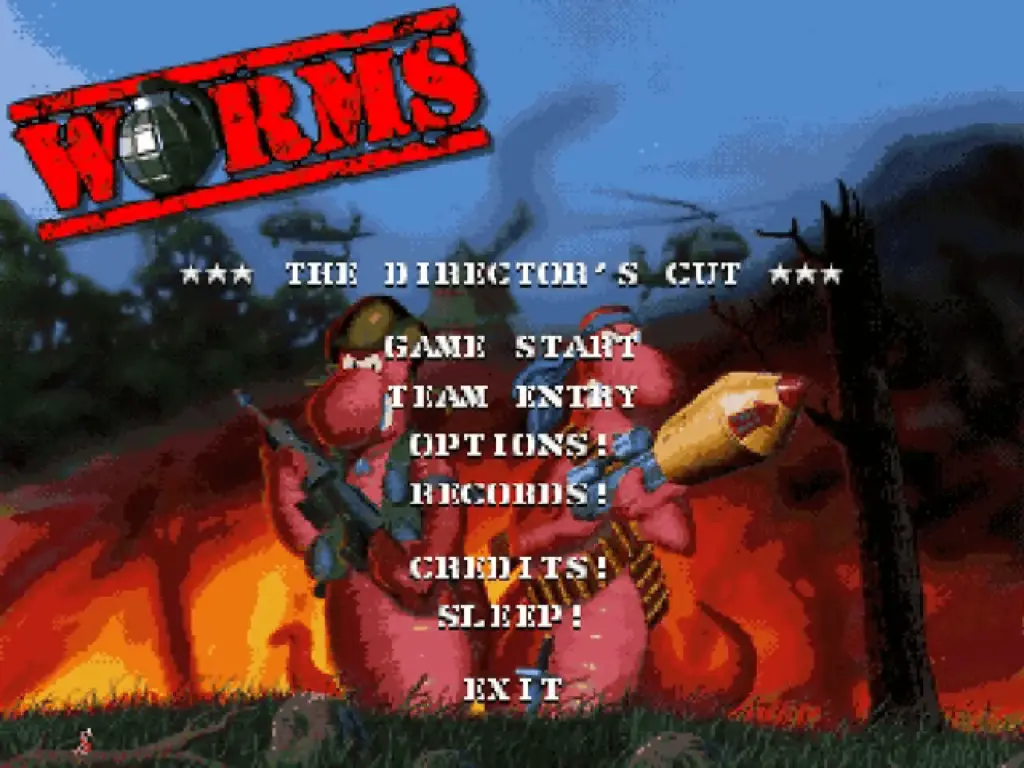
Version of the same base game for the Amiga CD32 console, released in Europe in 1995. It keeps the Amiga's original turn-based artillery approach, without the missions mode or the additions of the PC expansion.

- Year
- 1995
- Port by
- East Point Software
- Downloads
- 1
- Screenshots
- 2
Adaptation of the base game for the handheld Game Boy, made by East Point Software. According to the community wiki, some weapons (homing missile, mine, ninja rope, bungee and girder) do not appear in certain console versions; we have not checked here in which of them.

- Year
- 1996
- Port by
- East Point Software
- Downloads
- 1
- Screenshots
- 3
Mega Drive (Genesis) version of the base game, published in Europe in August 1996 according to Computer and Video Games, and developed by East Point Software. It is the same 1995 Worms adapted to a console controller, without the new features of Reinforcements.
EVERY PIXEL COUNTS
The game in pictures.
Explore the screenshots and open every detail at full size.

GET READY FOR YOUR NEXT GAME
Choose your download.
Format, compatibility and server. All in view.
Version
SELECTED VERSIONPC1995 · 1 file
SELECTED VERSIONAmiga1995 · 2 files
Download for hard disk
COMPATIBILITYRequires an emulator ✓ At no cost✓ No sign-up Download BoxSharer server · New tab BoxSharer02 Amiga · Floppy disksDownload original floppy disks
COMPATIBILITYRequires an emulator ✓ At no cost✓ No sign-up Download BoxSharer server · New tabSELECTED VERSIONAmiga CD321995 · 1 file
SELECTED VERSIONGame Boy1995 · 1 file
SELECTED VERSIONMega Drive1996 · 1 file
Clicking opens the CLABA loading area and, in a few seconds, your download. If a link fails, let us know via Contact or in the forum.
HIT PLAY
The game in motion.
Trailers and videos to see it in action.
-
Amiga CD32 · How it plays
A game of Worms Plus on Amiga CD32.
THE SECRET SIDE OF THE GAME
Tips, tricks and secrets.
A hint at the right time. A code that changes everything.
Tip · keyboard and mouse shortcuts
According to the manual, you walk with the arrow keys, jump with Enter and hold Spacebar to charge power: when you release it, you fire. Weapons are chosen with the function keys (for example, F1 is the bazooka and pressing F1 twice switches to the homing missile) or with the icon bar that appears when you press the right mouse button. Careful: the clock keeps running while you choose.
Tip · well-tuned grenades
With a grenade, cluster bomb or Banana Bomb you can change the fuse time with the keys 1 to 5 and the bounce, high or low, with + and –. Unlike the bazooka, wind does not deflect them, so they are better for judging short distances.
Tip · ninja rope and bungee
The bungee activates by itself when you walk toward a cliff with it selected. The ninja rope is aimed and fired with Spacebar; with the arrow keys you build up momentum and with Spacebar you jump. Using ropes only costs turn time when you finish, not while you swing.
Tip · teleport with your head
The manual recommends looking for a high spot, away from cliffs and mines, and using it to reach a weapon crate or get out of a bad position. If you play with friends and someone abuses teleports, you can reduce the starting number in the options (2 by default).
Tip · type your own landscape
On the terrain generation screen, press Spacebar and type a word or a number: the same map always comes out. The words ARCTIC, HADES, MARS, JUNK, TROPICS, FOREST, CANDY, ALIEN, BEACH or DESERT are used to choose the terrain theme, and that is why they cannot be used as the name of a custom landscape.
Tip · playing against the "dark side"
The authors themselves admit that some people play «the dark way»: digging in to hide, teleporting far away or abusing girders. The manual suggests limiting in the options the number of teleports, girders (3 by default) or digging tools to make games more lively.
No matches. Try another effect or code.
THE NEXT STEP, CLEARER
Guides to move forward.
From the first installation to that mission that won't give in.
Start here · first launch on a current PC
- Download the repack from Downloads and extract it to a short path, for example
C:\Juegos\Worms. - Run the game’s shortcut. The original required about 20 MB of disk space and was installed with
INSTALLfrom MS-DOS or from the Windows 95 setup icon; the repack is already prepared for Windows XP, 7 and 10. - If the menus or the music don’t work for you, see the tutorial on Windows XP games on current machines and, if the game runs with DOSBox, the one on DOSBox from scratch.
It is an English-language game; the menu is simple and nothing more is needed.
Controls · movement, weapons and mouse
- Arrow keys: walk and aim the crosshair (up and down).
- Enter: jump. Careful with long jumps: if you get hurt, your turn ends.
- Spacebar: hold to build power and release to fire.
- Function keys: choose a weapon; pressing twice switches to the second one in the group.
- Right mouse button: weapon icon bar; use the left button to choose. For air strikes and teleports, the left click marks the spot.
First steps · how to win your first games
- Start with games against the computer or a friend and the default settings, which according to the manual are «very reasonable».
- Use the wind to your advantage with the bazooka; with grenades, shorter distances work best.
- Pick up the weapon crates: they may contain air strikes, teleports or Banana Bombs.
- Don’t stay near the edge: worms that fall into the water die instantly.
- If you don’t want to take a risk, use «Skip Go» instead of forcing a bad move.
Technical notes
The original came out for MS-DOS in 1995 (Windows 95 with its own installer); the expansions add IPX network or modem play, which is not used today. The digital editions on Steam and GOG package the game with DOSBox, which indicates that this is the usual compatibility route. Team and settings data are saved on exit. If you download custom landscapes, see the document Custom.txt in the DOCS folder of the original CD to create your own.
Sources
- Worms United manual (Internet Archive): controls, installation, landscapes, weapons and tips.
- Worms Wiki · Worms Reinforcements: new features of the expansion and weapons.
- Worms Wiki · Worms (1995): history, trivia and teams.
- StrategyWiki · Worms: development and platforms.
- PCGamingWiki · Worms: availability on Steam and GOG, and versions.
- Wikipedia · Worms (1995): sales and reception.
Something wrong?
Give us a hint.
A broken link, a detail to correct or a game that won't start. Your report helps keep this game page up to date.
Get in touchReport an issue with this game Discuss it in the forumCLABA ARCADE ROOM
251 classics
without installing anything.
Don't feel like installing? These play right in your browser.
Enter the roomTHE CLABA APP1.0 RC 1
Take the archive
with you.

Game pages, online play and your shelf on Android. Free, no sign-up.
ARCHIVE SECRETS
Did you know?
The worms were lemmings. According to the community wiki, Davidson started with Lemmings graphics that he extracted from the Amiga’s memory; when he learned he would not be able to publish them, he swapped them for worms and renamed the game Total Wormage.
A Yorkshire studio. Team17 is from West Yorkshire and it shows: the «Tykes» sound bank imitates the local accent, and in the Hell level of the missions mode there is a sign that reads «Welcome to Ossett!».
Landscapes made of banknotes. With the custom landscape tools you can create levels from images, and the community wiki recalls that this even worked with pound sterling banknotes.
Almost a Virtual Boy game. In 1995 Team17 began a version for the Virtual Boy console, which Ocean was going to publish, but it was canceled within a few weeks because of the machine’s foreseeable failure.
Five million copies. Across all its versions, the first Worms passed five million units by 2006. In 2011 it went on sale again on Steam and in 2012 on GOG, now packaged with DOSBox.