World Forge · Strategy
Age of Alexander
Alexander the Great leads 19 missions from Macedonia to India, with captured weapons, Royal Guards and Bucephalus. FX's Spanish edition, repack and DVD.
Strategy game by World Forge (2007) for PC, in Spanish. Available to download.
3.7 7 votes
THE CLABA ARCHIVE
Inside the game.
Its history, its ideas and the reasons to come back.
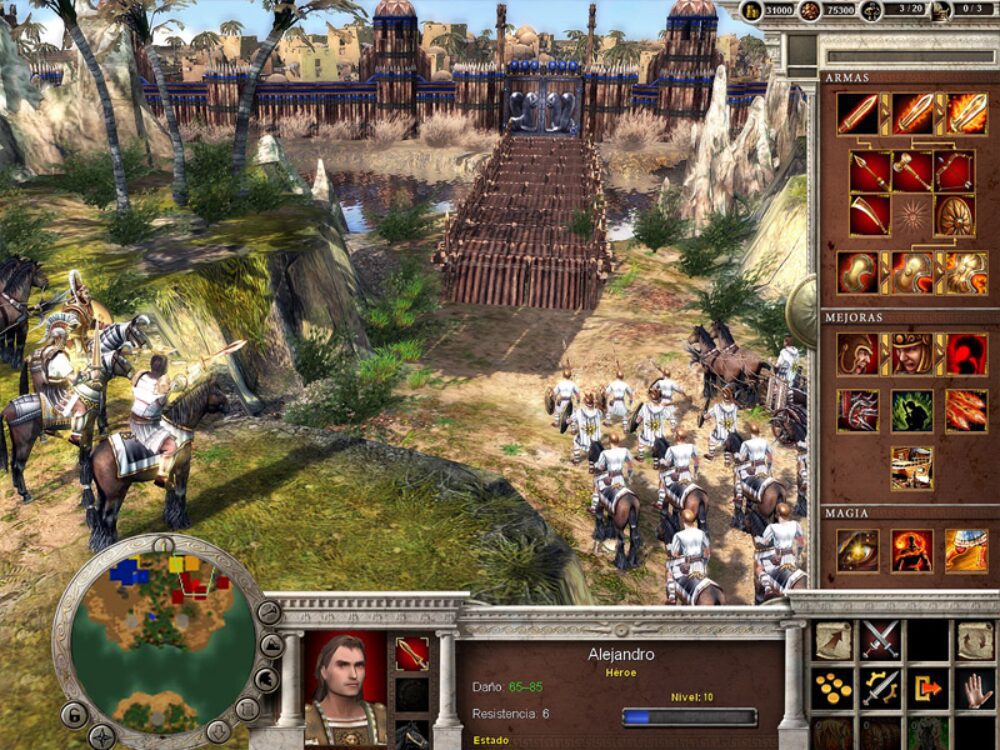
The year is 335 BC. A young king inherits Macedonia and, in little more than a decade, will lead his phalanxes from Greece to Egypt, Babylon and India. Sparta II: Las conquistas de Alejandro Magno (sold abroad as Age of Alexander) puts you in his saddle: you do not command an abstract people but Alexander himself, who fights on the front line, levels up and drags along behind him the armies he defeats. It was developed by the Russian studio World Forge and FX Interactive published it in Spain at the end of October 2009.
A campaign of nineteen territories
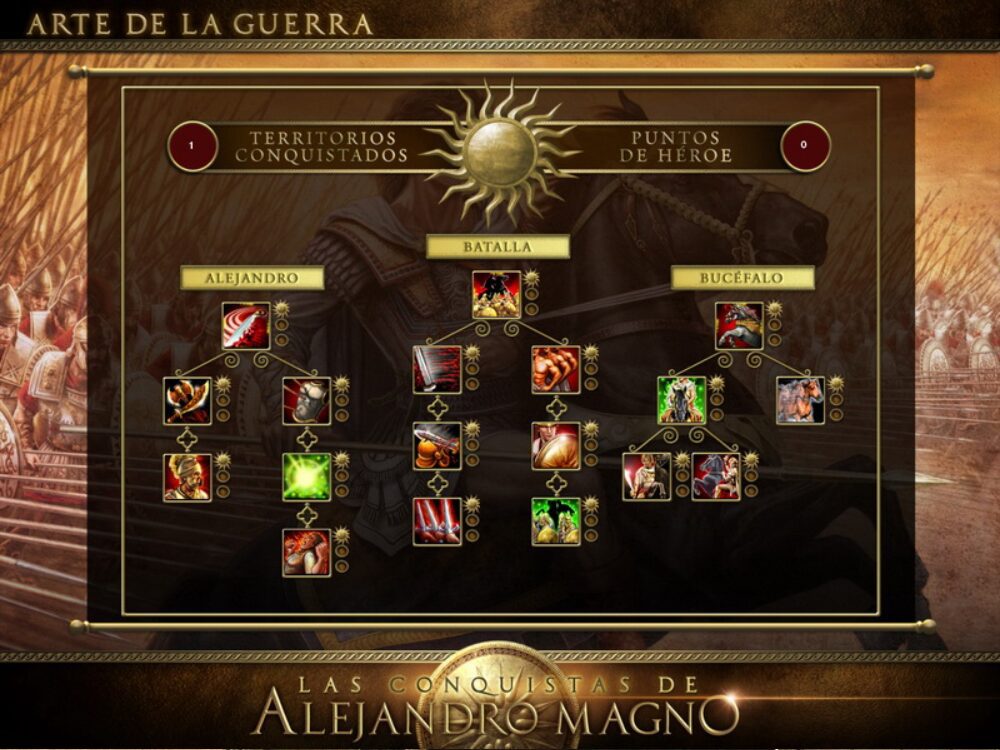
The heart of the game is a campaign of 19 missions, one per territory on the map, which starts with “The Birth of a King” and passes through Thrace or Gaza on the way to Persia, Egypt and India. At certain points you choose the next conquest yourself. Each victory gives you hero points for Alexander’s skill tree, divided into three branches: Alexander himself, battle and Bucephalus, which boosts the cavalry. You can also earn a Royal Guard, elite troops from each civilization who accompany you on the next mission, or a talent, a skill of your civilization that helps you complete the mission. Outside the campaign, Battle mode lets you play as Macedonia, Sparta, Persia, Egypt or India against the computer.
Little managing, plenty of warring
The economy is reduced to the essentials: gold and ore, which come from mines built on deposits and travel by caravan to your main building, be it the Macedonian megaron, the Persian tachara or the pharaoh’s palace. Slaves build and repair, and the system FX called iCOM takes care of the routine so that you can focus on the front. Captured villages raise your troop limit by ten units and heal the wounded nearby.
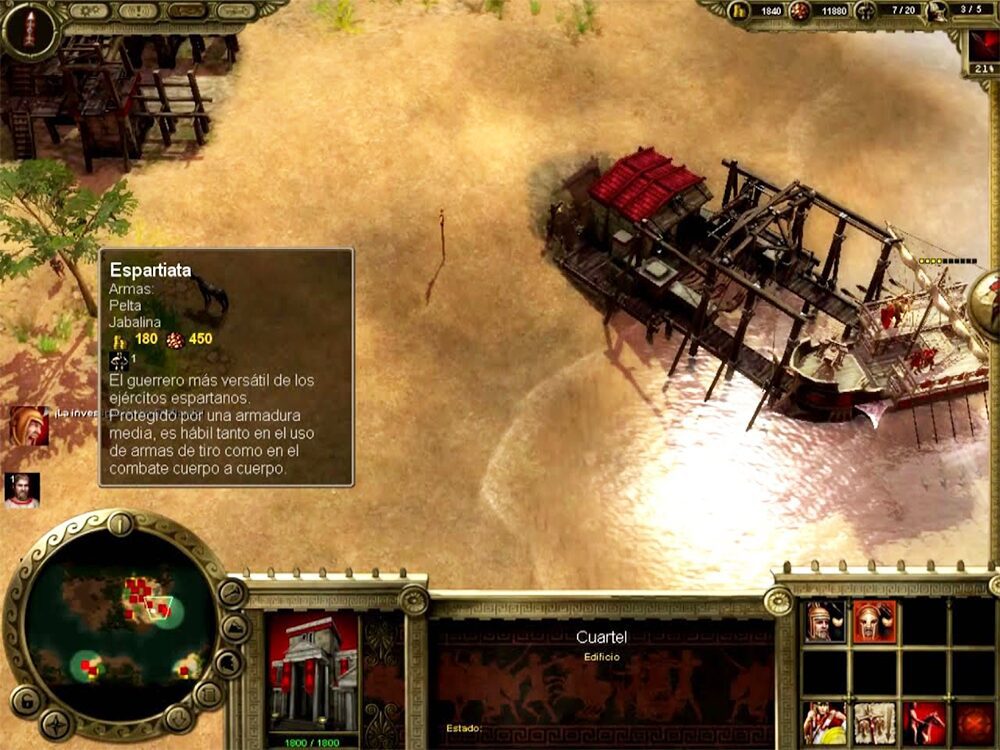
The most characteristic feature of the series is the barracks. There you do not choose fixed units; instead, you design them: type of soldier, ranged or melee weapon, shield and mount or special weapon. And since the fallen leave their weapons on the ground, a slave accompanying the army can pick them up to equip your men with the enemy’s arsenal, even in the middle of battle.
What it added to the first installment
Compared with the three campaigns of Sparta: Ancient Wars (Sparta: La batalla de las Termópilas in Spain), here there is a single one, built around a hero with a skill tree and rewards between missions. FX presented it as a blend of the army design of the first installment with the combat system of its Imperivm series, and boasted of tactical details you notice when playing: you can set stake or stone traps, set a forest on fire, storm walls with ladders and towers, board damaged enemy ships or take advantage of the wind, which lengthens or shortens the range of arrows depending on how it blows. The tactical pause, with the space bar, lets you give orders with time stopped.
The edition we offer
This is the Spanish edition from FX Interactive, in Spanish. In Downloads you have two options: a repack to install and play, marked as compatible with Windows XP, 7 and 10, and the original DVD image, for those who want to preserve the complete edition. The repack is the convenient route on a current PC; if you go with the DVD, our tutorial on Windows XP classics on Windows 10 and 11 helps you with compatibility.
In Guides you will find the first launch, the controls and an opening that works; in Tips & tricks, the official codes FX published and combat tips. If you are left wanting more Antiquity, there is another Alexander, Alexander by GSC Game World, and in the same historical strategy vein, Imperivm: The Gallic Wars, Praetorians or the veteran Age of Empires.
EVERY PIXEL COUNTS
The game in pictures.
Explore the screenshots and open every detail at full size.
GET READY FOR YOUR NEXT GAME
Choose your download.
Format, compatibility and server. All in view.
Download Repack
COMPATIBILITYWindows XP / 7 / 10 ✓ At no cost✓ No sign-up Download www.mediafire.com · New tab MediaFire02 ISODOWNLOAD DVD
COMPATIBILITYWindows XP / 7 / 10 ✓ At no cost✓ No sign-up Download www.mediafire.com · New tabClicking opens the CLABA loading area and, in a few seconds, your download. If a link fails, let us know via Contact or in the forum.
THE SECRET SIDE OF THE GAME
Tips, tricks and secrets.
A hint at the right time. A code that changes everything.
How to enter them
According to FX’s official cheat sheet, press Enter at any moment during the mission, type the code in the message window that appears in the center of the screen and confirm with Enter. Codes are typed in lowercase.
Resources
gold: adds 25,000 gold. ore: adds 25,000 ore.
Instant victory
win: you win the current mission. Use it wisely: in the campaign it deprives you of the experience and rewards earned by playing.
Tip · the tactical pause
The space bar stops the action and lets you give orders calmly; the troops carry them out when you resume. The manual itself recommends using it often while you learn.
Tip · a slave in the rear
Always bring a slave with the army: he automatically picks up the weapons of the fallen and takes them to your main building. With them you equip cheaper units or, if you are short of gold, sell them with the right button in the equipment window.
Tip · every unit has its counter
Spearmen punish cavalry, so sometimes it pays for Alexander to dismount (U key) and fight on foot. Your own villages heal the wounded within their radius: fall back to them before an assault.
No matches. Try another effect or code.
THE NEXT STEP, CLEARER
Guides to move forward.
From the first installation to that mission that won't give in.
Start here · first launch
- In Downloads, choose the repack: it is ready to install and play and marked as compatible with Windows XP, 7 and 10. The DVD image is for those who want to preserve the original disc.
- Install it to a short path outside of
Archivos de programa(Program Files), for exampleC:\Juegos\Sparta2, to avoid permission problems when saving. - On the “Bienvenido a Sparta II” (“Welcome to Sparta II”) screen, type your hero’s name. You can have up to nine, and save games and statistics are tied to the one selected.
- Start with the tutorial mission and, before the campaign, try a Battle mode game on the “Rivalidad eterna” (“Eternal Rivalry”) map against the computer on easy, as the manual suggests.
Save with F5 (quick save) or from the Esc menu. If you change computers, our tutorial on copying and restoring save games helps you avoid losing them.
Controls
- Mouse: left button to select and place buildings; right button for the default action (move, attack, capture, repair). The wheel zooms the camera in and rotates buildings when placing them.
- Camera: arrow keys to scroll; Insert and Page Up rotate; Home and End zoom in and out; Ctrl plus the middle button also rotates.
- Groups: Ctrl + 1 to 9 creates a group; the number selects it and, pressed twice, centers the view on it. F changes the formation.
- Orders: A attack, P patrol, T toggles attack, defend, hold and wait, U dismount or disembark, E get off camels, elephants, vehicles or structures.
- Alt shows health bars and the weapons that can be captured; the space bar activates the tactical pause; Esc opens the menu.
First steps · the manual's opening
- Select the three slaves and build a mine on the nearest gold deposit; then another on the ore one.
- Build a barracks next to the megaron and, with “Equipar guerreros” (Equip Warriors), design your first unit: weapon, shield and, if available, mount.
- Recruit a first group (the manual suggests five sarissophoroi) and, on reaching 2,000 gold, hire Alexander at the megaron.
- Group the hero with his troops (Ctrl + 1) and head out to capture the nearest village: stay next to the flagpole until the flag changes color. Every village or villa raises your unit limit.
- Attack the rival’s caravans and mines to cut off his supply: his mines, like yours, run dry over time.
Technical notes
The game is designed for 4:3 screens, although the video menu offers the widescreen resolutions supported by your monitor. If the machine is borderline, lowering the quality of shadows, water reflections and lighting is what you will notice most.
FX published update 1.7, which fixes the barracks production queue, troop boarding and several missions (the tutorial, “La pacificación de Tracia” (The Pacification of Thrace) or “Gaza”), and adds three multiplayer maps. Online play worked with a personal key and GameSpy servers, which shut down at the end of May 2014; today only the local network remains, for up to eight players. If the DVD image gives you trouble on Windows 10 or 11, check our tutorial on Windows XP classics on Windows 10 and 11.
Sources
- FX Interactive game manual (Internet Archive) (in Spanish): 19-mission campaign, civilizations and buildings, resources, iCOM, unit design, captured weapons, Alexander’s skills, Royal Guards, talents, weather vane, traps, controls and network play.
- Official FX secret codes sheet (Internet Archive): gold, ore and win, and how to enter them.
- Adjustments and improvements in update 1.7 (Internet Archive): patch changes, missions mentioned and new maps.
- Vandal · new details on Sparta II (in Spanish) and Vandal · new screenshots: FX’s October 2009 launch and the game’s approach.
- MyAbandonware · Age of Alexander: international titles, year and publishers.
- Wired · GameSpy shutdown: end of the servers in May 2014.
Something wrong?
Give us a hint.
A broken link, a detail to correct or a game that won't start. Your report helps keep this game page up to date.
Get in touchReport an issue with this game Discuss it in the forumCLABA ARCADE ROOM
251 classics
without installing anything.
Don't feel like installing? These play right in your browser.
Enter the roomTHE CLABA APP1.0 RC 1
Take the archive
with you.

Game pages, online play and your shelf on Android. Free, no sign-up.
ARCHIVE SECRETS
Did you know?
One game, three names. In other countries it was sold as Age of Alexander or Sparta 2: Alexander the Great, and in Russia, its country of origin, as “Александр Македонский: История завоевания мира” (“Alexander the Great: History of the Conquest of the World”).
Bucephalus has his own tree. One of Alexander’s three skill branches is named after his horse and improves the cavalry and the king himself when he fights mounted.
Watch the weather vane. The interface includes a weather vane because the wind matters: with a headwind, your archers reach less far and your ships sail more slowly; with a tailwind, the opposite. It also matters when you set a forest on fire.
Loot can be sold. Weapons picked up from the battlefield make the units that use them cheaper, and the surplus ones can be sold for half their value, one at a time or five at a time with Shift.
A patch with new maps. FX’s 1.7 update added three multiplayer maps (“The Canal,” “The Desert” and “Six Paths”) and at last allowed mounted units to be re-equipped without dismounting them.